

Beskrivelse
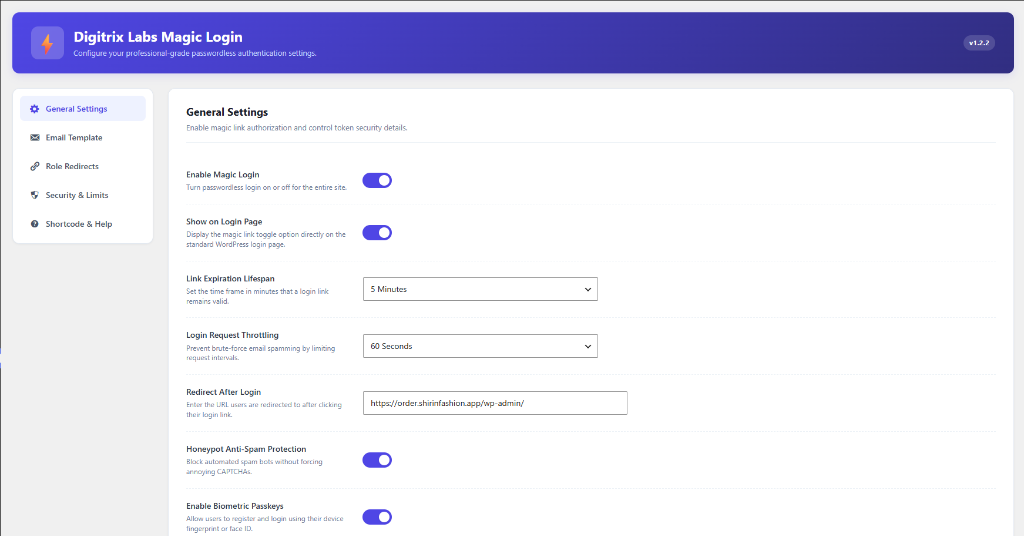
Digitrix Labs Passkeys and Email Link Access is a professional-grade, secure, passwordless authentication plugin for WordPress. It eliminates the need for traditional passwords, protecting your site from common security threats like brute-force attacks and password leaks.
The plugin provides two primary modern passwordless authentication options:
1. Email Login Links: Users enter their username or email address and receive a secure, one-time, time-limited login link in their email. Clicking the link logs them in instantly.
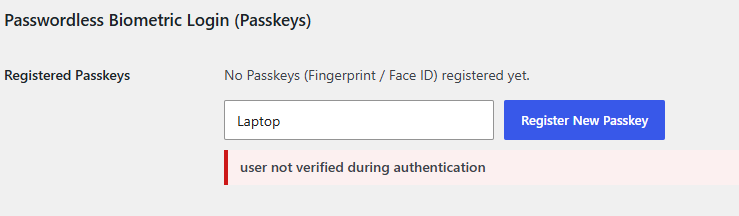
2. Biometric Passkeys (FIDO2/WebAuthn): Users register their device biometrics (such as fingerprint, TouchID, FaceID, or Windows Hello) from their profile page and log in instantly with a single touch or scan on their next visit.
Key Features
- Secure Email Links: Single-use, highly encrypted login links with adjustable expiration times.
- Biometric Passkeys: Hardware-secured biometrics utilizing FIDO2/WebAuthn standards (TouchID, FaceID, Windows Hello, etc.).
- Security & Limits: Define hourly login request limits per IP and lockout durations to block automated email spamming.
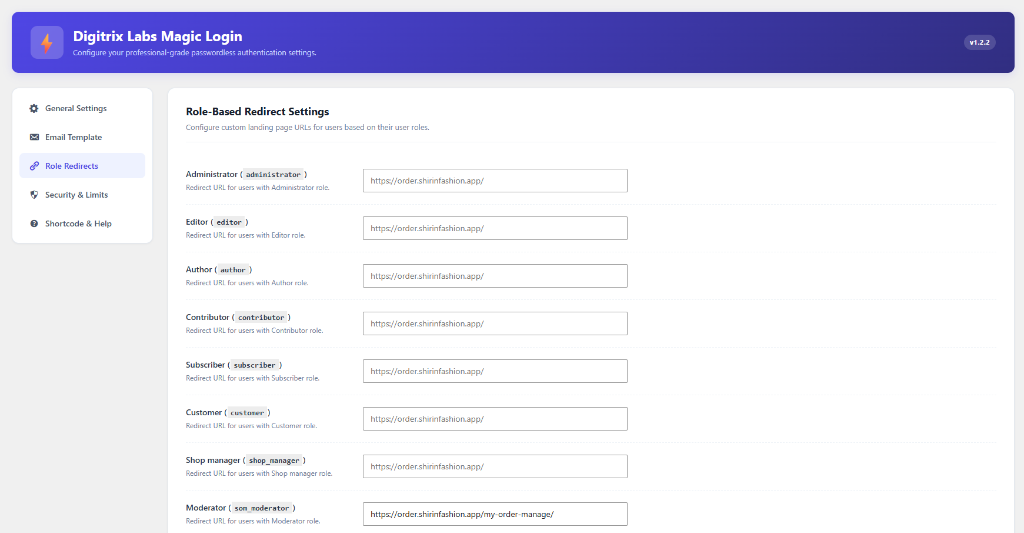
- Role-Based Redirects: Redirect users to custom URLs based on their user role (e.g., Administrator, Editor, Subscriber, WooCommerce Customer) upon successful login.
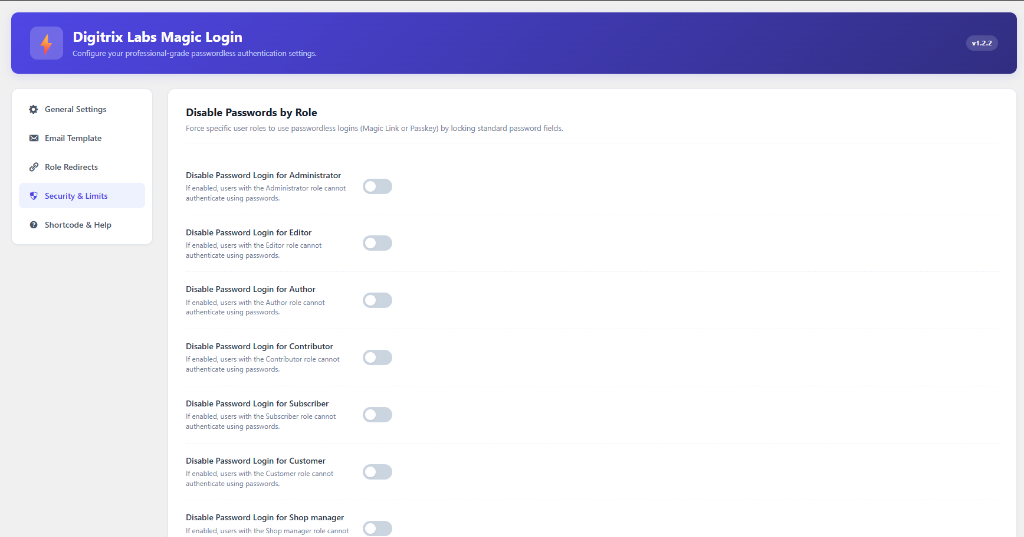
- Disable Password Login: Disable standard password logins for specific user roles to enforce passwordless authentication security.
- Honeypot Protection: Built-in hidden honeypot field to block automated spam bots silently without requiring annoying CAPTCHAs.
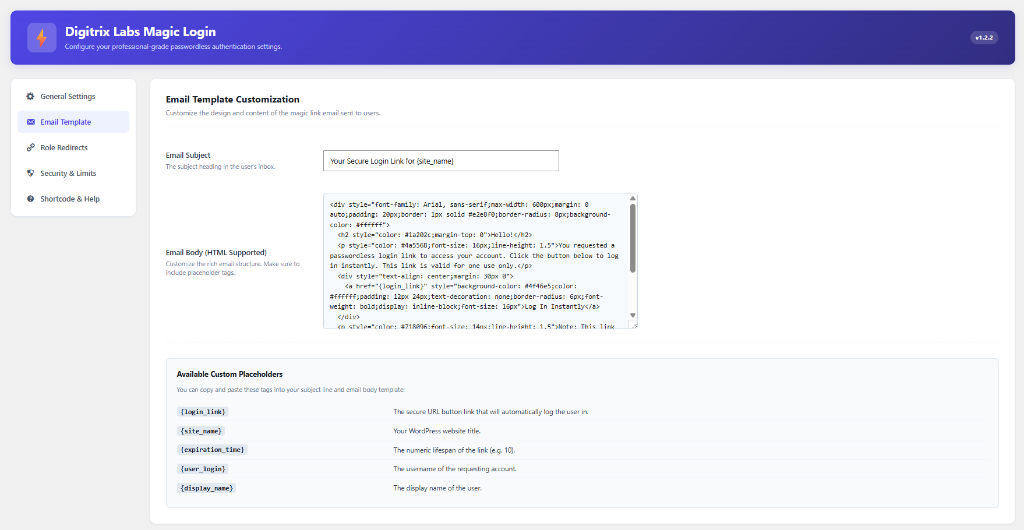
- Custom Email Templates: A beautifully styled admin dashboard tab to customize the login link email subject line and HTML structure with dynamic placeholders.
Skærmbilleder
Installation
- Upload the
digitrix-labs-passkeys-and-email-link-accessfolder to your site’s/wp-content/plugins/directory. - Activate the plugin through the Plugins menu in WordPress.
- Configure the options by navigating to Settings -> Passkeys & Email Link in your WordPress admin menu.
FAQ
-
Does this plugin require HTTPS/SSL?
-
Yes. Biometric authentication (WebAuthn/Passkeys) is a secure browser API and will only function in secure contexts (HTTPS). Local development environments on
localhostcan test without HTTPS. -
Can I use the passwordless login form anywhere on my site?
-
Absolutely. You can insert the AJAX-based login link form on any post, page, or widget block using the
[digitrix_passkeys_email_login_form]shortcode. -
How do users set up their fingerprints or face scans?
-
Once the administrator enables Biometric Passkeys in the general settings, users can register their biometrics by going to their own profile page (Users -> Profile) and enrolling a key under the “Passwordless Biometric Login (Passkeys)” section.
-
Does this plugin use sessions?
-
No. The plugin is built to be highly compatible with page caching plugins and does not use standard PHP
$_SESSIONsessions. Instead, it utilizes secure WordPress transients.
Anmeldelser
Der er ingen anmeldelser for denne widget.
Bidragsydere & udviklere
“Digitrix Labs Passkeys and Email Link Access” er open source-software. Følgende personer har bidraget til dette plugin.
Bidragsydere
Oversæt “Digitrix Labs Passkeys and Email Link Access” til dit eget sprog.
Interesseret i udvikling?
Gennemse koden, tjek SVN repository, eller abonner på udviklerloggen via RSS.
Ændringslog
1.0.4
- Add support for Usernameless (Discoverable Credentials) Passkeys login.
- Omit the username/email typing requirement to directly prompt biometric verification.
1.0.3
- Complied with WordPress.org security standards.
- Replaced low-level CURL calls with WordPress HTTP API.
- Restructured local storage paths to write within the WP Uploads directory.
1.0.0
- Initial release.
- Core AJAX email login link request system, standard login page integration, and custom email template builder.
- Support for FIDO2/WebAuthn Biometric Passkeys (TouchID, FaceID, Windows Hello).
- Advanced rate limiting, role-based redirects, and role-specific password bypass options.
- Secure challenge hexadecimal conversion for database transients.