
Beskrivelse
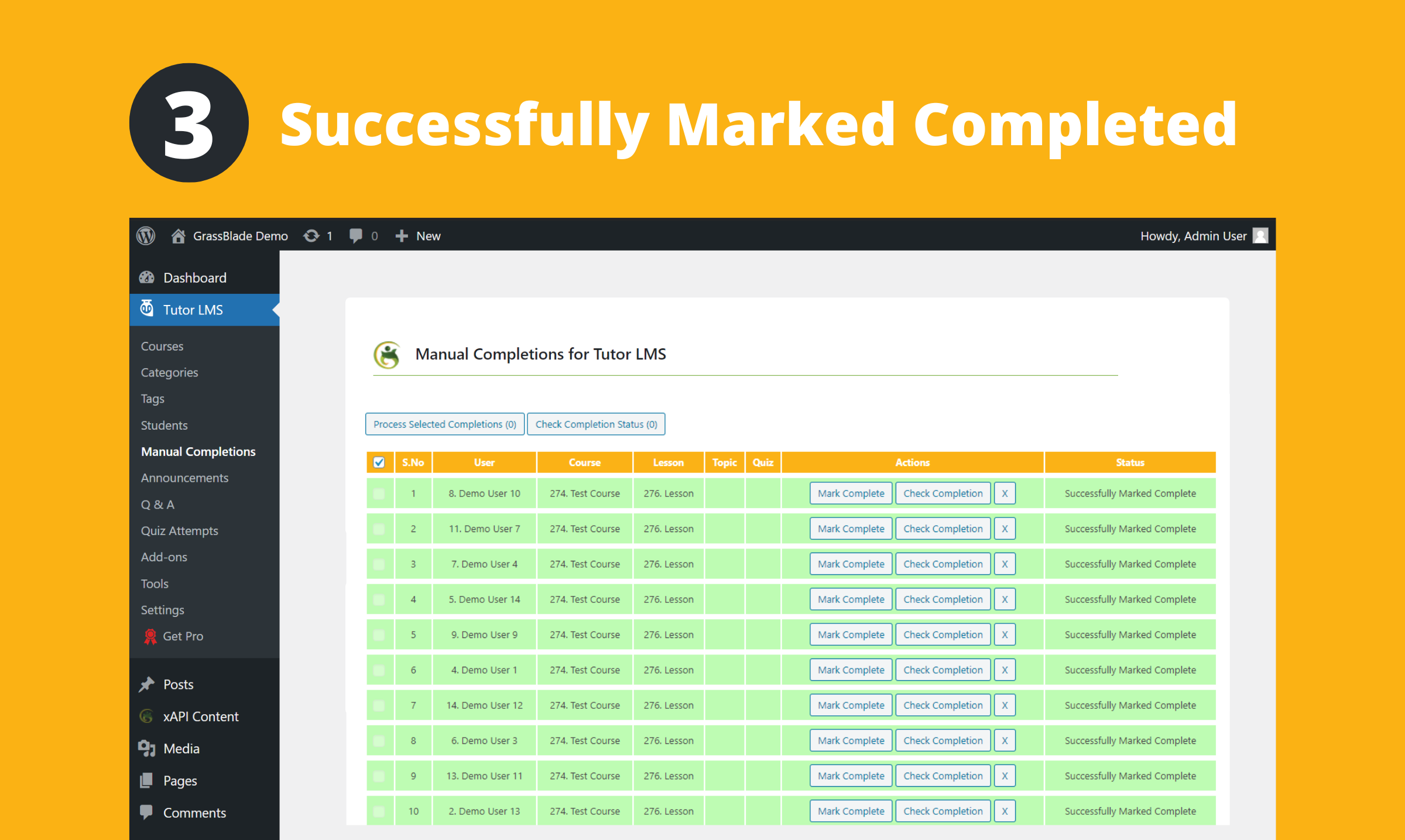
Manual Completions for Tutor LMS provides a very simple interface to check completion as well as manually mark courses, lessons and quizzes as complete.
You can use it for single completions as well as for bulk completions of hundreds of users. In one click, get all the enrolled users in the course.
You can also upload a CSV files with user_id, course_id, lesson_id, quiz_id. To quickly list all the completions, and then process them in bulk in any order you want.
You can also bypass completions blocked by GrassBlade xAPI Companion for xAPI Contents.
Tracking:
– If you have an LRS, you can see tracking data, including the user id and name of the admin who marked the lesson complete.
Requirements to use this plugin:
To use this plugin you need these two plugins:
1. Tutor LMS
2. GrassBlade xAPI Companion
Other Manual Completion Plugins:
– Manual Completions for LearnDashLMS
– Manual Completions for LifterLMS
– Manual Completions for LearnPress
Related Plugins for TutorLMS:
* Experience API for TutorLMS
* Visibility Control for TutorLMS
Skærmbilleder




Installation
This section describes how to install the plugin and get it working.
- Upload the plugin files to the
/wp-content/plugins/manual-completions-tutorlmsdirectory, or install the plugin through the WordPress plugins screen directly. - Activate the plugin through the ‘Plugins’ screen in WordPress
- Go to WP ADMIN > GrassBlade > Manual Completions for Tutor LMS or (WP ADMIN > Tutor LMS > Manual Completions)
Anmeldelser
Der er ingen anmeldelser for denne widget.
Bidragsydere & udviklere
“Manual Completions TutorLMS” er open source-software. Følgende personer har bidraget til dette plugin.
Bidragsydere
Oversæt “Manual Completions TutorLMS” til dit eget sprog.
Interesseret i udvikling?
Gennemse koden, tjek SVN repository, eller abonner på udviklerloggen via RSS.
Ændringslog
1.3
- Release version on WP Repo
1.0
- Initial Commit