Title: Oliver POS – WooCommerce POS for iPhone, iPad & Android
Author: Oliver POS
Published: 17. april, 2019
Last modified: 3. juni, 2026
---
Søg plugins
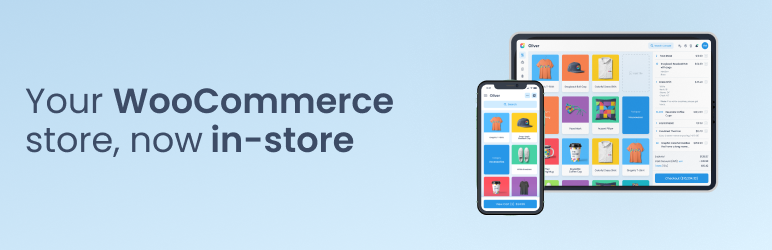

# Oliver POS – WooCommerce POS for iPhone, iPad & Android
Af [Oliver POS](https://profiles.wordpress.org/oliverpos/)
[Download](https://downloads.wordpress.org/plugin/oliver-pos.4.7.1.zip)
* [Detaljer](https://da.wordpress.org/plugins/oliver-pos/#description)
* [Vurderinger](https://da.wordpress.org/plugins/oliver-pos/#reviews)
* [Installation](https://da.wordpress.org/plugins/oliver-pos/#installation)
* [Udvikling](https://da.wordpress.org/plugins/oliver-pos/#developers)
[Support](https://wordpress.org/support/plugin/oliver-pos/)
## Beskrivelse
Oliver POS is the state-of-the-art point of sale for WooCommerce. More than 45,000
retailers around the world use Oliver POS to sell in-store, manage inventory across
multiple outlets, and accept every payment method WooCommerce supports — all without
ever leaving their existing WooCommerce shop.
There is only one database, one product catalogue and one source of truth: your
WooCommerce store. Oliver POS adds a beautiful, touch-first register on top of it—
for iPad, Mac, Android tablets and PC — and keeps everything in sync in real time.
No middleware, no double entry, no exported CSVs.
#### Real WooCommerce Integration, Not a Bolt-On
Oliver POS speaks the official WooCommerce REST API. When you pair a device, the
plugin mints a real WooCommerce `consumer_key` / `consumer_secret` for that station—
the same API contract every other WooCommerce integration uses. Orders, refunds,
products, inventory, customers and taxes all flow through `wp-json/wc/v3/*`. Your
data stays portable, auditable and 100% inside your own WordPress install.
Full compatibility with WooCommerce HPOS (High-Performance Order Storage), the new
Product Block Editor, and Cart & Checkout Blocks is declared and tested.
#### Offline-First Sales
When the internet drops, the line at your counter doesn’t. Oliver POS keeps selling—
every order, every line item, every payment captured by your cashier is queued locally
on the device. The moment connectivity returns, the queue drains into WooCommerce
in the exact order it was rung up. No lost sales, no manual reconciliation, no panic.
Refunds, customer lookups and live stock checks still require an online connection(
because they touch live WooCommerce data), but the core “make the sale” flow is
fully offline-capable.
#### Multi-Outlet & Multi-Station Stock
Run one store or fifty. Oliver POS gives each outlet its own stock level — synced
back to WooCommerce as the global truth — and lets each station ring up sales independently
with its own register number, receipt sequence and shift. Move stock between outlets,
audit movements per location, and see live inventory across every store from your
WooCommerce admin.
#### Real-Time Sync Across Every Device
Every sale, stock movement, refund and customer update fans out across every Oliver
POS device — iPhone, iPad, Android tablet, countertop terminal and web dashboard—
in real time, and lands as a standard WooCommerce record on your WordPress store
within the same second. Your WooCommerce shop stays the single source of truth:
there are no proprietary tables, no exported CSVs and no scheduled syncs to babysit.
When the internet drops, every station keeps selling locally and the queue drains
into WooCommerce in order the moment connectivity returns.
#### Every WooCommerce Payment Gateway, In-Store
If WooCommerce supports it, Oliver POS supports it. Cash, card, store credit, gift
cards, integrated terminals — plus any WooCommerce payment gateway you’ve already
configured: WooPayments, Stripe, PayPal, Klarna, Square, Mollie, Amazon Pay, Authorize.
net and hundreds more. The cashier picks a gateway, the gateway’s own checkout opens
in a WebView on the POS device, and the customer pays through the exact same flow
they’d use online. Apple Pay, Google Pay and other wallets work automatically through
whichever wallet-enabled gateway you’ve already turned on.
For card-present payments, Oliver POS integrates directly with **Stripe Terminal**:
pair a reader to an outlet and the amount due is pushed to the terminal at checkout,
processed by Stripe, and recorded on the WooCommerce order — no double entry, no
reconciliation drift.
#### WooCommerce POS for iPhone, iPad, Android, Mac & PC
Oliver POS ships native apps for iPhone, iPad and Android, plus a web register that
runs in any modern browser on Mac, PC and Chromebook. Tap to Pay works on every
modern iPhone (iOS 16.4+) and on supported Android phones — no extra card reader
required. Touch, mouse, keyboard, camera and Bluetooth/USB barcode scanners are
all first-class inputs. Use a Mac as your back-office register, an iPad on the counter,
an iPhone for pop-ups and street markets, and the Oliver POS countertop terminal
for high-volume lanes — all selling from the same WooCommerce shop.
#### Works With the WooCommerce Plugins You Already Run
Because Oliver POS reads and writes through the official WooCommerce REST API, your
existing WooCommerce extensions keep working at the counter — including WooCommerce
Subscriptions, Memberships, Bookings, Product Bundles, Points & Rewards, Gift Cards
and WooPayments. No bespoke integration per plugin, no broken add-ons, no workflow
change for your online customers. The themes, taxes, shipping rules, coupons and
product types you already use on your WooCommerce shop apply in-store too.
#### Real-Time Inventory, Reports & Staff Insights
Sales, stock movements, payment summaries, tax reports and staff performance — all
live, all sliced by outlet, register and shift. Oliver POS includes 15+ unique reports
out of the box in Oliver Hub, plus staff permissions backed by real WordPress capabilities
so each user only sees what they’re entitled to.
#### Free to Start, Paid to Scale
Oliver POS offers a genuine Free plan — no credit card, no trial timer — so you
can install, pair a device and ring up a real sale before you ever pay us. Paid
tiers unlock multi-outlet, advanced reporting, integrated payments and priority
support. Current pricing lives at [oliverpos.com/pricing](https://oliverpos.com/pricing?utm_source=wordpress.org&utm_medium=plugin&utm_campaign=readme&utm_content=pricing).
#### Hardware Built for Retail
Bring your own iPad, Mac or PC, or buy the purpose-built [Oliver POS terminals](https://oliverpos.com/hardware?utm_source=wordpress.org&utm_medium=plugin&utm_campaign=readme&utm_content=hardware)—
integrated receipt printer, barcode scanner, cash drawer and card terminal in one
box, running the Oliver POS Android app. Third-party thermal printers, barcode scanners
and cash drawers also work out of the box.
#### Support You Can Reach
Email support@oliverpos.com and a human responds within one business day. We also
run live chat from inside Oliver Hub and maintain a public help centre at [help.oliverpos.com](https://help.oliverpos.com/?utm_source=wordpress.org&utm_medium=plugin&utm_campaign=readme&utm_content=help).
Bug reports, feature requests and security disclosures are all welcome — see the
Privacy & Security section below for how to reach our security team.
### Privacy & Security
Oliver POS is designed so that the merchant — not Oliver POS — is the data controller,
and card data never enters our systems.
* **Card data path.** For Stripe Terminal and every WooCommerce payment gateway,
card information flows directly between the customer’s terminal / browser and
the gateway. The Oliver POS plugin and our backend never see card numbers, CVVs
or full PANs.
* **Device pairing uses WordPress Application Passwords.** The 4.3.0 “Connect with
site URL” flow asks the merchant to approve a single Application Password prompt
in wp-admin. Devices authenticate with that password against the standard WordPress
REST API — no shared secrets, no master credentials.
* **No analytics, advertising, or telemetry.** The plugin does not transmit shop
data to any third party for analytics, advertising or telemetry. The only outbound
calls are documented in **External services** below.
* **Clean uninstall.** Removing the plugin deletes every option, custom table and
meta key Oliver POS created. Your WooCommerce orders, products and customers
are untouched.
* **Idempotent device pairing.** The bootstrap pairing endpoint is keyed on the
WordPress user and the device’s UUID, so a re-run of the pairing flow from the
same device (for example, recovering from a network drop mid-pair) returns the
same `consumer_key` / `consumer_secret` rather than orphaning the previous WooCommerce
REST API key. The key is gated by `manage_woocommerce`, remains revocable by
the merchant in **WooCommerce Settings Advanced REST API**, and the plugin
explicitly rejects pairings whose key was revoked between attempts.
* **Security disclosure.** Report vulnerabilities to security@oliverpos.com. We
acknowledge within one business day.
### External services
This plugin connects to a small number of external services so that the in-store
register, the merchant subscription and integrated card payments can work. The plugin
does not transmit shop data to any third party for analytics, advertising or telemetry.
#### Oliver POS backend (phoenix.oliverpos.com)
The plugin contacts the Oliver POS backend to register the merchant’s site, manage
their Oliver POS subscription, mint short-lived authentication tokens, link a Stripe
Connect account for integrated card payments, and synchronise Stripe Terminal locations
when outlets are created or deleted.
What is sent: the WordPress site URL, the merchant’s WordPress user ID and email
when they sign in to Oliver POS, the outlet IDs and addresses configured in this
plugin, and the Stripe account ID once the merchant connects one. Card data is never
handled by this plugin or by `phoenix.oliverpos.com`; it goes directly between the
merchant’s browser / terminal and Stripe.
When it is sent: only after the merchant explicitly opts in by clicking **“Create
your free Oliver POS account”** on the Billing page or on the first-run Dashboard
onboarding panel (or **“Connect with Stripe”** on the Oliver Pay page), after which
the page also fetches the current subscription status, and on subsequent merchant
actions: clicking “Manage your current plan” on Billing, pasting an OPAY-XXXX-XXXX-
XXXX activation code into the Billing page (or following the marketing-site deep
link `?claim=OPAY-…`), adding / editing / deleting an outlet, running the “Sync
Terminal Locations” / “Refresh status” / “Test connection” / “Refresh plan from
Stripe” actions, or when a paired Oliver POS device requests a Phoenix pairing code
via `POST /oliver-pos/v1/devices/phoenix-pair-code` (which the plugin proxies through
to `/api/devices/pairing-codes`). Plan selection itself happens on [oliverpos.com/pricing](https://oliverpos.com/pricing),
not inside wp-admin. No outbound call is made on plugin activation, on `plugins_loaded`,
on `init`, on the Oliver POS Dashboard / Settings / Reports / Staff / Outlets /
Receipts admin pages (the Dashboard onboarding panel only transmits when the explicit“
Create your free Oliver POS account” button is clicked — its disclosure expander
lists exactly what gets sent), or on any frontend request.
Endpoints used: `/api/auth/token`, `/api/auth/register`, `/api/auth/claim`, `/api/
subscriptions/current`, `/api/subscriptions/manage-link`, `/api/subscriptions/resync`,`/
api/connect/status`, `/api/connect/accounts`, `/api/connect/sessions`, `/api/terminal/
locations`, `/api/terminal/locations/sync`, `/api/devices/pairing-codes`, `/.well-
known/jwks.json`.
The `/.well-known/jwks.json` endpoint is the RSA public-key directory the plugin
reads (no shop data sent in the request) to verify Phoenix-issued bearer tokens
presented by the Oliver POS web register at `app.oliverpos.com`. The response is
a small JSON document of public keys, cached on the merchant’s site for 24 hours,
and contains no merchant data. Required only on sites whose merchants use the web
register; native iOS / Android apps continue to authenticate with WooCommerce consumer
keys and never trigger this lookup.
Service: [Oliver POS](https://oliverpos.com) — see [Terms of Service](https://oliverpos.com/terms)
and [Privacy Policy](https://oliverpos.com/privacy).
**Switching backends (developers / QA).** The active backend is selected by the `
PHOENIX_ENV` constant in `wp-config.php` and defaults to production. Setting `define('
PHOENIX_ENV', 'staging' );` routes every request to `phoenix-api-git-staging-oliver-
pos.vercel.app` (Stripe test mode, separate Neon database). The staging deployment
sits behind Vercel Deployment Protection, so the matching `define( 'PHOENIX_STAGING_BYPASS_TOKEN','
' );` constant is also required — without it the plugin returns an inline
diagnostic instead of attempting any call. Both constants are intentionally `wp-
config.php`-only (never exposed in wp-admin) so a misconfigured site cannot route
real Stripe traffic to the staging environment. The staging deployment is intended
for Oliver POS internal QA only and is not used by production sites.
**Local-dev forwarding (advanced).** Setting `define( 'PHOENIX_BASE_URL_OVERRIDE','
https://your-tunnel.example' );` overrides the resolved base URL for both production
and staging, which is useful when developing Phoenix locally behind ngrok or a similar
reverse proxy. Leave this constant undefined on every other install.
**End-to-end smoke tests (Oliver POS developers / QA only).** The plugin’s public
source repository ships a `dev/` folder with `wp eval-file`-style smoke scripts
that exercise the Phoenix code paths end-to-end against the active environment —
a destructive `staging-smoke.php` for staging, and a read-only `prod-smoke.php`
for diagnosing real merchants. These scripts are intentionally **not** included
in the version of the plugin distributed through WordPress.org. To run them, check
out the source from the [public GitHub repository](https://github.com/oliverpos/oliver-pos)
and follow `dev/README.md`. They are not needed (and not loadable) on a normal merchant
install.
**Stripe webhook URL gotcha (staging only).** Stripe sends webhooks server-to-server,
so the test-mode webhook endpoint configured in dashboard.stripe.com must include
the Vercel Deployment Protection bypass token as a query parameter — `https://phoenix-
api-git-staging-oliver-pos.vercel.app/api/webhooks/stripe?x-vercel-protection-bypass
=` — otherwise every delivery returns Vercel’s SSO login HTML and Phoenix’s
handler never runs. This is a Phoenix / DevOps configuration concern (the plugin
doesn’t receive webhooks itself), but a missing bypass on the webhook URL is the
most common reason staging subscriptions appear stuck after Checkout. The plugin’s“
Refresh plan from Stripe” button on the Billing admin page is the per-merchant recovery
path when this happens — it forces a pull-through reconcile from Stripe via `/api/
subscriptions/resync`.
#### Stripe Connect embedded UI (connect-js.stripe.com)
The plugin loads `https://connect-js.stripe.com/connect-js.umd.js` on the Oliver
Pay admin page so the merchant can complete Stripe Connect onboarding and review
their payouts inside wp-admin without leaving the site. This script is hosted by
Stripe and cannot be self-hosted (Stripe’s terms require the live URL).
What is sent: the Stripe-issued client secret minted by `phoenix.oliverpos.com`
for the current admin session. No shop data is sent directly from this plugin to
Stripe; everything flows through the Stripe-hosted UI under the merchant’s own Stripe
account.
When it is sent: only when the merchant opens the **Oliver POS Oliver Pay** admin
page.
Service: [Stripe](https://stripe.com) — see [Stripe Services Agreement](https://stripe.com/legal/ssa)
and [Stripe Privacy Policy](https://stripe.com/privacy).
## Skærmbilleder
* [[
* Oliver POS register — touch-first WooCommerce POS for iPhone, iPad, Android and
web.
* [[
* Adding a WooCommerce variable product to the cart in Oliver POS.
* [[
* Customer view — every WooCommerce customer, full order history and store credit,
in one place.
* [[
* Payments view — Tap to Pay, Stripe Terminal, cash, store credit and every WooCommerce
payment gateway.
* [[
* Activity view — search, filter and refund WooCommerce orders from any Oliver
POS outlet or station.
* [[
* Sales summary — 15+ live reports for in-store revenue, payments, taxes and staff
performance.
* [[
* Staff and shifts — PIN overrides, permissions and per-employee sales insights
in Oliver Hub.
* [[
* Payment methods — turn on any WooCommerce gateway for in-store use, per outlet.
## Installation
1. Install Oliver POS from the WordPress plugin directory and activate it.
2. From the WordPress admin sidebar, open **Oliver POS** and click **Connect**.
3. Sign in or create your free Oliver POS account at app.oliverpos.com.
4. Your products, customers, orders and tax settings sync automatically.
5. Open the web register at sell.oliverpos.com, or pair the Oliver POS iPad / Android
app using the on-screen pairing code. You’re ready to sell.
The whole process takes less than three minutes on a typical shop.
## FAQ
### What do I need to run a WooCommerce POS in my store?
A WordPress site with WooCommerce installed and configured — that’s it. Your WooCommerce
products, prices, inventory, customers, tax rates and currency are the single source
of truth for Oliver POS, so set those up in WooCommerce before pairing your first
device.
For hardware, any modern browser will run the Oliver POS web register. We recommend
Chrome on Mac, PC or Android, and Safari on iPad. Receipt printing uses the device’s
default printer.
### Can a WooCommerce POS keep selling when the internet goes down?
Yes. The “Allow offline orders” setting is enabled by default. When your device
loses internet connectivity, Oliver POS keeps accepting sales — every order is queued
on the device and syncs into WooCommerce in order the moment the connection comes
back. Refunds, live stock checks and customer lookups require an online connection
because they touch live WooCommerce data.
### Which payment gateways does Oliver POS support in-store?
All of them. Any payment gateway you’ve enabled in **WooCommerce Settings Payments**
can be turned on for in-store use in **Oliver POS Payment Methods**. When the cashier
picks that gateway at checkout, the gateway’s own payment form opens in a WebView
on the POS device. We’ve tested with WooPayments, Stripe, PayPal, Klarna, Square,
Mollie, Amazon Pay and Authorize.net, but any properly-built WooCommerce gateway
will work.
Oliver POS also has a first-class integration with **Stripe Terminal** for card-
present payments — pair a reader to an outlet and the amount due is pushed automatically
at checkout.
### Does Oliver POS support Apple Pay, Google Pay and Tap to Pay?
Yes — through whichever wallet-enabled gateway you’ve already configured in WooCommerce.
If your WooPayments or Stripe gateway has Apple Pay and Google Pay turned on, those
wallets will appear on the POS WebView checkout exactly as they do on your online
store.
### Can I run Oliver POS on iPhone, iPad and Android?
Yes. Oliver POS ships native apps for iPhone, iPad and Android phones / tablets,
and the web register also runs in Safari on iPad and in Chrome on Android. Tap to
Pay on iPhone (iOS 16.4+) and Tap to Pay on supported Android phones let any modern
phone accept contactless cards and wallets with no extra hardware. We also support
iPad / iPhone-friendly Bluetooth barcode scanners, AirPrint receipt printers and
the Stripe Terminal BBPOS WisePad 3.
### Does Oliver POS work for multi-outlet retailers and chains?
Yes. Oliver POS is built around outlets — each physical store or pop-up gets its
own stock levels, register sequence, payment methods, tax setup and timezone, while
all rolling up to the same WooCommerce shop. Stock can be transferred between outlets,
and reports can be filtered per outlet, per register or globally.
### How long does it take to get up and running?
We’ve shipped Oliver POS to over 45,000 retailers, and the median setup is under
three minutes:
1. Install and activate the plugin.
2. Click **Connect** and create your free Oliver POS account.
3. Open the web register or pair an iPad / Android device, and ring up your first
sale.
### How much does a WooCommerce POS cost? Is there a free plan?
Oliver POS offers a free plan with no credit card required. Paid tiers add multi-
outlet, advanced reporting, integrated payments and priority support. See [current pricing](https://oliverpos.com/pricing?utm_source=wordpress.org&utm_medium=plugin&utm_campaign=readme&utm_content=pricing-faq)
on oliverpos.com.
### Does Oliver POS use the official WooCommerce REST API (no vendor lock-in)?
Yes. When you pair a device, Oliver POS mints a real WooCommerce REST API key for
that station and the device speaks `wp-json/wc/v3/*` directly. Your orders, products,
refunds and customers are stored as standard WooCommerce records — no proprietary
tables, no vendor lock-in. If you ever stop using Oliver POS, your data stays exactly
where it is.
### Is Oliver POS GDPR and PCI compliant?
Card data never touches the Oliver POS plugin or our servers. For integrated card
payments via Stripe Terminal or any WooCommerce gateway, card information flows
directly between the customer’s card / terminal / browser and the gateway, keeping
your shop’s PCI scope to the SAQ-A or SAQ-A-EP minimum.
For GDPR, the plugin transmits only the data documented in the **External services**
section below, never sells data, never runs third-party analytics, and removes all
stored Oliver POS data cleanly on uninstall.
### Can I print receipts with Oliver POS?
Yes — thermal, inkjet, laser and Bluetooth receipt printers all work. The Oliver
POS terminals ship with an integrated thermal printer that auto-prints after every
checkout. Other setups print to whatever printer is connected as the device default.
Email and SMS receipts are also supported.
### All my products have barcodes — will Oliver POS scan them?
Yes. Any USB or Bluetooth barcode scanner that emulates a keyboard works out of
the box. Add the barcode as the SKU or to a custom field in WooCommerce, and Oliver
POS will look it up at the speed of the scanner. You can also scan barcodes with
the device’s built-in camera on iPhone, iPad and Android — no extra hardware required.
### Can I accept card payments on my iPhone without a card reader?
Yes. Oliver POS supports **Tap to Pay on iPhone** (iOS 16.4+) and **Tap to Pay on
Android** through our integration with Stripe Terminal. Tap a contactless card,
Apple Pay or Google Pay against the back of the phone, the charge runs through your
own Stripe account, and the completed payment is recorded on the WooCommerce order—
no extra reader, no double entry, no reconciliation drift.
### Is Oliver POS compatible with WooCommerce Subscriptions, Bookings, Gift Cards and Memberships?
Yes. Because Oliver POS reads and writes through the official WooCommerce REST API,
your existing WooCommerce extensions keep working at the counter — including WooCommerce
Subscriptions, Memberships, Bookings, Product Bundles, Points & Rewards, Gift Cards
and WooPayments. There is no bespoke integration to install per plugin, and the
customer experience on your online store stays unchanged.
## Anmeldelser

### [Don’t buy this plugin unless you like getting ripped off](https://wordpress.org/support/topic/dont-buy-this-plugin-unless-you-like-getting-ripped-off/)
[creawebbzh](https://profiles.wordpress.org/creawebbzh/) 25. maj, 2026
I bought this plugin for a client who uses (or at least tries to use) Oliver POS
on a daily basis, and the verdict is clear. Numerous daily glitches: orders that
register in WooCommerce and the Hub at €0 even though prices have been entered,
and deleted products that continue to appear in the Hub. On top of everything else,
the support service is nowhere to be found. Paying for an annual or lifetime subscription
is a total rip-off; we should all take legal action against this fraudulent company!
When you finally manage to talk to a human, they give you a completely irrelevant
answer! It’s really disappointing because, for a small business, investing €250
in point-of-sale software is no small matter… I’m giving it one star because you
can’t give it any less. Shame on you @OliverPOS !

### [API Instability & Onboarding Failure](https://wordpress.org/support/topic/api-instability-onboarding-failure/)
[EWD](https://profiles.wordpress.org/surfshak/) 26. februar, 2026 2 svar
We attempted to implement Oliver POS (v2.4.2.6) on a WooCommerce site and were unable
to complete the initial connection process. After entering the subscription key,
the plugin simply spins and returns: {“exceptions”:null,”Message”:null,”opConnect”:”
noResponse”} To rule out local configuration issues, we conducted direct server-
level testing of the API endpoints used by the plugin. From our production server,
the Oliver endpoints revealed in their plugin consistently return HTTP 500 (Internal
Server Error). This confirms the failure is occurring server-side within Oliver’s
API, not within WordPress or WooCommerce. Additionally, the plugin does not surface
meaningful error messages. Instead of reporting the upstream 500 response, it returns
a generic “noResponse” result, which makes troubleshooting unnecessarily difficult.
Oliver advertises 24/7 support, yet when attempting to contact support during this
issue, we were informed no one would be available for approximately 15 hours. For
a POS system that relies on external API connectivity, that level of responsiveness
is concerning. We cannot recommend a POS solution where: Core onboarding endpoints
return 500 errors, Errors are suppressed rather than properly reported, Support
is not immediately accessible despite 24/7 claims. (also see all none responsive
requests in other reviews!!) Until API reliability and support responsiveness improve,
we would advise not to consider this as a reliable POS solution!!

### [No Customer Support](https://wordpress.org/support/topic/no-customer-support-26/)
[customk9](https://profiles.wordpress.org/customk9/) 9. februar, 2026
This plugin has a lot of potential. When it works it works well. Many of the features
it claims to have do not work properly or maybe I am unable to get them to work,
however since support is non-existant I do not know. My last support ticket took
6 weeks to be resolved. SUPPORT, SUPPORT, SUPPORT.

### [Plugin No Longer Supported](https://wordpress.org/support/topic/plugin-no-longer-supported-23/)
[Brandon Ernst](https://profiles.wordpress.org/brandonfire/) 15. januar, 2026
I spent hours analyzing the right POS solution with my client only to select OliverPOS,
purchase the paid plan (luckily it’s just a 7-day free trial) and then find out
it is no longer being supported. This was confirmed by their support team. Plugin
should be removed from the directory.

### [I payed for basic plan, key does not work, nobody answer](https://wordpress.org/support/topic/i-payed-for-basic-plan-key-does-not-work-nobody-answer/)
[pfustillos](https://profiles.wordpress.org/pfustillos/) 18. november, 2025
I have four days since I payed, The key provided to me does not work, it is imposible
to get support, nobody answer support email, link to ticket is broken, facebook
nobady answer. Terrible

### [Work good but…](https://wordpress.org/support/topic/work-good-but/)
[jj34ls](https://profiles.wordpress.org/jj34ls/) 1. september, 2025
This extension works well at first glance. But unfortunately, even if unlike others
I managed to get support feedback via their site, each of the responses was “it’s
on Woocommerce’s side, we can’t do anything”. I think that this extension had its
moment of glory but that now (they are normally preparing big changes according
to their support) the support leaves something to be desired, the extension itself
seems to be abandoned with no one behind it. If you are looking for a POS extension
for your store, consider another one, you will relieve yourself of a headache. Once
again, it’s a shame because initially the extension does the job perfectly.
[ Læs alle 90 anmeldelser ](https://wordpress.org/support/plugin/oliver-pos/reviews/)
## Bidragsydere & udviklere
“Oliver POS – WooCommerce POS for iPhone, iPad & Android” er open source-software.
Følgende personer har bidraget til dette plugin.
Bidragsydere
* [ Oliver POS ](https://profiles.wordpress.org/oliverpos/)
“Oliver POS – WooCommerce POS for iPhone, iPad & Android” er blevet oversat til
1 sprog. Tak til [oversætterne](https://translate.wordpress.org/projects/wp-plugins/oliver-pos/contributors)
for deres bidrag.
[Oversæt “Oliver POS – WooCommerce POS for iPhone, iPad & Android” til dit eget sprog.](https://translate.wordpress.org/projects/wp-plugins/oliver-pos)
### Interesseret i udvikling?
[Gennemse koden](https://plugins.trac.wordpress.org/browser/oliver-pos/), tjek [SVN repository](https://plugins.svn.wordpress.org/oliver-pos/),
eller abonner på [udviklerloggen](https://plugins.trac.wordpress.org/log/oliver-pos/)
via [RSS](https://plugins.trac.wordpress.org/log/oliver-pos/?limit=100&mode=stop_on_copy&format=rss).
## Ændringslog
#### 4.7.1 – 2026-06-03
* **Fixes the “site already registered” account-creation deadlock.** When a site
had previously registered its free Oliver POS account but lost its locally-stored
credentials — most often after a plugin update, a database restore, an environment
switch, or a manual disconnect — the Dashboard onboarding panel reverted to the“
Create your free account” step. Clicking it failed, because the backend correctly
reported the domain was already registered, yet the plugin had no way to re-obtain
the credentials (the account API key only ever lives on the managed backend).
The merchant could neither register nor reach the connected dashboard. The plugin
now recovers automatically through a domain-verified re-issue flow instead of
dead-ending on that screen.
* **New domain-verified credential recovery.** When the backend reports the domain
is already registered, the plugin runs a recovery handshake: the backend mints
a one-time challenge, the plugin serves it from the registered site, and the
backend fetches it back to prove the caller controls that exact domain before
re-issuing the account credentials. This is the same HTTP domain-control proof
used by Let’s Encrypt and Google Search Console — credentials are never returned
on the request body alone. On success the merchant lands straight on the connected
dashboard; on failure they get a clear, actionable message instead of a silent
loop. If the backend has not yet enabled the recovery endpoint the plugin degrades
gracefully with a support-pointing message rather than erroring obscurely.
* **New `GET /wp-json/oliver-pos/v1/recover-challenge` endpoint** (`includes/rest-
api/class-recover-rest.php`). Unauthenticated and intentionally minimal — it
returns only the single opaque, single-use, short-TTL challenge token the plugin
itself just generated, carries no merchant data, and is exempt from the §4 503
self-trip so recovery still works on a pressured host. `Pay_API_Client::recover_site()`
drives the two-step handshake and, on success, persists the freshly-issued `siteId`
+ encrypted `apiKey` + `registered_env` exactly like first-time registration
and drops any stale cached JWT (the backend rotates the API key on recovery).`
Billing::ajax_register()` transparently triggers recovery when registration reports
HTTP 409 / already-registered, covering both the Billing screen CTA and the Dashboard
onboarding CTA (they share the handler).
* **Hardened the legacy credential migration so it can no longer cause this state.**`
Activator::migrate_pay_credentials()` previously deleted the pre-4.1 flat credential
options unconditionally, even when the copy into the environment-namespaced options
had been skipped because the target row already existed empty — silently destroying
the credential on upgrade. The migration now copies whenever the namespaced value
is empty (not just absent), and only retires the legacy rows once the namespaced
copies are confirmed present and non-empty; otherwise it leaves the legacy source
in place and does not mark itself done, so the next upgrade retries instead of
losing data.
* **`docs/phoenix-site-recovery-guide.md`** — implementation guide for the managed-
backend team covering the two-step recover contract, the verification fetch,
mandatory API-key rotation, SSRF guard, domain normalization, single-use short-
TTL challenges, rate limiting, and audit + owner-notification requirements.
#### 4.7.0 – 2026-05-28
* **Web register support — Phoenix bearer-JWT verification.** The plugin now accepts`
Authorization: Bearer ` on every `/wp-json/oliver-pos/v1/*` route
and every proxied `/wp-json/wc/v3/*` route, so the Compose wasm-JS web register
hosted at `app.oliverpos.com` can pair against a merchant site without ever sending
a WooCommerce consumer secret. Tokens are RS256-signed by Phoenix and verified
against the JWKS document the plugin caches from `/.well-known/jwks.json` (production:`
phoenix.oliverpos.com`; staging: `phoenix-staging.oliverpos.com`, selected by
the existing `PHOENIX_ENV` constant). Iron-law: the browser MUST NEVER see `consumer_key`/`
consumer_secret` — the bearer path is the only inbound auth surface for web-origin
traffic, and a defensive guard rejects Basic auth from any web allowlist origin
to keep a misconfigured upstream proxy from leaking secrets. Native iOS / Android
apps continue to authenticate with WooCommerce consumer keys via the existing`
authenticate_wc_api_keys` bridge — the bearer path is purely additive.
* **Cross-origin (CORS) headers for the web register.** Every authenticated REST
response is decorated with `Access-Control-Allow-Origin` (echoed from the matched
allowlist origin — `app.oliverpos.com`, `app-staging.oliverpos.com`, plus `http://
localhost:8080` only when `WP_DEBUG` or `OLIVER_POS_DEV` is on), `…-Credentials:
true`, `…-Expose-Headers` listing `X-OliverPOS-Server-Load`, `X-OliverPOS-Memory-
Pressure`, `X-OliverPOS-Suggested-PerPage`, `X-WP-Total`, `X-WP-TotalPages`, `
Retry-After` (the app’s `AdaptiveSyncPolicy` and rate-limit cooldowns silently
misbehave without this list), and `Vary: Origin` so CDN caches stay safe. `OPTIONS`
preflights are short-circuited on `init` with `204 No Content` + `Access-Control-
Max-Age: 600`. Allowlist is filterable via `oliver_pos_web_register_cors_origins`
for self-hosted dev installs.
* **Adaptive-sync headers widened to `/wc/v3/\*`.** The four `X-OliverPOS-*` advisory
headers now also land on WooCommerce core REST responses so the web register’s
first-pair sync (which is dominated by `/wc/v3/products` and `/wc/v3/orders`
pulls) gets the same memory-pressure / suggested-per-page clamping that `/oliver-
pos/v1/*` has had since 4.6.0. New `oliver_pos_server_health_route_patterns`
filter (plural) lets sites broaden or narrow the scope further; the 4.6.x `oliver_pos_server_health_route_pattern`
singular filter still works as a back-compat override.
* **`includes/auth/` module.** Four new classes, zero new external dependencies.`
Jwks_Client` caches the JWKS document in a transient (TTL 24 h, single refetch
on `kid` miss, 60 s negative cache to prevent flooding Phoenix when bad tokens
arrive). `Jwt_Verifier` is a hand-rolled RS256 verifier on top of `ext-openssl`—
algorithm is pinned (rejects `alg=none` and `HS256` confusion attacks), `exp`/`
iat` / `nbf` honoured with a 30 s clock-skew leeway, required claims checked (`
siteId`, `outletId`, `stationId`, `deviceId`, `iat`, `exp`). `Web_Register_Auth`
orchestrates extraction verify site / station cross-check, slots in at `determine_current_user`
priority 10 (before WC’s auth at 15 and the existing WC-key bridge at 20), and
surfaces deferred rejection reasons via `rest_authentication_errors` so 401 /
403 bodies carry an actionable code instead of an opaque “logged out”. `Cors`
handles the allowlist + preflight + response-header decoration.
* **`Station::find_by_device_uuid()`** — new lookup used by the bearer path to
resolve the WP user from the JWT’s `deviceId` claim (the existing `find_by_user_device()`
couldn’t be reused because the bearer path discovers the user FROM the station
row, not the other way around).
* **`Rest_Filters::set_current_station_id()`** — public setter so the bearer-auth
path can record the resolved station id without touching private state. `oliver_pos_get_current_station_id()`
continues to work transparently across both the WC-key and bearer auth paths,
so station-bound routes like `POST /stations/{id}/activate` need no changes.
* **Cross-team coordination note.** Any change to the verifier (accepted algorithms,
claim shape, JWKS URL, allowlist origins, expose-headers list) MUST be flagged
to the Kotlin app team before shipping — the app’s `PhoenixDeviceJwtProvider`,`
JwtRefresher`, `BearerTokenHolder`, and `AdaptiveSyncPolicy` are coupled to this
contract. See the `CROSS-TEAM:` block in `includes/auth/class-jwt-verifier.php`
and `docs/handover-2026-05-web-register.md` §6 for the protocol.
* **Tests.** New `tests/test-jwt-verifier.php` (RS256 happy path, `alg=none` /
HS256-confusion rejection, signature tampering, temporal-claim leeway, required-
claim enforcement, JWK PEM conversion), `tests/test-jwks-client.php` (cache
hit / miss / kid-rotation refetch / persistent miss negative cache, transport-
failure, malformed-JWKS handling, env-aware URL resolution + filter), `tests/
test-web-register-auth.php` (resolved-user happy path, deferred rejection plumbing
via `rest_authentication_errors`, site / station mismatch 403, Basic-from-web-
origin 401, native-call pass-through), `tests/test-cors.php` (allowlist resolution
including `WP_DEBUG` / `OLIVER_POS_DEV` gating, expose-list contract assertion,
no-op for unknown origins). Existing `tests/test-rest-filters-server-health.php`
extended to cover `/wc/v3/*` widening and back-compat with the legacy singular
pattern filter.
* **`docs/handover-2026-05-web-register.md`** — plugin-side companion to the app
handover at `oliver-pos-app/docs/handover-2026-05-web-register.md`. Documents
the wire contract, the allowlist, the `OLIVER_POS_DEV` flag, the JWKS cache TTL,
the test fixtures, and the cross-team coordination protocol.
* **Out of scope, deliberately.** No `/devices/bootstrap` route alias (the app
contract’s path-naming preference) — the bearer path works against the existing`/
bootstrap` and `/bootstrap/preview` routes unchanged. No Stripe Terminal internet-
reader work (Bucket B). No new endpoints; routes mentioned in the contract that
this plugin doesn’t currently expose (e.g. `/products/delta`, `/customers`) land
in their own follow-up PRs.
#### 4.6.0 – 2026-05-27
* **Adaptive-sync resilience contract.** Every `/oliver-pos/v1/*` REST response
now carries four advisory `X-OliverPOS-*` headers that let the iOS / Android
device shrink sync batches, add inter-page delays, and reduce variation concurrency**
before** anything actually fails. Headers are `X-OliverPOS-Server-Load` (1-min
load average normalised by detected CPU cores; literal `unknown` when `sys_getloadavg()`
is unavailable on Windows / App Engine / Cloud Run), `X-OliverPOS-Memory-Pressure`(`
low` / `medium` / `high` derived from `memory_get_usage(true)` vs `ini_get('memory_limit')`
with 60 % / 80 % cut-offs), `X-OliverPOS-Suggested-PerPage` (`5` – `100` ceiling
the plugin thinks the host can sustain — the app’s AIMD ladder clamps to this
on the lower side and ignores it on the higher side, so a misconfigured plugin
can never push a cashier into 1 000-item batches), and `X-OliverPOS-PHP-Time-
Used-Ms` (telemetry only). Wire contract is in the app repo at `docs/plugin-adaptive-
sync-guide.md` §3.
* **503 self-protection.** New `rest_request_before_callbacks` short-circuit refuses`/
oliver-pos/v1/*` requests with `503 oliver_pos_overloaded` + `Retry-After: 60`
when the host is at ≥90 % `memory_limit` OR sustained 1-min load ≥2.0 per core—
instead of letting PHP / nginx return a 504 / 502 / blank HTML page 30 s later.
CPU alone (without sustained load) is deliberately NOT a trip reason — a fresh
install pegs CPU during the initial catalog rebuild without a queue forming.
The 503 body carries the documented `{code, message, data:{status, retry_after,
load_avg}}` shape and `Retry-After` is lifted from `data.retry_after` to a real
HTTP header by the existing `apply_retry_after_header()` filter (now scoped to
both 429 and 503). Critical-UX routes — `/heartbeat`, `/bootstrap`, `/devices/
phoenix-pair-code`, `/preflight`, `/orders` — are exempt from self-tripping via`
SELF_TRIP_SKIP_PREFIXES` (heartbeat is the connectivity probe, bootstrap/pairing
is critical UX, orders POST hands off to a durable queue). Skip list is filterable
via `oliver_pos_server_health_self_trip_skip_routes`.
* **New `GET /wp-json/oliver-pos/v1/preflight` endpoint.** Cheap startup-time capability
probe so the device can clamp its AIMD ladder before firing the first real sync.
Returns `{ max_per_page, supports_partial_responses, average_load_avg_24h, php_memory_limit_bytes,
php_max_execution_time_seconds, plugin_version, wp_version, wc_version }`. `max_per_page`
is sourced from the live `Server_Health` snapshot so pressure already clamps
the advertised ceiling at first contact. `supports_partial_responses` is `false`
in 4.6.x per the §7 compatibility matrix — flipping to `true` is a single PR
once the §5 partial-responses contract is settled with the app team. `average_load_avg_24h`
is `null` until a rolling sampler ships; reporting `null` is honest, reporting
current load and calling it a 24-hour average would not be. Permission-gated
on `edit_shop_orders` and exempt from self-trip (the probe itself must always
work on a buckling host).
* **Tools Site Health Info / Status integration.** New `Oliver POS – Adaptive
sync` panel surfaces the static host facts (detected CPU cores, `memory_limit`,`
max_execution_time`), the current snapshot’s suggested `per_page` ceiling, today’s
503 self-trip count, and the timestamp of the last trip. A direct (synchronous)
Site Health Status test flips from `good` `recommended` at ≥5 self-trips/day
and `recommended` `critical` at ≥25/day, with copy that explains the degraded
mode is safe (cashiers can keep selling) but usually means PHP `memory_limit`
is borderline. Lets support diagnose “host is buckling regularly” without tailing
PHP logs.
* **`includes/class-server-health.php`** — single source of truth for the adaptive-
sync probe. Per-request memoized snapshot (`detect_cores()` probes `NUMBER_OF_PROCESSORS`
then `/proc/cpuinfo`, never `shell_exec('nproc')` which is blocked on every managed
host this targets; `detect_load()` returns `null` when `sys_getloadavg()` is
unavailable; `detect_memory_used/limit()` reads PHP’s INI). Filterable via `oliver_pos_server_health_snapshot`
so CI smoke tests and dev sites can force a known shape, and `oliver_pos_server_health_is_overloaded`
for kill-switch use. Daily self-trip counter is bounded to one `wp_options` write
per request (the alternative — increment-on-every-call — would itself contribute
to load), keyed on `gmdate('Y-m-d')` so it rolls naturally on day-boundary.
* **`tests/test-server-health.php`** — 14 PHPUnit cases covering snapshot memoization
+ reset, memory-pressure threshold boundaries (59 / 60 / 79 / 80 / 95 %), `suggested_per_page`
derivation (pressure × load × cores), `unknown` load fallback, header emission
on healthy / `unknown` / multi-core / non-`WP_REST_Response` inputs, `is_overloaded()`
boundary tests (memory 90 %, load 2.0/core, multi-core scaling, `null` load),
filterable kill-switch, `build_overloaded_error()` wire-shape match against `
plugin-adaptive-sync-guide.md` §4.2, omission of `load_avg` when `sys_getloadavg()`
is unavailable, daily counter increment, and rollover on `gmdate('Y-m-d')` change.
* **`tests/test-rest-filters-server-health.php`** — 9 integration cases dispatching
real `/oliver-pos/v1/*` REST requests: every endpoint carries the four advisory
headers, headers reflect the forced snapshot, `/wp/v2/*` core routes never get
our headers (scope assertion), 503 fires with `Retry-After` + `X-OliverPOS-*`
headers on a forced-overload snapshot, `heartbeat` / `preflight` are exempt,
WP core routes never get a 503, the self-trip counter increments by one per refused
request, and `oliver_pos_server_health_self_trip_skip_routes` can extend the
allowlist at runtime.
* **`tests/test-preflight-endpoint.php`** — 6 cases asserting the documented shape,
type enforcement on every field, `max_per_page` clamps under pressure, `supports_partial_responses
=false` regression guard for the §7 matrix, payload filter, 403 for users without`
edit_shop_orders`, and `Cache-Control: no-store` so capability changes propagate.
* **Plugin compatibility matrix moves to 4.6.x (per `plugin-adaptive-sync-guide.
md` §7).** App-side reads of advisory headers go from no-op (4.5.x) to actively
driving the AIMD ladder, and 503 / `Retry-After` is the new degraded-mode contract.
Apps that don’t read the headers ignore them; a plugin that doesn’t emit them(
older releases) keeps working with the existing fixed-batch behaviour, so the
rollout is strictly additive in both directions.
* **Out of scope, deliberately.** §5 (“time-budgeted `/products/delta`“) of the
guide describes a `/wp-json/oliver-pos/v1/products` endpoint that does not exist
in this plugin — product catalog reads in the device app go through WooCommerce
core’s `/wc/v3/products`, which we can’t add `time_budget_ms` to without monkey-
patching WC. The §7 matrix flags partial responses as 4.7.x optional / 4.8.x
required, so this is not a 4.6.0 blocker. Plugin-side handover doc `docs/handover-
2026-05-adaptive-sync.md` §5 flags the open question to align with the app team
before shipping any partial-response surface.
* **Legacy 2.x / 3.x 4.x upgrade rescue notice.** Two-pronged mitigation for merchants
who are still on the original Oliver POS plugin (different codebase, removed
from wp.org and re-published under the same `oliver-pos` slug as the 4.x rewrite).
Prong 1 is the new `= 4.6.0 =` block in `== Upgrade Notice ==` above, which wp.
org renders right above the “Update Now” button in the Plugins screen and Dashboard
Updates — the only message that reaches the merchant BEFORE they click. Prong
2 is a new one-shot, dismissible `notice-warning` rendered on the first wp-admin
page load AFTER a pre-4.0 4.x jump: explains that paired devices and old settings
are not carried over, links to the migration guide and support, and survives
page reloads via a sticky `oliver_pos_legacy_upgrade_from` option (cleared on
Dismiss). Detection runs inside `Activator::maybe_upgrade()` BEFORE `oliver_pos_version`
is bumped, so the original pre-4.0 fingerprint is preserved across subsequent
4.x 4.x point updates. Fresh installs (`oliver_pos_version = '0.0.0'`) and 4.
x 4.x upgrades deliberately do NOT trigger the notice. New class lives at `includes/
admin/class-legacy-upgrade-notice.php` with full unit coverage in `tests/test-
legacy-upgrade-notice.php` (record / render / dismiss + activator integration).
#### 4.5.10 – 2026-05-27
* **Critical inventory-accuracy fix (OLV-2026-012).** POS orders coming through`
POST /oliver-pos/v1/orders` were decrementing product / outlet stock twice —
once via WooCommerce core’s `wc_reduce_stock_levels()` when the order transitioned
to `completed`, and a second time via a custom `Order_Queue::deduct_outlet_stock()`
call right after `save()`. A 2-unit sale against a 42-unit row landed at 38 instead
of 40. Both stock-reduction order notes reported “now 40” because each handler
captured its own pre-write snapshot, so the bug was invisible from the cashier’s
audit trail. Reproduced by the native team on `ms-oliver-small-store.instawp.
co` Order #149 (Shoe Cleaner SKU 85960).
* **Single-source-of-truth decrement.** `Order_Queue::populate_order()` no longer
performs its own per-outlet decrement. WooCommerce core’s `wc_reduce_stock_levels()``
do_action('woocommerce_reduce_order_stock', $order)` `Stock_Manager::route_stock_reduction()`
is now the single decrement primitive for both POS and online orders, and it
already handles the atomic `Outlet_Stock::decrement()` UPDATE, the heal-on-read
seed from legacy `_oliver_stock_{outlet_id}` postmeta, the dual-mode legacy meta
dual-write, the `Stock_Meta::sync_global_stock()` tail in `new_only` mode, and
the “Oliver POS: × N deducted from … (stock now: N)” cashier audit note. The
previous custom decrement was a near-verbatim duplicate of `Stock_Manager::deduct_outlet_stock()`
and added ~70 lines of stock logic for nothing but a second write.
* **Pre-flight check preserves the structured `insufficient_stock:` device error.**
Removing the post-save decrement also removed the deficit-reporting branch the
device relies on to render its stock-conflict UI. Replaced with a new private`
Order_Queue::preflight_outlet_stock()` that runs BEFORE `$order->save()`, reads
each line item’s available outlet stock (with the same heal-on-read seed as `
Stock_Manager`), and short-circuits the save with a `RuntimeException( 'insufficient_stock:'.
wp_json_encode( $deficits ) )` when any line can’t be fulfilled. The deficit
array shape (`product_id`, `outlet_id`, `requested`, `available`) is byte-for-
byte identical, so `Order_Sync::handle_sync()` keeps forwarding `error: "insufficient_stock"`
+ `deficits[]` to the device unchanged. The outer catch then deletes the empty
pending shell from `wc_create_order()` via `delete_partial_order()` and `mark_failed()`
writes the `insufficient_stock:` prefix onto the queue row (treated as terminal—
no retry, since retrying would never make the deficit smaller).
* **New “Pair a device” button on the Dashboard header.** Always-on affordance
to mint a fresh station QR / connection key after disconnecting, reinstalling,
or losing a paired device — without drilling into **Outlets edit Stations**.
Reuses the existing `oliver_pos_add_station` AJAX pipeline and the same `renderQRCode`/
connection-key copy helpers as the outlet-edit Stations meta box, so the QR contents
and key are byte-for-byte identical between the two surfaces. The modal markup
was lifted into a shared `Outlet_Admin::render_qr_modal()` helper so there is
a single source of truth.
* **Out of scope, deliberately unchanged.** The wire payload contract on `OrderSyncEntry`(
no `status` / `set_paid` / `reduce_stock` / `manage_stock` / `stock_quantity`
fields — locked in the iOS / Android app by `LocalOrderTest.completedSaleEntryOmitsStatusField`),
the refund restock REST path (`POST /oliver-pos/v1/products/{id}/stock` `Stock_Rest::
process_adjustment()`), and `Stock_Manager`‘s behaviour for online (non-POS)
orders.
* **Operational note for already-affected merchants.** Stores running 4.5.9 or
earlier will have drifted stock counts proportional to POS volume since the bug
was introduced. The fix stops future drift only; reconciling existing counts
requires either a manual stock-take or a one-time admin action — flagging to
the rollout team to coordinate before bumping merchants to 4.5.10.
* `tests/test-order-queue-stock-deduction.php` — 9 PHPUnit cases exercising the
full `Order_Queue::enqueue()` `process_pending()` `process_claimed()` `populate_order()`
pipeline against a real `WC_Product_Simple`, the `wp_oliver_outlet_stock` table
and the legacy postmeta. Includes the OLV-2026-012 canary (stock 42, qty 2 final
40 — wired into CI as the regression guard), a quantity sweep (1, 3, 5), a two-
line-item case, a `manage_stock=false` case asserting the outlet row stays put,
the receipt-number idempotency case, the insufficient-stock failure path with
deficit-shape and no-partial-order assertions, an order-notes assertion that
exactly one “Oliver POS: × N deducted from … (stock now: 40)” note appears with
the correct post-decrement value, and a refund-regression case confirming `Outlet_Stock::
increment()` still restocks by exactly the refunded quantity.
#### 4.5.9 – 2026-05-27
* New `POST /wp-json/oliver-pos/v1/staff/me/pin/change` REST endpoint — the only
path that rotates an existing staff PIN. Requires `current_pin` (constant-time-
verified against the stored hash via `wp_check_password`) plus a `new_pin` (4–
6 digits). Closes the long-standing “Set up or change PIN” cliff in the Oliver
POS iOS app (bug OLV-2026-002): the app was reusing the first-set endpoint `POST/
staff/me/pin`, which correctly returns `409 oliver_pos_pin_exists` once a PIN
is stored, so the new PIN never persisted. The first-set endpoint stays exactly
as it is — `/pin/change` is the new, dedicated rotation path.
* Failed `current_pin` attempts on the new endpoint share the **exact same rate-
limit bucket** as `POST /staff/verify-pin` (5 failures per 15 min, keyed by IP
+ WP user id). An attacker cannot bypass the verify-pin lockout by alternating
between the two endpoints. Format errors (400), no-PIN-set (403), uniqueness
collisions (409), and successful changes (200) never increment the counter —
only the `401 oliver_pos_invalid_pin` branch does.
* Successful changes reuse `POS_Roles::set_pin()`, so the new PIN hash is produced
by the same `wp_hash_password()` pipeline as the first-set endpoint and the staff
heartbeat hash is bumped on save (other paired devices resync on their next heartbeat—
closes the “Device A and Device B disagree about the active PIN” UX hazard).
* New bounded ring-buffer audit log (`oliver_pos_pin_audit_log`, capped at 50 entries,
FIFO eviction) records the **fact** of every PIN change — `{ts, user_id, action:"
pin_changed", ip, user_agent}`. Neither the current nor the new PIN is ever passed
to the audit helper or written to the log. Option is cleaned up on uninstall.
* `tests/test-staff-me-pin-change-endpoint.php` — 8 PHPUnit cases covering the
200 happy path (hash rotated, staff heartbeat hash bumped, audit row appended),
each `400 oliver_pos_pin_invalid` shape, the `401 oliver_pos_invalid_pin` rate-
limit increment, `403 oliver_pos_no_pin_set`, `409 oliver_pos_pin_taken` collision
detection, mixed-endpoint `429 oliver_pos_rate_limited` lockout with `Retry-After`,
a regression guard that the plaintext PIN never appears in the serialised audit
log, and confirmation that a successful change does not invalidate the auth session.
#### 4.5.8 – 2026-05-22
* Billing dashboard iteration on top of 4.5.7 — `Billing` core rework, `Billing_Admin`
polish, JS/CSS refinements, and additional `Pay_API_Client` resilience. New `
BillingClaimTest` unit coverage.
* First-run UX: promoted the **“Create your free Oliver POS account”** CTA from
the Billing page into the existing Dashboard onboarding panel so it’s the first
thing a merchant sees after activation, with conversion copy (“Free forever ·
No credit card · Instant · Start selling”) and a one-click flow. The Billing-
page CTA stays as a fallback surface.
* Still a single explicit, disclosed click — WordPress.org Plugin Directory guideline
7 (no “phoning home” without informed consent) preserved. Activation continues
to make zero outbound calls; the new card carries the same expandable “What gets
sent when you click” disclosure as the Billing CTA, listing site URL, site name,
and admin email before any request goes out.
* No new endpoints. The new Dashboard button reuses the existing `wp_ajax_oliver_pos_billing_register`
handler (nonce `oliver_pos_billing`), so the throttle, error mapping, and Phoenix
register path are a single source of truth across both surfaces.
* Hero subhead on the Dashboard panel updated to reflect the new step. When `Pay_API_Client::
is_registered()` is already true (e.g. the merchant registered from Billing first),
the card renders in a compact “Account created” state in place so returning merchants
see continuity rather than a missing step.
#### 4.5.7 – 2026-05-21
* Phoenix device pairing bridge, plan-tier gating, `/meta` wire-shape fix. Staff
admin form values preserved on validation errors and the user dropdown is broadened.
#### 4.5.6 – 2026-05-20
* Fresh-install UX fix: outlet stock is now seeded from WooCommerce’s existing `
_stock` on activation, so a single-outlet store sees real inventory the moment
a device pairs. Previously every product showed “0 in stock” until the merchant
manually entered per-outlet quantities — busy-work that defeated the “install
pair start ringing” promise.
* Implemented as a single bulk `INSERT … SELECT` in the new `Activator::maybe_seed_outlet_stock_from_woo()`
so it stays fast on 50k+ SKU catalogs. Only products / variations with `_manage_stock
= 'yes'` and `post_status = 'publish'` are seeded; unmanaged products (which
rely on `_stock_status` alone) are deliberately skipped so they don’t suddenly
look out-of-stock on the device.
* Four belt-and-braces guards: the seed is a no-op when already run (one-shot `
oliver_pos_outlet_stock_seeded` option), when the install has more than one active
outlet (multi-outlet stores must decide the split themselves), when the `wp_oliver_outlet_stock`
table already has any rows, or when legacy `_oliver_stock_{outlet_id}` postmeta
exists. The seeder will never overwrite a value the merchant has typed in.
* Self-heal for existing installs: the same routine runs from `Activator::maybe_upgrade()`
after the outlet has been verified, so a merchant who upgraded from 4.5.5 (or
earlier) without ever pairing a device picks up the mirror automatically on the
next admin page load.
* Eight new PHPUnit cases in `tests/test-outlet-stock-seed.php` cover the mirror
path (simple products, variations, negative stock, empty catalog) and every guard
branch, plus a re-run idempotency check.
#### 4.5.5 – 2026-05-20
* Security: removed `wp_set_current_user( $customer_id )` from `Coupon_Rest::init_cart_context()`(
POST `/oliver-pos/v1/coupons/validate`). The endpoint no longer impersonates
the request’s `customer_id` while running the coupon validation pipeline, closing
an authorization-bypass primitive flagged by the WordPress.org plugin review
team. `WC()->customer = new WC_Customer( $customer_id )` is still set, so per-
user usage limits, `customer_email` restrictions, billing address, and tax location
continue to evaluate against the right customer; role / capability-restricted
coupons (e.g. “wholesale-only”) will now correctly require the customer’s own
session.
* Security: removed `wp_set_current_user( $order->get_customer_id() )` from `POS_Payment_Page::
set_customer_context()` on the POS pay-for-order page (`?oliver_pos_pay=1&...&
key=ORDER_KEY`) as the same defensive sweep. `WC()->customer` is still scoped
to the order’s customer so billing and tax context are unchanged.
* New `oliver_pos_payment_customer_id` filter and `POS_Payment_Page::resolve_payment_customer_id()`
static helper give third-party balance-based gateways (store credit, gift card,
wallet) a stable hook for resolving the in-flight POS customer without calling`
get_current_user_id()`. See `docs/balance-gateway-migration.md` in the development
repository for the worked migration example and POS-app test checklist.
* The only remaining `wp_set_current_user()` call sites in the codebase are now
inside `tests/` (PHPUnit auth setup) — nothing in shipping code.
#### 4.5.4 – 2026-05-20
* WordPress.org submission pass — privacy, security, and Plugin Check cleanup before
the directory listing goes live.
* Privacy / “phone home” hardening (Plugin Directory guideline 7): the silent `
current_screen` auto-register on the **Billing** and **Oliver Pay** admin pages
is gone. Opening either screen on a fresh install now makes ZERO outbound calls
to `phoenix.oliverpos.com`; the merchant has to click the new **“Create your
free Oliver POS account”** CTA on the Billing screen (or the existing **“Connect
with Stripe”** CTA on the Oliver Pay screen) for the site URL + admin email to
be transmitted, and the Billing CTA lists exactly what gets sent before the click.
* Removed the `Plan_Badge` live-Phoenix injection — tier badges on the Dashboard/
Settings / Reports / Staff / Outlets / Receipts admin pages now read the persisted`
oliver_pos_subscription_plan` option only and never trigger a Phoenix call. The
persisted option is still refreshed by the Billing screen on every successful
read.
* Security: `GET /oliver-pos/v1/staff` now omits the legacy `pin_hash` field **
by default** (the `oliver_pos_emit_pin_hash` option flips to `0`). The `Deprecation`/`
Sunset` headers stay; the field is removed entirely in 4.6.0. Site owners running
an older paired Oliver POS app build that hasn’t been updated yet can re-enable
it temporarily with `wp option update oliver_pos_emit_pin_hash 1`.
* Security: receipt templates posted to `oliver_pos_save_template` are now fully
sanitized per-field in `Receipt_Templates::sanitize_template()` — section type,
alignment, paper width, every section-config scalar, and the styling block —
before being persisted to `wp_options`. Unknown section types and non-scalar
config values are dropped.
* Plugin Check / PCP cleanups: `wp_unslash()` added around `$_POST` integers in
product-fields meta saves, admin image preview now builds the `![]() ` via DOM
rather than HTML string concatenation, and the receipt-config / receipt-template
AJAX handlers `wp_unslash` the `$_POST` fallback path.
* Translation template regenerated against the 4.5.3 plugin-name / description
rebrand; SVN `/assets/` screenshot set trimmed to match the 8 captions in the
readme (wp.org displays at most 10).
* External-services disclosure refreshed to reflect the explicit-CTA flow and to
list the previously-undocumented `/api/subscriptions/pricing-table-config` and`/
api/subscriptions/plans` endpoints.
* Verified against WordPress 7.0 (released May 20, 2026). No blocks, no iframed-
editor surfaces, no AI Client / Connectors / Abilities API consumers in the plugin,
and `Requires PHP: 8.1` is already above WP 7.0’s new floor (7.4). `Tested up
to: 7.0` in readme.txt.
* No app-team contract changes other than the `pin_hash` default flip; see `docs/
handover-2026-05-staff-pin-online-verify.md` for the rollout plan.
#### 4.5.3 – 2026-05-19
* Readme / SEO refresh — title, short description, plugin-header description and
tags realigned with the new oliverpos.com positioning (iPhone, iPad, Android,
Tap to Pay, Stripe Terminal). Swapped the `ipad` tag for the higher-traffic `
pos` slug; iPad coverage stays in the title and short description.
* Two new readme sections — “Real-Time Sync Across Every Device” and “Works With
the WooCommerce Plugins You Already Run” (named compatibility for Subscriptions,
Memberships, Bookings, Product Bundles, Points & Rewards, Gift Cards and WooPayments).
* Devices section reworked to lead with native iPhone / iPad / Android apps and
Tap to Pay; web register for Mac / PC / Chromebook called out explicitly.
* Two new FAQs covering Tap to Pay on iPhone / Android (no extra reader required)
and compatibility with the most-used WooCommerce extensions.
* Rewrote all eight screenshot captions for keyword density and image-search clarity.
No code changes in this release.
#### 4.5.2 – 2026-05-19
* WordPress.org pre-submission pass — bundles unminified upstream sources for the
vendored Chart.js / qrcode-generator builds, ships the full GPL-2.0 license text,
regenerates the translation template, and refreshes the readme for the 6.9 release
window.
* External-service disclosure for `js.stripe.com/v3/pricing-table.js` added, and
the script is now enqueued from PHP on the Billing admin screen instead of being
injected at runtime by JavaScript.
* Security hardening: `POST /stations/{id}/activate` rejects station-key requests
whose `{id}` does not match the authenticating key’s bound station (returns `
403 oliver_pos_station_mismatch`).
* PIN-hash deprecation begins: `GET /staff` adds a `pin_hash_deprecated: true`
marker plus `Deprecation` / `Warning` response headers. A new `oliver_pos_emit_pin_hash`
option (default `true`) lets sites flip to the v4.6 behaviour early, in which
case the per-row `pin_hash` field is omitted entirely.
* New transient-backed rate limiter on `POST /bootstrap`, `GET /bootstrap/preview`,`
POST /staff/verify-pin`, and `POST /staff/me/pin` (5 failures per 15 minutes
per IP+user). Throttled requests return `429 oliver_pos_rate_limited` with a `
Retry-After` header.
* HPOS-aware money-cents backfill — the migration now finds POS orders regardless
of whether WooCommerce is using HPOS, fixing a stuck `oliver_pos_money_cents_migrated`
flag on HPOS-only stores.
* Dashboard “View All” link routes to `admin.php?page=wc-orders` when HPOS is active
instead of the legacy `edit.php?post_type=shop_order` URL (which is empty under
HPOS).
* Removed two unconditional `console.error` calls from the Billing admin JS; diagnostics
now gate behind `?oliver_debug=1`.
#### 4.5.1 – 2026-05-18
* Iteration on the 4.5.0 staging readiness — refinements to `Pay_API_Client` (auth
retry path), billing dashboard JS/CSS polish, `Billing_Service` rework, `Activator`
cleanup, and a full rewrite of the Billing service unit-test suite.
#### 4.5.0 – 2026-05-18
* Phoenix staging readiness — Oliver Pay admin now shows an env pill (yellow “Phoenix:
STAGING (test mode)” on staging, neutral on production) and a “Test connection”
button that round-trips through `/api/subscriptions/plans` against the active
Phoenix environment. Staging mode is enabled by adding `define( 'PHOENIX_ENV','
staging' )` and `define( 'PHOENIX_STAGING_BYPASS_TOKEN', '...' )` to wp-config.
php; production is the default.
* New `dev/staging-smoke.php` script (`wp eval-file`) runs 13 assertions end-to-
end against staging Phoenix including Connect account creation, Terminal location
sync, and the §9.11 cross-env credential isolation check.
#### 4.4.2 – 2026-05-16
* Maintenance redeploy — re-runs the version-aware upgrade routine and refreshes
plugin files on disk
#### 4.4.1 – 2026-05-15
* Maintenance redeploy — picks up the latest plugin name / description refresh
used in the WordPress.org listing alongside the 4.4.0 billing dashboard overhaul.
#### 4.4.0 – 2026-05-15
* Billing dashboard overhaul — full plan cards with tier accents, dedicated lifetime
card, non-blocking status banners for `past_due` / `canceled` / `unpaid`, feature
chips, and an embedded Phoenix-hosted pricing table …
## Meta
* Version **4.7.1**
* Senest opdateret **7 timer siden**
* Aktive installationer **800+**
* WordPress-version ** 6.2 eller højere **
* Testet op til **7.0**
* PHP-version ** 8.1 eller højere **
* Sprog
* [Dutch](https://nl.wordpress.org/plugins/oliver-pos/) og [English (US)](https://wordpress.org/plugins/oliver-pos/).
* [Oversæt til dit sprog](https://translate.wordpress.org/projects/wp-plugins/oliver-pos)
* Tags
* [inventory](https://da.wordpress.org/plugins/tags/inventory/)[point-of-sale](https://da.wordpress.org/plugins/tags/point-of-sale/)
[pos](https://da.wordpress.org/plugins/tags/pos/)[retail](https://da.wordpress.org/plugins/tags/retail/)
[woocommerce](https://da.wordpress.org/plugins/tags/woocommerce/)
* [Avanceret visning](https://da.wordpress.org/plugins/oliver-pos/advanced/)
## Bedømmelser
4.3 ud af 5 stjerner.
* [ 68 5-stjernet anmeldelser ](https://wordpress.org/support/plugin/oliver-pos/reviews/?filter=5)
* [ 7 4-stjernet anmeldelser ](https://wordpress.org/support/plugin/oliver-pos/reviews/?filter=4)
* [ 2 3-stjernet anmeldelser ](https://wordpress.org/support/plugin/oliver-pos/reviews/?filter=3)
* [ 1 2-stjernet anmeldelse ](https://wordpress.org/support/plugin/oliver-pos/reviews/?filter=2)
* [ 12 1-stjernet anmeldelser ](https://wordpress.org/support/plugin/oliver-pos/reviews/?filter=1)
[Your review](https://wordpress.org/support/plugin/oliver-pos/reviews/#new-post)
[Se alle anmeldelser.](https://wordpress.org/support/plugin/oliver-pos/reviews/)
## Bidragsydere
* [ Oliver POS ](https://profiles.wordpress.org/oliverpos/)
## Support
Har du noget at sige? Har du brug for hjælp?
[Vis supportforum](https://wordpress.org/support/plugin/oliver-pos/)
` via DOM
rather than HTML string concatenation, and the receipt-config / receipt-template
AJAX handlers `wp_unslash` the `$_POST` fallback path.
* Translation template regenerated against the 4.5.3 plugin-name / description
rebrand; SVN `/assets/` screenshot set trimmed to match the 8 captions in the
readme (wp.org displays at most 10).
* External-services disclosure refreshed to reflect the explicit-CTA flow and to
list the previously-undocumented `/api/subscriptions/pricing-table-config` and`/
api/subscriptions/plans` endpoints.
* Verified against WordPress 7.0 (released May 20, 2026). No blocks, no iframed-
editor surfaces, no AI Client / Connectors / Abilities API consumers in the plugin,
and `Requires PHP: 8.1` is already above WP 7.0’s new floor (7.4). `Tested up
to: 7.0` in readme.txt.
* No app-team contract changes other than the `pin_hash` default flip; see `docs/
handover-2026-05-staff-pin-online-verify.md` for the rollout plan.
#### 4.5.3 – 2026-05-19
* Readme / SEO refresh — title, short description, plugin-header description and
tags realigned with the new oliverpos.com positioning (iPhone, iPad, Android,
Tap to Pay, Stripe Terminal). Swapped the `ipad` tag for the higher-traffic `
pos` slug; iPad coverage stays in the title and short description.
* Two new readme sections — “Real-Time Sync Across Every Device” and “Works With
the WooCommerce Plugins You Already Run” (named compatibility for Subscriptions,
Memberships, Bookings, Product Bundles, Points & Rewards, Gift Cards and WooPayments).
* Devices section reworked to lead with native iPhone / iPad / Android apps and
Tap to Pay; web register for Mac / PC / Chromebook called out explicitly.
* Two new FAQs covering Tap to Pay on iPhone / Android (no extra reader required)
and compatibility with the most-used WooCommerce extensions.
* Rewrote all eight screenshot captions for keyword density and image-search clarity.
No code changes in this release.
#### 4.5.2 – 2026-05-19
* WordPress.org pre-submission pass — bundles unminified upstream sources for the
vendored Chart.js / qrcode-generator builds, ships the full GPL-2.0 license text,
regenerates the translation template, and refreshes the readme for the 6.9 release
window.
* External-service disclosure for `js.stripe.com/v3/pricing-table.js` added, and
the script is now enqueued from PHP on the Billing admin screen instead of being
injected at runtime by JavaScript.
* Security hardening: `POST /stations/{id}/activate` rejects station-key requests
whose `{id}` does not match the authenticating key’s bound station (returns `
403 oliver_pos_station_mismatch`).
* PIN-hash deprecation begins: `GET /staff` adds a `pin_hash_deprecated: true`
marker plus `Deprecation` / `Warning` response headers. A new `oliver_pos_emit_pin_hash`
option (default `true`) lets sites flip to the v4.6 behaviour early, in which
case the per-row `pin_hash` field is omitted entirely.
* New transient-backed rate limiter on `POST /bootstrap`, `GET /bootstrap/preview`,`
POST /staff/verify-pin`, and `POST /staff/me/pin` (5 failures per 15 minutes
per IP+user). Throttled requests return `429 oliver_pos_rate_limited` with a `
Retry-After` header.
* HPOS-aware money-cents backfill — the migration now finds POS orders regardless
of whether WooCommerce is using HPOS, fixing a stuck `oliver_pos_money_cents_migrated`
flag on HPOS-only stores.
* Dashboard “View All” link routes to `admin.php?page=wc-orders` when HPOS is active
instead of the legacy `edit.php?post_type=shop_order` URL (which is empty under
HPOS).
* Removed two unconditional `console.error` calls from the Billing admin JS; diagnostics
now gate behind `?oliver_debug=1`.
#### 4.5.1 – 2026-05-18
* Iteration on the 4.5.0 staging readiness — refinements to `Pay_API_Client` (auth
retry path), billing dashboard JS/CSS polish, `Billing_Service` rework, `Activator`
cleanup, and a full rewrite of the Billing service unit-test suite.
#### 4.5.0 – 2026-05-18
* Phoenix staging readiness — Oliver Pay admin now shows an env pill (yellow “Phoenix:
STAGING (test mode)” on staging, neutral on production) and a “Test connection”
button that round-trips through `/api/subscriptions/plans` against the active
Phoenix environment. Staging mode is enabled by adding `define( 'PHOENIX_ENV','
staging' )` and `define( 'PHOENIX_STAGING_BYPASS_TOKEN', '...' )` to wp-config.
php; production is the default.
* New `dev/staging-smoke.php` script (`wp eval-file`) runs 13 assertions end-to-
end against staging Phoenix including Connect account creation, Terminal location
sync, and the §9.11 cross-env credential isolation check.
#### 4.4.2 – 2026-05-16
* Maintenance redeploy — re-runs the version-aware upgrade routine and refreshes
plugin files on disk
#### 4.4.1 – 2026-05-15
* Maintenance redeploy — picks up the latest plugin name / description refresh
used in the WordPress.org listing alongside the 4.4.0 billing dashboard overhaul.
#### 4.4.0 – 2026-05-15
* Billing dashboard overhaul — full plan cards with tier accents, dedicated lifetime
card, non-blocking status banners for `past_due` / `canceled` / `unpaid`, feature
chips, and an embedded Phoenix-hosted pricing table …
## Meta
* Version **4.7.1**
* Senest opdateret **7 timer siden**
* Aktive installationer **800+**
* WordPress-version ** 6.2 eller højere **
* Testet op til **7.0**
* PHP-version ** 8.1 eller højere **
* Sprog
* [Dutch](https://nl.wordpress.org/plugins/oliver-pos/) og [English (US)](https://wordpress.org/plugins/oliver-pos/).
* [Oversæt til dit sprog](https://translate.wordpress.org/projects/wp-plugins/oliver-pos)
* Tags
* [inventory](https://da.wordpress.org/plugins/tags/inventory/)[point-of-sale](https://da.wordpress.org/plugins/tags/point-of-sale/)
[pos](https://da.wordpress.org/plugins/tags/pos/)[retail](https://da.wordpress.org/plugins/tags/retail/)
[woocommerce](https://da.wordpress.org/plugins/tags/woocommerce/)
* [Avanceret visning](https://da.wordpress.org/plugins/oliver-pos/advanced/)
## Bedømmelser
4.3 ud af 5 stjerner.
* [ 68 5-stjernet anmeldelser ](https://wordpress.org/support/plugin/oliver-pos/reviews/?filter=5)
* [ 7 4-stjernet anmeldelser ](https://wordpress.org/support/plugin/oliver-pos/reviews/?filter=4)
* [ 2 3-stjernet anmeldelser ](https://wordpress.org/support/plugin/oliver-pos/reviews/?filter=3)
* [ 1 2-stjernet anmeldelse ](https://wordpress.org/support/plugin/oliver-pos/reviews/?filter=2)
* [ 12 1-stjernet anmeldelser ](https://wordpress.org/support/plugin/oliver-pos/reviews/?filter=1)
[Your review](https://wordpress.org/support/plugin/oliver-pos/reviews/#new-post)
[Se alle anmeldelser.](https://wordpress.org/support/plugin/oliver-pos/reviews/)
## Bidragsydere
* [ Oliver POS ](https://profiles.wordpress.org/oliverpos/)
## Support
Har du noget at sige? Har du brug for hjælp?
[Vis supportforum](https://wordpress.org/support/plugin/oliver-pos/)