Spring til indhold
WordPress.org

Dansk

  • Temaer
  • Plugins
  • Nyheder
  • Support
  • Om
  • Meetup
  • Vær med
  • Om
  • Få WordPress
Få WordPress
WordPress.org

Plugin Directory

WPZOOM Connect: Social Ikoner Widget, Share Buttons & Click to Chat

  • Indsend et plugin
  • Mine favoritter
  • Log ind
  • Indsend et plugin
  • Mine favoritter
  • Log ind

WPZOOM Connect: Social Ikoner Widget, Share Buttons & Click to Chat

Af WPZOOM
Download
  • Detaljer
  • Vurderinger
  • Installation
  • Udvikling
Support

Beskrivelse

Social Media Icons & Share Buttons for WordPress

The best social icons plugin for WordPress. Add beautiful social media icons and share buttons anywhere on your site. 400+ icons, Gutenberg block, widget, Elementor support – all in one plugin.

Did you find this plugin helpful? Please consider leaving a 5-star review.

Social Icons Block Demo
Sharing Buttons Demo

Social Icons & Sharing Buttons helps you to add social media icons and sharing buttons to your website. The plugin includes several icon sets, which gives you the possibility to use the widget for more than just linking to your social media profiles. You can use generic icons to add links to anything you want, and enable sharing buttons to let visitors share your content across social networks.

It also includes a Click to Chat floating contact button so visitors can message you instantly on WhatsApp, Telegram, Facebook Messenger, and Viber with a single tap — perfect for turning visitors into customers. Add a WhatsApp chat button, a click-to-chat launcher, or a floating contact widget without writing any code.

With the help of WPZOOM’s excellent Social Icons Widget plugin, you can link to all your social network profiles and add sharing buttons in no time, letting your visitors easily get in touch with you on all social media channels and share your content.
⭐️⭐️⭐️⭐️⭐️
WPKlik

What’s new in 4.6.0

  • NEW: Click to Chat Floating Buttons
  • NEW: Connect visitors instantly via WhatsApp, Telegram, Messenger & Viber

What’s new in 4.5.0

  • NEW: Social Sharing Buttons Block
  • NEW: Add Social Sharing Buttons in posts and pages

What’s new in 4.4.0

  • NEW: Add SVG Icons in the Social Icons Block

What’s new in 4.0.0

  • NEW: Gutenberg Block
  • New icon styles in the new Social Icons Block

Where I can view a Demo?

You can view the plugin live in all our themes at WPZOOM.

View Demo & Examples

  • Foodica Theme – header bar and sidebar
  • Inspiro Theme – sidebar panel and footer

Features:

Social Icons Block:
* SVG Icons Support – Upload custom SVG icons
* 400+ Custom Icons from 5 Icon Sets
* Gutenberg Block with Live Preview
* Drag & Drop Icons with Sortable Arrows
* Color Picker for Each Icon
* Search by Keywords
* Adjust Icon Size & Padding
* Multiple Styles: Icon Shape and Icon with Background
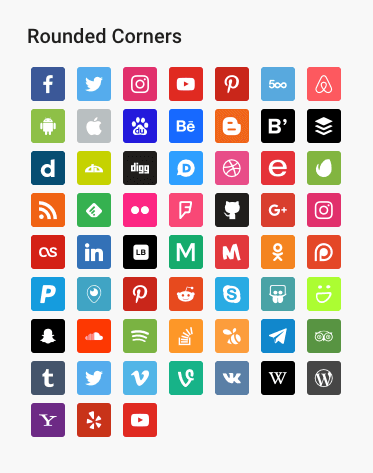
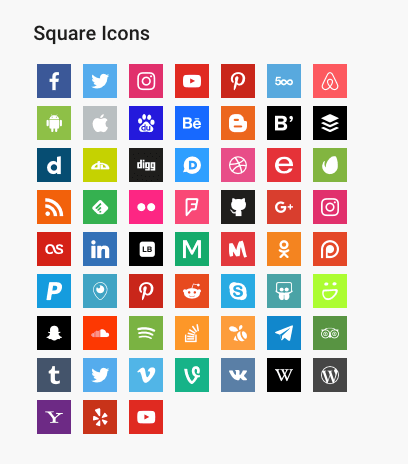
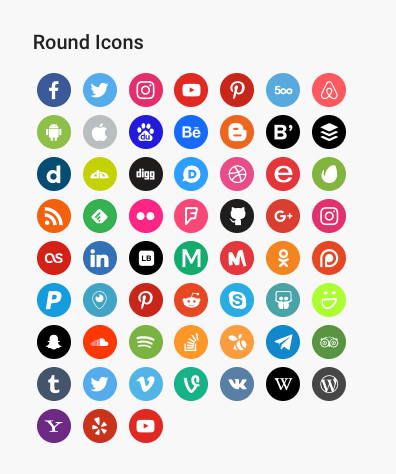
* 3 Background Styles: Rounded Corners, Round, Square
* Icon Sets + Shortcodes
* Elementor Widget Integration

Social Sharing Buttons Block:
* 12+ Sharing Platforms: Facebook, X, Threads, LinkedIn, Pinterest, Reddit, Telegram, WhatsApp, Bluesky, Email, Copy Link, and Print
* Multiple Button Styles: Circle, Square, Rounded, Outlined, Minimal, One-tone
* Customizable Colors, Sizes, Padding & Margins
* Show/Hide Labels
* Print Button to Trigger Browser Print Dialog
* Copy Link Button with Visual Feedback
* X/Twitter Username Integration (via parameter)

Click to Chat Floating Buttons:
* Floating contact launcher that connects visitors to WhatsApp, Telegram, Messenger & Viber
* Customizable launcher position, color, open/close icons and button size
* Show or hide the button on mobile devices

PRO Features

Upgrade to Social Icons Widget PRO to unlock powerful features:

  • Floating Buttons – Display social sharing icons as a fixed floating bar on the side of your website (NEW!)
  • Share Analytics Dashboard – Track how visitors share your content with detailed analytics
  • Like Button – Add a like button to let visitors engage with your posts
  • AI Share Buttons – Share to ChatGPT, Claude, and Perplexity AI platforms
  • Share Counts – Display total and individual share counts on buttons
  • External Share Counts – Fetch real share counts from Facebook, Pinterest via SharedCount API
  • Custom SVG Icon Uploads – Upload your own custom SVG icons
  • Nav Menu Integration – Add social icons directly to WordPress navigation menus
  • Dashboard Widget – Quick stats overview right on your WordPress dashboard
  • Priority Support – Get help faster with priority email support

Learn more about PRO →

General Features:
* 100+ Sites/Social Networks Supported
* FontAwesome Integration
* Academicons Integration: 38 Academia Icons for Academics
* Supports Email Addresses (mailto:email@example.com)
* Supports Telephone Numbers (tel:12345)
* Supports Viber (viber://add?number=123456)
* Supports WhatsApp (https://api.whatsapp.com/send?phone=15551234567)

Ikoner

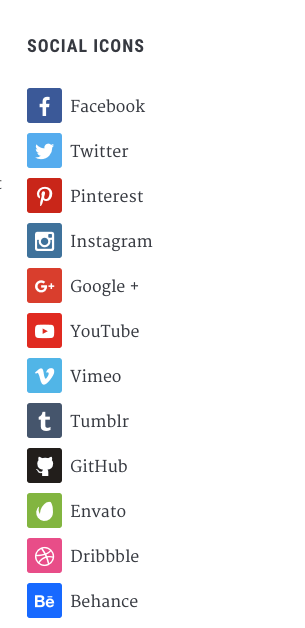
Twitter, X, Facebook, Instagram, Pinterest, Snapchat, Threads, Yelp, LinkedIn, Bloglovin’, Lookbook, Feedly, Periscope, SoundCloud, Spotify, Last.fm, YouTube, Vimeo, Flickr, 500px, Tumblr, Blogger, Reddit, Dribbble, Envato, Behance, DeviantArt, GitHub, RSS, Disqus, Stackoverflow, Komoot, Tiktok, Mailchimp, Podcasts, Telegram, TripAdvisor, AirBnb, Baidu, ebay, Medium, Periscope, Snapchat, Bandcamp, Eyem, Viber, Quora, Etsy, Meetup, Linode, IMDB, Overwatch, Strava, Tidal, Deezer, Unsplash, Codered, Udemy, CrunchBase, Angie’s List, App Store, Nextdoor, WhatsApp, ResearchGate, Slack, Songkick, ReverbNation, Bluesky

Credits

Some Social Icons are provided by the Socicon icon font.

Academicons are provided by James Walsh.

GDPR COMPLIANCE

Social Icons & Sharing Buttons does not collect any information from your visitors, therefore it’s 100% GDPR compliant.

Get Involved

Looking to contribute code to this plugin? Go ahead and fork the repository over at GitHub.

Skærmbilleder
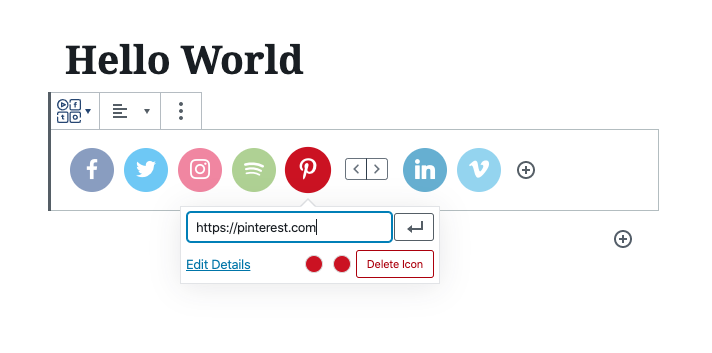
Social Ikoner & Sharing Buttons Preview
Sharing Buttons in Posts & Pages
Customizing Sharing Buttons
Custom SVG Ikoner
Custom SVG Ikoner
Social Sharing Block
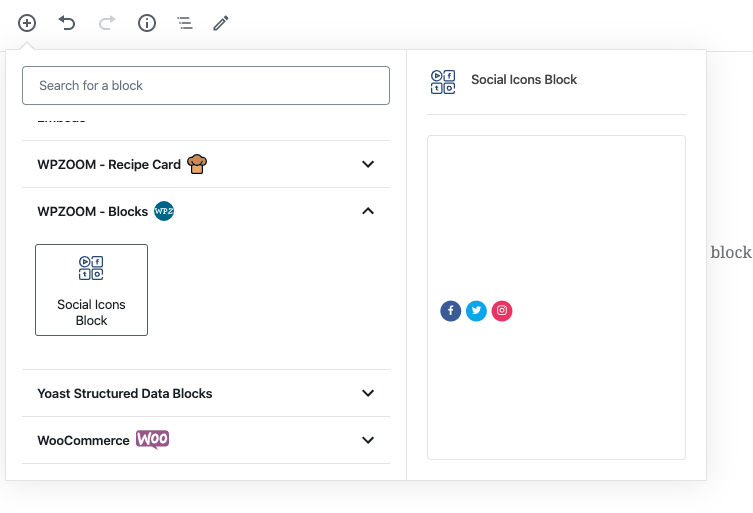
Social Ikoner Block
Social Ikoner Block
Social Sharing Buttons - Outline Style
Social Sharing Buttons – Outline Style
Social Sharing Buttons - Minimal Style
Social Sharing Buttons – Minimal Style
Social Sharing Buttons - One-tone Style
Social Sharing Buttons – One-tone Style
Social Sharing Buttons - No Label Style
Social Sharing Buttons – No Label Style

Blokke

Dette plugin giver 2 blokke.

  • Social Sharing Buttons
  • Wpzoom Blocks Social Icons

Installation

Simply search for the plugin via the Plugins -> Add New dialog and click install, or download and extract the plugin, and copy the plugin folder into your wp-content/plugins directory and activate.

After that go to the Widgets page and add the widget Social Icons by WPZOOM to a widget area like Sidebar.

FAQ

Where do I find more details about this plugin?

On our website.

How can I add Social Icons to a Page?

Add the Social Icons Block to the Gutenberg editor and customize the icons as you want. You can search for icons, drag & drop to reorder them, and customize colors, sizes, and styles.

How can I add Social Sharing Buttons to my posts?

Add the Social Sharing Buttons Block to your post or page. You can enable/disable specific sharing platforms in the block settings sidebar. The block includes support for Facebook, X (Twitter), LinkedIn, WhatsApp, Email, Print, and many more platforms.

Can I customize the appearance of the Sharing Buttons?

Yes! The Social Sharing Buttons Block offers multiple style presets (Circle, Square, Rounded, Outlined, Minimal, One-tone) and extensive customization options including:
* Icon and label colors
* Button sizes and padding
* Border radius and styling
* Show/hide labels
* Margin and spacing

What sharing platforms are supported?

The plugin supports 12+ sharing platforms: Facebook, X (Twitter), Threads, LinkedIn, Pinterest, Reddit, Telegram, WhatsApp, Bluesky, Email, Copy Link, and Print.

How do I add a Click to Chat button for WhatsApp?

Go to Social Icons → Click to Chat in your WordPress admin, enable the feature, and add your WhatsApp number. A floating Click to Chat button appears on your site so visitors can message you on WhatsApp with one tap. You can enable Telegram, Facebook Messenger, and Viber from the same screen.

Which chat apps does the Click to Chat button support?

The floating Click to Chat button supports WhatsApp, Telegram, Facebook Messenger, and Viber. You can enable any combination, reorder the platforms, and customize the launcher color, position, open/close icons, and size. You can also choose whether the floating contact button shows on mobile devices.

Is the Click to Chat / WhatsApp button free?

Yes. The Click to Chat floating contact button is included free in Social Icons & Sharing Buttons by WPZOOM, with support for WhatsApp, Telegram, Messenger, and Viber chat buttons.

How does the Print button work?

The Print button triggers the browser’s native print dialog, allowing visitors to print the current page. It’s disabled by default and can be enabled in the block settings.

How does the Copy Link button work?

The Copy Link button copies the current page URL to the visitor’s clipboard and displays a success message. It works without requiring any additional configuration.

Can I upload custom SVG icons?

Yes! In the Social Icons Block, you can upload custom SVG icons by clicking on any icon and selecting “Insert Custom SVG Icon” from the popover menu.

Does this plugin slow down my website?

No. The plugin is optimized for performance and only loads the icon fonts and scripts that are actually being used on your pages. Fonts can be preloaded for even better performance.

Is this plugin GDPR compliant?

Yes! Social Icons & Sharing Buttons does not collect any information from your visitors, therefore it’s 100% GDPR compliant.

What features are available in the PRO version?

Social Icons Widget PRO includes these additional features:

  • Floating Buttons – Display sharing icons as a fixed floating bar on the side of your website
  • Share Analytics – Track shares across all platforms with a beautiful analytics dashboard
  • Like Button – Let visitors like your posts with engagement tracking
  • AI Share Buttons – Share content to ChatGPT, Claude, and Perplexity
  • Share Counts – Display share counts on buttons (both internal tracking and external via SharedCount API)
  • Custom SVG Uploads – Upload your own custom icons
  • Nav Menu Integration – Add social icons to your navigation menus
  • Priority Support – Get faster help with priority email support

What are Floating Buttons?

Floating Buttons is a PRO feature that displays your social sharing icons as a fixed bar on the side of your website. Visitors can share your content from anywhere on the page without scrolling. You can configure the position (left/right side, top/middle/bottom), choose vertical or horizontal layout, and control which post types display the floating bar. Upgrade to PRO to unlock this feature.

Anmeldelser

Plugin delete

emilegutenkauf 19. maj, 2026 2 svar
Since a few weeks, maybee after an update, the plugin is not working correct anymore. Must click more then 10 times on the “Detect Icon” before the link is saved. Looking for another plugin…

excellent

malemi 28. december, 2023
It works as expected

Social Icons Widget & Block

cmeyers13 21. august, 2023 1 svar
Amazing. A god-send. You have every know social icons — in the universe! Never thought I would find Wiki! Made me a hero. Thank you!

Quick and easy

Pagecode 16. marts, 2023
easy to use

Useful

Raquel Alao 14. marts, 2023
Useful plugin. Does what it says.

بهترین

keshvarifar 9. oktober, 2022
بهترین افزونه برای نمایش آیکون شبکه های اجتماعی در سایت وردپرسی با قابلیت پشتیبانی از آیکون آپارات به صورت پیش فرض و (هر سایت دلخواه دیگر در صورت خرید لایسنس) The best plugin for add social media icons in your wp site and the best option for persian webmasters is supporting Aparat icon by default. (Aparat is iranian video sharing website).
Læs alle 144 anmeldelser

Bidragsydere & udviklere

“WPZOOM Connect: Social Ikoner Widget, Share Buttons & Click to Chat” er open source-software. Følgende personer har bidraget til dette plugin.

Bidragsydere
  • WPZOOM
  • Pavel Ciorici

“WPZOOM Connect: Social Ikoner Widget, Share Buttons & Click to Chat” er blevet oversat til 9 sprog. Tak til oversætterne for deres bidrag.

Oversæt “WPZOOM Connect: Social Ikoner Widget, Share Buttons & Click to Chat” til dit eget sprog.

Interesseret i udvikling?

Gennemse koden, tjek SVN repository, eller abonner på udviklerloggen via RSS.

Ændringslog

4.6.0

  • NEW: Click to Chat Floating Buttons – Add a floating contact launcher that connects visitors to WhatsApp, Telegram, Messenger and Viber
  • Customizable launcher position, color, icons and button size, with mobile display control

4.5.11

  • Added compatibility for WordPress 7.0

4.5.10

  • Fixed a conflict with the SG Optimizer plugin

4.5.9

  • Minor fix

4.5.8

  • Added Substack icon

4.5.7

  • Minor fixes

4.5.6

  • Minor fixes

4.5.5

  • Minor fixes

4.5.4

  • Minor fixes

4.5.3

  • Minor bug fix

4.5.2

  • Adding a new Print button in the Social Sharing Buttons block

4.5.1

  • Added new field to add your X/Twitter username in the Sharing Buttons block

4.5.0

  • NEW: Social Sharing Buttons Block
  • NEW: Add Social Sharing Buttons in posts and pages (Icons & Sharing > Sharing Buttons)

4.4.0

  • Added SVG Icons support in the Social Icons Block
  • UI Improvements to the Block

4.3.4

  • Minor bug fixes

4.3.3

  • New: Bluesky icon

4.3.2

  • Minor bug fix

4.3.1

  • Added a new Elementor widget to display icon sets created using this plugin

4.3.0

  • Create Icon Sets and embed them anywhere with Shortcodes
  • Minor bug fixes

4.2.18

  • Fixed an issue with arial label escaping

4.2.17

  • Fixed an issue with the values of some fields not being escaped

4.2.16

  • Removed the pointer from the Widgets page

4.2.15

  • Updates to the Twitter icon

4.2.14

  • New icons: X (use x.com/username for the new Twitter icon), Matrix, Element

4.2.13

  • New icons: Threads, Venmo, Wise, Revolut, Gutenberg, Gravatar, OpenAI, Midjourney, WeChat, Roblox, OnlyFans, Figma, Elementor, Shopify, Woo, Gumroad, Artgram, Cubebrush, Aristree, OpenSea

See changelog for all versions.

Meta

  • Version 4.6.0
  • Senest opdateret 2 uger siden
  • Aktive installationer 100.000+
  • WordPress-version 6.5 eller højere
  • Testet op til 7.0
  • PHP-version 7.4 eller højere
  • Sprog

    Dutch, English (US), Portuguese (Brazil), Russian, Spanish (Chile), Spanish (Colombia), Spanish (Ecuador), Spanish (Mexico), Spanish (Spain) og Spanish (Venezuela).

    Oversæt til dit sprog

  • Tags
    click to chatshare buttonssocial iconssocial sharingwhatsapp
  • Avanceret visning

Bedømmelser

4.9 ud af 5 stjerner.
  • 137 5-stjernet anmeldelser 5 stjerner 137
  • 3 4-stjernet anmeldelser 4 stjerner 3
  • 2 3-stjernet anmeldelser 3 stjerner 2
  • 1 2-stjernet anmeldelse 2 stjerner 1
  • 1 1-stjernet anmeldelse 1 stjerne 1

Your review

Se alle anmeldelser.

Bidragsydere

  • WPZOOM
  • Pavel Ciorici

Support

Har du noget at sige? Har du brug for hjælp?

Vis supportforum

Donér

Vil du gerne støtte udviklingen af dette plugin?

Donér til dette plugin

  • Om
  • Nyheder
  • Hosting
  • Privatliv
  • Fremvisning
  • Temaer
  • Plugins
  • Blokgrupper
  • Lær
  • Support
  • Udviklere
  • WordPress.tv ↗
  • Bliv involveret
  • Begivenheder
  • Doner ↗
  • Fem for Fremtiden
  • WordPress.com ↗
  • Matt ↗
  • bbPress ↗
  • BuddyPress ↗
WordPress.org
WordPress.org

Dansk

  • Besøg vores X (tidligere Twitter) konto
  • Besøg vores Bluesky-konto
  • Besøg vores Mastodon konto
  • Besøg vores Threads-konto
  • Besøg vores Facebook side
  • Besøg vores Instagram konto
  • Besøg vores LinkedIn konto
  • Besøg vores TikTok-konto
  • Besøg vores YouTube-kanal
  • Besøg vores Tumblr-konto
Kode er poesi.
The WordPress® trademark is the intellectual property of the WordPress Foundation.