Title: The Events Calendar
Author: Nexcess
Published: 19. januar, 2010
Last modified: 12. november, 2026
---
Søg plugins

# The Events Calendar
Af [Nexcess](https://profiles.wordpress.org/stellarwp/)
[Download](https://downloads.wordpress.org/plugin/the-events-calendar.6.18.4.zip)
* [Detaljer](https://da.wordpress.org/plugins/the-events-calendar/#description)
* [Vurderinger](https://da.wordpress.org/plugins/the-events-calendar/#reviews)
* [Installation](https://da.wordpress.org/plugins/the-events-calendar/#installation)
* [Udvikling](https://da.wordpress.org/plugins/the-events-calendar/#developers)
[Support](https://wordpress.org/support/plugin/the-events-calendar/)
## Beskrivelse
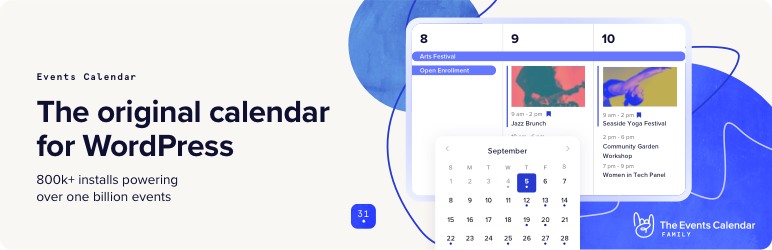
Opret og administrer nemt en begivenhedskalender på dit WordPress-websted med det
gratis plugin [The Events Calendar](https://evnt.is/mj). Uanset om dine begivenheder
er personlige eller virtuelle, kan dette WordPress-kalenderplugin prale af professionelle
funktioner, der understøttes af vores team af udviklere og designere i verdensklasse.
[Se flere videoer på vores YouTube-kanal](https://evnt.is/1b4-)
The Events Calendar er fyldt med masser af funktioner og er klar til brug lige fra
start. Den kan også udvides, er nem at bruge og kan tilpasses fuldstændigt.
#### 📅 Den bedste kalender til WordPress
Se kalenderen i aktion på vores [demo-oplevelse](https://evnt.is/1ajs). Er du lige
kommet i gang? Læs [Grundbog for nye brugere](https://evnt.is/2d) for at komme i
gang.
Leder du efter yderligere funktioner som tilbagevendende begivenheder, billetsalg,
brugerindberettede begivenheder, automatisk import og meget mere?
**Tjek [Event Calendar Pro](https://evnt.is/mj), [Event Aggregator](https://evnt.is/197u)
og [flere add-ons](https://evnt.is/2a).**
#### 🔌🎨 Plug and Play eller tilpas
The Events Calendar er bygget til at fungere lige ud af boksen. Du skal blot installere
pluginet, konfigurere dine indstillinger og begynde at oprette begivenheder på få
minutter.
Vil du tilføje dit personlige præg? Brug The Events Calendar som fundament for tilpasning.
Tilpas til dit hjertes indhold ved hjælp af et skeletstilark, delvise skabelonoverstyringer,
skabelontags, kroge og filtre, [omhyggelig dokumentation](https://evnt.is/eu) og
et [bibliotek af gratis udvidelser](https://evnt.is/1a0r).
Uanset om din vision er stor eller lille, er du i godt selskab. Hundredtusindvis
af små virksomheder, musikere, spillesteder, restauranter og nonprofitorganisationer
offentliggør og promoverer deres personlige og virtuelle events med The Events Calendar.
Vores plugins er også blevet skaleret til at fungere på store netværk for Fortune
100-virksomheder, universiteter og offentlige institutioner.
#### ✨ Funktioner
Vores funktionsrige plugin indeholder alt, hvad du har brug for til at oprette og
administrere din kalender.
✔️ Opret hurtigt begivenheder
✔️ Gemte mødesteder og arrangører ✔️ Kalender månedsvisning
med værktøjstips ✔️ Visning af begivenhedsliste ✔️ Dagsvisning ✔️ Støtte til blokeditor
✔️ Begivenhedssøgning ✔️ Google maps ✔️ Widget: Liste over kommende begivenheder
✔️ Begivenhedstaksonomier (kategorier og tags) ✔️ Google Kalender og iCal-eksport
✔️ WP REST API-slutpunkter ✔️ Helt ajaxificeret til super glat browsing ✔️ Helt
lydhør fra mobil til tablet til desktop ✔️ Testet på de store temarammer som Avada,
Divi, Enfold, Genesis og mange flere. ✔️ Forøg din SEO med JSON-LD strukturerede
data ✔️ Internationaliseret & oversat ✔️ Flere stilark for at forbedre integrationen
✔️ Omfattende skabelon tags til tilpasning ✔️ Hooks & filtre i massevis ✔️ Caching
support ✔️ Debug-tilstand for udviklere ✔️ [Bibliotek med udvidelser](https://evnt.is/1a0r)
### Dokumentation
Al vores dokumentation kan findes i [vores vidensbase](https://evnt.is/eu).
Yderligere nyttige links:
* [The Events Calendar grundbog for nye brugere](https://evnt.is/2l)
* [Themer’s guide til The Events Calendar](https://evnt.is/2m)
Hvis du har spørgsmål om dette plugin, kan du oprette en tråd i [WordPress.org forum](https://wordpress.org/support/plugin/the-events-calendar).
Søg venligst i eksisterende tråde, før du starter en ny.
### Tilføjelser
Take your calendar to the next level by pairing it with our plugins for ticketing,
crowdsourcing, email marketing, and more. Learn more about all our products on [our website](https://evnt.is/18wn).
Vores gratis plugins:
🎟️ [Eventbilletter](https://wordpress.org/plugins/event-tickets/)
📐 [Avanceret Post Manager](https://wordpress.org/plugins/advanced-post-manager/)
Vores premium-plugins og tjenester:
⚡ [Events Calendar PRO](https://evnt.is/18wi)
↪️ [Event Aggregator](https://evnt.is/197u)(
service) 🎟️ [Event Tickets Plus](https://evnt.is/18wk) ✉️ [Promoter](https://evnt.is/1ajt)
👥 [Community Events](https://evnt.is/2g) ✏️ [Filter Bar](https://evnt.is/fa) 🗓️
[Eventbrite Tickets](https://evnt.is/2e)
### Hjælp
Hvis du ikke er bekendt med The Events Calendar, så tjek vores [Grundbog for nye brugere](https://evnt.is/2p).
Den vil få dig til at oprette begivenheder på ingen tid.
Er du klar til at grave dybere? Tjek disse ressourcer:
* [Tutorials](https://evnt.is/2u)
* [Udgivelsesplan](https://theeventscalendar.com/release-schedule/)
* [Kendte problemer](https://theeventscalendar.com/known-issues/)
* [Dokumentation](https://evnt.is/eu)
* [Hjælpevideoer](https://evnt.is/2t)
* [Udgivelsesnoter](https://evnt.is/2v)
Vi tjekker ind på [Eventkalender-forummet her på WordPress.org](https://wordpress.org/support/plugin/the-events-calendar/)
ca. en gang om ugen for at hjælpe brugerne med grundlæggende fejlfinding og identificering
af fejl. Hvis du er på udkig efter premium, personlig support, kan du overveje at
opgradere til Events Calendar Pro.
Har du stadig et spørgsmål? Send os en e-mail på support@theeventscalendar.com.
### All Time Contributors
We want to thank the people that have contributed over the years !
aguseo, bordoni, borkweb, brianjessee, camwynsp, deblynprado, dpantazis, filipecouto,
jehromegriffiths1, jentheo,
larodiel, leahkoerper, lucatume, neillmcshea, rafsuntaskin,
redscar, sdokus, tribalmike, vicskf, zbtirrell
## Skærmbilleder
[⌊Månedsvisning med hover⌉⌊Månedsvisning med hover⌉[
Månedsvisning med hover
[⌊Mobile visninger⌉⌊Mobile visninger⌉[
Mobile visninger
[⌊Enkelt begivenhed⌉⌊Enkelt begivenhed⌉[
Enkelt begivenhed
[⌊Listevisning⌉⌊Listevisning⌉[
Listevisning
[⌊Event-redaktør⌉⌊Event-redaktør⌉[
Event-redaktør
[⌊Administrationsliste over begivenheder⌉⌊Administrationsliste over begivenheder⌉[
Administrationsliste over begivenheder
[⌊Generelle indstillinger⌉⌊Generelle indstillinger⌉[
Generelle indstillinger
[⌊Display-indstillinger⌉⌊Display-indstillinger⌉[
Display-indstillinger
[⌊CSV-importør⌉⌊CSV-importør⌉[
CSV-importør
## Installation
Det er nemt at installere pluginet. Bare følg en af følgende metoder:
#### Installer The Events Calendar fra WordPress
1. Besøg pluginsiden i dit dashboard, og vælg ‘Tilføj ny’.
2. Søg efter “Events Calendar”
3. Aktivér The Events Calendar fra din Plugins-side
4. Du er færdig!
#### Installer The Events Calendar manuelt
1. Fra dashboardet på dit websted skal du navigere til Plugins –> Tilføj nyt.
2. Vælg indstillingen Upload, og tryk på “Vælg fil”.
3. Når popup-vinduet vises, skal du vælge filen the-events-calendar-x.x.zip fra dit
skrivebord. (‘x.x’ vil ændre sig afhængigt af det aktuelle versionsnummer).
4. Følg instruktionerne på skærmen, og vent, til uploaden er fuldført.
5. Når det er færdigt, skal du aktivere plugin’et via prompten. Der vises en besked,
der bekræfter, at aktiveringen var vellykket. Et link til at få adgang til kalenderen
direkte på frontend vil også blive vist her.
Og det er det! Du skal bare konfigurere dine indstillinger, som det passer dig,
og så er du på vej til at oprette begivenheder med stil. Har du brug for hjælp til
at komme i gang? Tjek vores [ny brugervejledning](https://evnt.is/2l) for at få
hjælp til indstillinger og funktioner.
## FAQ
### Er der nogen fejlfindingstrin, du vil foreslå, at jeg prøver, som måske kan løse mit problem, før jeg opretter en ny tråd?
Først skal du sikre dig, at du kører den nyeste version af The Events Calendar.
Hvis du kører Events Calendar PRO eller andre add-ons, skal du sørge for, at de
også er opdaterede og kører den nyeste kode.
De mest almindelige problemer, vi ser, er enten plugin- eller temakonflikter. Du
kan teste, om et plugin eller tema er i konflikt ved manuelt at deaktivere andre
plugins, indtil kun The Events Calendar kører på dit websted. Hvis problemet fortsætter
derfra, skal du vende tilbage til standardtemaet [Twenty Twenty](https://wordpress.org/themes/twentytwenty/).
Hvis problemet er løst efter deaktivering af et specifikt plugin eller dit tema,
ved du, at det er kilden til konflikten.
Bemærk, at vi ikke vil sige “held og lykke”, hvis du identificerer en plugin/tema-
konflikt. Selvom vi ikke kan garantere 100% integration med noget plugin eller tema
derude, vil vi gøre vores bedste (og kontakte plugin/tema-forfatteren efter behov)
for at finde en løsning, der gavner alle.
### Jeg sidder stadig fast. Hvor skal jeg gå hen for at indberette en fejl eller stille et spørgsmål?
Brugere af den gratis The Events Calendar bør stille deres spørgsmål i pluginets
[WordPress.org forum](https://wordpress.org/support/plugin/the-events-calendar/),
som vi besøger ca. en gang om ugen. Sørg for at læse [vores sticky post](https://evnt.is/19oc),
der giver et overblik over den support, vi giver gratis brugere, FØR du poster.
Hvis du oplever, at du ikke får support så hurtigt, som du ønsker, bør du måske
overveje at købe en licens til Events Calendar Pro.
Hvis du allerede er bruger af Events Calendar Pro, har du ret til adgang til vores
aktivt overvågede [Premium Support](https://evnt.is/1aju) på vores websted. Her
kan vi yde en mere dybdegående support, og vi besøger disse fora dagligt i løbet
af arbejdsugen. Generelt svarer vi på alle henvendelser inden for 24-48 timer i
løbet af arbejdsugen, undtagen i perioder med øget supportbelastning.
### Hvad er forskellen mellem The Events Calendar og Events Calendar Pro?
The Events Calendar er vores hjørnestensplugin, og det er nødvendigt for at køre
alle vores premium kalendertilføjelser, herunder Events Calendar Pro, Community
Events, Filter Bar og andre.
Med andre ord kører Events Calendar Pro sammen med The Events Calendar og forbedrer
den med ekstra funktioner, herunder tilbagevendende begivenheder, ekstra kalendervisninger,
kalender-genvejskoder, avancerede widgets, brugerdefinerede begivenhedsfelter og
meget mere.
### Hvilke add-ons er tilgængelige til The Events Calendar, og hvor kan jeg læse mere om dem?
Følgende add-ons er tilgængelige til The Events Calendar:
* [Event Calendar Pro](https://evnt.is/18wi), for at tilføje premium kalenderfunktioner
som tilbagevendende begivenheder, avancerede visninger, seje widgets, [genvejskoder](https://evnt.is/1ajw),
ekstra felter og meget mere!
* [Event Aggregator](https://evnt.is/197u), en tjeneste der ubesværet fylder din
kalender med begivenheder fra Meetup, Google Calendar, iCalendar, Eventbrite,
CSV, og ICS.
* [Event Tickets](https://wordpress.org/plugins/event-tickets/) (gratis), som giver
dig mulighed for at sælge billetter og indsamle RSVP’er til events. Det kan køre
sammen med The Events Calendar eller som et selvstændigt plugin, der tilføjer
billet- og RSVP-funktionalitet til WordPress-indlæg og -sider.
* [Event Tickets Plus](https://evnt.is/18wk), som giver dig mulighed for at sælge
billetter til dine events ved hjælp af din foretrukne e-handelsplatform.
* [Promoter](https://evnt.is/1ajt), automatiseret e-mailkommunikation lavet kun
til The Events Calendar og Event Tickets. Hold kontakten med dine deltagere hele
vejen igennem.
* [Community Events](https://evnt.is/2g), som gør det muligt for dine læsere at
indsende begivenheder på frontend.
* [Filter Bar](https://evnt.is/fa), til at tilføje avancerede frontend-filtreringsfunktioner
til din begivenhedskalender.
* [Eventbrite Tickets](https://evnt.is/2e), til salg af billetter til dit arrangement
direkte via Eventbrite.
### Kan jeg importere begivenheder til min kalender?
Ja, det er det! The Events Calendar har et indbygget CSV-importværktøj. Hvis du
vil gøre det endnu bedre og automatisk importere begivenheder fra Google Calendar,
Meetup, Eventbrite og meget mere, så tjek [Event Aggregator](https://evnt.is/197u).
### Hvordan sælger jeg billetter til begivenheder i min kalender?
Du vil bruge vores [Eventbilletter](https://wordpress.org/plugins/event-tickets/)-
plugin til det. Dette gratis plugin fungerer sammen med The Events Calendar og giver
dig mulighed for at oprette RSVP’er og billetter til events. Event Tickets integreres
med PayPal, så du kan opkræve betaling for billetter, mens vores premium-løsning,
Event Tickets Plus, integreres fuldt ud med WooCommerce eller Easy Digital Downloads.
Hvis du vil inkludere digitale billetter som Apple Wallet-pas og PDF-billetter,
så tjek [Event Tickets Wallet Plus](https://evnt.is/etwp).
### Can I have more than one calendar on my site?
Nej, desværre ikke. Men du kan bruge [begivenhedskategorier](https://evnt.is/1bay)
eller tags til at oprette kalendervisninger, der kun viser bestemte begivenheder.
For eksempel kan du oprette et direkte link til en kalendervisning, der kun viser
begivenheder kategoriseret som “Fitness”, [som dette eksempel fra vores demo-websted](https://evnt.is/1ajv).
Med [Event Calendar Pro](https://evnt.is/18wi) kan du bruge [shortcodes](https://evnt.is/1ajw)
til at indlejre din kalender på andre WordPress-sider og -indlæg og derefter filtrere
kalenderen efter kategori.
### Kan jeg tillade folk at indsende begivenheder til min kalender?
Dette er tilgængeligt med tilføjelsen [Community Events](https://evnt.is/2g) for
at lette indsendelser. Installer Community Events sammen med The Events Calendar,
og en side vil blive tilføjet til dit WordPress-websted med en formular, som besøgende
kan bruge til at indsende begivenheder. Som kalenderejer har du fuld kontrol over,
om indsendte begivenheder offentliggøres med det samme eller kræver moderering først.
Hvis du vil lade brugerne sælge billetter til de begivenheder, de indsender, så
tjek [Community Tickets](https://evnt.is/18wl). Det kører sammen med The Events
Calendar, Community Events og Event Tickets og giver besøgende mulighed for at oprette
og sælge billetter og dele overskuddet med dig.
### Hvad er forskellen mellem The Events Calendar og Events Calendar Pro?
The Events Calendar er vores hjørnestensplugin, og det er nødvendigt for at køre
nogen af vores premium kalendertilføjelser, herunder [Event Calendar Pro](https://evnt.is/18wi),
[Community Events](https://evnt.is/1bax), [Filter Bar](https://evnt.is/fa) og andre.
Med andre ord kører Events Calendar Pro sammen med The Events Calendar og forbedrer
den med ekstra funktioner, herunder tilbagevendende begivenheder og begivenhedsserier,
yderligere kalendervisninger, kalender-genvejskoder, avancerede widgets, brugerdefinerede
begivenhedsfelter, et værktøj til duplikering af begivenheder og meget mere.
### Found a security vulnerability?
Make sure you are reporting in a safe and responsible way. We take security very
seriously. If you discover a security issue, please bring it to our attention right
away! Below you will find all the methods to report security vulnerabilities:
* [Report security bugs through the Patchstack Vulnerability Disclosure Program](https://patchstack.com/database/vdp/the-events-calendar)
* Check our [Bug Bounty Program](https://www.liquidweb.com/policies/bug-bounty-program/)
* Reach out directly to us on `security [at] stellarwp.com`.
### Jeg har en idé til en funktion. Hvad er den bedste måde at fortælle dig om den på?
Vi har en [side med idéer](https://app.loopedin.io/the-events-calendar-suite-roadmap#/ideas),
hvor vi aktivt holder øje med idéer til funktioner fra fællesskabet. Stem på eksisterende
funktionsanmodninger eller tilføj dine egne, og hjælp os med at forme [vores køreplan](https://app.loopedin.io/the-events-calendar-suite-roadmap#/roadmap).
### Jeg har stadig spørgsmål. Hvor kan jeg finde svar?
Tjek vores omfattende [vidensbase](https://evnt.is/18wm) for artikler om brug, tilpasning
og fejlfinding af vores plugins.
## Anmeldelser

### [Attendees summary and order number and attendee list issues](https://wordpress.org/support/topic/attendees-summary-and-order-number-and-attendee-list-issues/)
[Dee Warren](https://profiles.wordpress.org/ebbie/) 9. november, 2026 1 svar
We were having issues with the attendees summary not matching the order number and
attendee list in two events. Avtar was great with helping resolve the issue and
gave me a detailed explanation along with instructions to fix the issue.

### [Block Editor support is laughable](https://wordpress.org/support/topic/block-editor-support-is-laughable/)
[Michael Campanella](https://profiles.wordpress.org/campanellafoto/) 4. november,
2026 1 svar
I tried turning on "Activate Block Editor for Events" and have to say that you should
be ashamed of yourselves for shipping something that look so unbelievably bad. Something
that makes no sense to a user. It is beyond all excuses. You could vibe code your
way to something better. Shame on you.

### [Great plugin, support are ace too](https://wordpress.org/support/topic/great-plugin-support-are-ace-too/)
[andyrossiter](https://profiles.wordpress.org/andyrossiter/) 2. november, 2026
1 svar
Been using it for years, whenever there is an issue the support have been great;
had a recent issue that was resolved in a matter of minutes thanks to Avtar in the
support team!

### [Excellent support!](https://wordpress.org/support/topic/excellent-support-2745/)
[burlingtonpress](https://profiles.wordpress.org/burlingtonpress/) 28. oktober,
2026 1 svar
Their support team has been very helpful, offering detailed solutions that might
be considered "out of scope" for many plugin developers.

### [Flawless plugin and outstanding support!](https://wordpress.org/support/topic/flawless-plugin-and-outstanding-support-2/)
[ninjafunambule](https://profiles.wordpress.org/ninjafunambule/) 27. oktober, 2026
1 svar
I am fully satisfied with both the product and the technical support. This extension
is the best in its category. It works brilliantly, and even the free version is
packed with awesome features!The support is so helpful. I posted a request on the
forum, and the response was very quick and direct. Darian suggested a workable fix.
5 stars all the way!

### [Excellent Calendar, but Better Performance Controls Are Needed](https://wordpress.org/support/topic/excellent-calendar-but-better-performance-controls-are-needed/)
[svets008](https://profiles.wordpress.org/svets008/) 11. oktober, 2026 1 svar
The Events Calendar is visually excellent and has become a very useful part of our
website. The event pages, list view, month view, categories and overall presentation
work very well, and the calendar has helped make our events easier to discover through
search engines. However, after using it extensively, we discovered that the plugin
can generate a very large number of additional URLs through calendar views, dates,
tags, exports and other combinations. Automated crawlers were repeatedly accessing
these URLs and creating substantial server load on our shared hosting account. It
took considerable investigation through server logs, Cloudflare and the plugin settings
to understand what was happening. Some useful controls do exist, such as returning
404 errors for disabled views, noindexing dated list URLs and limiting calendar
views, but these settings are not obvious enough for an average user. I would particularly
like to see clearer built-in controls for: completely disabling calendar exports/
subscriptions; limiting unnecessary crawlable URL combinations; disabling unused
calendar views more comprehensively; reducing server load from automated crawling;
clearer explanations of the SEO and performance impact of each setting. We are keeping
the plugin because the actual calendar itself is very good and valuable to our website.
But performance and crawl-management controls should be much easier to find and
configure, especially for websites publishing a large number of events. Overall:
a strong events plugin that would be significantly better with more transparent
performance and crawler controls.
[ Læs alle 2.464 anmeldelser ](https://wordpress.org/support/plugin/the-events-calendar/reviews/)
## Bidragsydere & udviklere
“The Events Calendar” er open source-software. Følgende personer har bidraget til
dette plugin.
Bidragsydere
* [ Nexcess ](https://profiles.wordpress.org/stellarwp/)
* [ The Events Calendar ](https://profiles.wordpress.org/theeventscalendar/)
* [ Nexcess ](https://profiles.wordpress.org/nexcess/)
* [ Gustavo Bordoni ](https://profiles.wordpress.org/bordoni/)
* [ Deblyn Prado ](https://profiles.wordpress.org/deblynprado/)
* [ Dimitris Pantazis ](https://profiles.wordpress.org/dpantazis/)
* [ Filipe Coutinho Pereira ](https://profiles.wordpress.org/filipecouto/)
* [ Jennifer ](https://profiles.wordpress.org/jentheo/)
* [ Victor Larodiel ](https://profiles.wordpress.org/larodiel/)
* [ leahkoerper ](https://profiles.wordpress.org/leahkoerper/)
* [ Sam ](https://profiles.wordpress.org/sdokus/)
* [ Victor Zarranz ](https://profiles.wordpress.org/vicskf/)
“The Events Calendar” er blevet oversat til 37 sprog. Tak til [oversætterne](https://translate.wordpress.org/projects/wp-plugins/the-events-calendar/contributors)
for deres bidrag.
[Oversæt “The Events Calendar” til dit eget sprog.](https://translate.wordpress.org/projects/wp-plugins/the-events-calendar)
### Interesseret i udvikling?
[Gennemse koden](https://plugins.trac.wordpress.org/browser/the-events-calendar/),
tjek [SVN repository](https://plugins.svn.wordpress.org/the-events-calendar/), eller
abonner på [udviklerloggen](https://plugins.trac.wordpress.org/log/the-events-calendar/)
via [RSS](https://plugins.trac.wordpress.org/log/the-events-calendar/?limit=100&mode=stop_on_copy&format=rss).
## Ændringslog
#### [6.18.4] 2026-11-12
* Fix – Avoided a fatal error when a database table prefix of 31 or more characters
pushed the migrations table name past MySQL’s 64-character limit, added an admin
notice explaining how to shorten the prefix, and stopped the Shepherd tables
error notice from causing an error when displayed.
* Fix – Changed the System Information copy button on the Troubleshooting page
to copy plain text, so pasted system details take the destination’s text color
instead of arriving as invisible white text.
* Fix – Corrected the arguments passed to the before and after event HTML filters,
so a callback that requires both no longer causes a fatal error on single event
pages.
* Fix – Loaded the event editor stylesheets directly into the WordPress 7.1 editor
canvas, removing the “added to the iframe incorrectly” browser console warnings.
* Fix – Loaded the shared block editor stylesheet directly into the WordPress 7.1
editor canvas, removing the “added to the iframe incorrectly” browser console
warning.
* Fix – Prevented a fatal error on sites with Event Aggregator active when a comment
query passed its comment type as an array.
* Fix – Prevented a fatal error when another plugin runs the save_post action with
only the post ID.
* Fix – Prevented a fatal error, and skipped event saves later in the same request,
when another plugin runs the save_post action without the post.
* Fix – Stopped a critical error on the Scheduled Imports tab when Apply was clicked
without choosing a bulk action.
* Security – Hardened the output of the settings page closing form element.
* Tweak – Pointed the “Learn how to get an active license” link on the Setup Guide
page to a working page instead of a removed article.
* Tweak – Pointed the “Learn how to get live support” link on the Help page to
a working page instead of a removed article.
* Tweak – Pointed the Zapier API keys help link to the Zapier knowledgebase article
and removed an outdated link from the Zapier Endpoint Dashboard.
* Tweak – Removed outdated “Read more” and “Learn more” links from the block editor
and URL import settings, and pointed the Meetup API key link to the Integrations
Import tab.
* Language – 0 new strings added, 0 updated, 0 fuzzied, and 0 obsoleted.
#### [6.18.3.1] 2026-11-05
* Fix – Passed the input attributes a date picker is given, such as its accessible
name and disabled state, through to its input field.
* Security – Hardened how calendar views handle shortcodes. Props to Filip Kowalski
for reporting.
* Security – Hardened how HTML attributes are printed in templates. Props to Hatim
Madmoune -DELTA for reporting.
* Security – Hardened shortcode handling in post content shown by calendar views.
Props to Filip Kowalski for reporting.
* Security – Hardened the rendering of copied Events widgets. Props to Hatim Madmoune-
DELTA for reporting.
* Language – 0 new strings added, 8 updated, 0 fuzzied, and 0 obsoleted.
#### [6.18.3] 2026-10-29
* Language – 0 new strings added, 34 updated, 0 fuzzied, and 0 obsoleted.
* Security – Hardened access control checks for linked Organizers, Venues, and
the Ignored Events admin action. Props to fcc for reporting.
* Security – Hardened how Event details are saved. Props to fcc for reporting.
* Security – Hardened the calendar export and add-to-calendar links. Props to ngvuthdanh
for reporting.
* Security – Hardened the rendering of the Event timezone-change link in the classic
Event editor. Props to fcc for reporting.
#### [6.18.2] 2026-10-15
* Language – 0 new strings added, 13 updated, 0 fuzzied, and 0 obsoleted.
* Security – Restricted the HTML tag settings of the Elementor widgets to a fixed
list of tags.
* Tweak – Added filters: `tec_events_elementor_widget_allowed_tags`
#### [6.18.1] 2026-10-13
* Fix – Prevented a fatal error when manually running a Scheduled Import whose
child record could not be created, reporting the failure as an import error instead.
* Fix – Resolved an issue where the List view exposed an internal pagination look-
ahead value in generated navigation and canonical URLs, and capped the number
of events fetched per page to prevent unbounded queries.
* Language – 0 new strings added, 61 updated, 1 fuzzied, and 0 obsoleted.
* Tweak – Added filters: `tec_events_views_v2_max_events_per_page`
* Tweak – Improved specificity of error handling when syncing events with Event
Aggregator.
* Tweak – Improved the unified licensing page experience.
#### [6.18.0] 2026-09-30
* Fix – Prevented a rejected CSV import column mapping from being saved as the
default, which caused later imports to pre-select “Do Not Import” for required
columns.
* Language – 0 new strings added, 13 updated, 0 fuzzied, and 0 obsoleted.
* Tweak – Changed views: `v2/widgets/widget-events-qr-code`
#### [6.17.5.1] 2026-09-24
* Language – 0 new strings added, 0 updated, 0 fuzzied, and 0 obsoleted.
* Security – Hardened author assignment in the REST API.
* Security – Hardened the rendering of the Events QR Code widget. Props to Jakub
Herman for reporting.
#### [6.17.5] 2026-09-17
* Compatibility – Registered the plugin’s editor blocks with Block API version
3 so they render correctly inside the iframed block editor introduced in WordPress
6.9.
* Fix – Prevented event pages and iCal exports from failing when event descriptions
contain Single Event or Events Archive blocks.
* Fix – Resolved an issue where hiding the subscribe links with a snippet that
returns a non-array value from the `tec_views_v2_subscribe_links` filter could
cause a fatal error on single event pages.
* Fix – Resolved fatal errors that could occur when WordPress or another plugin
passed unexpected data to The Events Calendar, such as while SiteGround Optimizer
clears its cache.
* Language – 0 new strings added, 59 updated, 0 fuzzied, and 0 obsoleted.
* Security – Hardened access checks on REST API responses. Props to Kaveesha Nirmal
for reporting.
* Security – Strengthened permission checks in the REST API v1. Props to Mohammed
Abd Alrahman for reporting.
#### [6.17.4.1] 2026-09-10
* Security – Strengthened validation of copied widget instances.
#### [6.17.4] 2026-09-03
* Fix – Resolved an issue where the Day View direct URL omitted recurring event
occurrences because an earlier query on the same repository froze the custom
tables date redirection.
* Fix – Fixed a fatal error when reading an event’s venues or organizers on sites
running a persistent object cache, caused by a cached lazy collection losing
the callback it needs to rebuild itself. Also added the `tec_events_lazy_post_collection_allowed_unserialize_callbacks`
filter so third-party code can register its own rebuild callbacks.
* Language – 0 new strings added, 100 updated, 0 fuzzied, and 0 obsoleted.
#### [6.17.3.1] 2026-08-26
* Security – Harden capability checks on REST API archive endpoints
* Security – Harden validation of copied widget instance data
#### [6.17.3] 2026-08-20
* Security – Hardened validation of copied legacy widget instances.
* Tweak – Switched changelog tooling from jetpack-changelogger to @stellarwp/changelogger.
* Fix – Resolved an issue where the events archive page title showed the date range
of the oldest events in the calendar rather than the events listed on the page.
* Fix – Resolved an issue where Events archive pages could return a fatal error
when the request included non-numeric or array pagination parameters.
* Language – 0 new strings added, 99 updated, 0 fuzzied, and 5 obsoleted.
#### [6.17.2] 2026-08-05
* Language – 5 new strings added, 95 updated, 0 fuzzied, and 0 obsoleted.
* Tweak – Improved the unified licensing page experience.
* Tweak – Switched changelog tooling from jetpack-changelogger to @stellarwp/changelogger.
#### [6.17.1] 2026-07-22
* Fix – Corrected CSV imports that failed to show any records on sites with a symlinked
uploads folder.
* Fix – Resolved an issue where event times rendered in UTC on WooCommerce order
pages and emails when PHP’s default timezone was changed by third-party code.
* Fix – Resolved an issue where multi-day all-day events displayed an incorrect
end date when PHP’s default timezone was changed by third-party code.
* Fix – Resolved an issue where the Event Tickets registration page returned a
404 when the “Return 404 for disabled view URLs” setting was enabled.
* Language – 0 new strings added, 3 updated, 0 fuzzied, and 0 obsoleted.
#### [6.17.0] 2026-07-08
* Compatibility – Improved PHP compatibility for versions 7.4 and up to 8.4.
* Language – 0 new strings added, 59 updated, 0 fuzzied, and 0 obsoleted.
#### [6.16.5.1] 2026-07-01
* Security – Expanded validation of Event Aggregator imports for all statuses.
* Language – 0 new strings added, 0 updated, 0 fuzzied, and 0 obsoleted.
#### [6.16.5] 2026-06-24
* Feature – Added “SEO & URL Handling” settings, allowing site owners to configure
out-of-range URL behavior.
* Fix – Dated List view URLs carrying ?tribe-bar-date outside the known event range
now return HTTP 404 by default, and can be configured to use a soft noindex response
instead, helping prevent accumulation of low-value indexed pages in search engines.
* Fix – Removed bottom padding from “Event Venue” block to be compatible with WordPress
7 styles.
* Fix – URLs specifying a disabled view slug via ?eventDisplay now return HTTP
404 instead of 200.
* Sprog – 0 nye strenge tilføjet, 2 opdaterede, 0 uklare og 0 forældede.
* Language – 13 new strings added, 0 updated, 0 fuzzied, and 0 obsoleted.
#### [6.16.4.1] 2026-06-19
* Security – Make the iCal export feed produce deterministic output and harden
calendar header values against line-break injection.
#### [6.16.4] 2026-06-15
* Tweak – Resolve license key validation server not available message on licenses
screen. [CONS-478]
* Language – 0 new strings added, 0 updated, 0 fuzzied, and 0 obsoleted.
#### [6.16.3] 2026-05-28
* Fix – Ensure no past Event dates are shown in the Title meta tag on Events archive
and single views. [TEC-5759]
* Fix – Resolved an issue where the category legend superpowers filter would not
apply in a day with multiple events from different categories. [ECP-2016]
* Language – 1 new strings added, 65 updated, 1 fuzzied, and 4 obsoleted.
#### [6.16.2] 2026-05-14
* Tweak – Update Harbor to 1.2.0, removing the Liquid Web Products page when there
are no premium plugins present.
#### [6.16.1] 2026-05-12
* Tweak – Update Harbor to version 1.1.0 to remove the top level Liquid Web page
added to the dashboard.
#### [6.16.0] 2026-05-11
* Feature – Integrate with Nexcess Licensing and Portal.
* Tweak – Added filters: `tec_events_aggregator_harbor_took_over`
* Tweak – Updated branding references from StellarWP to Nexcess.
#### [6.15.20] 2026-04-08
* Fix – Make SSR respect AJAX pagination so direct page URLs no longer return 404s.[
TEC-5754]
* Fix – Prevent 404 errors for paginated TEC list view requests on MariaDB. [TEC-
5056]
* Fix – Rewrite the day view URL to query-param form and fall back to the default
view when day view is disabled, preventing a 404 after a page refresh. [TEC-5765]
* Language – 0 new strings added, 13 updated, 0 fuzzied, and 0 obsoleted.
#### [6.15.19] 2026-04-07
* Tweak – Added filters: `tec_events_views_v2_url_allowed_query_args`
* Security – Ensure Venues and Organizers linked to an event, are still honoring
their individual capabilities. [SVUL-61]
* Security – Strengthen capability checks for categories and terms. [SVUL-64]
* Security – Tighten capability checks and server-side validation for Event Aggregator
scheduled import edits. [SVUL-63]
* Language – 2 new strings added, 20 updated, 0 fuzzied, and 0 obsoleted.
#### [6.15.18] 2026-03-25
* Fix – Add `is_array` verification to guard against non-array values passed by
Elementor in some contexts. [TEC-5762]
* Fix – Improve the URL compatibility with non-ASCII languages. [TEC-4848]
* Fix – Verify if Elementor CSS exists before adding it to avoid a 404 response.[
TEC-5752]
* Language – 0 new strings added, 0 updated, 0 fuzzied, and 0 obsoleted.
#### [6.15.17.1] 2026-03-09
* Security – Strengthen file type and location checks during aggregator imports.[
SVUL-54]
#### [6.15.17] 2026-02-25
* Tweak – Changed views: `modules/meta/organizer`, `v2/components/content-title`,`
v2/components/header`, `v2/day/nav`, `v2/day/top-bar/nav`, `v2/month/calendar-
body/day/cell-title`, `v2/month/calendar-body/day/date`, `v2/month/top-bar/nav`
* Tweak – Custom SEO titles set in Yoast SEO for Event Categories and Event Tags
are now correctly applied to both the page `` tag and `og:title` meta
tag. [TEC-4952]
* Tweak – Restore `post_tag` for events after `change_locale` action, which was
being overwritten for fr_FR, causing the tags to not show with the block editor.[
TEC-4996]
* Accessibility – Add an outline on hover for the datepicker. [TEC-5740]
* Accessibility – Increase contrast of text for past event times. [TEC-5741]
* Language – 0 new strings added, 109 updated, 0 fuzzied, and 0 obsoleted.
#### [6.15.16.1] 2026-02-24
* Security – Strengthen user permission checks. [SVUL-48]
#### [6.15.16] 2026-02-11
* Fix – Evaluate correctly whether the email and phone field of a non-password
protected organizer should display and by default the organizer’s website opens
in a new tab.[TEC-5744]
* Tweak – Add aria-label attribute to events navigation. [TEC-5732]
* Tweak – Changed views: `modules/meta/organizer`, `v2/components/content-title`,`
v2/components/header`, `v2/day/nav`, `v2/day/top-bar/nav`, `v2/month/calendar-
body/day/cell-title`, `v2/month/calendar-body/day/date`, `v2/month/top-bar/nav`
* Tweak – Improve Day View content title to display contextual “Events for [Date]”
format at the top of the view. [TEC-5733]
* Tweak – Improve heading hierarchy in month view by making date headings only
when events are present. [TEC-5622]
* Tweak – Improve keyboard focus order in zoomed/mobile layouts to follow a more
logical and predictable sequence, aligning with WCAG best practices. [TEC-5193]
* Tweak – Improve mini calendar accessibility by adding non-color indicators for
past, current, and upcoming days. [TEC-5735]
* Language – 3 new strings added, 11 updated, 0 fuzzied, and 1 obsoleted.
#### [6.15.15] 2026-01-28
* Tweak – Correct datepicker navigation to include icons on click. [TEC-5736]
* Language – 0 new strings added, 0 updated, 0 fuzzied, and 0 obsoleted.
#### [6.15.14] 2026-01-13
* Version – The Events Calendar 6.15.14 is only compatible with Events Pro 7.7.12
or higher.
* Fix – Ensure that the Series post status is not changed during maintenance.
* Fix – Improve category table stability by preventing fatal errors when custom
column data receives null values. [TEC-5712]
* Fix – Prevent category data from persisting between events when some have colored
categories and others do not. Props to @deltragon. [TEC-5622]
* Tweak – Add a visual outline when a day is in focus in the datepicker for improved
accessibility. [TEC-5646]
* Tweak – Change content template name to ’embed-content’ to avoid conflicts for
Calendar Embeds. [TEC-5717]
* Tweak – Enhance Top Bar datepicker with semantic HTML, ARIA support, and reliable
keyboard navigation. [TEC-5620]
* Tweak – Improve archive view content title to default to an H1 while allowing
heading tag overrides via tec_events_views_v2_view_{$view_slug}_content_title_heading_tag
filter. [TEC-5617]
* Tweak – Improve JavaScript namespace initialization by ensuring window.tribe
is defined before category color scripts run. [TEC-5712]
* Tweak – Increase contrast for current day in the datepicker for improved accessibility.[
TEC-5640]
* Tweak – Increase contrast in datepicker navigation arrows for improved accessibility.[
TEC-5639]
* Tweak – Increase contrast of past events title for improved accessibility. [TEC-
5642]
* Tweak – Increase contrast for month view past multiday events for improved accessibility.[
TEC-5641]
* Tweak – Increase contrast on pagination arrows for improved accessibility. [TEC-
5638]
* Tweak – Reorder event markup in archive and widget views so event titles precede
their date and time for improved screen reader navigation. [TEC-5621]
* Language – 2 new strings added, 57 updated, 0 fuzzied, and 1 obsoleted.
#### [6.15.13.1] 2026-01-07
* Fix – Corrective language fix for Category Colors. [TEC-36]
#### [6.15.13] 2025-12-18
* Security – Strengthen the user access level in the system information opt-in
functionality. [SVUL-35]
#### [6.15.12.2] 2025-11-20
* Fix – Removes the element as a wrapper in events related pages, avoiding the
calendar page rendering issues for many themes. Adds a `role="main"` to the first
element printed by The Events Calendar on those pages to maintain accessibility.[
TEC-5729]
#### [6.15.12.1] 2025-11-19
* Fix – Provides context to a translatable placeholder which could result in an
error when using existing translation. [TEC-5728]
* Language – 1 new strings added, 5 updated, 0 fuzzied, and 0 obsoleted.
#### [6.15.12] 2025-11-18
* Version – The Events Calendar 6.15.12 is only compatible with Event Tickets 5.27.0
or higher.
* Version – The Events Calendar 6.15.12 is only compatible with Events Pro 7.7.11
or higher.
* Fix – Correct use of globals in admin scripts.
* Tweak – Added filters: `tec_events_rest_v1_events_read_params`, `tec_events_rest_v1_venues_read_params`,`
tec_events_main_container_id`
* Tweak – Removed filters: `tec_events_rest_v1_events_read_args`, `tec_events_rest_v1_venues_read_args`
* Tweak – Changed views: `v2/components/content-title`, `v2/day/time-separator`,`
v2/list/event/title`, `v2/list/month-separator`, `v2/month/calendar-body/day/
date`
* Tweak – Correct notice display on the troubleshooting page. [TEC-5724]
* Tweak – Updates Shepherd library to 0.0.9 from 0.0.6 including various improvements.
Shepherd’s changelog can be found here https://github.com/stellarwp/shepherd/
blob/0.0.9/CHANGELOG.md
* Tweak – Improve Day View accessibility by using semantic H2 headings for time
separators to create a proper heading hierarchy. [TEC-5627]
* Tweak – Improve mini calendar accessibility by adding descriptive ARIA labels
and clarifying focus indicators for color-based event markers. [TEC-5630]
* Tweak – Update heading levels for “Events at this venue” and “Events from this
organizer” to improve accessibility and semantic hierarchy. [TEC-5636]
* Accessibility – Add filter to wrap event content in a main landmark if needed,
which allows for the ‘Skip to Content’ button to work. [TEC-5628]
* Compatibility – Make method signatures in Builder explicitly nullable to resolve
PHP 8.4 deprecation warnings. [TEC-5725]
* Compatibility – Updates to support TEC v1 REST API Changes.
* Language – 3 new strings added, 75 updated, 0 fuzzied, and 1 obsoleted.
#### [6.15.11] 2025-11-04
* Tweak – Add JavaScript logic to move keyboard focus to expanded date content
and announce event counts for screen reader users in month view mobile calendar[
TEC-5231]
* Tweak – Avoid logging a warning when bulk deleting events. [TEC-5721]
* Tweak – Changed views: `blocks/parts/details`, `blocks/parts/organizer`, `blocks/
parts/venue`, `modules/meta/details`, `modules/meta/organizer`, `modules/meta/
venue`, `v2/month`, `v2/month/calendar-body/day/date-extras`, `v2/month/calendar-
body/day/date`, `v2/month/calendar-header`
* Tweak – Improve accessibility in the mini calendar by replacing _ elements used
for event dots with semantic s and removing redundant aria-label and title attributes[
TEC-5228]_
* Accessibility – Improve screen reader accessibility for weekday headers in month
view calendar. [TEC-5719]
* Accessibility – Remove the presentational role from the Month View table. [TEC-
5719]
* Accessibility – Replace misuse of definition list (`<dl>/<dt>/<dd>`) tags with
semantic unordered lists (`<ul>/<li>`) in event details, organizer, and venue
meta sections to improve screen reader accessibility and reduce confusion.[TEC-
5224]
* Language – 3 new strings added, 53 updated, 1 fuzzied, and 4 obsoleted.
#### [6.15.10] 2025-10-28
* Security – Improve authorization checks in QR codes. [SVUL-28]
* Security – Improve `ORDER BY` clause validation. [SVUL-26]
### For all versions, please see the full [changelog](https://github.com/the-events-calendar/the-events-calendar/blob/main/changelog.md) in our documentation.
## Meta
* Version **6.18.4**
* Senest opdateret **1 dag siden**
* Aktive installationer **600.000+**
* WordPress-version ** 6.9 eller højere **
* Testet op til **7.1.4**
* PHP-version ** 7.4 eller højere **
* Sprog
* [Basque](https://eu.wordpress.org/plugins/the-events-calendar/), [Catalan](https://ca.wordpress.org/plugins/the-events-calendar/),
[Chinese (China)](https://cn.wordpress.org/plugins/the-events-calendar/), [Czech](https://cs.wordpress.org/plugins/the-events-calendar/),
[Danish](https://da.wordpress.org/plugins/the-events-calendar/), [Dutch](https://nl.wordpress.org/plugins/the-events-calendar/),
[English (Australia)](https://en-au.wordpress.org/plugins/the-events-calendar/),
[English (Canada)](https://en-ca.wordpress.org/plugins/the-events-calendar/),
[English (New Zealand)](https://en-nz.wordpress.org/plugins/the-events-calendar/),
[English (South Africa)](https://en-za.wordpress.org/plugins/the-events-calendar/),
[English (UK)](https://en-gb.wordpress.org/plugins/the-events-calendar/), [English (US)](https://wordpress.org/plugins/the-events-calendar/),
[French (France)](https://fr.wordpress.org/plugins/the-events-calendar/), [Galician](https://gl.wordpress.org/plugins/the-events-calendar/),
[German](https://de.wordpress.org/plugins/the-events-calendar/), [German (Austria)](https://de-at.wordpress.org/plugins/the-events-calendar/),
[German (Switzerland)](https://de-ch.wordpress.org/plugins/the-events-calendar/),
[Hungarian](https://hu.wordpress.org/plugins/the-events-calendar/), [Italian](https://it.wordpress.org/plugins/the-events-calendar/),
[Japanese](https://ja.wordpress.org/plugins/the-events-calendar/), [Korean](https://ko.wordpress.org/plugins/the-events-calendar/),
[Lao](https://lo.wordpress.org/plugins/the-events-calendar/), [Norwegian (Bokmål)](https://nb.wordpress.org/plugins/the-events-calendar/),
[Norwegian (Nynorsk)](https://nn.wordpress.org/plugins/the-events-calendar/),
[Polish](https://pl.wordpress.org/plugins/the-events-calendar/), [Portuguese (Brazil)](https://br.wordpress.org/plugins/the-events-calendar/),
[Portuguese (Portugal)](https://pt.wordpress.org/plugins/the-events-calendar/),
[Russian](https://ru.wordpress.org/plugins/the-events-calendar/), [Serbian](https://sr.wordpress.org/plugins/the-events-calendar/),
[Slovenian](https://sl.wordpress.org/plugins/the-events-calendar/), [Spanish (Chile)](https://cl.wordpress.org/plugins/the-events-calendar/),
[Spanish (Colombia)](https://es-co.wordpress.org/plugins/the-events-calendar/),
[Spanish (Dominican Republic)](https://es-do.wordpress.org/plugins/the-events-calendar/),
[Spanish (Ecuador)](https://es-ec.wordpress.org/plugins/the-events-calendar/),
[Spanish (Mexico)](https://es-mx.wordpress.org/plugins/the-events-calendar/),
[Spanish (Spain)](https://es.wordpress.org/plugins/the-events-calendar/), [Spanish (Venezuela)](https://ve.wordpress.org/plugins/the-events-calendar/)
og [Turkish](https://tr.wordpress.org/plugins/the-events-calendar/).
* [Oversæt til dit sprog](https://translate.wordpress.org/projects/wp-plugins/the-events-calendar)
* Tags
* [calendar](https://da.wordpress.org/plugins/tags/calendar/)[Event](https://da.wordpress.org/plugins/tags/event/)
[events](https://da.wordpress.org/plugins/tags/events/)[organizer](https://da.wordpress.org/plugins/tags/organizer/)
[schedule](https://da.wordpress.org/plugins/tags/schedule/)
* [Avanceret visning](https://da.wordpress.org/plugins/the-events-calendar/advanced/)
## Bedømmelser
4.2 ud af 5 stjerner.
* [ 1.834 5-stjernet anmeldelser ](https://wordpress.org/support/plugin/the-events-calendar/reviews/?filter=5)
* [ 137 4-stjernet anmeldelser ](https://wordpress.org/support/plugin/the-events-calendar/reviews/?filter=4)
* [ 89 3-stjernet anmeldelser ](https://wordpress.org/support/plugin/the-events-calendar/reviews/?filter=3)
* [ 75 2-stjernet anmeldelser ](https://wordpress.org/support/plugin/the-events-calendar/reviews/?filter=2)
* [ 329 1-stjernet anmeldelser ](https://wordpress.org/support/plugin/the-events-calendar/reviews/?filter=1)
[Din anmeldelse](https://wordpress.org/support/plugin/the-events-calendar/reviews/#new-post)
[Se alle anmeldelser](https://wordpress.org/support/plugin/the-events-calendar/reviews/)
## Bidragsydere
* [ Nexcess ](https://profiles.wordpress.org/stellarwp/)
* [ The Events Calendar ](https://profiles.wordpress.org/theeventscalendar/)
* [ Nexcess ](https://profiles.wordpress.org/nexcess/)
* [ Gustavo Bordoni ](https://profiles.wordpress.org/bordoni/)
* [ Deblyn Prado ](https://profiles.wordpress.org/deblynprado/)
* [ Dimitris Pantazis ](https://profiles.wordpress.org/dpantazis/)
* [ Filipe Coutinho Pereira ](https://profiles.wordpress.org/filipecouto/)
* [ Jennifer ](https://profiles.wordpress.org/jentheo/)
* [ Victor Larodiel ](https://profiles.wordpress.org/larodiel/)
* [ leahkoerper ](https://profiles.wordpress.org/leahkoerper/)
* [ Sam ](https://profiles.wordpress.org/sdokus/)
* [ Victor Zarranz ](https://profiles.wordpress.org/vicskf/)
## Support
Problemerne er løst inden for de sidste to måneder:
57 ud af 63
[Vis supportforum](https://wordpress.org/support/plugin/the-events-calendar/)
## Donér
Vil du gerne støtte udviklingen af dette plugin?
[ Donér til dette plugin ](https://evnt.is/29)