
Beskrivelse
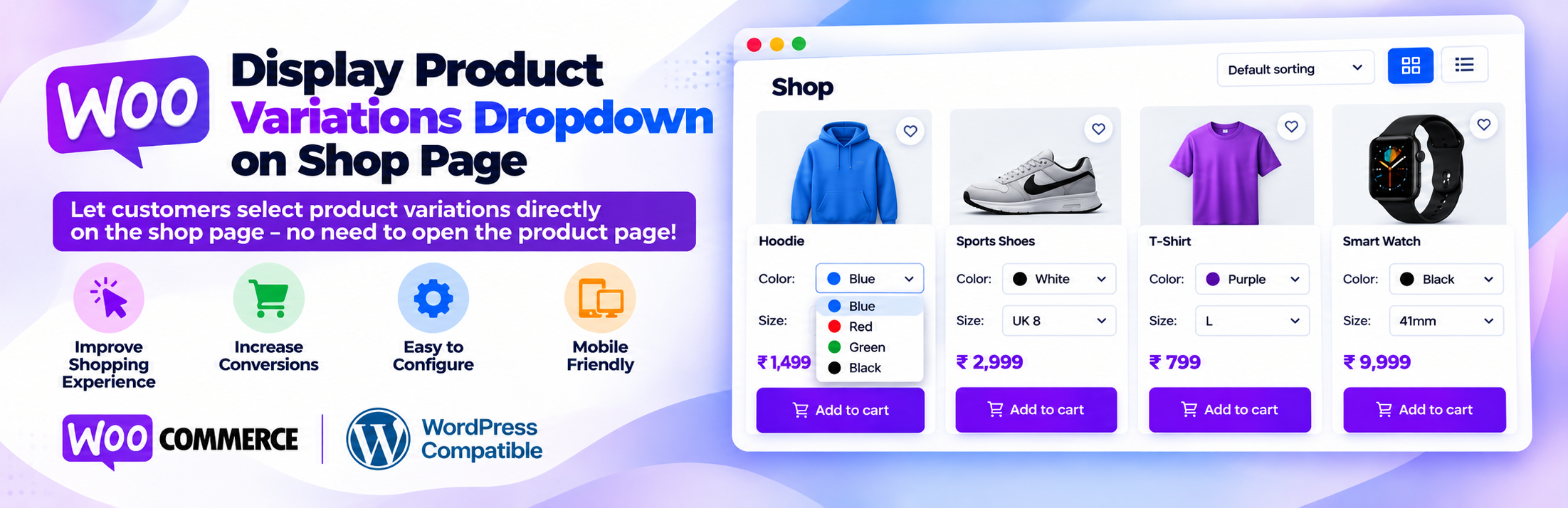
Display Product Variations Dropdown on Shop Page lets customers choose product variations (size, color, material and more) directly on your WooCommerce shop page, category pages and other product archives. Customers no longer have to open every product page just to pick a size or color. They select the options, set the quantity and click Add to cart from the product list.
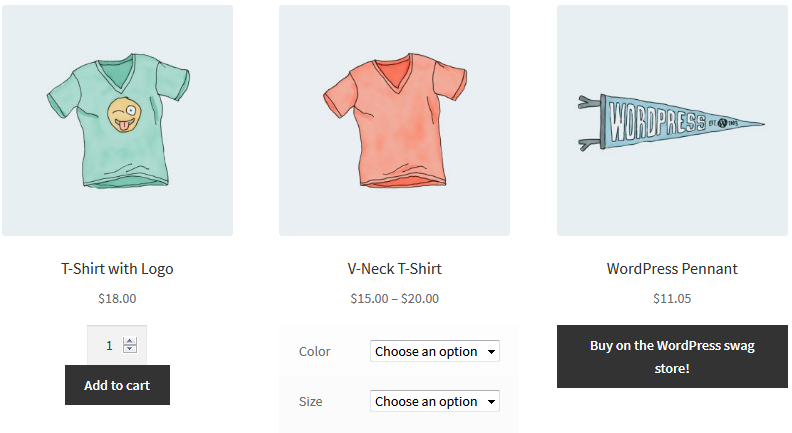
By default, WooCommerce shows only a “Select options” button for variable products on the shop page. This plugin replaces that button with the variation dropdowns, so shoppers make their choice right where they browse. That means fewer clicks between browsing and checkout, which can help you sell more.
How it works
The plugin uses WooCommerce’s own variation form, the same one used on the single product page. That means:
- All attributes are shown, including products with two or more attributes such as Color + Size + Material.
- Global attributes (Products > Attributes) and custom product attributes are both supported.
- The price, stock status and availability of the selected variation are shown before adding to cart.
- Out-of-stock and unavailable variation combinations are handled by WooCommerce, just like on the product page.
- WooCommerce validates stock, quantity and the chosen variation when the product is added to the cart, so the correct variation appears in the cart, checkout and order.
- Sale prices, taxes and price display settings work as configured in WooCommerce.
Key features
- Variation dropdown on the shop page: show variable product dropdowns and the Add to cart button in the product loop.
- Works on all product archives: shop page, product category, product tag, product attribute archives, product search results and the
[products paginate="true"]shortcode. - Quantity selector: customers choose the quantity for the selected variation.
- Simple products stay unchanged: simple, grouped and external products keep the standard WooCommerce Add to cart button, including AJAX add to cart.
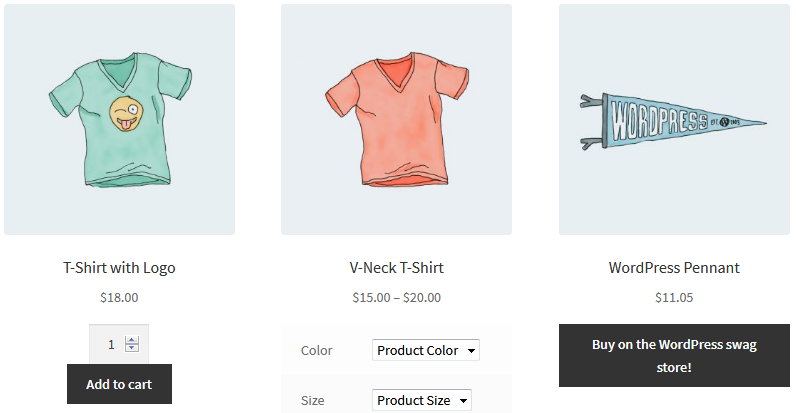
- Change the “Choose an option” text: keep the default text, show the attribute name (for example “Color” or “Size”), or set your own text per product.
- Per-product custom dropdown text: use the
{attribute}placeholder, for example “Choose {attribute}” shows “Choose Color” and “Choose Size”. - Variation description control: show or hide the variation description on the shop page and limit it to a maximum number of words.
- One-click enable/disable from the plugin settings page.
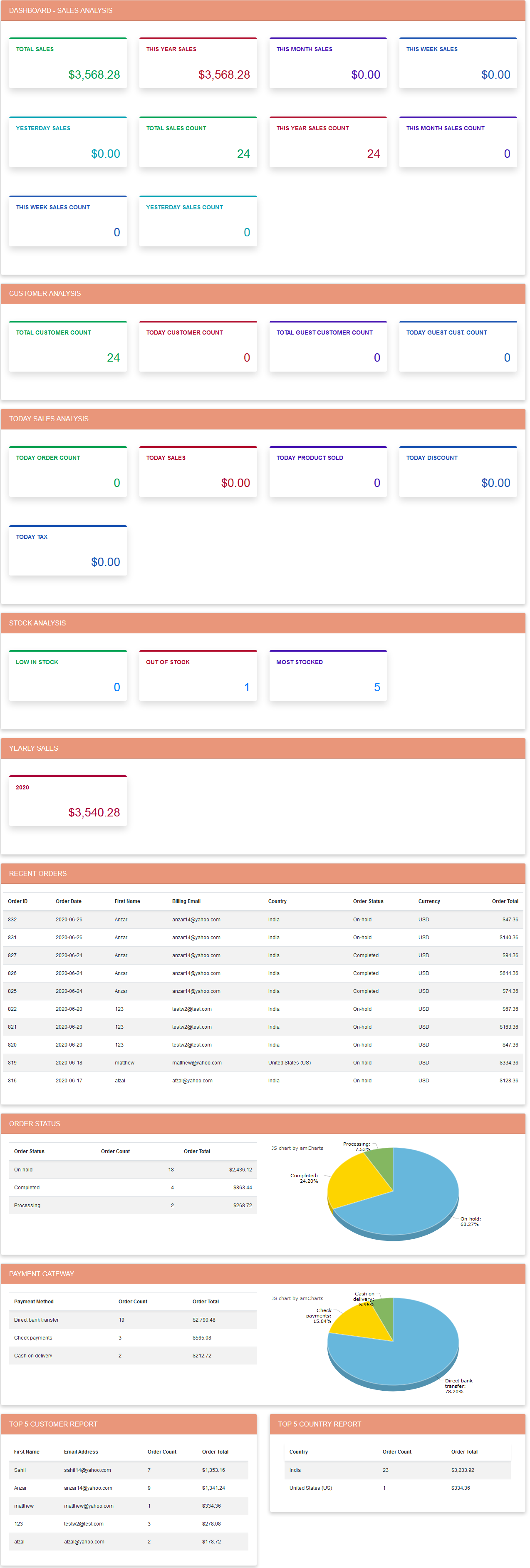
- Sales dashboard: an overview of total, yearly, monthly, weekly and daily sales, order count, customers and guest customers, today’s discount and tax, low/out-of-stock products, recent orders, order status, payment methods, top customers and top countries.
- Lightweight: no extra front-end CSS framework; one small script loads only on product archive pages.
- Accessible: each product’s dropdowns get unique IDs and screen-reader labels when many products are listed.
Compatibility
- WooCommerce High-Performance Order Storage (HPOS) and legacy order storage.
- WooCommerce Cart and Checkout blocks and the classic cart and checkout.
- PHP 8.x.
- Classic WooCommerce themes such as Storefront and other themes that use the standard WooCommerce shop loop.
Pro version: Ni Display Product Variation Table Pro
Need more? The Pro version adds:
- Product variation table or grid instead of the default dropdown on the product page
- Bulk add to cart with quantities from the variation table
- Default quantity, column selection and column order for the variation table
- Show single variations as separate products on the shop and category pages
- Monthly profit report and product summary dashboard
View variation table demo | View shop page dropdown demo | Get the Pro version
Support and custom development
We welcome your suggestions and feedback. For help, feature requests or custom WordPress and WooCommerce development, email support@naziinfotech.com.
Disclaimer
This plugin is provided without warranty. You are responsible for testing it on your store before use.
Skærmbilleder
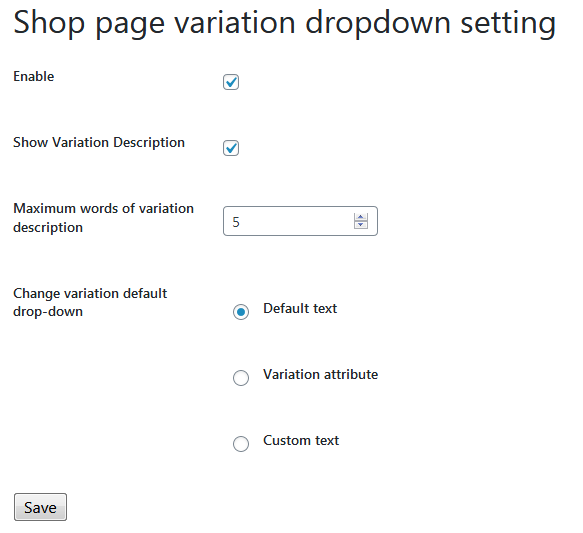
Installation
- In your WordPress admin, go to Plugins > Add New, search for “Display Product Variations Dropdown on Shop Page”, then click Install Now and Activate. You can also upload the plugin folder to
/wp-content/plugins/and activate it from the Plugins screen. - Make sure WooCommerce is installed and active.
- Go to Variation Dropdown > Setting.
- Tick Enable and click Save.
- Open your shop page: variable products now show their variation dropdowns.
Optional: to set custom dropdown text for a product, choose Custom text in the settings, then edit the variable product and fill in Variation option text under Product data > Inventory.
FAQ
-
How do I show variation dropdowns on the WooCommerce shop page?
-
Install and activate the plugin, go to Variation Dropdown > Setting, tick Enable and save. Variable products on the shop page then show their attribute dropdowns, quantity field and Add to cart button.
-
Does it work on category, tag and search result pages?
-
Yes. The dropdowns appear on the shop page, product category, product tag and product attribute archives, product search results and the
[products paginate="true"]shortcode. -
Can customers add a variable product to cart from the shop page?
-
Yes. Customers choose the variation and quantity and click Add to cart. The product is added through WooCommerce’s standard add-to-cart process, so stock, quantity and variation are validated as usual. After adding, WooCommerce shows the product page with a confirmation, or redirects to the cart if “Redirect to the cart page after successful addition” is enabled under WooCommerce > Settings > Products.
-
Does it support products with multiple attributes, like Color and Size?
-
Yes. Every attribute gets its own dropdown, and WooCommerce matches the selected combination to the correct variation. Global and custom attributes are both supported.
-
Does it show the price and stock of the selected variation?
-
Yes. When a customer selects a variation, its price and stock availability are shown, including sale prices. Out-of-stock variations cannot be added to the cart unless backorders are allowed.
-
Can I change the “Choose an option” text?
-
Yes. In Variation Dropdown > Setting choose Default text, Variation attribute (shows the attribute name, for example “Color”) or Custom text. Custom text is set per product in the Variation option text field, and
{attribute}is replaced with the attribute name. -
What happens to simple products?
-
Simple, grouped and external products keep the normal WooCommerce Add to cart button on the shop page. Only variable products show the variation dropdowns.
-
Is it compatible with HPOS and the Cart and Checkout blocks?
-
Yes. The plugin is compatible with WooCommerce High-Performance Order Storage (HPOS) and legacy order storage, and with the Cart and Checkout blocks.
-
Does it work with block themes and the Product Collection block?
-
The dropdowns are added through the classic WooCommerce shop loop, so they work with classic themes such as Storefront. Block-based product grids (the Product Collection and All Products blocks in block themes) are not supported yet. In a block theme, you can use the “Classic template” block on the product catalog template.
-
Will it slow down my shop page?
-
For every variable product on the page, WooCommerce loads its variation data, just like on the product page. Shops with many variable products per page, or products with many variations, may load slower. Use a page cache, and keep a sensible number of products per page. Products with more than 30 variations load their variation data on demand instead of with the page.
-
Can developers control which products show the dropdown?
-
Yes, with the
niwoovd_use_variation_formfilter. For example,add_filter( 'niwoovd_use_variation_form', '__return_true' );shows the full add-to-cart form for every product type. -
Where can I get help?
-
Use the support forum on WordPress.org or email support@naziinfotech.com.
-
Can you customize this plugin for my store?
-
Yes. We offer custom WordPress and WooCommerce development. Email support@naziinfotech.com with your requirements.
Anmeldelser


Bidragsydere & udviklere
“Display Product Variations Dropdown on Shop Page” er open source-software. Følgende personer har bidraget til dette plugin.
Bidragsydere
Oversæt “Display Product Variations Dropdown on Shop Page” til dit eget sprog.
Interesseret i udvikling?
Gennemse koden, tjek SVN repository, eller abonner på udviklerloggen via RSS.
Ændringslog
1.1.5 – 17-October-2026
- New: Addons page (Variation Dropdown > Addons) listing our Pro and free WooCommerce plugins, with search and one-click Install / Activate for the free ones.
- The Addons page loads its own lightweight styles instead of Bootstrap.
1.1.4 – 07-October-2026
- Security: Settings can only be saved by administrators (capability and nonce check).
- Fix: Per product “Variation option text” was saved as a number and never shown.
- Fix: “Variation attribute” dropdown text showed “Product Color” instead of “Color”; custom attributes are supported.
- New: Use {attribute} in the custom dropdown text, e.g. “Choose {attribute}”.
- Fix: Fatal error on the front end when WooCommerce is not active.
- Fix: Plugin activation redirect no longer breaks bulk or WP-CLI activation.
- Fix: Variation description setting only changes the description of the product being selected.
- Fix: Variation description setting now works on tag, attribute and paginated [products] pages.
- Change: The dropdown form is shown for variable products; other products keep the standard WooCommerce loop button (filter: niwoovd_use_variation_form).
- Fix: The shop loop is restored after the main product loop, so other product lists on the page are not changed.
- Fix: Unique dropdown ids and accessible labels when several products are listed.
- Compatibility: Dashboard supports WooCommerce High-Performance Order Storage (HPOS) and legacy order storage; HPOS and Cart/Checkout blocks compatibility declared.
- Fix: PHP 8 errors (division by zero on the dashboard, missing array keys).
- Fix: Dashboard output escaping, “Most stocked” count, MySQL ONLY_FULL_GROUP_BY errors.
- Tested: Compatible with WooCommerce 11.1
- Tested: Compatible with WordPress 7.1
1.1.3 – 31-May-2024
- Tested: Compatible with WooCommerce 8.9.1
- Tested: Compatible with WordPress 6.5.3
1.1.2 – 20-March-2024
- Tested: Compatible with WooCommerce 8.7.0
- Tested: Compatible with WordPress 6.4.3
1.1.1 – 15-May-2023
- Tested: Compatible with WooCommerce 7.7.0
- Tested: Compatible with WordPress 6.2
1.1.0 – 19-February-2023
- Tested: Compatible with WooCommerce 7.4.0
- Tested: Compatible with WordPress 6.1.1
1.0.9 – 07-August-2022
- Tested: Compatible with WooCommerce 6.7.0
- Tested: Compatible with WordPress 6.0.1
1.0.8 – 26-March-2022
- Tested: Compatible with WooCommerce 6.3.1
- Tested: Compatible with WordPress 5.9.2
1.0.7 – 17-October-2021
- Tested: Compatible with WooCommerce 5.8.0
- Tested: Compatible with WordPress 5.8.1
- Fix: Internal bug fix
1.0.6 – 17-June-2021
- Tested: Compatible with WooCommerce 5.4.1
- Tested: Compatible with WordPress 5.7.2
1.0.5 – 19-January-2021
- Tested: Compatible with WooCommerce 5.1.0
- Tested: Compatible with WordPress 5.7
1.0.4 – 19-January-2021
- Tested: Compatible with WooCommerce 4.9.0
- Tested: Compatible with WordPress 5.6
1.0.3 – 16-August-2020
- Tested: Compatible with WooCommerce 4.3.3
- Tested: Compatible with WordPress 5.5
1.0.2 – 28-July-2020
- Tested: Compatible with WooCommerce 4.3.1
1.0.1 – 15-July-2020
- Tested: Compatible with WooCommerce 4.3.0
- Tested: Compatible with WordPress 5.4.2
1.0 – 08-July-2020
- Initial release