
Beskrivelse
Attendra turns WordPress into the back office of a class-based business. Yoga and pilates studios, gyms, dance and music schools, tutors, therapists and coaches use it to know who is coming, who has paid and how many sessions every client has left — without spreadsheets and without a monthly SaaS bill.
Everything lives in your own WordPress database. No external service, no account to create, no data leaving your server.
New in 1.6
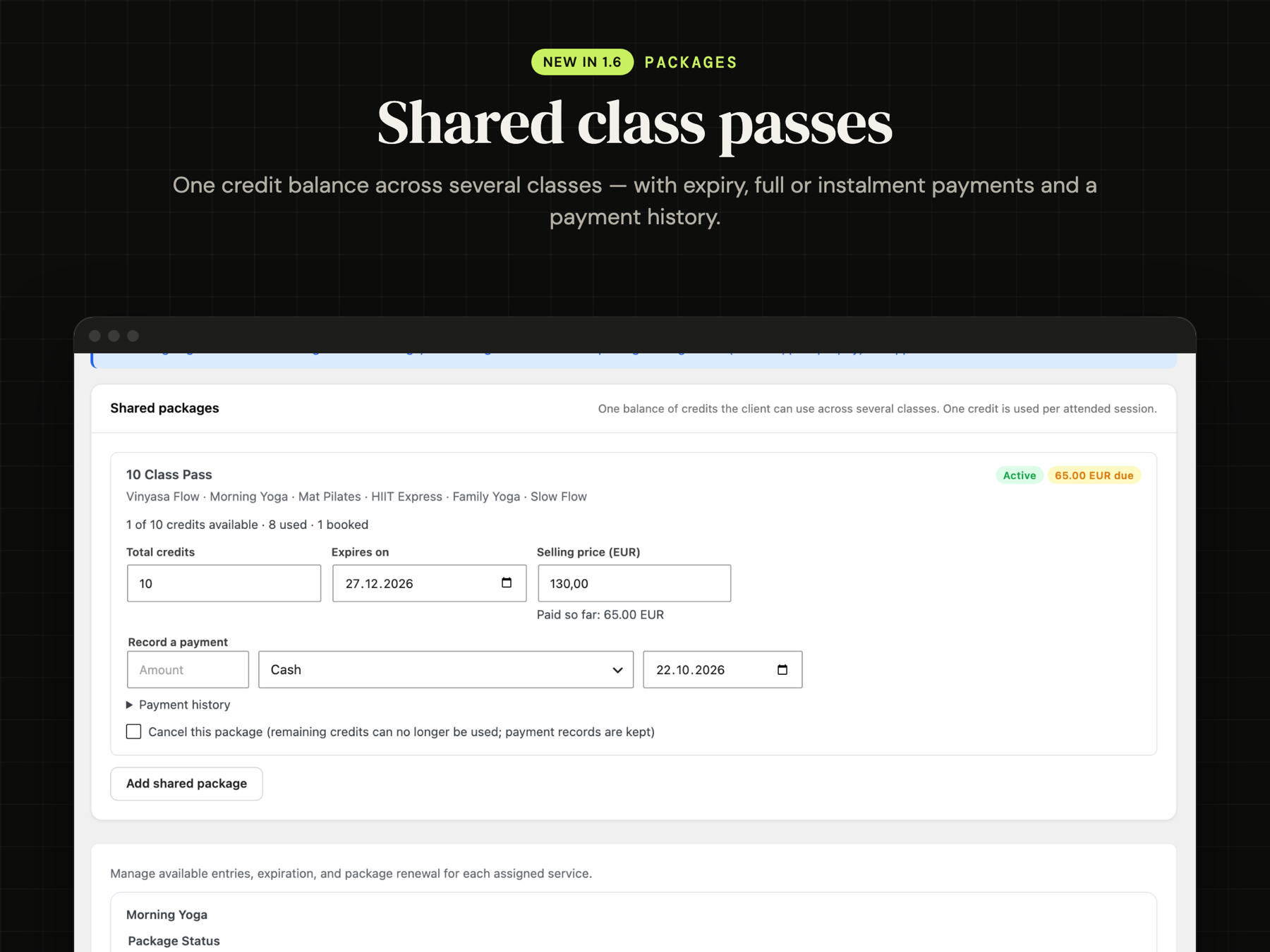
- Shared class passes – one credit balance usable across several classes (a “10 Class Pass”), with expiry, full or instalment payments and a payment history.
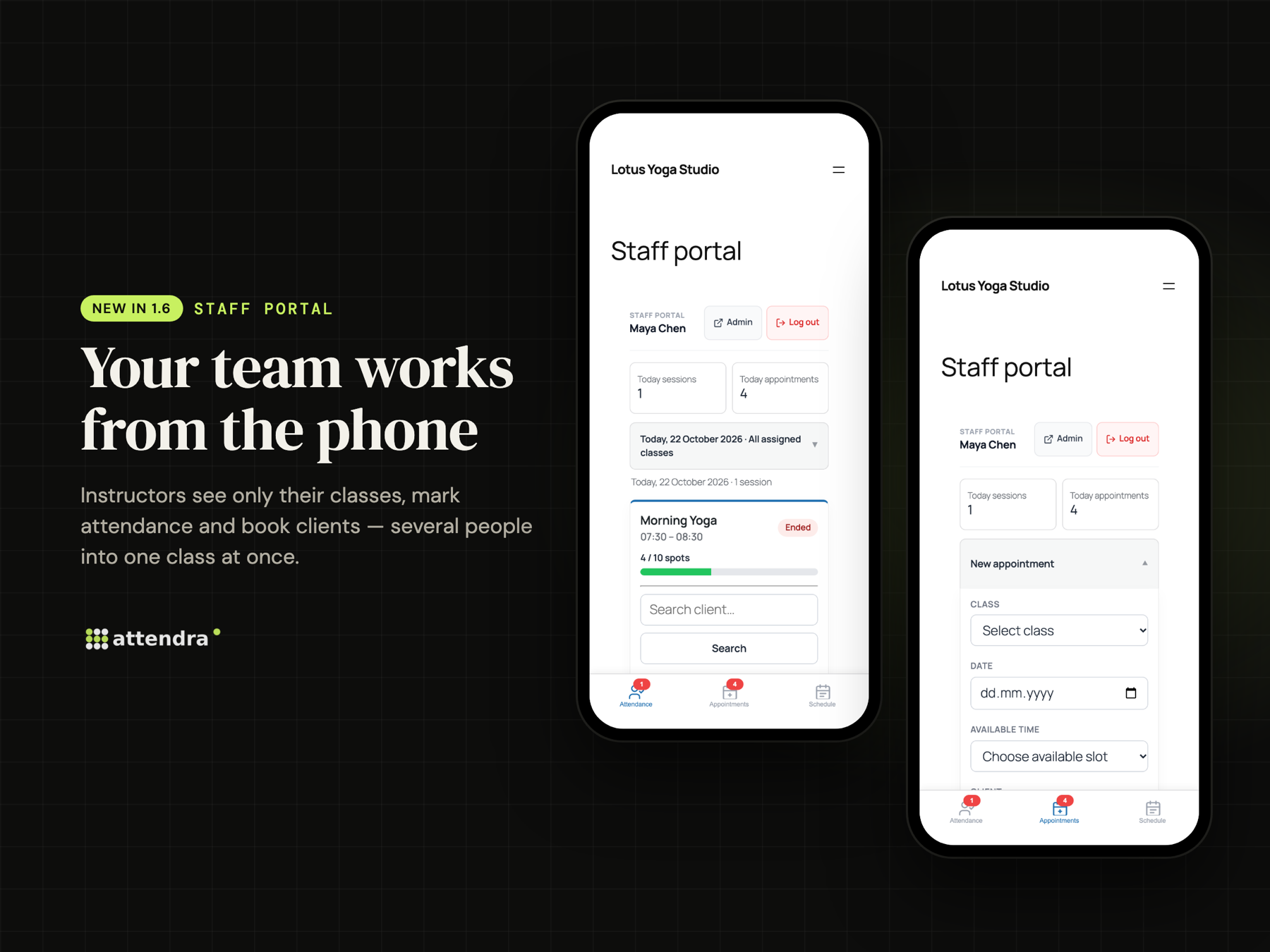
- Book a whole group at once – add several clients to a class in one go, from the admin or from the staff portal. Each person is billed by their own plan: credit, pay per session or free.
- No double-booked instructors – private sessions cannot overlap another activity of the same instructor.
- Six languages – English, German, French, Spanish (Spain and Mexico), Italian and Romanian, fully translated.
- Safer updates – your attendance history is kept on every update (1.6.2 fixes a long-standing issue where updates turned attended sessions back into “confirmed”).
What you can do with Attendra
Attendance in one tap
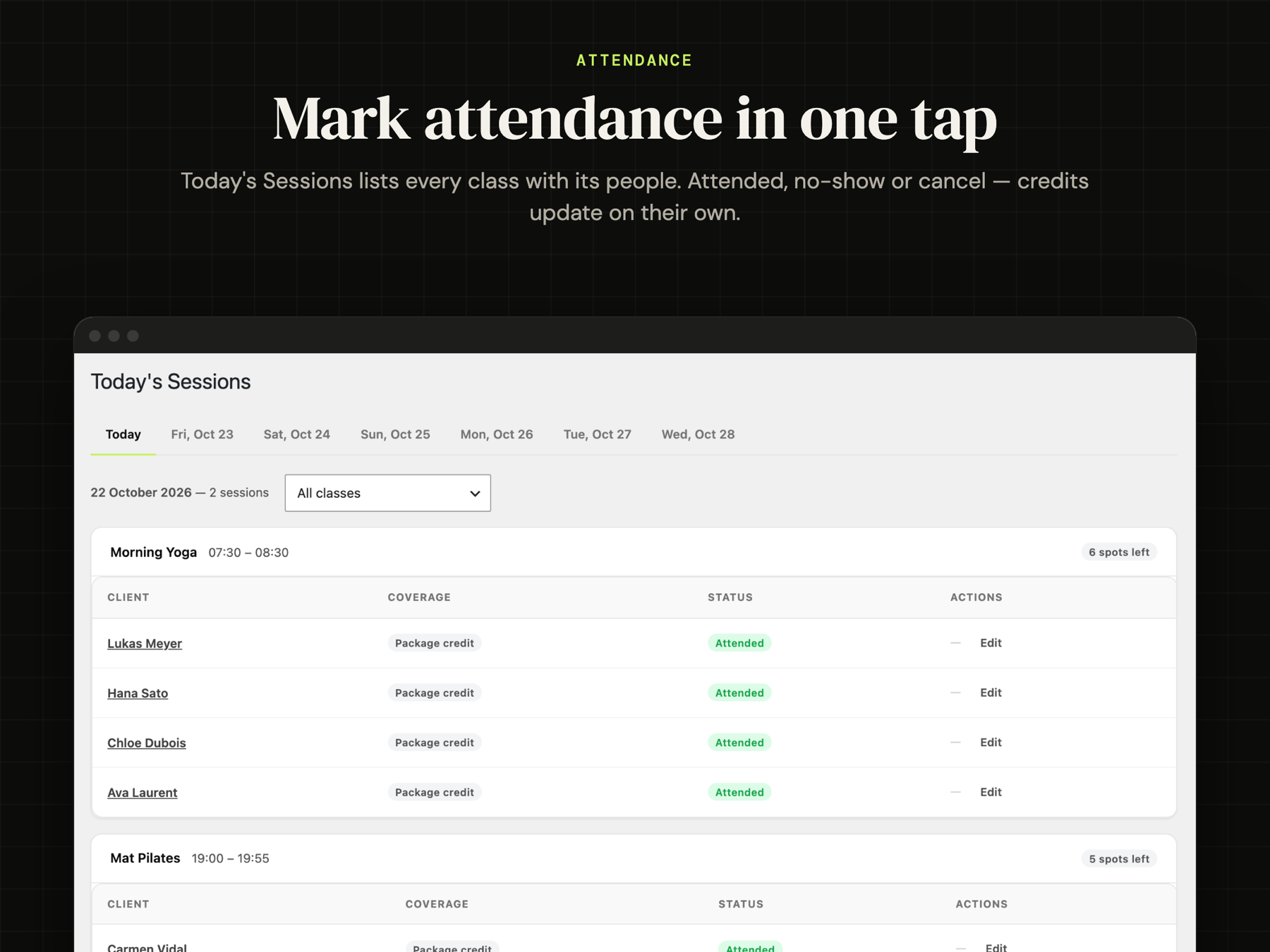
Today’s Sessions shows every class of the day with its people. Mark attended, no-show or cancel, and credits update on their own. Look ahead at the next days with one click.
Classes, workshops and private sessions
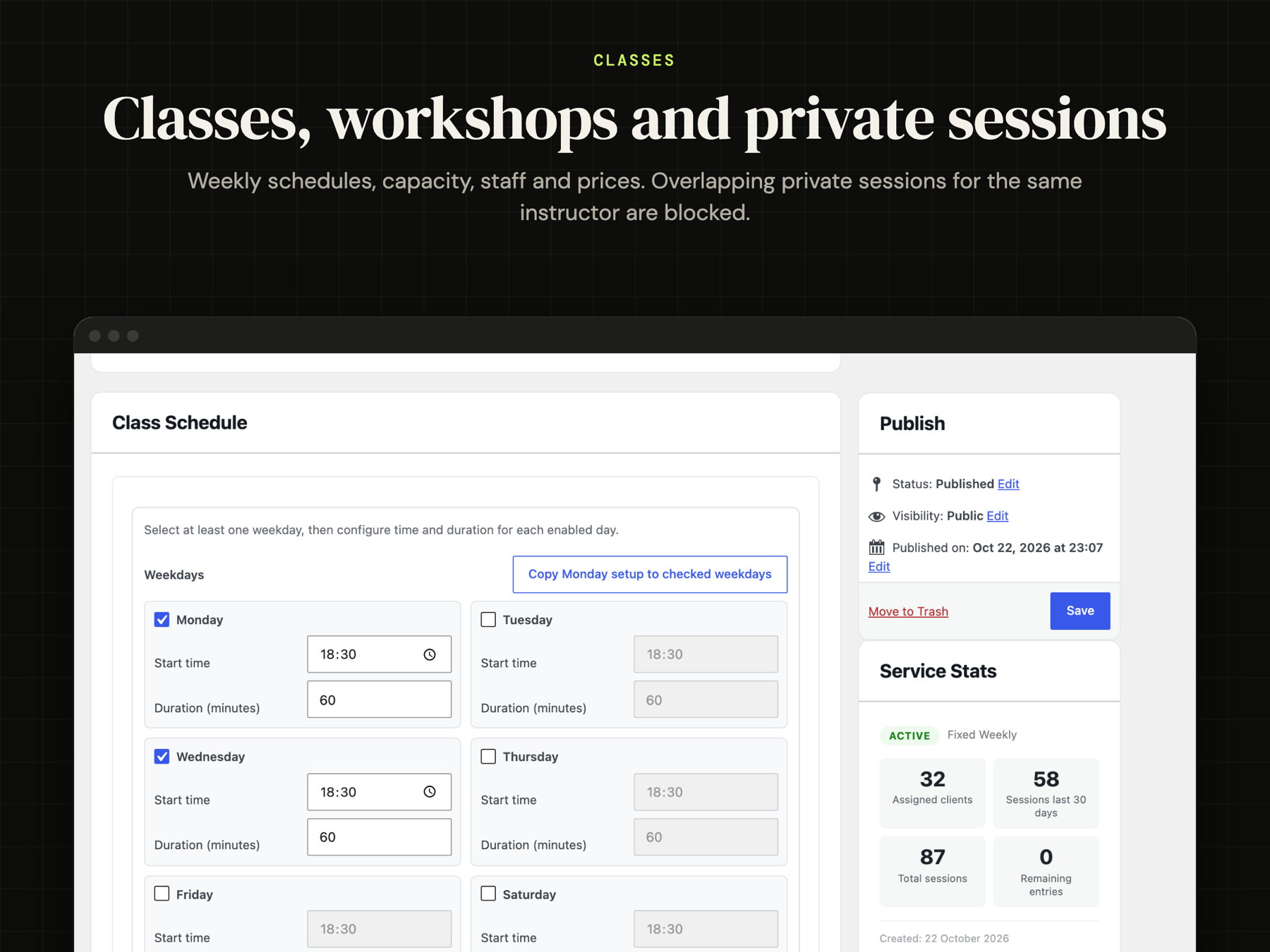
Weekly group classes with a timetable and capacity, one-time workshops and events, and 1-to-1 appointments with free slots. Assign instructors, set a price per session and a reminder time per class.
Appointments with a full history
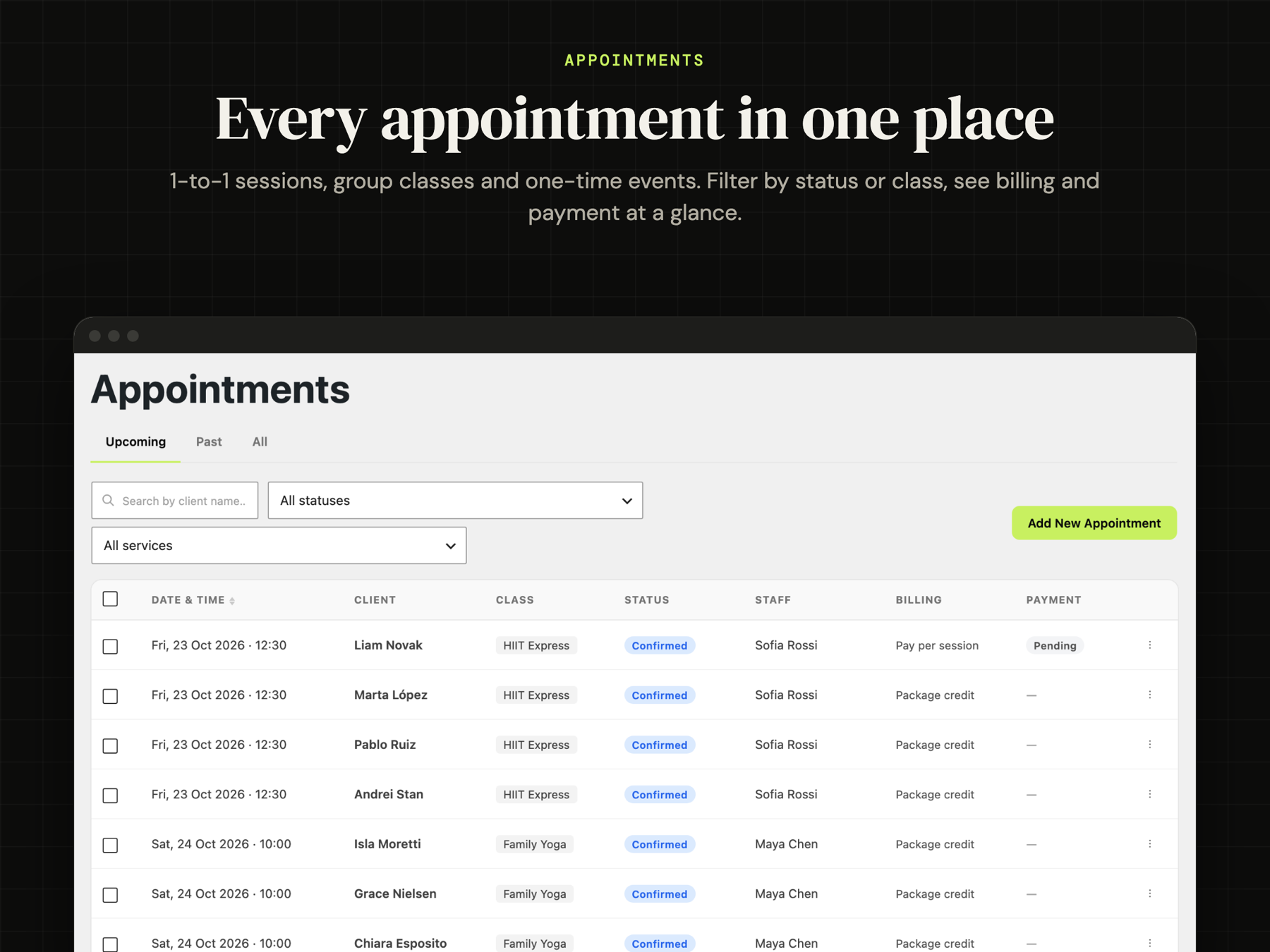
Every appointment has a status (pending, confirmed, attended, no-show, cancelled), a billing mode (package credit, pay per session or free) and a payment status. Create recurring series, reschedule, add notes for the client or internal notes for the team. Filter the list by upcoming, past, status or class.
Session packages and payments
Give each client a package per class or a shared pass across classes. Set an expiry date and a price (with discount), take the payment in full or in instalments and record each payment as it arrives. The client gets an email for each payment, when credits run low and when the package is used up. A no-show can use a credit, like a real attendance.
A portal for every client
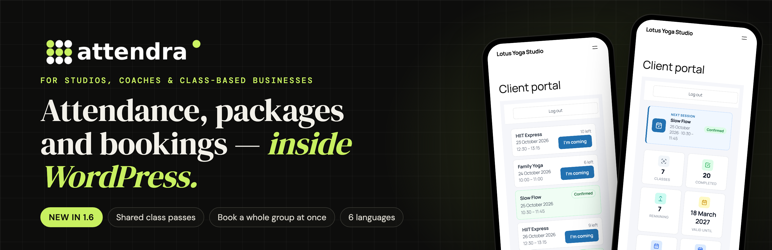
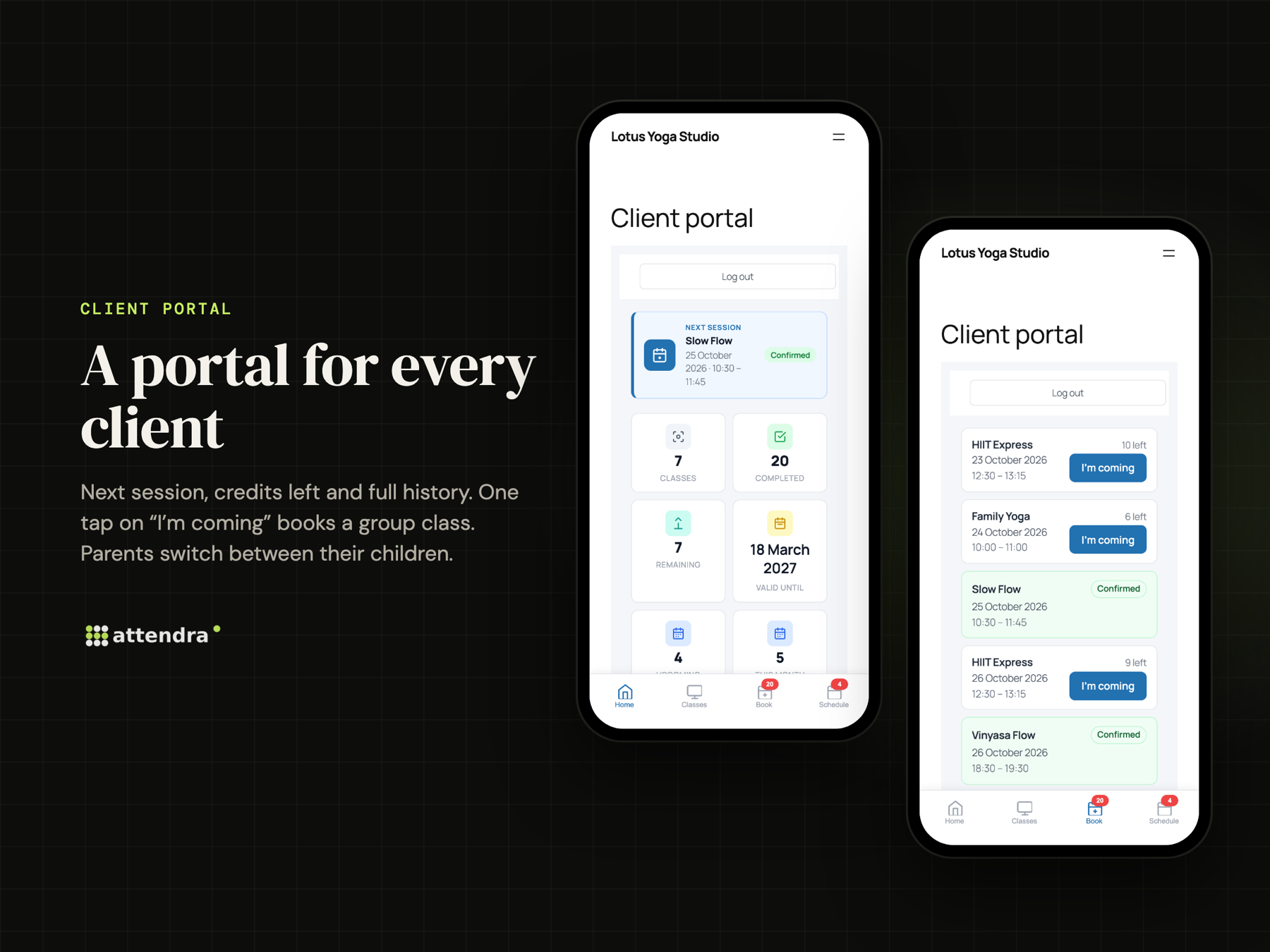
One shortcode gives each client their own page: the next session, credits left, valid until, attendance history and upcoming appointments. “I’m coming” books a group class in one tap. Parents or companies paying for several people switch between them from the same account. An optional full-screen mobile layout makes it feel like an app.
A portal for your team
Instructors work from their phone: today’s classes, attendance, and new appointments — including several clients into one class at once. They only see their own classes and clients. Managers get a separate role with access to the whole studio.
Your timetable on any page
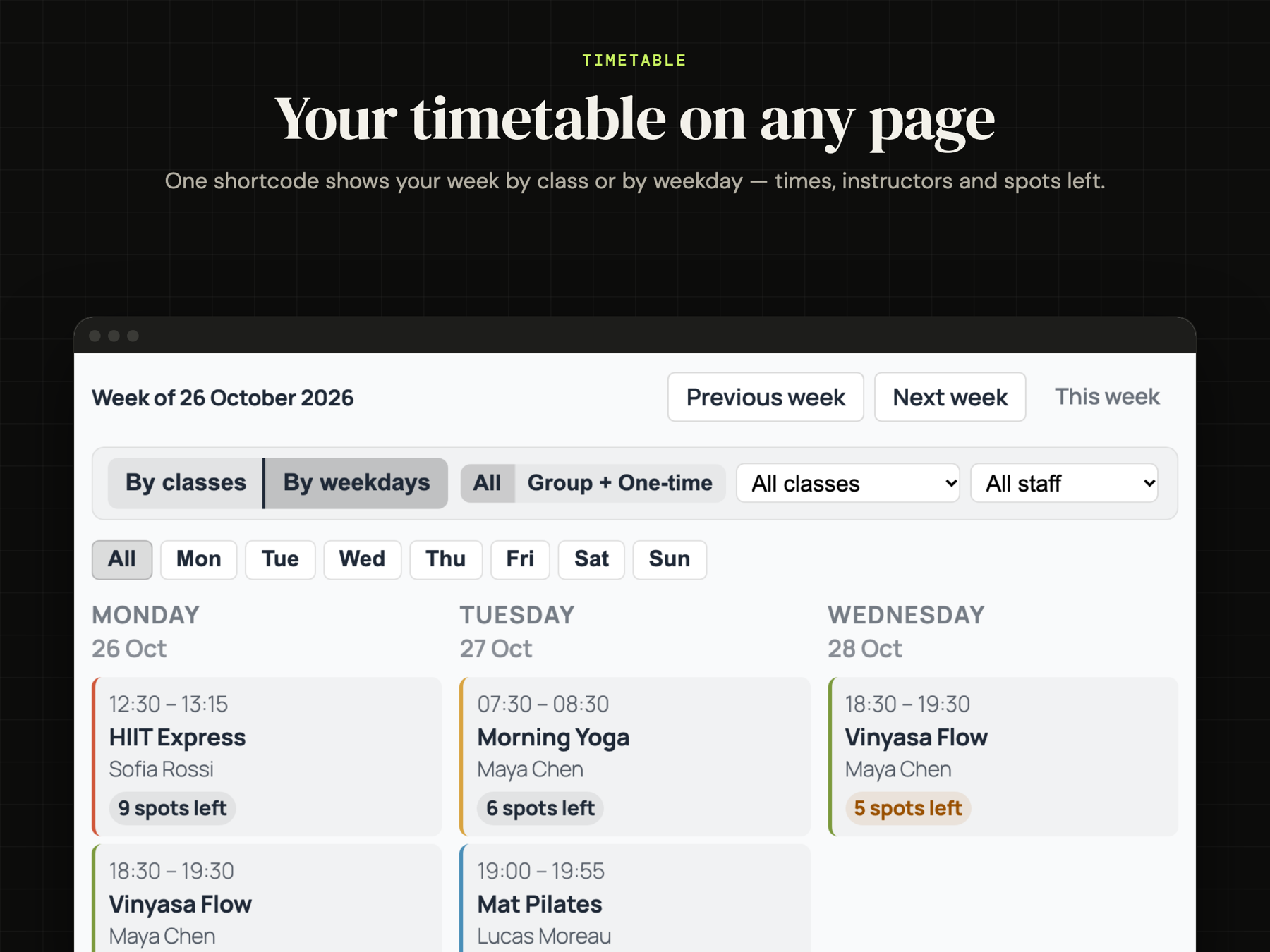
Show the week by class or by weekday, with times, instructors and spots left, using one shortcode.
Reporting
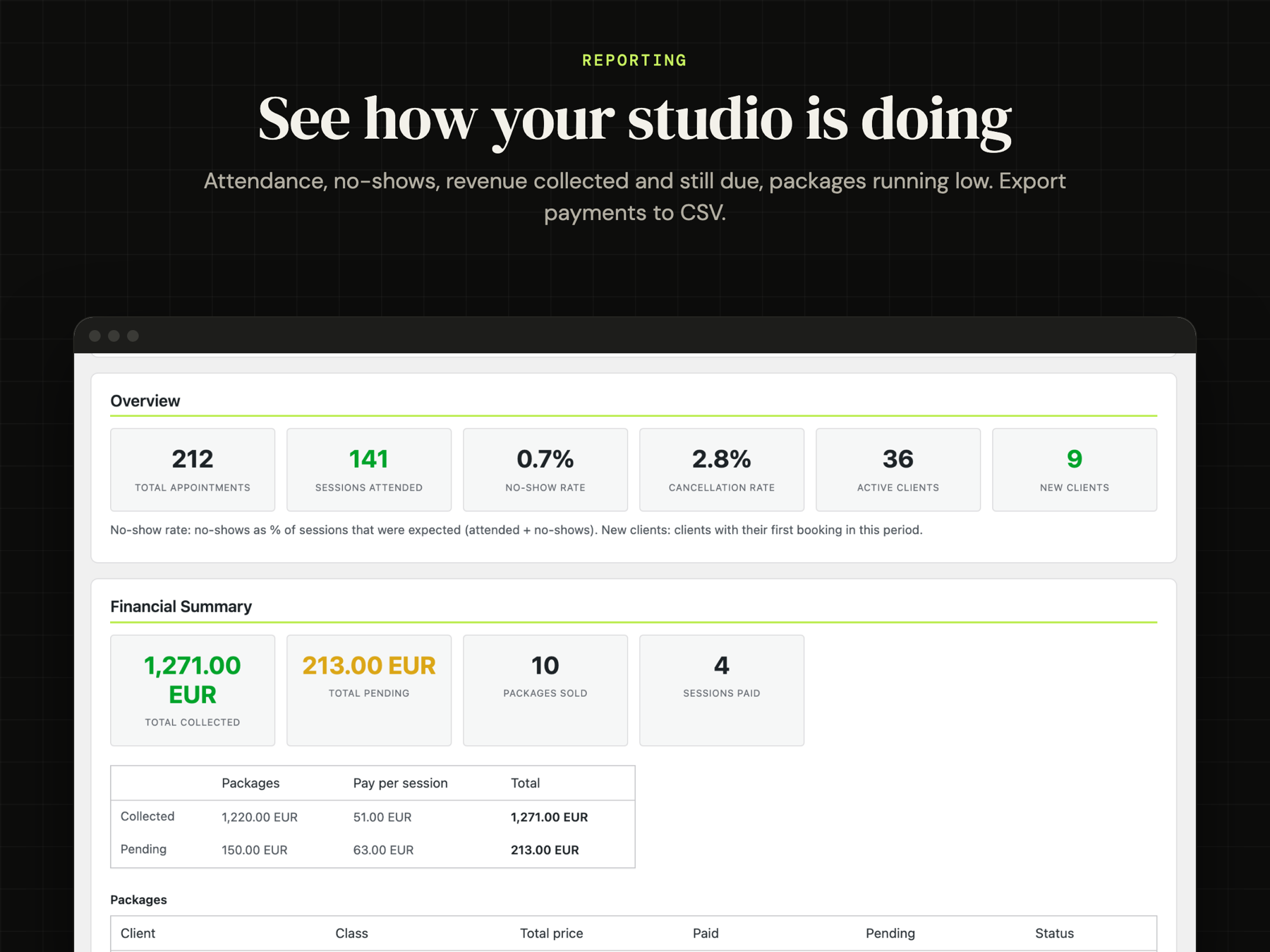
Appointments, attendance, no-show and cancellation rates, active and new clients, revenue collected and still due, packages sold, unpaid sessions and packages running low — for any period. Export payments to CSV.
Clients, imported in minutes
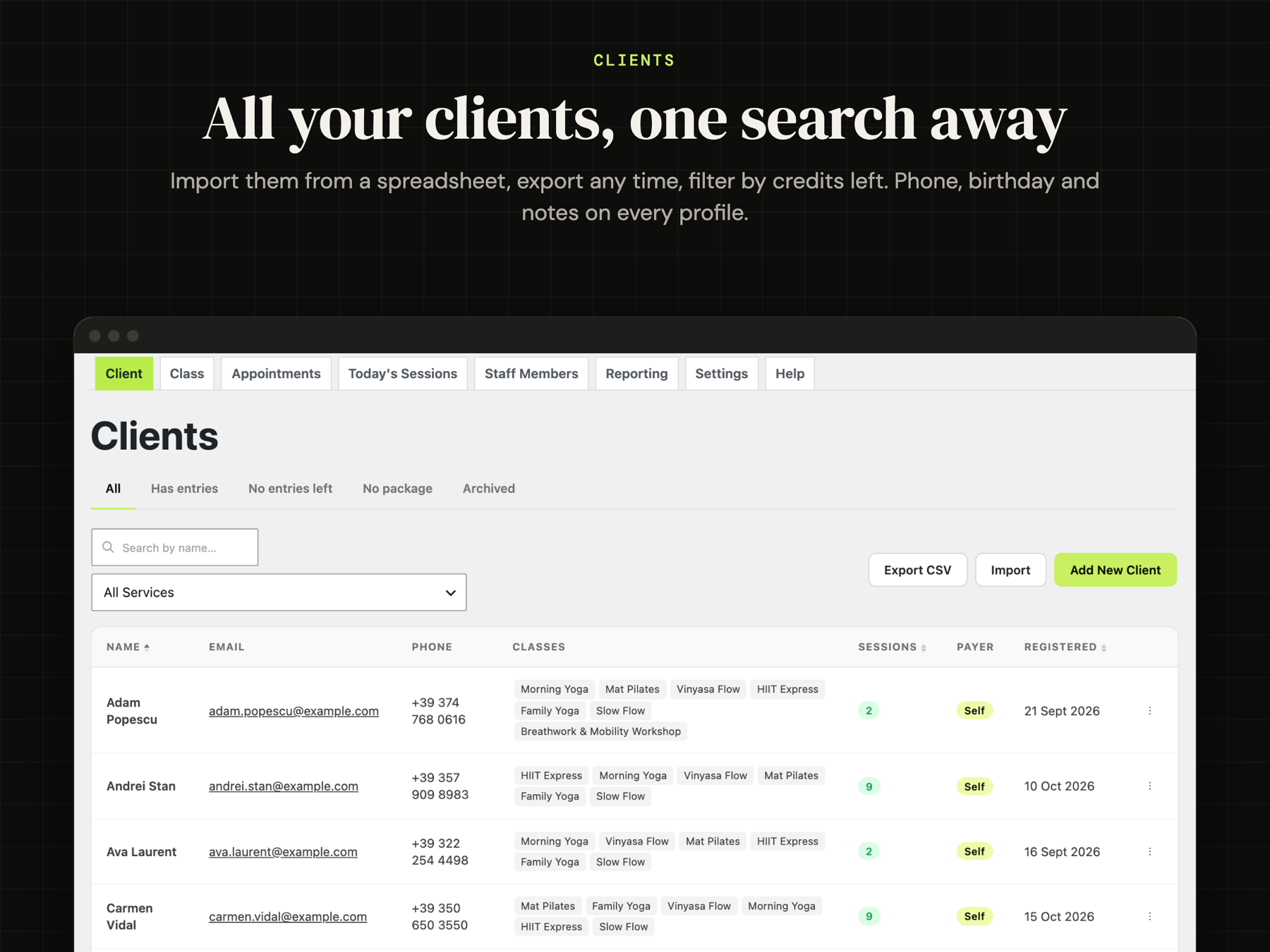
Import clients (and services) from a spreadsheet, export them any time. Filter clients by credits left, keep phone, birthday and payer on every profile, archive the ones who left.
Emails that go out on their own
Confirmation, cancellation, rejection, no-show, payment due, reminder before the session (timing per class), package started, running low and used up, payment received and portal invitation — plus notifications for the admin and a daily schedule for each instructor. Every template is editable and uses your business name and contact details. Works with any SMTP plugin.
Your words
Call them Students instead of Clients, Classes instead of Services, Lessons instead of Sessions — the new names appear in the admin, the portals and the emails.
Who is it for?
- Yoga, pilates, dance and martial arts studios
- Gyms, personal trainers and bootcamps
- Music, language and tutoring schools
- Therapists, physiotherapists, psychologists and coaches
- Sports clubs and kids’ activities
- Any business that sells sessions, classes or packs of visits
Attendra Pro
The free plugin is complete for running a studio. Attendra Pro adds what you need to sell and automate online: online payments by card (Stripe, Revolut), deposits and no-show fees, PDF receipts, booking from the public timetable and booking requests from visitors, packages clients buy themselves, coupons and gift packages, a waiting list, cancel and reschedule from the client portal, WhatsApp notifications, QR/PIN check-in kiosk, rooms, marketing campaigns, advanced reports and an installable mobile app (PWA).
Try everything on the live demo: demo.attendra.app
Developer Notes
To regenerate the translation template:
wp i18n make-pot . languages/attendra.pot –exclude=assets,vendor,node_modules –slug=attendra
Skærmbilleder

Installation
- In WordPress go to Plugins Add New, search for Attendra and click Install, then Activate.
- Open Attendra Setup Guide and follow the steps: business details, your first class, your first client.
- Create three pages and add one shortcode to each:
[attendra_portal]– client portal[attendra_staff_portal]– staff portal[attendra_public_calendar]– public timetable
- Add your classes under Attendra Services, then your clients – or import them from a CSV file with the Import button on the clients list.
- Give clients a package on their Services tab, invite them to the portal from the Account tab, and start marking attendance in Today’s Sessions.
FAQ
-
Is Attendra really free?
-
Yes. The free plugin has no limits on clients, classes, staff or appointments and never asks for a subscription. Attendra Pro is an optional add-on for online payments and automation.
-
Where is my data stored?
-
In your own WordPress database. Attendra does not send your clients’ data to any external service.
-
I’m updating from an older version. Is my data safe?
-
Yes. Clients, classes, packages, payments and appointments are kept. Version 1.6.2 also fixes an issue of earlier versions, where every update turned attended sessions back into “confirmed”; sessions changed by an earlier update need to be marked again once. As with any update, a backup before updating is good practice.
-
A package belongs to one client. A parent or a company can pay for several clients and see them all from one portal account; each person keeps their own credits.
-
A pack of credits (for example 10 visits) that the client can use in several classes — Morning Yoga one day, Pilates the next. One credit is used per attended session.
-
Does a no-show use a credit?
-
Yes, a no-show uses a credit, like an attended session. A cancelled appointment does not.
-
Can clients book online?
-
From the client portal, clients book group classes with “I’m coming”. Booking straight from the public timetable, booking requests from new visitors and online payment are part of Attendra Pro.
-
Can clients cancel or reschedule by themselves?
-
In the free plugin the studio cancels and reschedules (admin or staff portal), with your late-cancellation and reschedule limits. Cancel and reschedule buttons in the client portal are part of Attendra Pro.
-
Can I take payments online?
-
The free plugin records payments you receive (cash, transfer, card on site), in full or in instalments, and shows what is still due. Online card payments are part of Attendra Pro.
-
Can my instructors use it without wp-admin?
-
Yes. The staff portal works on any phone. Each instructor sees only their own classes and clients; you can let selected staff edit clients.
-
Does it work with my theme?
-
Yes. The portals and the timetable use their own styles and work with any theme. The optional mobile layout hides the theme header and footer for an app-like portal.
-
Does it work with WooCommerce or Google Calendar?
-
Attendra does not need WooCommerce and has its own billing. It does not sync with Google Calendar; Attendra Pro attaches calendar invites (.ics) to confirmation emails.
-
Which languages are included?
-
English, German, French, Spanish (Spain and Mexico), Italian and Romanian. You can also rename Client, Service and Sessions to the words your business uses.
-
Will emails be delivered?
-
Attendra sends emails through WordPress (
wp_mail). For reliable delivery use an SMTP plugin such as WP Mail SMTP or FluentSMTP; Attendra uses it automatically. -
What happens if I uninstall?
-
Roles and settings are removed. Your clients, classes and appointments are deleted only if you turn on Delete data on uninstall in the settings.
Anmeldelser
Der er ingen anmeldelser for denne widget.
Bidragsydere & udviklere
“Attendra – Class, Package & Attendance Manager” er open source-software. Følgende personer har bidraget til dette plugin.
Bidragsydere
Oversæt “Attendra – Class, Package & Attendance Manager” til dit eget sprog.
Interesseret i udvikling?
Gennemse koden, tjek SVN repository, eller abonner på udviklerloggen via RSS.
Ændringslog
1.6.2
- Fix: updating the plugin no longer turns attended and “payment pending” sessions back into confirmed ones. Every earlier update had this problem; sessions changed by an earlier update need to be marked again.
- Fix: the package card on the client screen counts every used session, including no-shows that used a credit, manual entries and sessions recorded before 1.6.
- Fix: the client portal shows “Next session” again above the next appointment (it showed the sessions label).
- Fix: the Attendra main menu address opens the clients list (staff: appointments) instead of an empty page.
- Fix: Reporting shows the name of shared packages instead of “#0”.
- New plugin name and a refreshed plugin page: Attendra – Class, Package & Attendance Manager.
1.6.1
- Add several clients to a group class at once (admin and staff portal); each person is billed by their own plan.
- Instructor and room conflicts: private sessions cannot overlap another activity of the same instructor or room.
- Marking a payment after attendance keeps the session as attended.
- Reminders also notify other channels (used by Attendra Pro for WhatsApp reminders).
- Settings: the unused “cancellations require approval” option was removed; Pro-only options are labelled.
- Help corrected: import, services import and export are free.
- Translations: German, French, Spanish (Spain and Mexico), Italian and Romanian complete.
1.6.0
- Shared packages: one credit balance usable across several services, with expiry, payments and history.
- Policy for clients with no credits left: block the booking, or allow it with payment at the venue.
- Weekly timetable with direct booking, instructor names and week navigation.
- Import clients with their remaining credits, package expiry and amounts paid (up to 2000 rows).
- Payment method on appointment payments; payments ledger with CSV export.
- Cancel single dates of a service (holidays): booked clients are notified and keep their credit.
- Complete Italian translation; translations are now loaded.
- Many fixes (reminders timing, settings saving, staff portal, group bookings, timezone handling).
1.5.0
- Services can be limited to staff-only booking (“Clients can book online”).
- Team notified of client bookings and status changes.
1.4.0
- Public booking calendar with session booking requests (
[attendra_public_calendar]) - Recurring appointment series — create a full series in one step, manage or cancel individually
- Staff Portal frontend with Attendance, Appointments and Enrollment tabs
- Client Portal with upcoming appointments, session history, “I’m coming” self-confirmation and 1-to-1 self-booking
- Mobile template for Staff and Client portals — full-screen app-like layout, applied with one click
- Payment installments — split package payments across multiple instalments, confirm each individually with automatic “Payment received” email
- Financial Summary in Reporting — total collected, total pending, packages sold, sessions paid
- CSV client import with optional bulk portal account creation
- Per-service base pricing and per-client package discount with booking price snapshots
- Walk-in attendance for group services
- Package expiration dates — block new sessions automatically when a package expires
- Appointment rescheduling limits and late cancellation window
- Group service capacity limits — close slots automatically when full
- Automated email notifications for all booking lifecycle events including payment received
- Staff daily schedule summary email
- Guide banners on each admin page with permanent dismiss
- Staff optional permissions: can edit service details, can edit clients
1.3.3
- Private 1-to-1 appointments with client, service, staff, status, billing mode and package-credit recording
- Client portal appointment visibility
- Appointment status lifecycle with admin email notifications
1.3.2
- Custom post type capability hardening
- Translation template regeneration
- Frontend style and script cleanup
1.0.0
- Initial release