

Beskrivelse
Storelly ERP is a powerful WooCommerce extension that seamlessly connects your online store to the Storelly business management platform. Stop manually updating spreadsheets and running your business from the WordPress backend.
By connecting WooCommerce to Storelly, you unlock advanced modules designed for scaling businesses:
* Multi-Location Inventory: Map your WooCommerce site to a specific Storelly physical location/warehouse and sync stock instantly.
* Order Management: Sync WooCommerce orders directly to Storelly as Sales records for fulfillment.
* Point of Sale (POS): Sell in-person and have your WooCommerce inventory update in real-time.
* Product Sync: Keep your product catalog, pricing, and categories perfectly synchronized based on SKUs.
* B2B Workflows: Handle complex pricing tiers and bulk purchasing natively within Storelly.
External services
This plugin relies on the Storelly SaaS API as a third-party service to function correctly.
- What it does: The plugin communicates directly with the Storelly API to synchronize products, categories, locations, inventory levels, and orders. Without this connection, the plugin cannot perform its intended synchronization tasks.
- API Endpoints: The plugin connects to the Storelly app via the user-provided API URL (defaulting to
https://app.storelly.comor your self-hosted Storelly dashboard URL) and specifically calls endpoints under/api/woocommerce-plugin/*. - Data Transmitted: When you configure and run the plugin, the following data is transmitted to the Storelly servers securely via HTTPS: WooCommerce Orders (Customer details, purchased items, totals), Products (Titles, SKUs, inventory levels, prices), and Categories.
- When you connect: the plugin sends the connection code you paste (or, if you choose, your Storelly email and password), your site address, and a WooCommerce REST API key pair that the plugin creates so Storelly can read and update your products and orders. The key pair is stored in your Storelly workspace and can be revoked in WooCommerce > Settings > Advanced > REST API.
- Terms of Service: By using this plugin, you agree to the Storelly Terms of Service. Please review our Terms of Service and Privacy Policy for complete details on how your data is handled and protected.
Skærmbilleder
Installation
- Upload the
Storelly_ERP_Pluginfolder to the/wp-content/plugins/directory, or upload the generated ZIP file via your WordPress admin panel. - Activate the plugin through the ‘Plugins’ menu in WordPress.
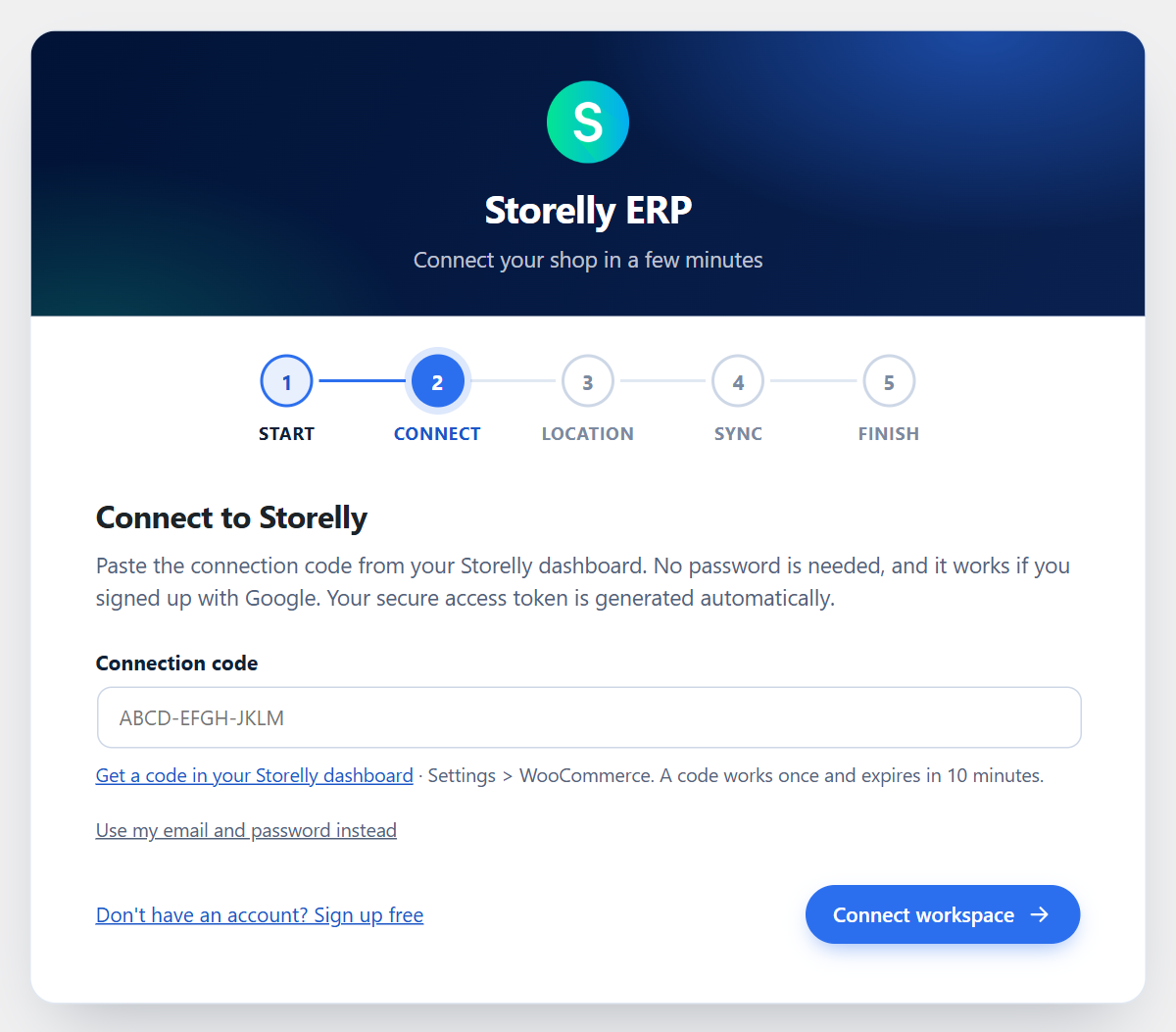
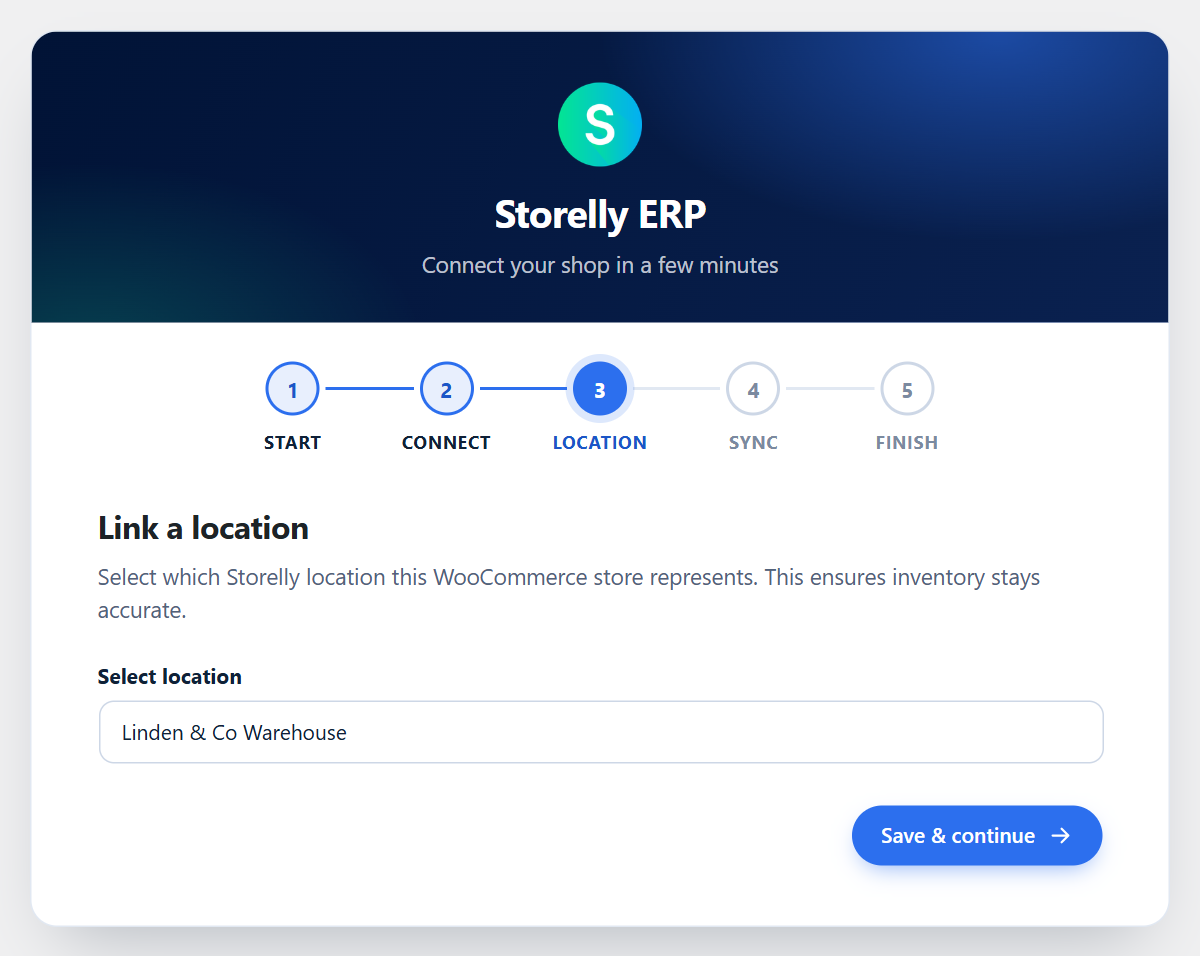
- Upon activation, you will be redirected to the Setup Wizard.
- In your Storelly dashboard open Settings > WooCommerce, get a connection code, and paste it into the wizard. No password is entered here, and it works for accounts created with Google. (Signing in with your email and password is still available.)
- Choose your synchronization preferences and perform your first sync!
FAQ
-
Do I need a Storelly account to use this plugin?
-
Yes, you need an active Storelly workspace. You can create one at Storelly.com.
-
I signed up to Storelly with Google. Can I connect?
-
Yes. Use a connection code from Settings > WooCommerce in your Storelly dashboard. It works once and expires after 10 minutes.
-
Can I link multiple WooCommerce sites to Storelly?
-
Yes! You can link multiple WooCommerce sites to a single Storelly workspace by assigning each site to a different Storelly “Location”.
Anmeldelser
Der er ingen anmeldelser for denne widget.
Bidragsydere & udviklere
“Storelly ERP – B2B Inventory & Multi-Location POS for WooCommerce” er open source-software. Følgende personer har bidraget til dette plugin.
Bidragsydere

Oversæt “Storelly ERP – B2B Inventory & Multi-Location POS for WooCommerce” til dit eget sprog.
Interesseret i udvikling?
Gennemse koden, tjek SVN repository, eller abonner på udviklerloggen via RSS.
Ændringslog
1.2.0
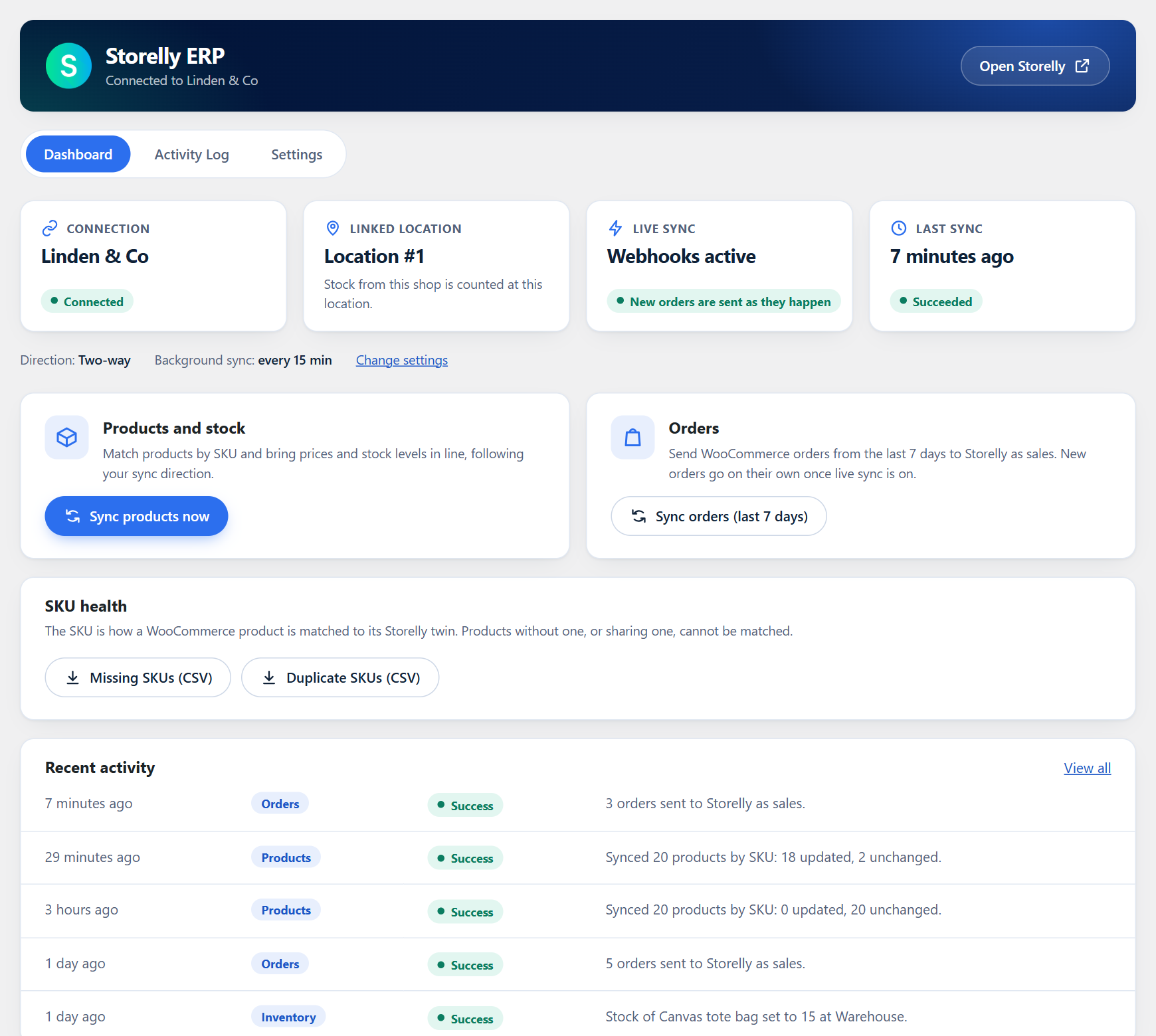
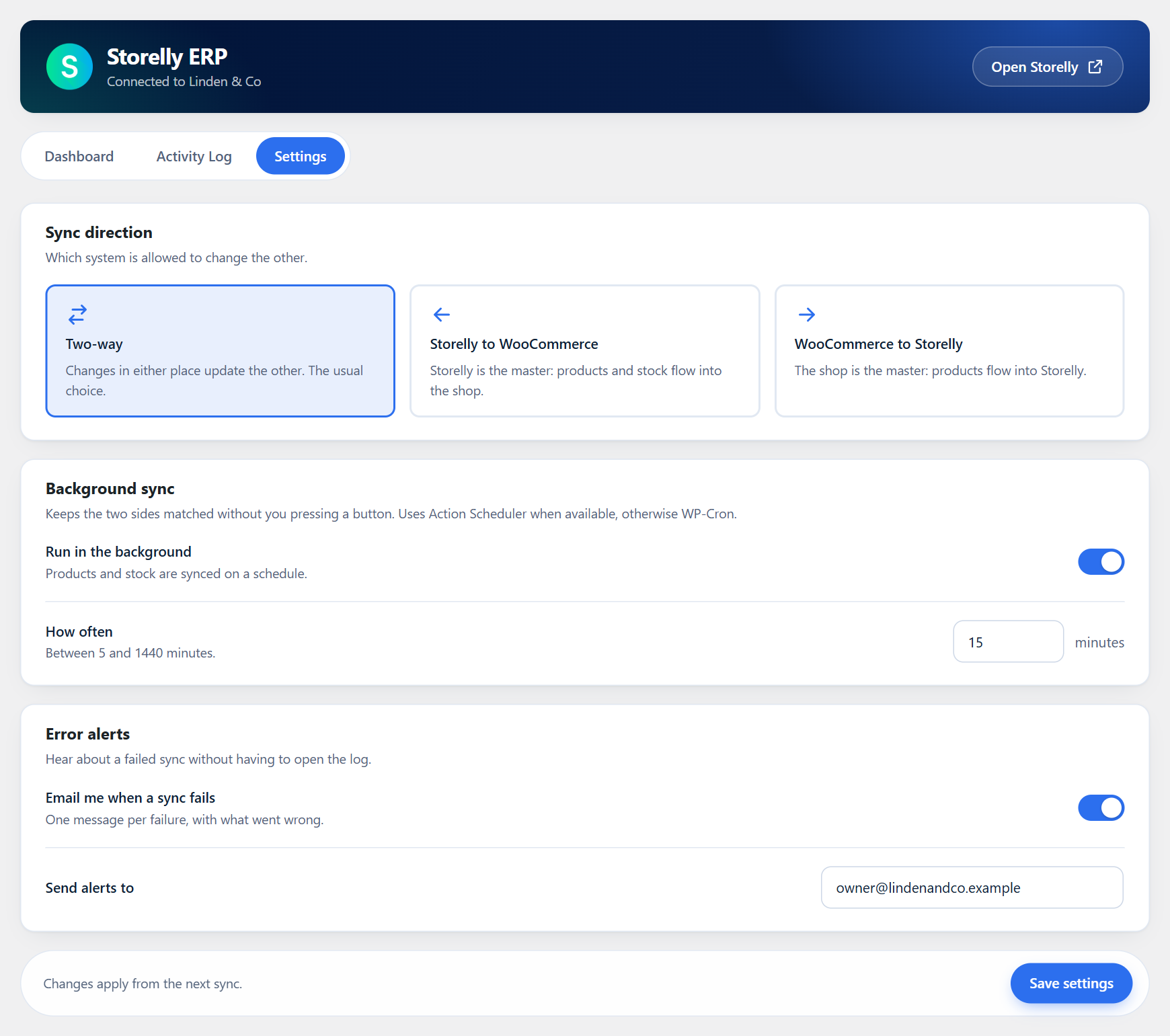
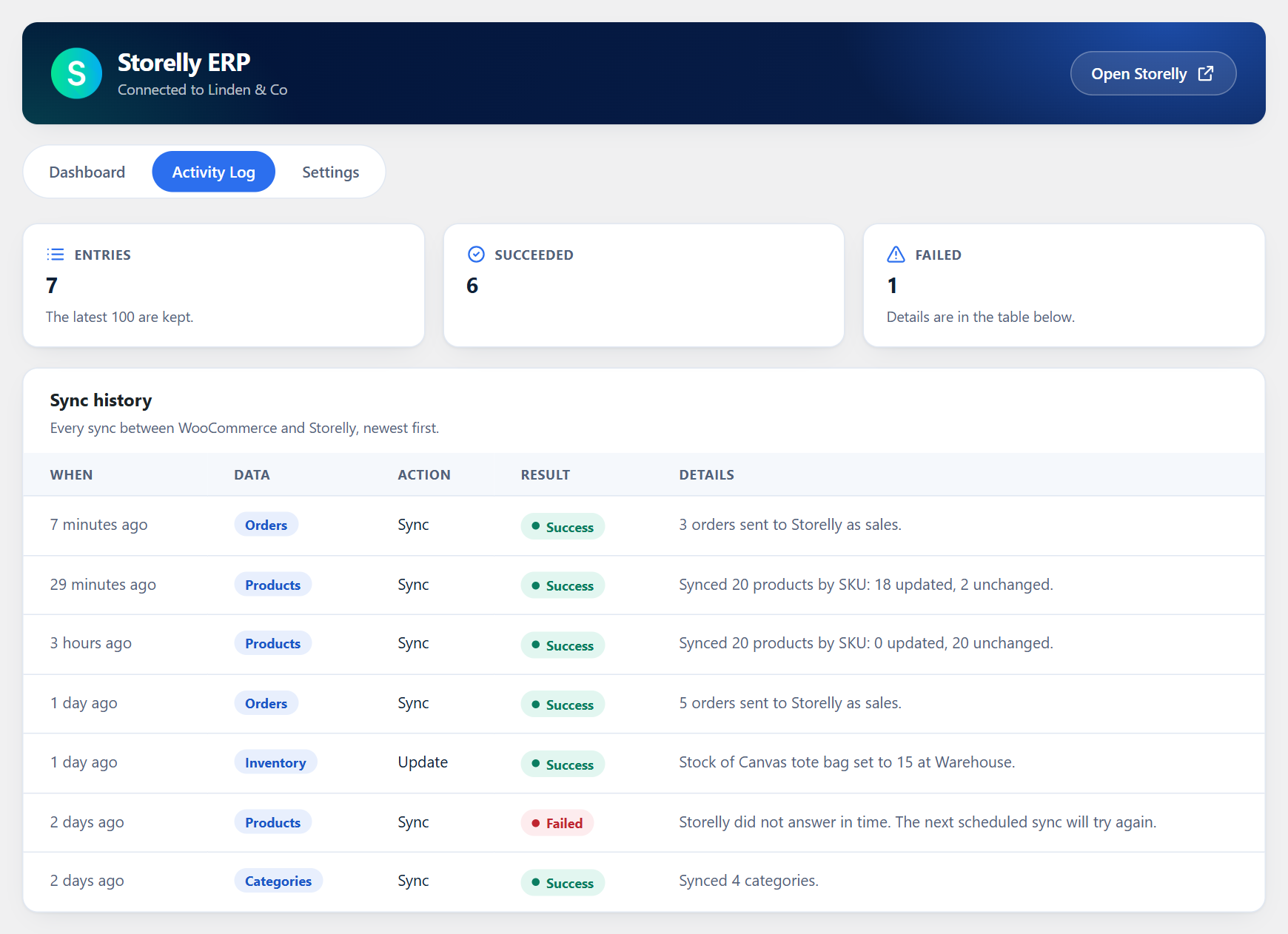
- New look for every screen: setup wizard, dashboard, activity log and settings, with a clear status overview, sync direction cards and switches.
- The dashboard shows the real state of live sync and the time of the last sync, instead of fixed text.
- Sync buttons show that they are working. If the shop is not connected, they now say so.
- Fix: the “Enter Dashboard” button at the end of the setup wizard opened the wrong page.
- Fix: switching background sync off no longer resets its interval.
1.1.0
- New: connect with a one-time connection code from the Storelly dashboard instead of a password. Works for accounts created with Google. Email and password remain available as a fallback.
- The “Sign up free” link in the setup wizard now opens the current Storelly sign-up page.
1.0.1
- Update translations and modify text domain for Storelly ERP
- Enhance Sync Engine with SKU Tracking and Log Improvements
- Fix Connection Form Validation & UX Polish for Setup Wizard
1.0.0
- Initial release. Features include 2-way product sync, category sync, inventory sync, order webhooks, and an interactive setup wizard. Full i18n support.