
Beskrivelse
Design Your LearnDash Course Pages with Divi 4 or Divi 5
Take control of your LearnDash course-page design.
By default, LearnDash places its course progress bar at the top of the course page and the course content list at the bottom. This can make it difficult to create a layout that matches the rest of your website.
Course Page Builder for LearnDash and Divi gives that control back to you.
This free plugin removes LearnDash’s default course-page elements and gives you a clean, full-width page to design with Divi. Decide where to place your course information, enrollment button, and curriculum — and build a layout that fits your website.
How It Works
Activate the plugin and start building. No additional configuration is required.
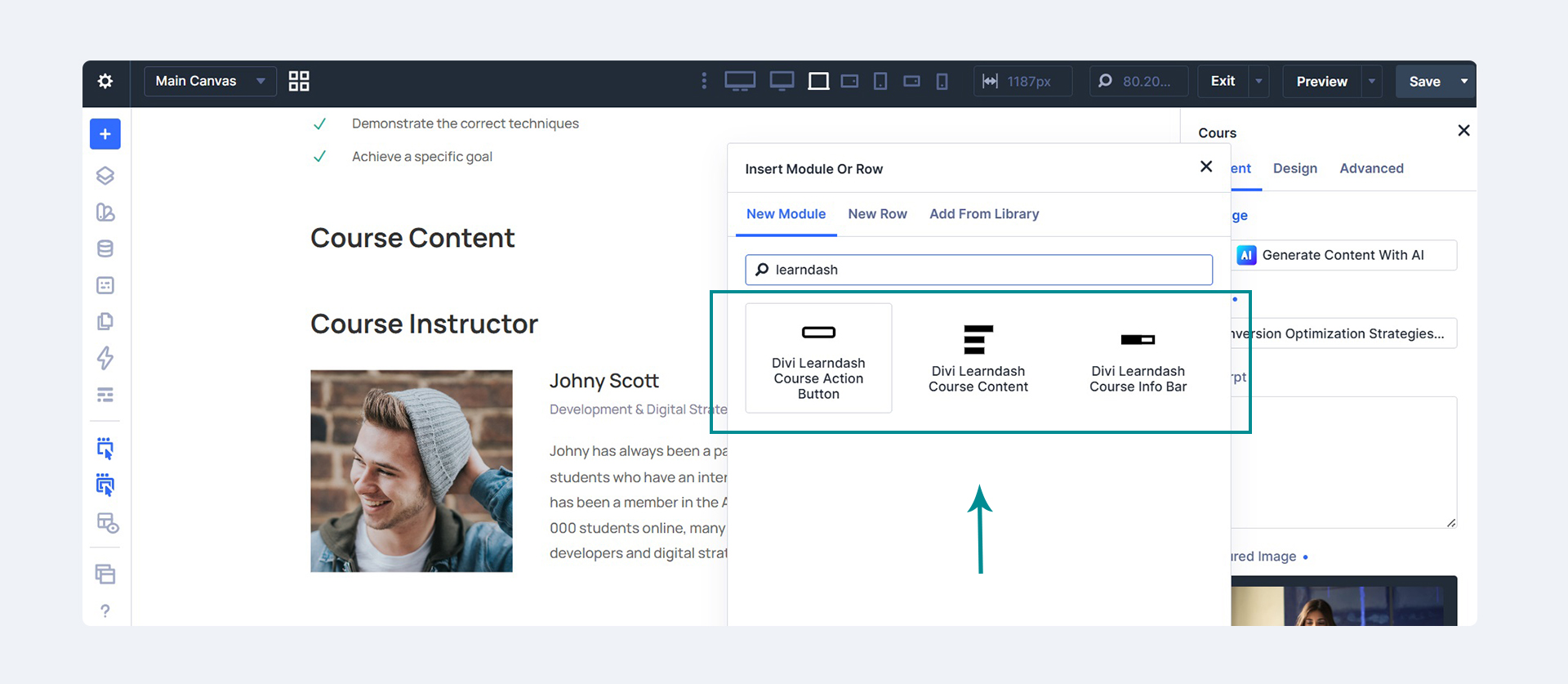
- Divi 5: Use three native modules — Course Info Bar, Course Action Button, and Course Content — directly in the Visual Builder.
- Divi 4: Use the included shortcodes and LearnDash’s native course content shortcode to position the elements within your design.
The plugin also removes the extra spacing and the theme’s default title and sidebar from course pages.
🎁 Free Divi LearnDash Course Page Layouts
Don’t want to start from a blank page? Start with a design.
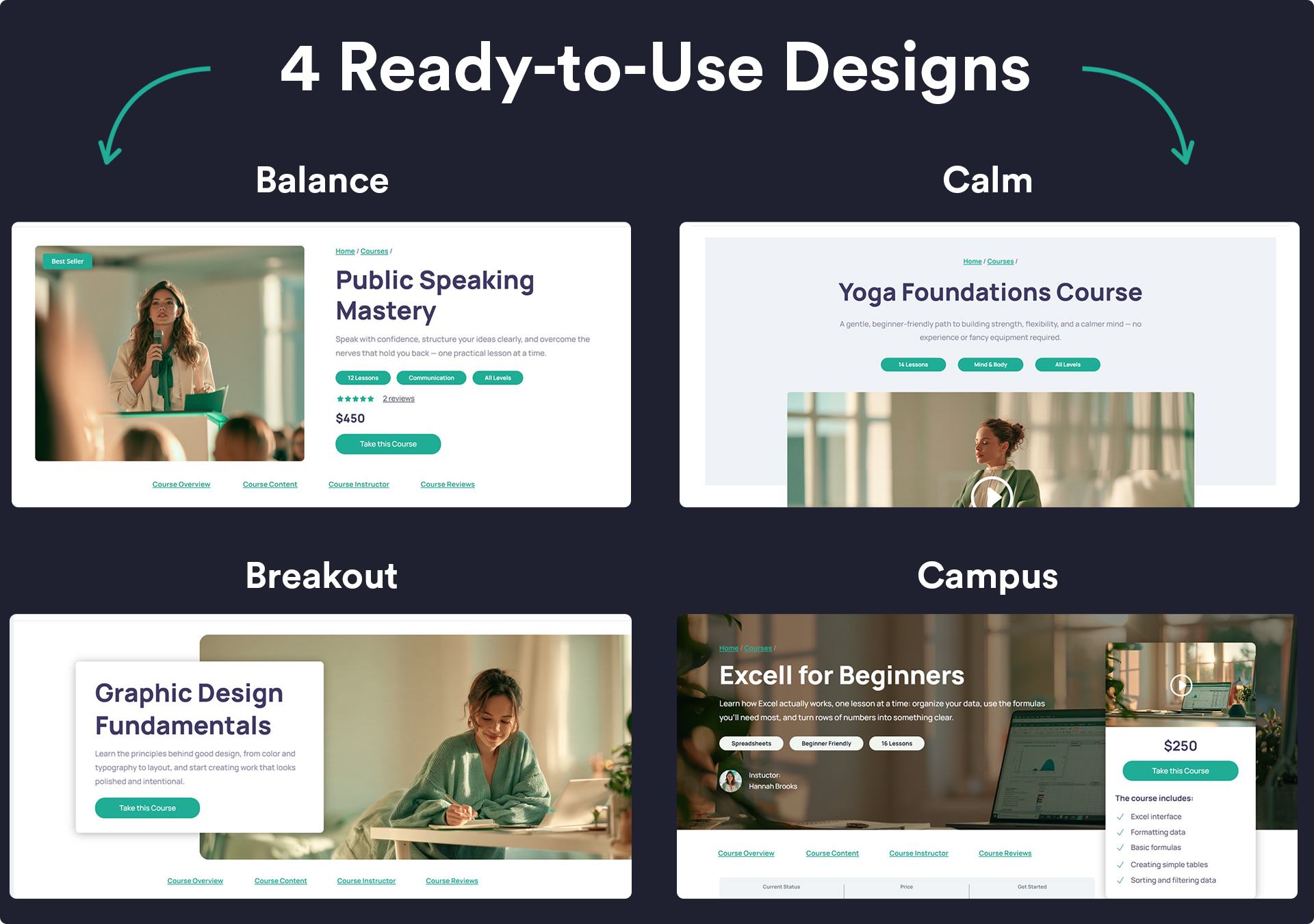
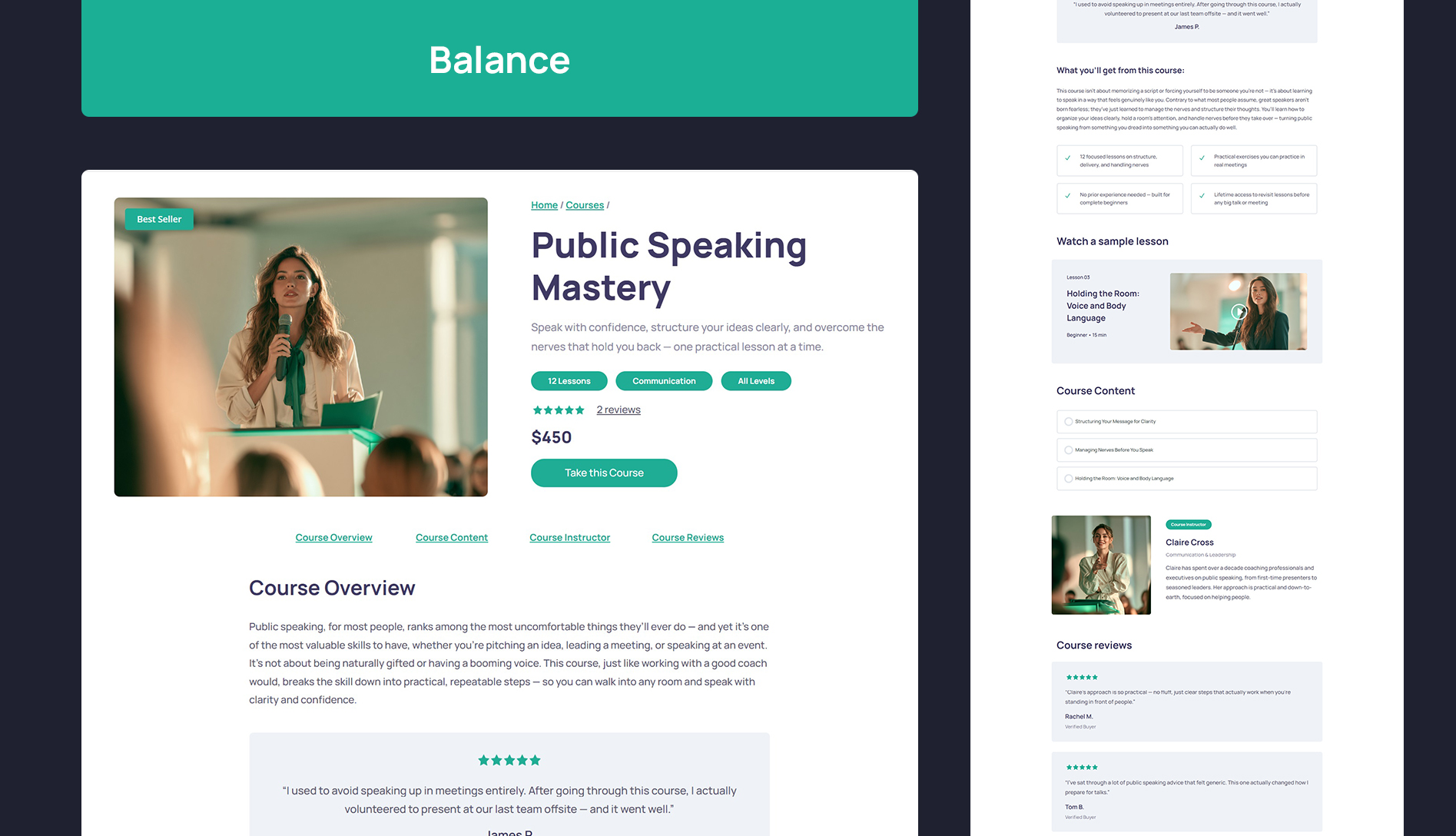
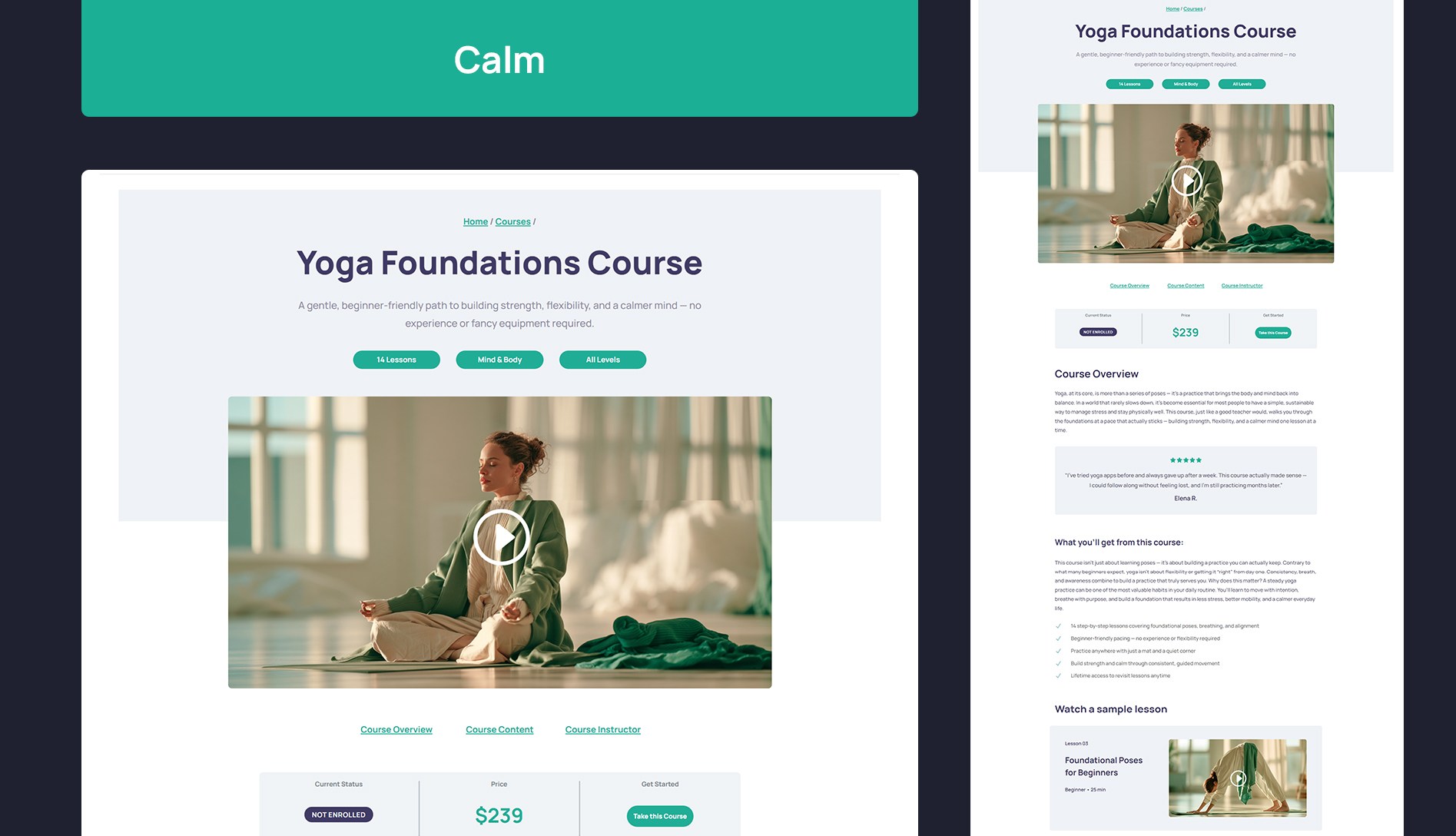
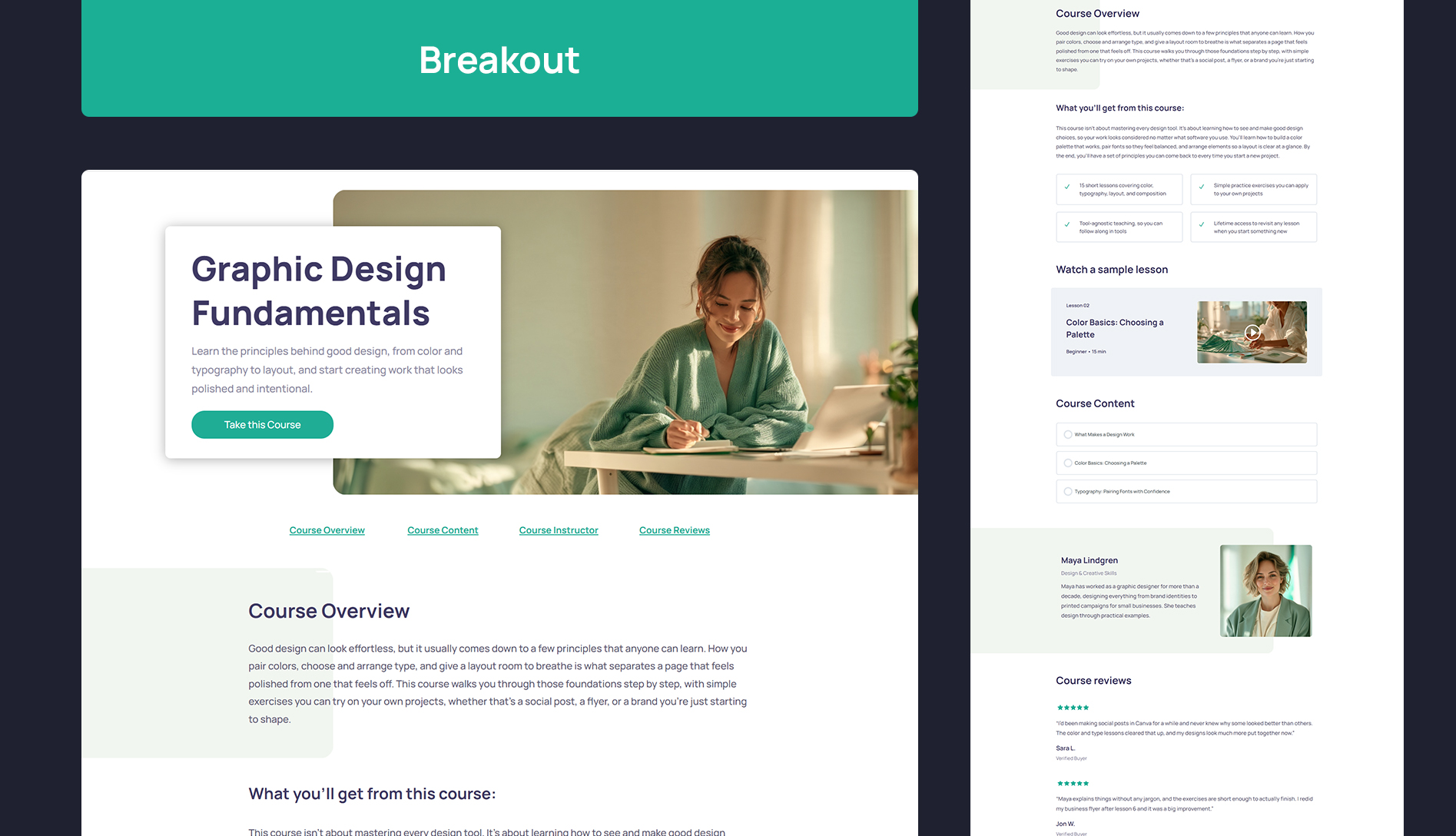
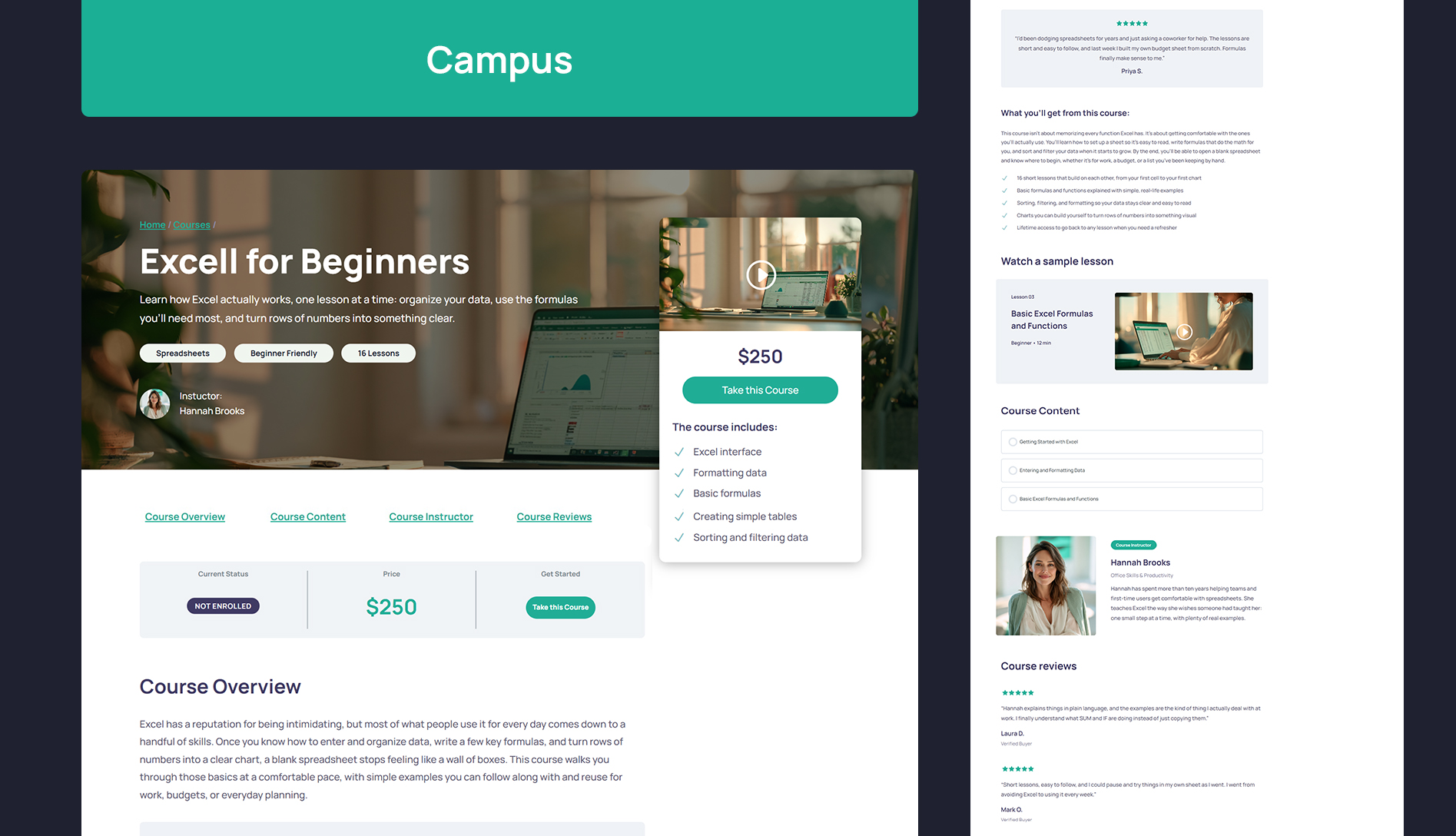
Get four free Divi course page layouts designed to work with the plugin. Import a layout, customize it to match your brand, and use it as a starting point for your own course pages. Available for both Divi 4 and Divi 5.
👉 Get the four free course page layouts
Native Divi 5 Modules
If you’re using Divi 5, the plugin adds three native modules you can insert directly into the Visual Builder:
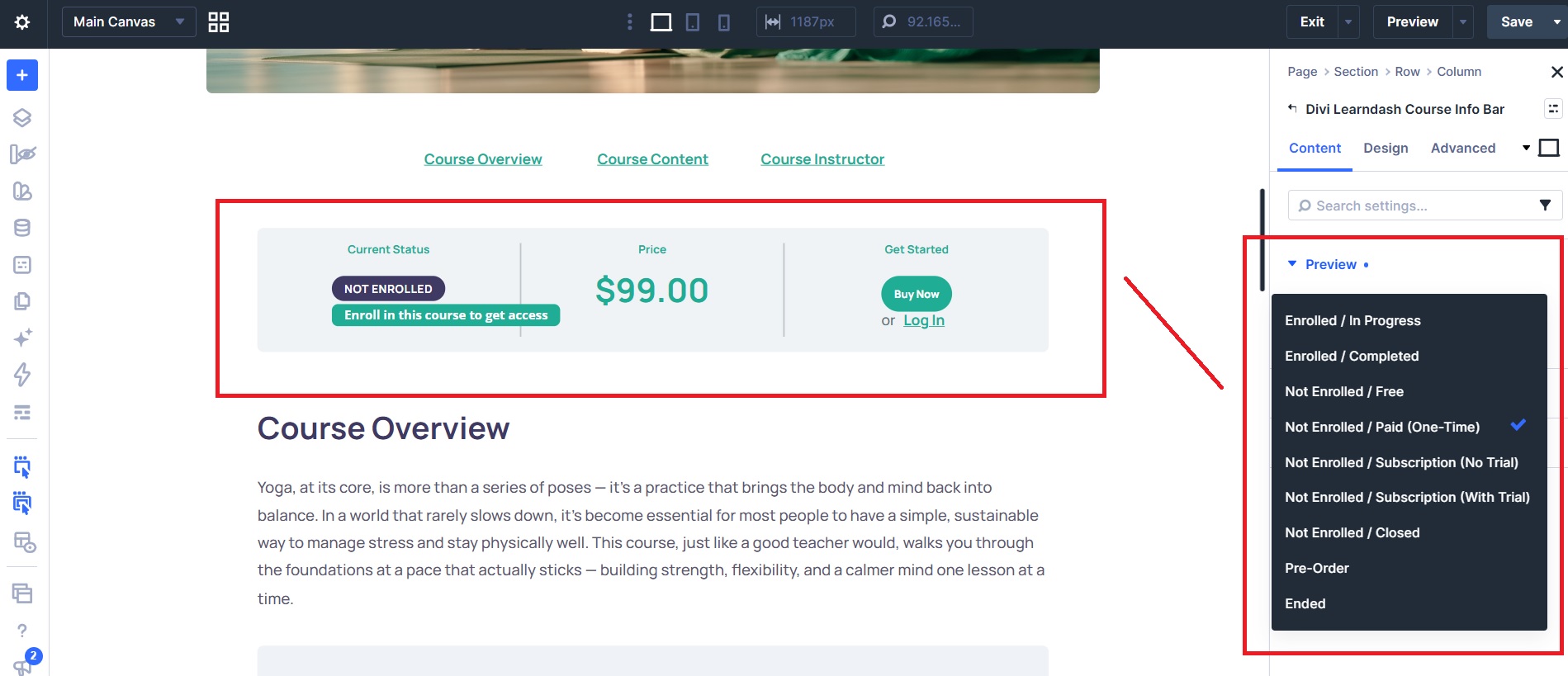
- Divi Learndash Course Info Bar — displays the course information and status bar (status, price, and the progress bar once enrolled).
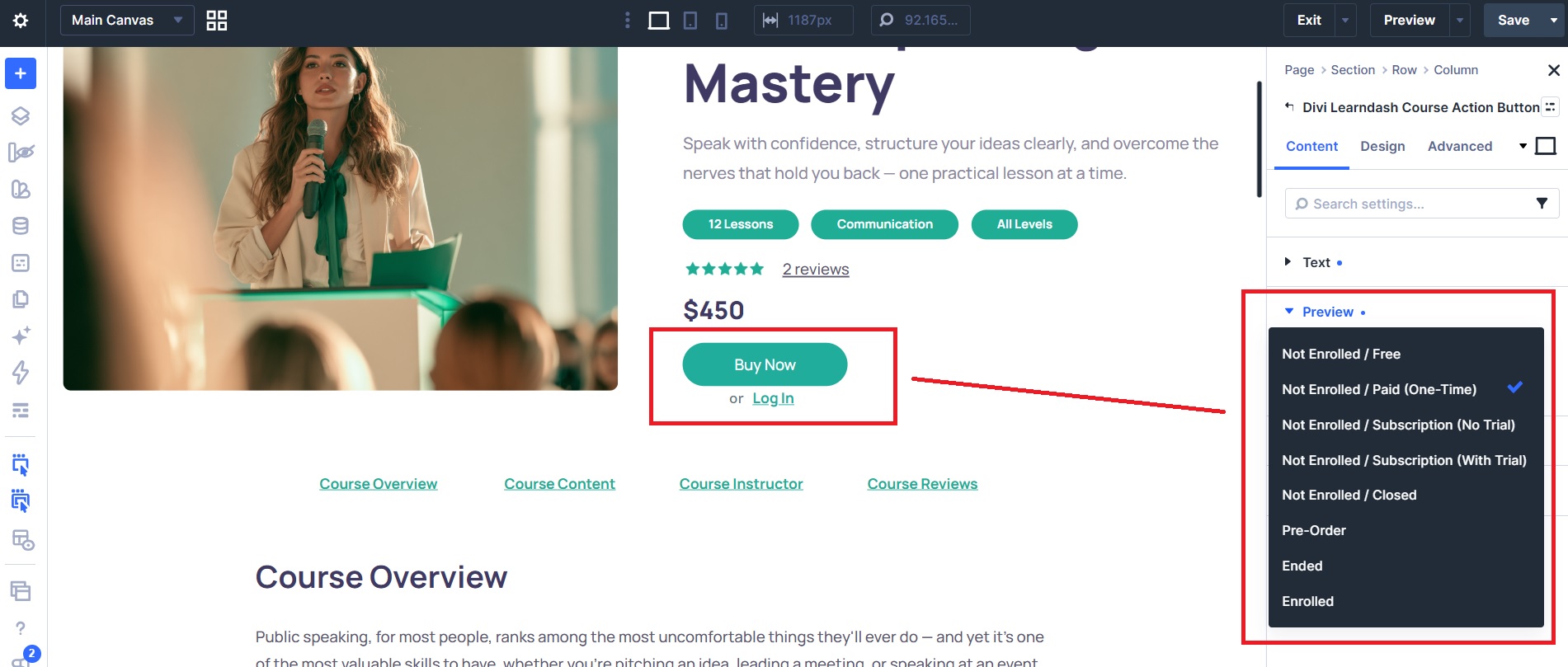
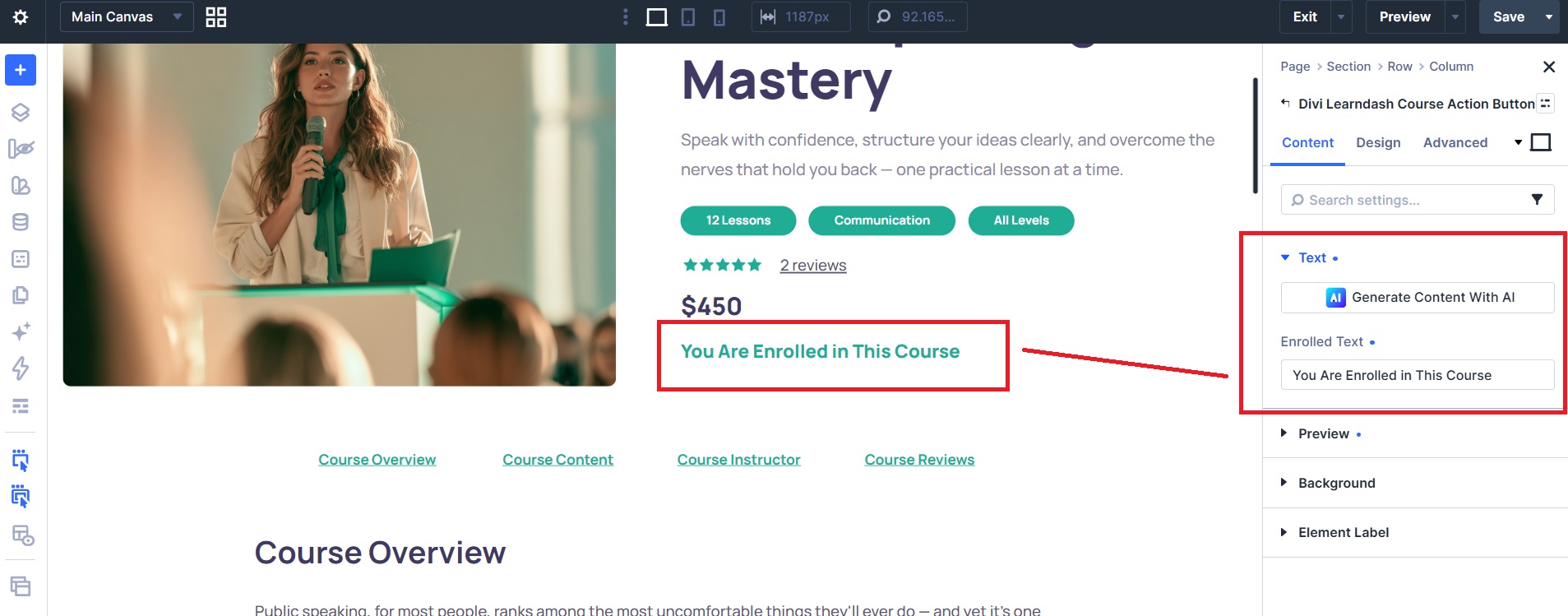
- Divi Learndash Course Action Button — displays the relevant course action, such as logging in, enrolling, or purchasing.
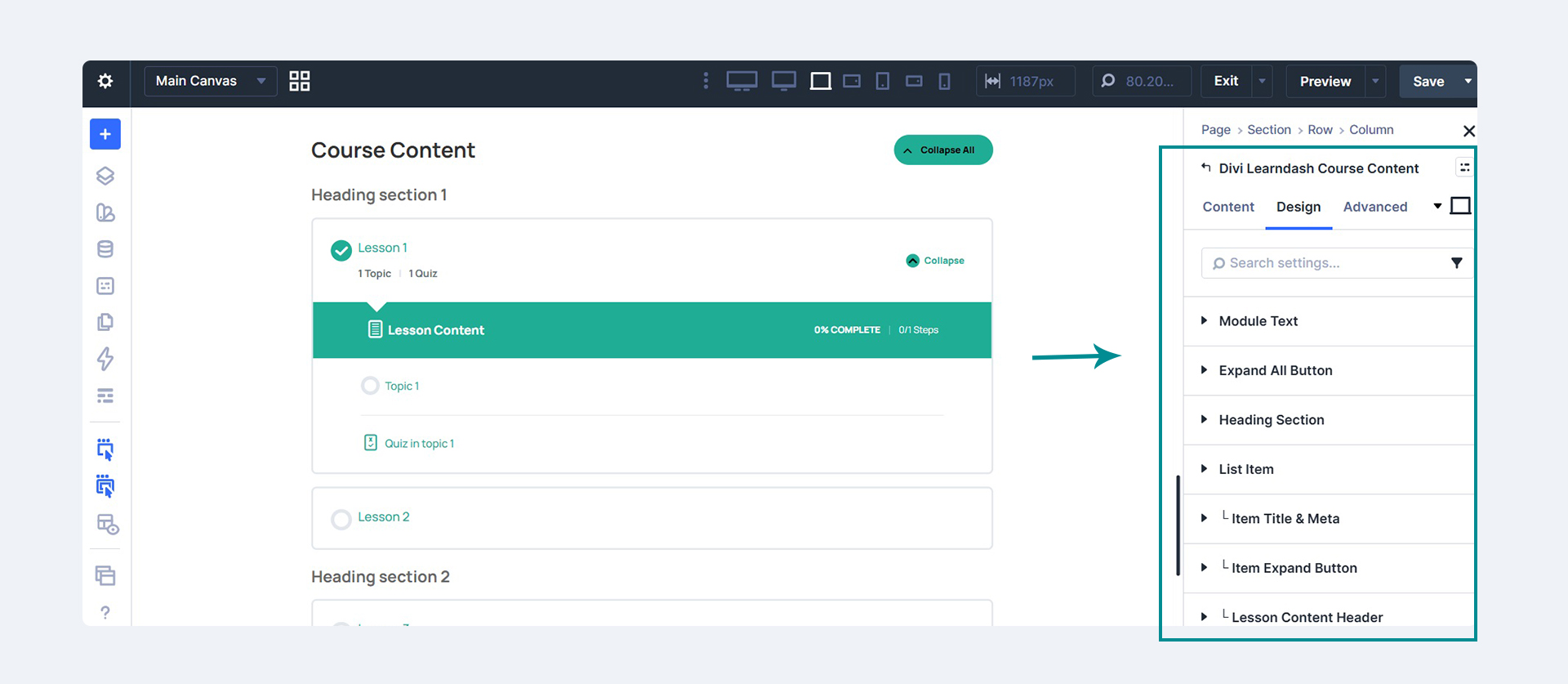
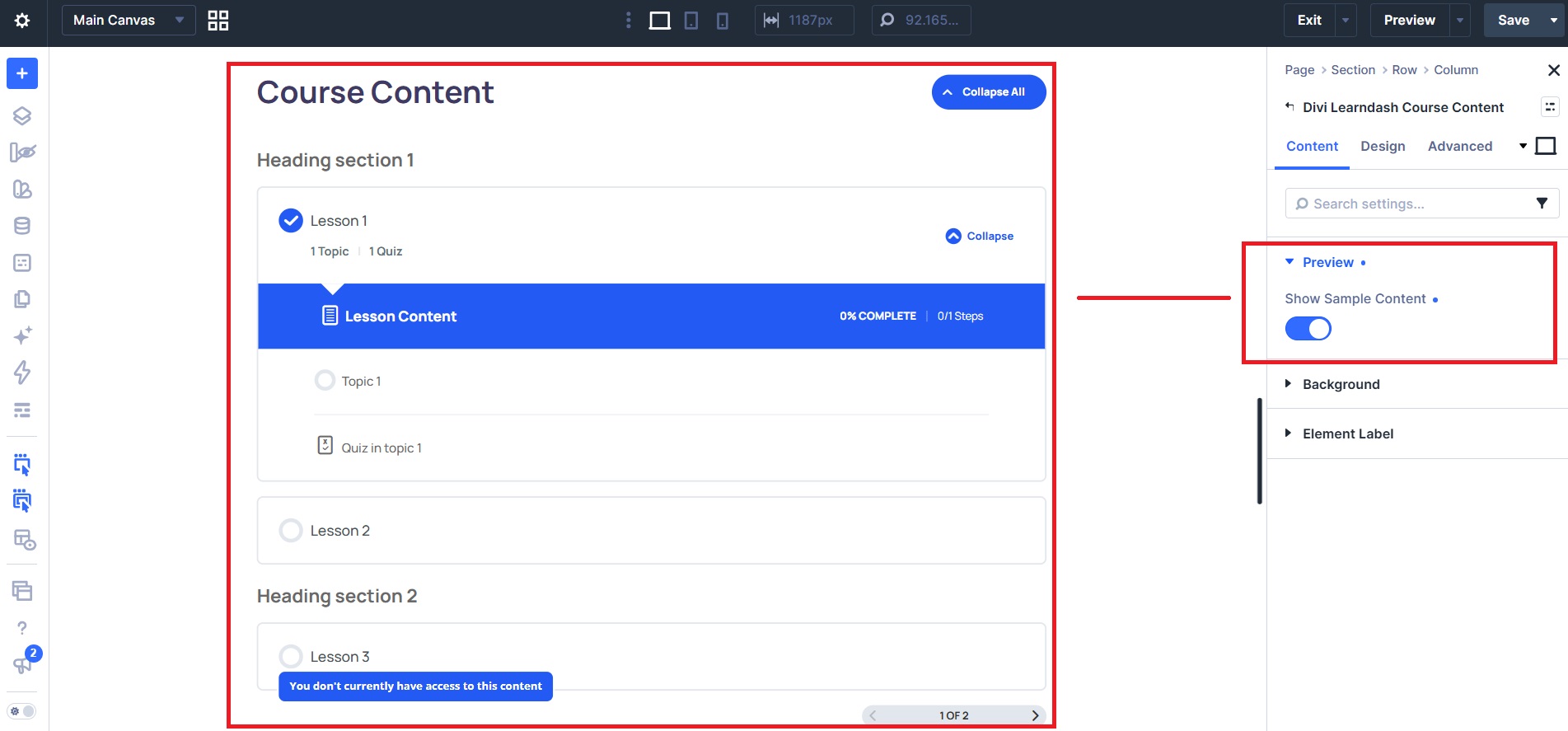
- Divi Learndash Course Content — displays the course curriculum: lessons, topics, and quizzes.
Customize their content and appearance directly in Divi using the modules’ own design settings.
Customize Your Course Pages
Place your course information, enrollment or purchase button, and course curriculum wherever you want. Build your own sections, add content, and style your course page to match the rest of your website.
Using Divi 4? The plugin includes these shortcodes:
[powdcopa_course_infobar]— displays the course information and status bar.[powdcopa_course_action_button]— displays the course action button independently, when applicable.[course_content]— LearnDash’s native shortcode for displaying lessons, topics, and quizzes.
The shortcodes use basic styling so they won’t fight your theme’s design. You can customize their appearance with CSS or Divi’s design options.
👉 Follow our step-by-step styling guide
Want a Complete LearnDash Website?
If you’d rather start with a professionally designed website instead of building everything yourself, explore Divi eLearn for LearnDash — our premium Divi child theme for course creators.
With Divi eLearn, you get:
- Ready-made homepage designs with hero sections, course grids, and opt-in sections.
- Designed course pages that bring together course information, enrollment actions, and the curriculum.
- Matching website pages — About, Contact, archive, and blog, all designed to fit.
- A complete WooCommerce experience — styled cart, checkout, mini cart, and account pages.
Your homepage, course pages, lessons, blog, and checkout are designed to work together as one coherent website.
Start free with Course Page Builder, or explore Divi eLearn for the complete designed experience.
👉 Explore Divi eLearn for LearnDash
Documentation
All of our documentation can be found in our Knowledgebase.
Additional helpful links:
If you have any questions about this plugin, you can post a thread in the WordPress.org forum. Please search existing threads before starting a new one.
Requirements
- WordPress
- Divi 4 or Divi 5 (Divi Theme or Divi Builder)
- LearnDash LMS
To restore the standard LearnDash course-page layout, simply deactivate the plugin.
Skærmbilleder
Installation
- Upload the plugin files to the
/wp-content/plugins/powdi-course-page-builder-for-learndash-and-dividirectory, or install the plugin through the WordPress plugins screen. - Activate the plugin through the ‘Plugins’ screen in WordPress.
- Use the Divi Builder on a page and use the shortcodes in a code or text module.
FAQ
-
Does this work with Divi 5?
-
Yes. Course Page Builder for LearnDash and Divi works with both Divi 4 and Divi 5. On Divi 5 you also get native Course Action Button, Course Info Bar, and Course Content modules in the Visual Builder.
-
Do I need to use the shortcodes if I’m on Divi 5?
-
No. The shortcodes still work everywhere (and are the only option on Divi 4), but on Divi 5 you can drag in the native modules directly instead — no shortcode needed.
-
I have the theme divi-learndash-theme (Divi eLearn for LearnDash) and this plugin both active — will the modules conflict?
-
No. This plugin detects when the divi-learndash-theme is already providing these modules and automatically steps aside, so nothing is registered twice.
-
What happens as soon as I activate the plugin?
-
Activating the plugin immediately switches off LearnDash’s default progress/status bar and course content list, removes the extra top/bottom spacing on the course page, and loads the course page without your theme’s title or sidebar. There’s nothing else to configure — you’re left with a blank, full-width course page to design in Divi.
-
How do I get the default LearnDash layout back?
-
Just deactivate the plugin. The change is fully reversible — deactivating restores LearnDash’s standard course page exactly as it was before.
-
How do I show the LearnDash elements again after activating?
-
Use the included shortcodes (
[powdcopa_course_infobar]and[powdcopa_course_action_button]) to place the status elements wherever you want in your Divi layout, and LearnDash’s native[course_content]shortcode to display the lessons, topics, and quizzes. -
The LearnDash elements look unstyled — how do I style them?
-
The shortcodes bring the LearnDash elements into your Divi layout with only light default styling (mainly text and colors), so they don’t clash with your theme. You can style them to match your site using your own CSS or Divi’s design options. Our full guide includes ready-to-use CSS you can copy and adjust to your own colors and fonts: How to Design Your LearnDash Course Pages with Divi.
-
Do the shortcodes accept any parameters?
-
[powdcopa_course_infobar] takes no parameters.
[powdcopa_course_action_button] accepts two optional parameters:font_size— font size of the button. Any CSS font-size value. Default:12px.padding— padding around the button text. Any CSS padding value. Default:5px 35px.
Example:
[powdcopa_course_action_button font_size="16px" padding="10px 40px"]Note: these parameters only affect the button shown on courses set to the Closed access mode in LearnDash. For other access modes (Open, Free, Buy Now, Recurring), the button keeps LearnDash’s own styling — style it with CSS or Divi’s design options instead.
-
Do I need the Divi eLearn theme to use this plugin?
-
No. This free plugin works on its own with any Divi setup and LearnDash. Divi eLearn for LearnDash is a separate, complete child theme for those who want a fully designed LearnDash site out of the box, rather than building it themselves.
-
Does it require Divi?
-
Yes. You need the Divi theme (or the Divi Builder) and LearnDash installed for this plugin to work.
Anmeldelser
Der er ingen anmeldelser for denne widget.
Bidragsydere & udviklere
“Powdi Course Page Builder for LearnDash and Divi” er open source-software. Følgende personer har bidraget til dette plugin.
Bidragsydere
Oversæt “Powdi Course Page Builder for LearnDash and Divi” til dit eget sprog.
Interesseret i udvikling?
Gennemse koden, tjek SVN repository, eller abonner på udviklerloggen via RSS.
Ændringslog
1.1.6
- Minor style fixes
1.1.5
- Divi 5 Course Action Button and Course Info Bar: button design settings (background, spacing, font) now reliably override LearnDash’s own button styles.
- Course Info Bar: status label and tooltip background styles now apply reliably.
- Course Content: Title spacing settings now apply.
- Compatibility check with WP 7.1.3
1.1.4
- Divi 5 modules: the Advanced > Custom CSS fields (Before / Main Element / After) now actually apply your CSS, in the Visual Builder and on the frontend.
- Course Content module: new Title Text design group to style the “Course Content” title (font and spacing).
1.1.3
- Compatability check with WP 7.1.2
- Added inline-block display to the course button
1.1.2
- Course Action Button now shows an “Enrolled” text for users who already have access (previously the module was empty), editable via a new Enrolled Text setting, plus an Enrolled preview state in the Visual Builder. Clear the field to hide the text.
- Fix: Course Action Button, Course Content and Course Info Bar now show the displayed course when used inside a Divi Theme Builder template.
1.1.1
- Fix: the native Divi 5 modules (Course Action Button, Course Info Bar, Course Content) were never actually registering with the Visual Builder due to a hook-timing bug — fixed, no other changes.
1.1.0
- 3 new Divi 5 modules
- Course pages now load without the theme’s title or sidebar, so Divi controls the full page layout
- Fix for Lessons, Topics, Quizzes, and Assignments losing Divi Builder styles when a Theme Builder template is in use with LearnDash Focus Mode
1.0.0
- Initial release.