

Beskrivelse
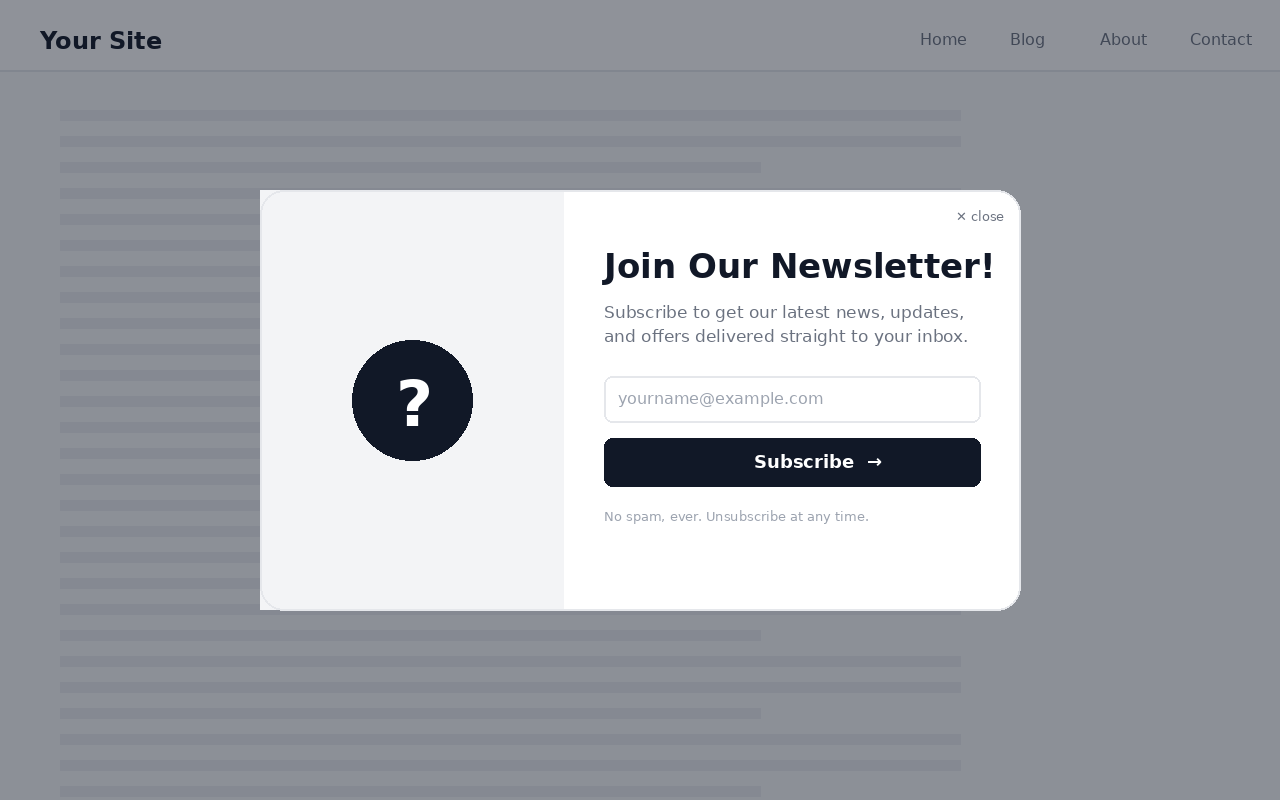
Letterness is a complete, self-hosted newsletter toolkit for WordPress. Collect subscribers with a customizable popup, a sidebar signup card, and a header menu button, then compose and send newsletters to your list directly from your dashboard. No third-party account required.
Everything is controlled from a single settings screen, and the popup can be styled independently for desktop and mobile.
Capture subscribers three ways
- A responsive popup with delay, scroll-depth, or exit-intent triggers.
- A sidebar signup card you can drop into any widget area or place with a shortcode.
- A subscribe button that injects into a theme menu location or appears via shortcode.
Design control
- Separate desktop and mobile colors, image, shape, dimensions, and animations.
- Six popup layouts (split, stacked, minimal, circle, hexagon, octagon).
- Ten entrance animations plus badge and screen-transition effects.
- Live in-dashboard preview at desktop and mobile viewport sizes.
Built-in sending
- Compose newsletters with the standard WordPress editor.
- Save drafts, schedule for later, or send immediately.
- Batched delivery through your site’s normal
wp_mail()pipeline. - Automatic, one-click unsubscribe link on every email.
- Customizable from-name, from-address, and email design.
Subscriber management
- View your subscriber list in the dashboard.
- Export all subscribers to CSV.
- Remove subscribers individually.
Shortcodes
[letterness_subscribe_button]places the subscribe button anywhere.[letterness_card]places the signup card anywhere.
For large lists or better inbox placement, pairing Letterness with an SMTP plugin (such as WP Mail SMTP) is recommended.
Skærmbilleder
Installation
- Upload the
letternessfolder to the/wp-content/plugins/directory, or install the plugin through the Plugins > Add New screen in WordPress. - Activate the plugin through the Plugins screen.
- Open Letterness in the admin menu to configure triggers, design, content, and sending.
- (Optional) Add the signup card under Appearance > Widgets, or place
[letterness_subscribe_button]/[letterness_card]anywhere on your site.
FAQ
-
Do I need a third-party email service?
-
No. Letterness stores subscribers in your own database and sends through WordPress
wp_mail(). For higher deliverability on larger lists, an SMTP plugin is recommended. -
How do visitors unsubscribe?
-
Every email includes a signed, one-click unsubscribe link. The link is verified with a secure token and requires no login.
-
Can I show a different design on mobile?
-
Yes. Colors, image, shape, dimensions, and animations each have an optional mobile override, so desktop and mobile can look completely different.
-
Where is the popup shown?
-
By default the popup can auto-open using a time delay, scroll depth, or exit intent. You can also disable auto-open and only show it when a visitor clicks the subscribe button.
-
Does it work with block themes?
-
Yes. Use the shortcodes to place the button or card in block themes, or drag the widget into a widget area on classic-widget themes.
-
What happens to my data when I uninstall?
-
Deleting the plugin removes its options, both custom database tables (subscribers and newsletters), and any scheduled newsletter events.
Anmeldelser
Der er ingen anmeldelser for denne widget.
Bidragsydere & udviklere
“Letterness” er open source-software. Følgende personer har bidraget til dette plugin.
Bidragsydere
Oversæt “Letterness” til dit eget sprog.
Interesseret i udvikling?
Gennemse koden, tjek SVN repository, eller abonner på udviklerloggen via RSS.
Ændringslog
4.0.1
- Enqueued the preview highlight styles and script instead of printing them inline.
- Housekeeping and code-quality improvements.
4.0.0
- Public release on WordPress.org.
- Independent desktop and mobile design for the popup.
- Built-in newsletter composer with drafts, scheduling, and batched sending.
- Sidebar signup card, header subscribe button, and shortcodes.
- Secure token-based one-click unsubscribe.
- Subscriber CSV export.