

Beskrivelse
Tilteur integrates the Tilteur quiz and game API into your WordPress site. It lets you manage games, configure product recommendations per treatment, and track participation statistics — all from the WordPress back-office.
The plugin works in two modes, detected automatically:
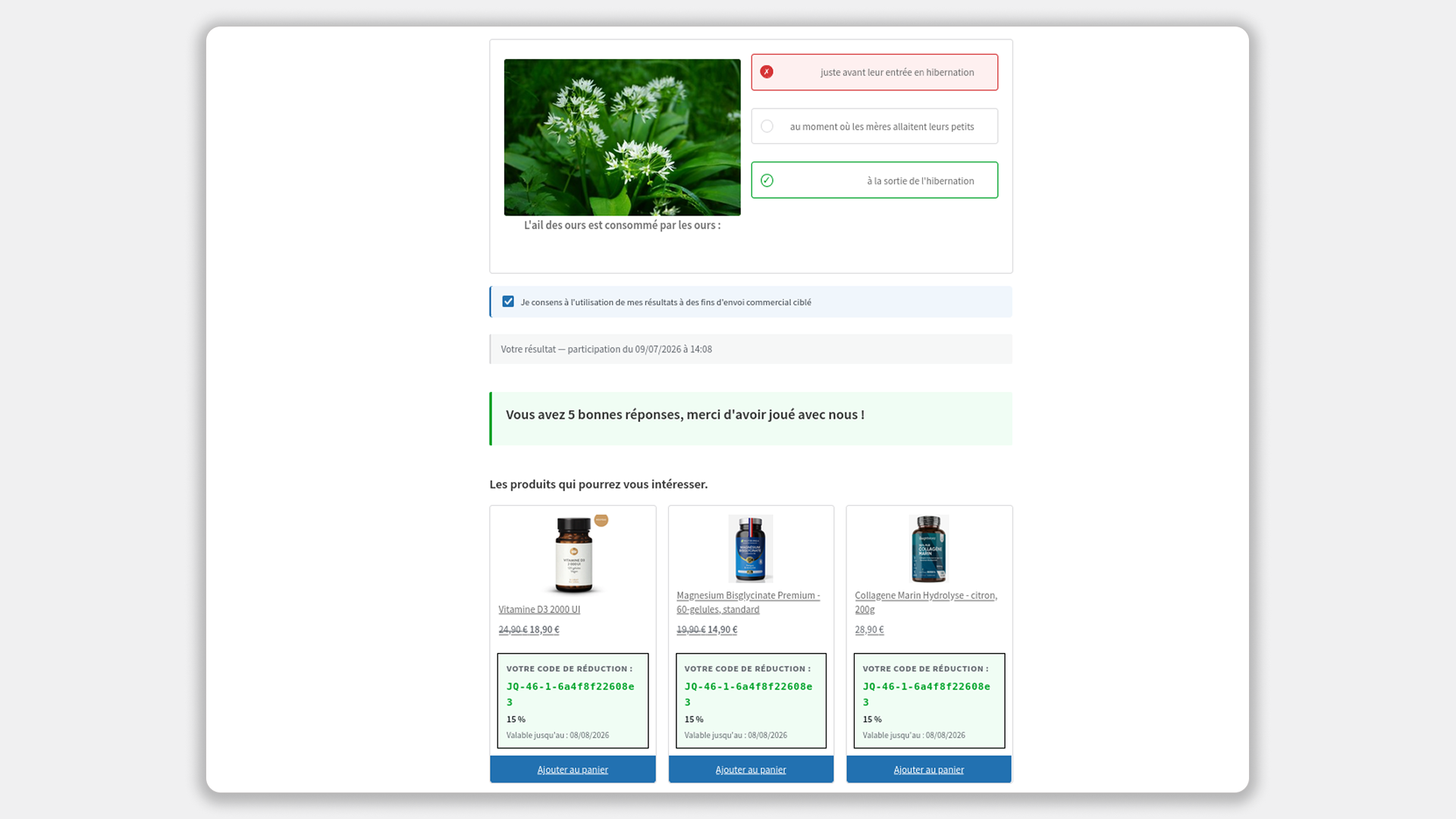
- With WooCommerce — recommends WooCommerce products with optional percentage or fixed discount coupons generated automatically per user, including visitors who are not logged in
- Without WooCommerce — recommends external products (affiliate links, Amazon, any URL) with image, name and description
No manual configuration is needed to switch between modes — the plugin detects WooCommerce on activation and on every page load.
Requirements:
This plugin requires a Tilteur account to function. A free trial is available upon registration at tilteur.com. After the trial period, a paid subscription is required to continue using the service. The plugin itself is free — only the Tilteur API service is subject to a subscription.
Features:
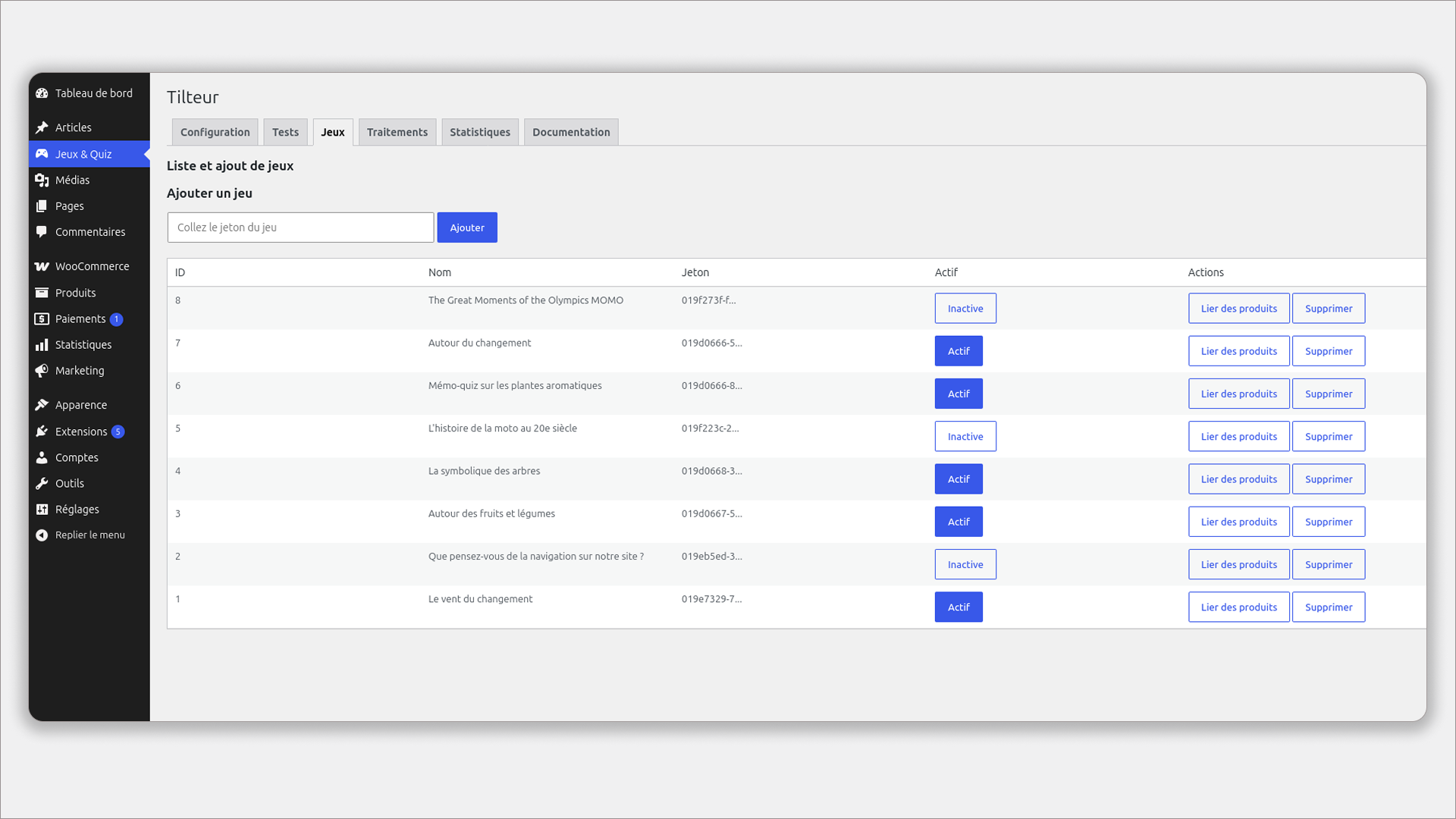
- Import games from the Tilteur API using a token
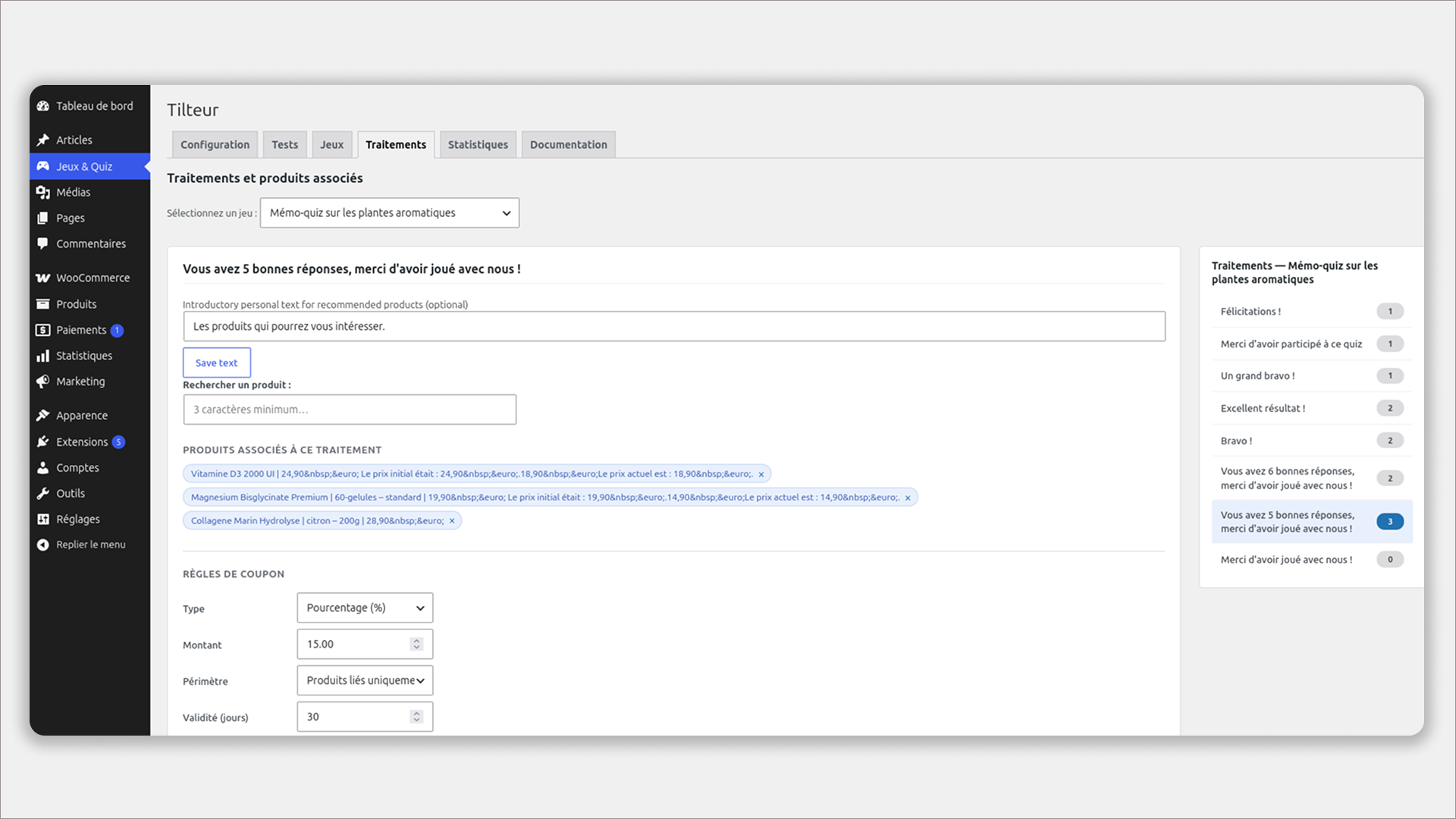
- Configure product recommendations per treatment result
- Generate unique discount coupons per user result (WooCommerce mode)
- Guests (not logged in) can also receive a discount: it is generated and applied automatically the moment they add the recommended product to their cart — no account required (WooCommerce mode)
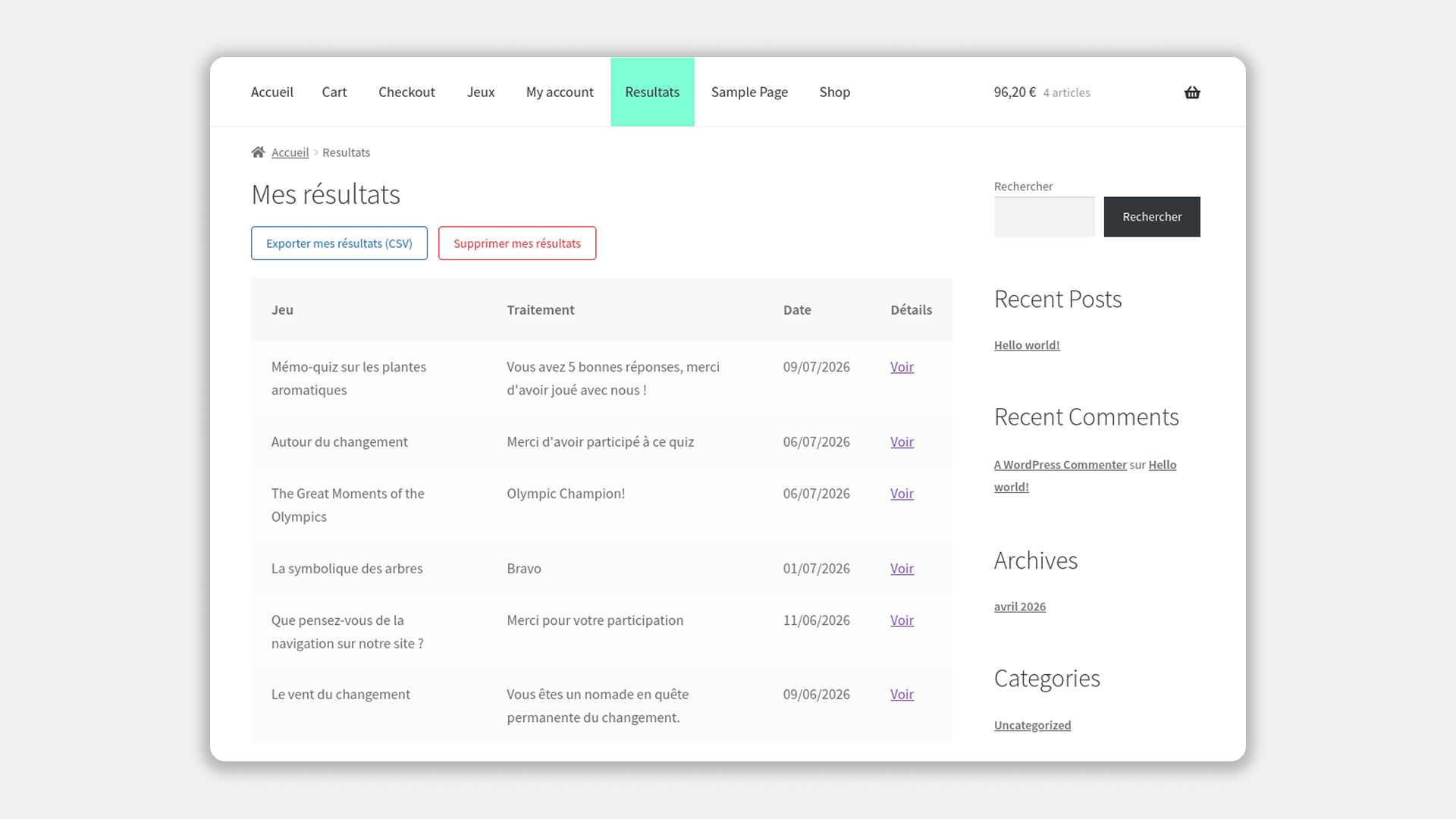
- “My Results” tab in WooCommerce My Account (WooCommerce mode)
- Standalone “My Results” page via shortcode (without WooCommerce mode)
- GDPR compliance: users can export their data as CSV or permanently delete it
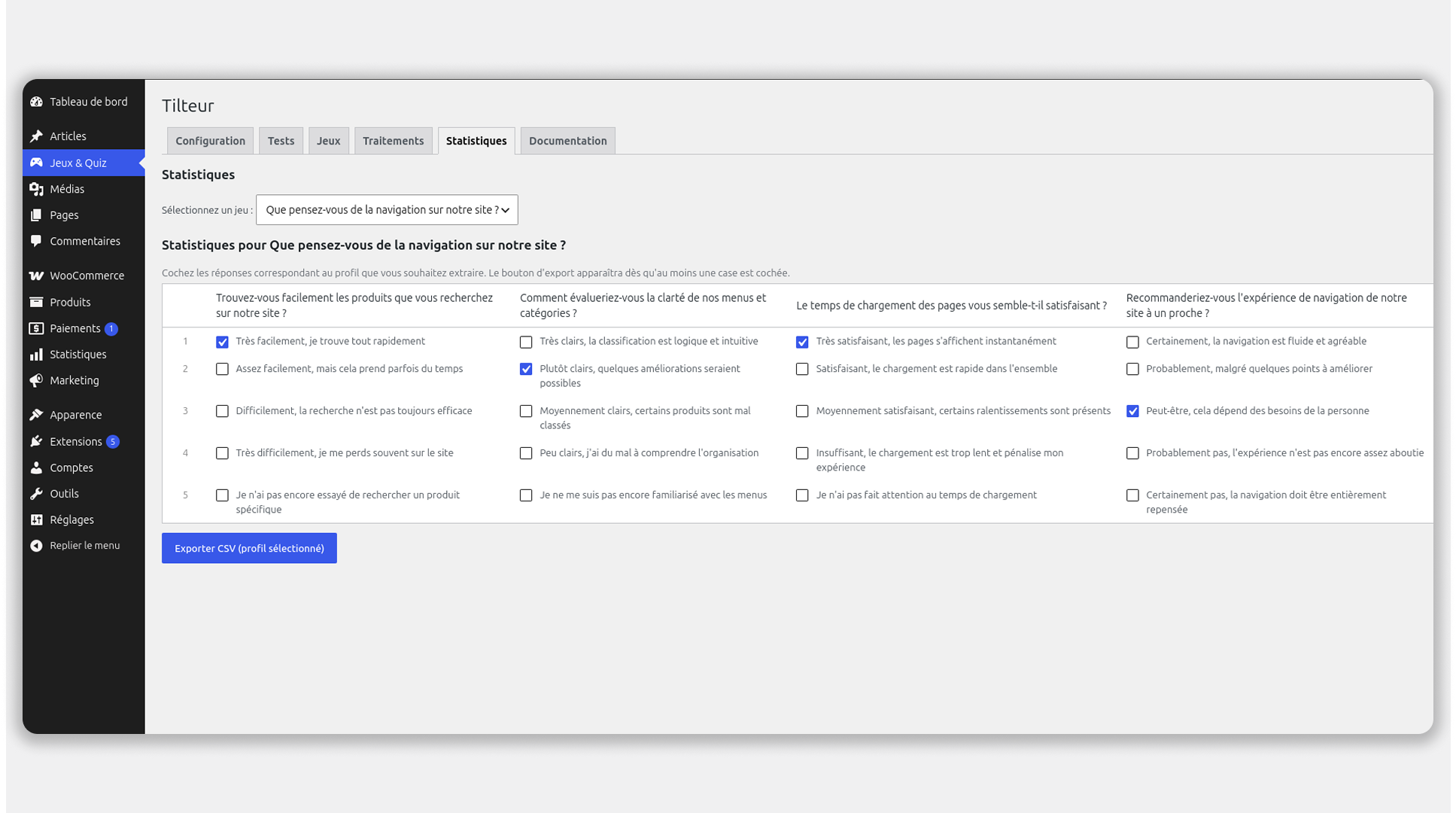
- Full participation statistics in the back-office
- French and English translations included
External Services
This plugin requires a Tilteur account and connects to the Tilteur external API to function. A free trial is available upon registration. After the trial period, a paid subscription is required to continue using the service. Pricing details are available at https://tilteur.com.
This plugin connects to the Tilteur API to retrieve and submit game data.
Data sent to the API:
* Anonymous quiz responses
* WordPress user ID (only when the user is logged in)
Data received from the API:
* Game name, description, image URL
* Quiz questions and answers
* Treatment results
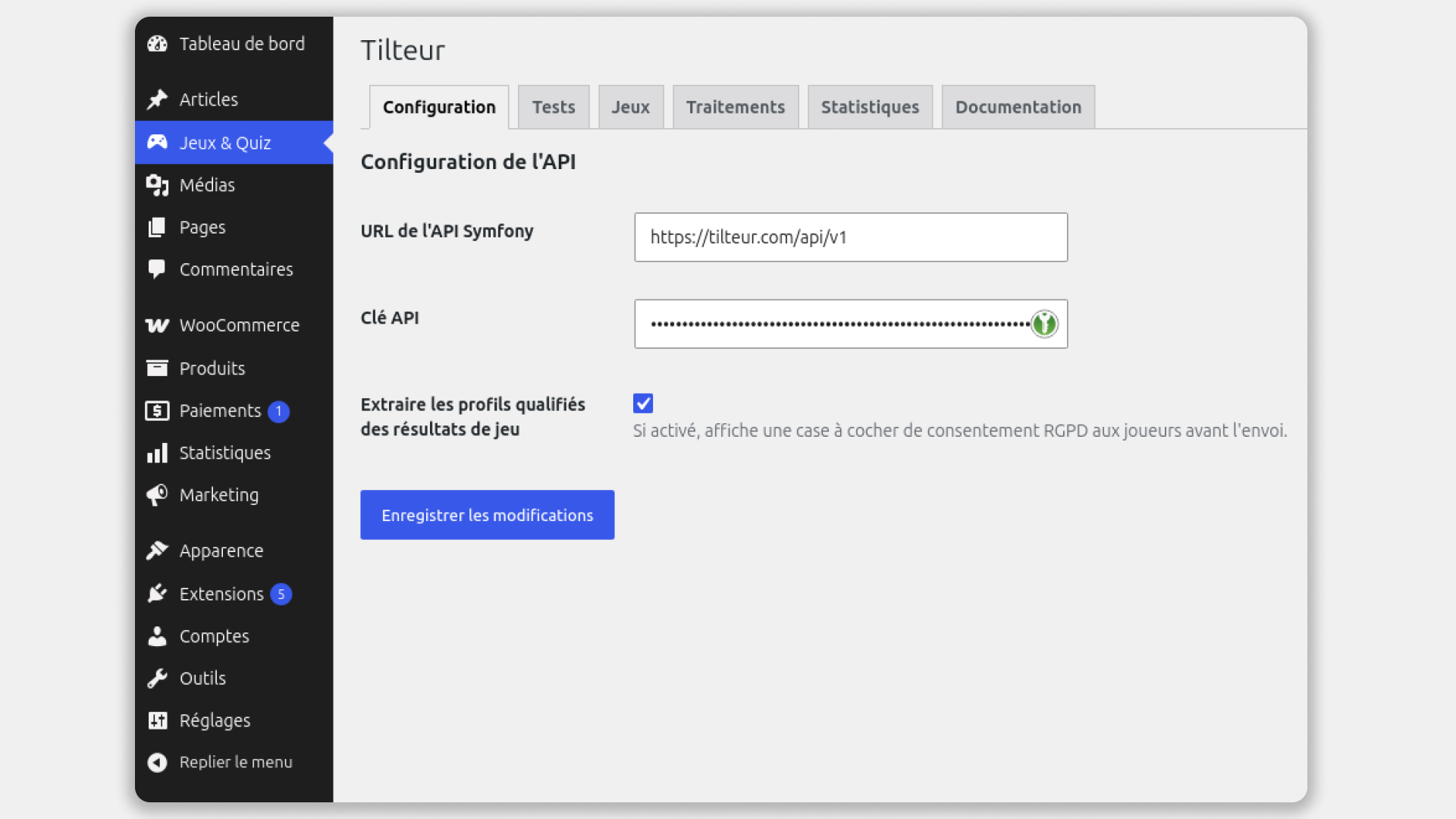
The API endpoint URL and authentication key are configured by the site administrator in WP Admin Tilteur Configuration. No data is sent before the administrator enters and saves these credentials.
This service is provided by Tilteur. Please review the following documents before using this plugin:
- Privacy Policy: https://tilteur.com/legal/privacy
- Terms of Service: https://tilteur.com/legal/cgu
Skærmbilleder
![Front end — Games list rendered by the [tilteur_mes_jeux] shortcode with images, descriptions and play buttons](https://ps.w.org/tilteur/assets/screenshot-7.png?rev=3658748)
[tilteur_mes_jeux] shortcode with images, descriptions and play buttons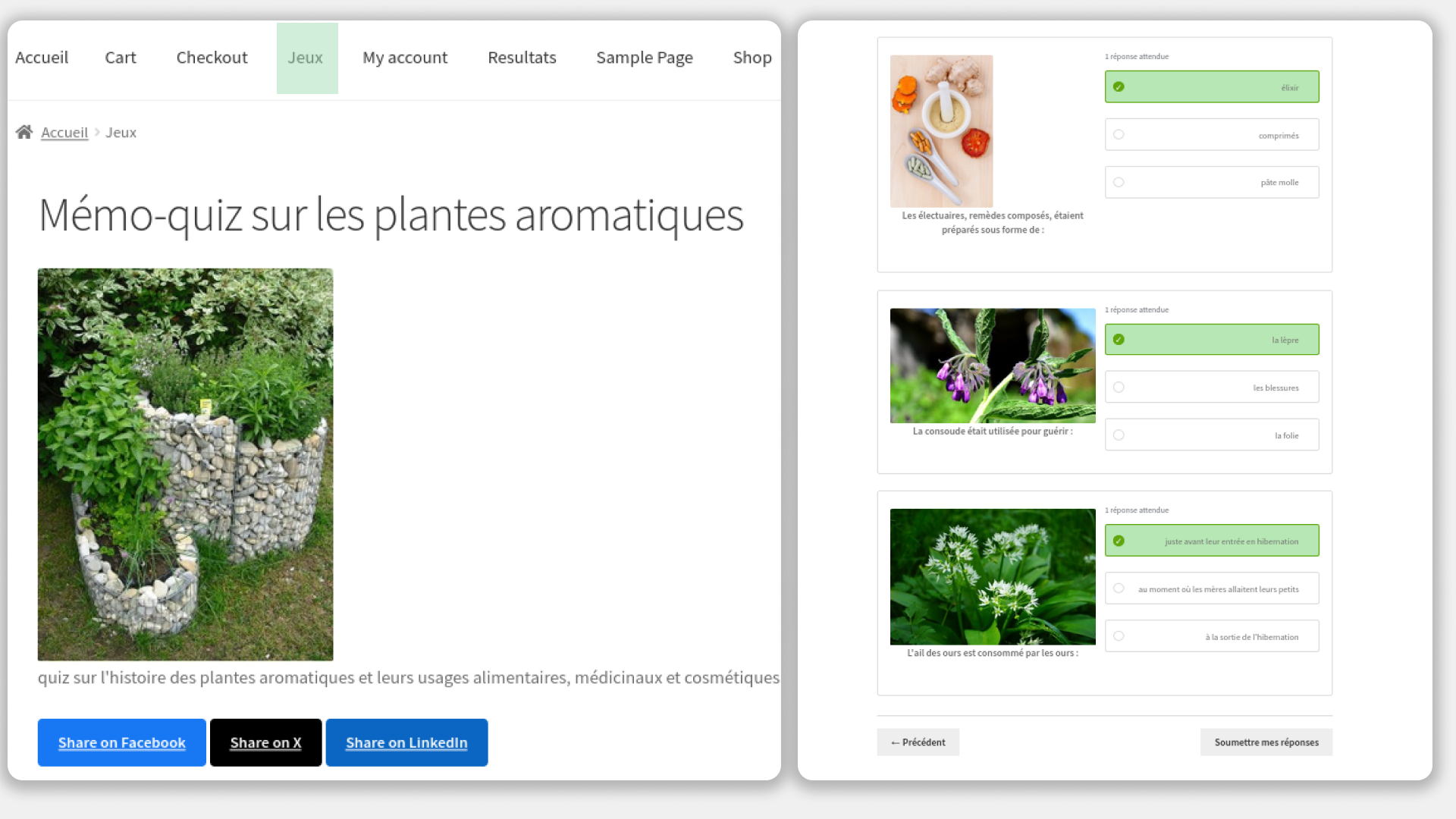
Installation
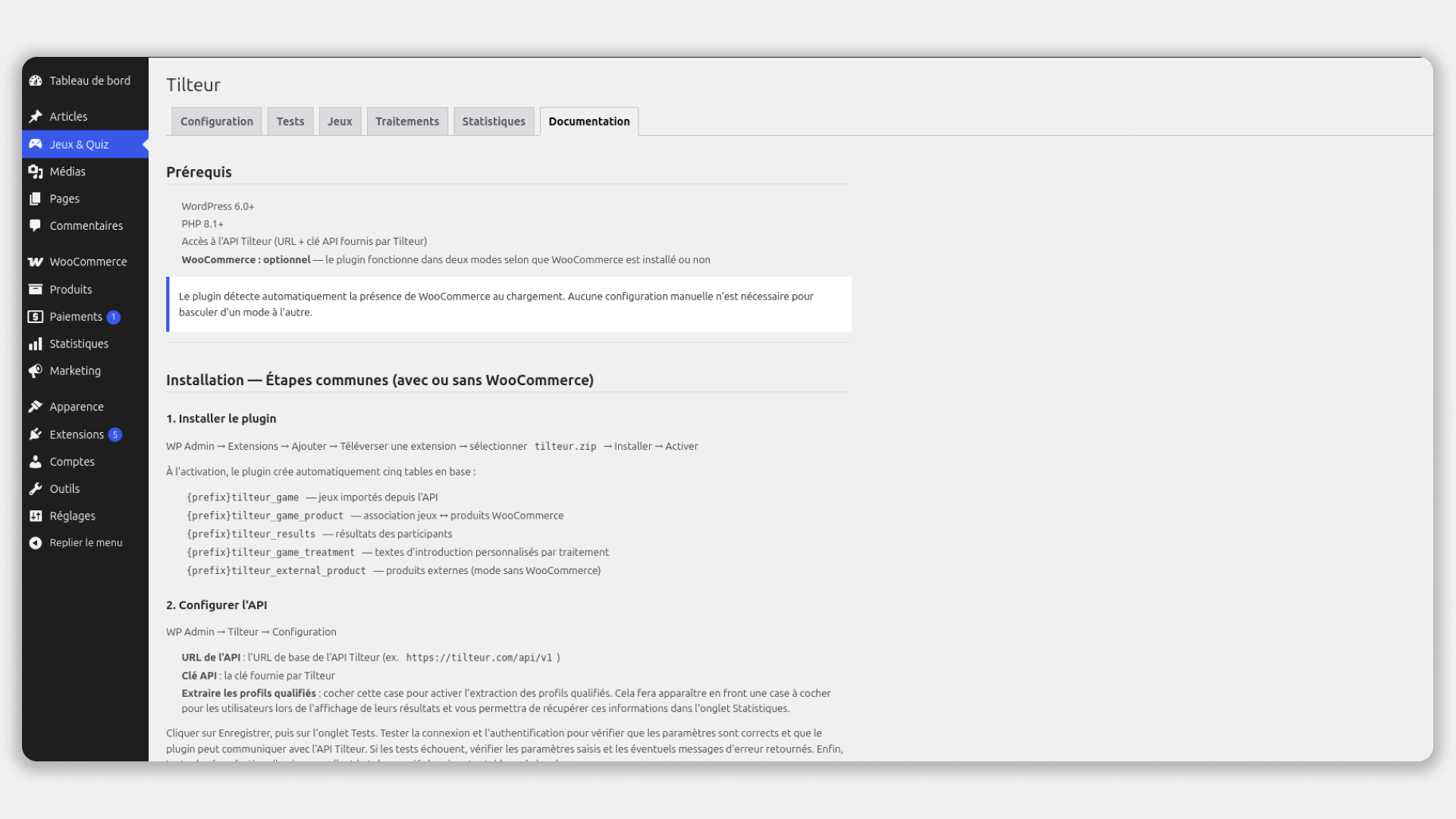
- Go to WP Admin Plugins Add New Upload Plugin
- Select
tilteur.zipInstall Now Activate - On activation, the plugin automatically creates the required database tables
- Go to WP Admin Tilteur Configuration and enter your Tilteur API URL and API key
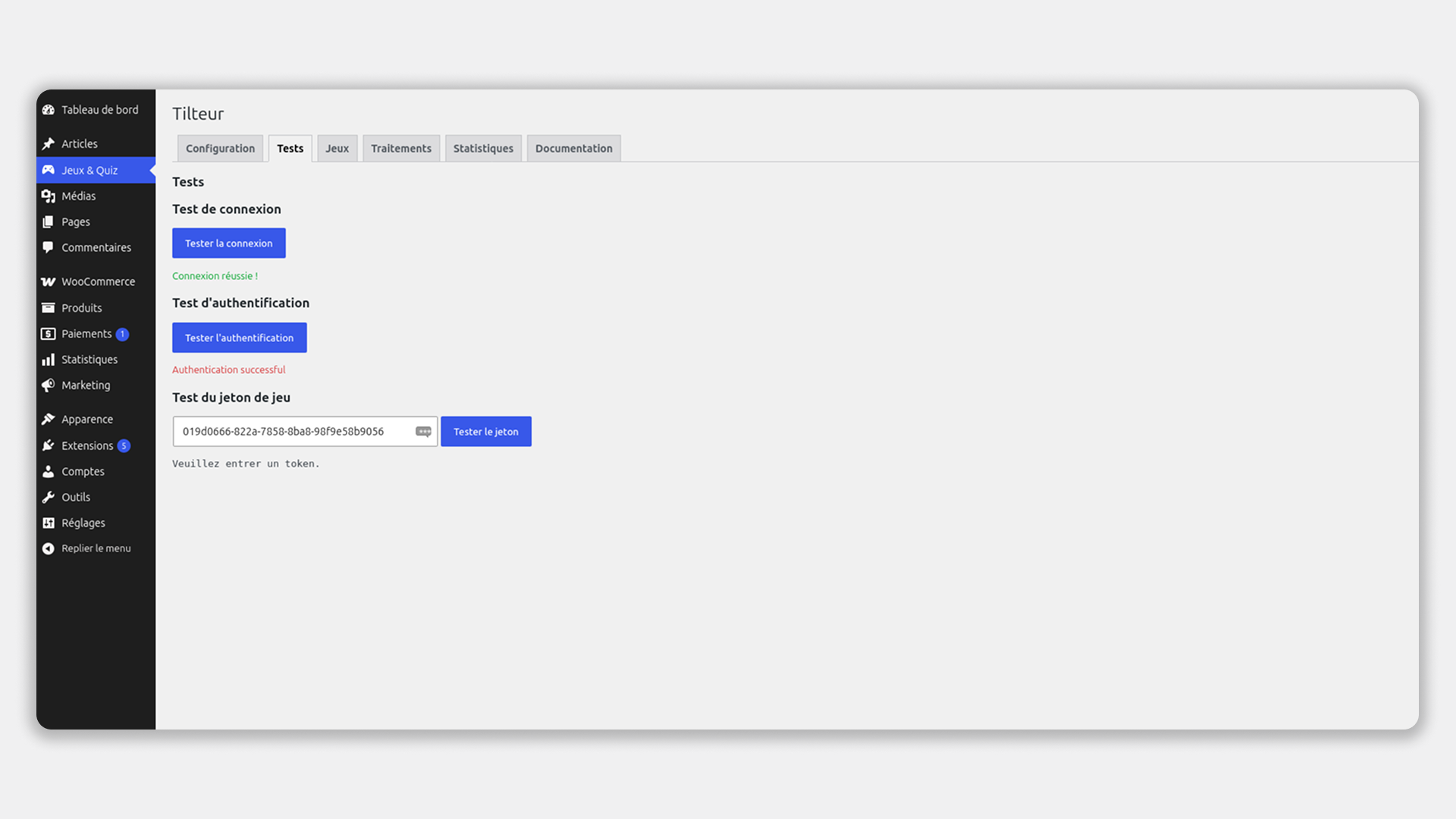
- Click Save, then go to the Tests tab to verify the connection
- Go to WP Admin Settings Permalinks Save Changes (flushes rewrite rules — required after activation)
- Create a Games page: WP Admin Pages Add New add a Shortcode block enter
[tilteur_mes_jeux]Publish
Important — Gutenberg shortcode block:
Shortcodes must be inserted using the dedicated Shortcode block in Gutenberg (icon [ ]). Do not use a Paragraph or Code block — they will display the raw text without executing it.
FAQ
-
Do I need WooCommerce?
-
No. The plugin works fully without WooCommerce. In that case, you can associate external products (affiliate links, Amazon, etc.) with each treatment result. The mode is detected automatically — no manual switch needed.
-
Where do I get my API URL and API key?
-
Your API URL and key are provided by Tilteur when you create your account on tilteur.com.
-
What shortcodes are available?
-
[tilteur_mes_jeux]— displays the list of active games (and handles the quiz inline when?jeu=TOKENis in the URL)[tilteur_jeu_resultat]— displays a quiz result page with recommended products[tilteur_mon_compte_jeux]— displays the user’s participation history with GDPR export/delete options (without WooCommerce only)
-
I played the quiz without being logged in — do I still get a discount coupon?
-
Yes. The discount is shown on the result page right away, but the actual coupon is only created the moment you add the recommended product to your cart, where it’s applied automatically — this way no coupon is ever generated for a visit that doesn’t turn into a cart. If you log in or create an account afterward, your product and coupon stay in your cart. Logging in beforehand (or during) also lets your participation be saved to “My Results” — as a guest, that history is not kept.
-
The “My Results” tab does not appear in WooCommerce My Account.
-
Flush the permalinks: WP Admin Settings Permalinks Save Changes. No other configuration is required — the tab registers automatically on activation.
-
Can the same game token be used on multiple WordPress sites?
-
It depends on your Tilteur subscription. The Free and Starter plans allow one domain only. The Pro plan allows up to 3, and the Business plan up to 5. If you need to deploy the same game on multiple sites or subdomains, you will need a paid plan. See tilteur.com for details.
-
What happens if I add WooCommerce after installing Tilteur?
-
The plugin detects WooCommerce on every page load. Once WooCommerce is activated, Tilteur automatically switches to WooCommerce mode without reinstallation.
-
Is the plugin free?
-
The plugin itself is free. However, it requires a Tilteur account to function. A free trial is available when you register at tilteur.com. After the trial period, a paid subscription is required to continue using the Tilteur API service.
-
Does deactivating the plugin delete my data?
-
No. Deactivation alone does not remove any data or tables. Data is only removed when you delete the plugin (uninstall).
Anmeldelser
Der er ingen anmeldelser for denne widget.
Bidragsydere & udviklere
“Tilteur” er open source-software. Følgende personer har bidraget til dette plugin.
Bidragsydere
Oversæt “Tilteur” til dit eget sprog.
Interesseret i udvikling?
Gennemse koden, tjek SVN repository, eller abonner på udviklerloggen via RSS.
Ændringslog
1.1.2
- Changed: shortcodes renamed to avoid naming collisions —
[mes_jeux][tilteur_mes_jeux],[mon_compte_jeux][tilteur_mon_compte_jeux],[jeu_resultat][tilteur_jeu_resultat]. Existing pages using the old shortcode names must be updated manually.
1.1.1
- Fix: prefixed all AJAX action names to avoid naming collisions
- Fix: replaced inline script with wp_add_inline_script()
- Fix: adjusted admin menu position
- Fix: API URL field is now fully editable
- Removed: development files and backup translation files
1.1.0
- New: guests (not logged in) can now receive and use a discount coupon — no account required. It’s generated the moment they add the recommended product to their cart, linked to their session/cart rather than to a customer account, and stays applied if they log in afterward.
- Fix: the discount coupon was not applied automatically when following the “Add to cart” link on the result page — the code had to be re-entered manually at checkout. It is now applied automatically for both guests and logged-in users.
1.0.0
- Initial release