
Beskrivelse
Add support for Google Analytics and Google Tag Manager to your AMP pages
(Accelerated Mobile Pages) on WordPress. The plugin will provide you with an
easy set-up of your accounts on both GA & GTM to make sure you can start
measuring and supporting your AMP pages better.
Features
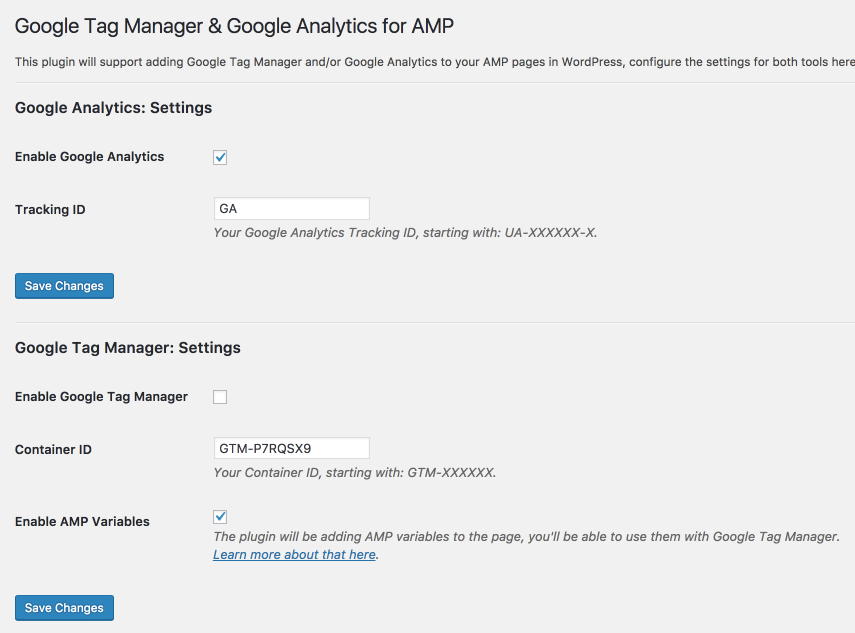
- Enable the tracking codes for Google Tag Manager & Google Analytics.
- Provide custom variables and data for AMP.
- Be able to customize the custom dimensions for Google Analytics.
- Add outbound link tracking for Google Analytics.
Skærmbilleder

Installation
From within WordPress 1. Visit ‘Plugins > Add New’. 2. Search for ‘Google Tag Manager & Google Analytics for AMP’. 3. Activate Google Tag Manager & Google Analytics for AMP from your Plugins page. 4. Go to “after activation” below.
Manually
1. Upload the gtm-ga-wordpress-amp folder to the /wp-content/plugins/ directory.
2. Activate the Google Tag Manager & Google Analytics for AMP plugin through the ‘Plugins’ menu in WordPress.
3. Go to “after activation” below.
Anmeldelser
Der er ingen anmeldelser for denne widget.
Bidragsydere & udviklere
“Google Tag Manager & Google Analytics for AMP” er open source-software. Følgende personer har bidraget til dette plugin.
Bidragsydere
Oversæt “Google Tag Manager & Google Analytics for AMP” til dit eget sprog.
Interesseret i udvikling?
Gennemse koden, tjek SVN repository, eller abonner på udviklerloggen via RSS.
Ændringslog
1.0.0
- Enable the tracking codes for Google Tag Manager & Google Analytics.
- Provide custom variables and data for AMP.
- Be able to customize the custom dimensions for Google Analytics.
- Add outbound link tracking for Google Analytics.