
Beskrivelse
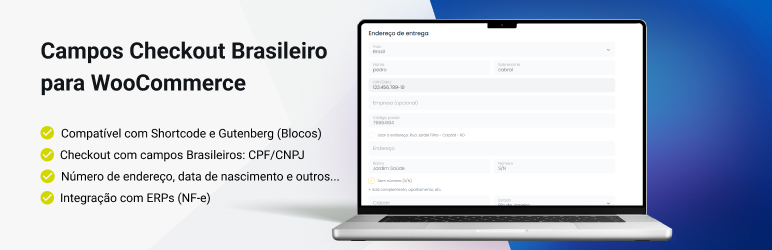
Complete Brazilian checkout fields designed specifically for Brazilian Market on WooCommerce stores in Brazil, making it easier and significantly improving the data entry flow on the checkout pages.
This version includes full compatibility with Shortcodes and Gutenberg themes, allowing you to use the Brazilian checkout fields anywhere on your site with maximum flexibility.
This WordPress plugin ensures faster address verification and cleaner form management, leading to a better user experience and fewer abandoned carts.
Note: The shipping calculator features have moved to a dedicated plugin: Shipping Simulator for WooCommerce.
🚀 Full and Free Brazilian Checkout
We have expanded the plugin capabilities to offer a full checkout solution for the Brazilian Market on WooCommerce, managing Custom Checkout Fields essential for Brazilian logistics and fiscal invoicing. Every field is listed — with its meta key and what it does — in the Checkout fields section below.
✅ ERP & “Brazilian Market” Compatibility
This is a major update for store owners who need to issue invoices (Nota Fiscal). The plugin is now fully compatible with other payment’s plugin for the data standards used by the Brazilian Market on WooCommerce plugin by Claudio Sanches.
Why is this important?
1. Bling & ERP Integration: CPF, CNPJ and address data are saved with the standard meta keys (the same ones listed below), so this plugin is fully compatible with Bling, Tiny and other ERPs that integrate with WooCommerce. You can issue invoices (NFe) without data errors.
2. No double data entry: the same value feeds the checkout, the order, the customer profile and the invoice app.
Key Features & Improvements:
On the Checkout Page:
- Automatic Address Lookup: Fills in street, neighborhood, city and state as soon as the customer enters a valid CEP.
- Input Validation: Checks CPF/CNPJ digits and applies input masks, so a wrong number is caught before the order is placed.
- Dynamic Field Hiding: Hides the fields that do not apply to the customer — company data for individuals, CPF and RG for companies — and gives the typed value back when the field returns.
- Person Type Selector: In the block checkout the customer can switch between “Person” (Pessoa Física) and “Company” (Pessoa Jurídica); in the classic checkout the type follows the document that was typed.
Additional Features:
- The plugin is fully customizable via action and filter hooks for advanced users.
More details can be found in the Frequently Asked Questions (FAQ).
Checkout fields
Below is every field the plugin adds or manages, on the billing and shipping address forms (classic checkout, block checkout, the account’s edit-address page and the order admin screen):
- CPF/CNPJ (
billing_document): a single document field with mask and validation. It reads the number of digits to tell individuals (CPF, 11 digits) from companies (CNPJ, 14 digits) — and that choice drives the rest of the form. - Person type (
billing_persontype): hidden field that stores the type worked out from the document, so other plugins and ERPs read “individual” or “company” the way they expect. - CPF (
billing_cpf) and CNPJ (billing_cnpj): hidden companions that receive the same value as the document, for invoice (NF-e) plugins and ERPs that look for these keys. - Company (
billing_company): shown for companies. Its behavior is configurable — Dynamic, Optional, Required or Disabled. - State registration / Inscrição Estadual (
billing_ie): shown for companies, with an “Isento” (exempt) checkbox. Required when enabled. - Municipal registration / Inscrição Municipal (
billing_im): shown for companies and required for them. No “Isento” option, because the municipal registration is what identifies the business for service invoices. - RG (
billing_rg): shown for individuals only, next to the CPF, and hidden for companies. Optional by default. Saved with the same key used by invoice apps, so the value is already there when you issue the nota fiscal. - Number (
billing_number): the street number, mandatory and usually missing from standard WooCommerce forms. It comes with a “Sem Número” (no number) checkbox that fills the field for addresses without a number. - Neighborhood / Bairro (
billing_neighborhood): mandatory neighborhood field, placed right after the address. - Complement (
billing_address_2): the native WooCommerce complement, renamed and repositioned. - Phone (
billing_phone): phone field with mask and country code (DDI). Four modes: full phone, cellphone only, landline only or disabled. Optional validation of the number (including the area code). - Cellphone (
billing_cellphone): optional separate cellphone field, filled in alongside the phone, and a hidden mirror for gateways that expect it. - Birthdate (
billing_birthdate): optional date field, with an option to make it required. - Gender (
billing_gender): optional dropdown (Male, Female, Non-binary, Other, Prefer not to say). - Postcode / CEP (
billing_postcode): can be highlighted at the top of the form, with a confirmation checkbox and automatic address lookup. - Country, State and City (
billing_country,billing_state,billing_city): the native WooCommerce fields, kept in place and repositioned so the Brazilian order of the address makes sense.
Every field above can be turned on or off in WooCommerce > Settings > Campos Brasileiros, together with its required/optional rule.
Help and Support
When you need help, please create a topic in the Plugin Support Forum.
** Recommended Plugins **
* Shipping Simulator for WooCommerce – Shipping calculator for the product and cart pages, free shipping rules and more.
* Link Invoice Payment for WooCommerce – Integrate custom payment methods and offer invoice-based payments in your WooCommerce store.
* Pix For WooCommerce – Integrate Pix, Brazil’s revolutionary instant payment system, into your WooCommerce store
* AntiFraude – Fraud and Scam Detection For WooCommerce
* Authentification and OTP for WooCommerce – OTP and Force customer to log in or register before checkout to increase your conversion rate.
Skærmbilleder







Installation
- Access your WordPress admin and go to Plugins > Add New.
- Search for “Brazilian Checkout Fields for WooCommerce”.
- Find the plugin, click “Install Now” and then “Activate”.
- Done! No additional configuration is needed, but we recommend visiting the plugin settings.
FAQ
-
Does this plugin replace “Brazilian Market on WooCommerce”?
-
Yes, this plugin acts as an updated solution for Brazilian Market on WooCommerce. It maintains full compatibility with existing data but offers improved features. Note: To use it, you must disable the Brazilian Market on WooCommerce plugin (by Claudio Sanches) to avoid field conflicts.
-
Why is the Phone field now mandatory and asking for a Country Code (DDI)?
-
This feature was added to ensure all essential customer contact data is complete and correctly formatted. The DDI (Dialing Code International) ensures the phone number is standardized for both national and international calls, which is crucial for logistics and customer service. You can disable this feature in the plugin settings under the Checkout tab.
-
How does the automatic address lookup by CEP work?
-
When the customer enters a valid 8-digit CEP (Brazilian postcode) on the checkout page, the plugin uses public APIs (like VIACEP and Brasil API) to automatically retrieve and fill in the Street, City, State, and Neighborhood fields, speeding up the checkout process.
-
Contributions
-
If you find any errors or have suggestions, please open an issue in our GitHub repository.
- Brasil API – ZIP code lookup and CNPJ validation.
- ReceitaWS – CNPJ validation (fallback).
- VIACEP – ZIP code field.
- International Telephone Input – Phone number field with country code.
Anmeldelser


Bidragsydere & udviklere
“Campos Checkout Brasileiro para WooCommerce” er open source-software. Følgende personer har bidraget til dette plugin.
Bidragsydere

“Campos Checkout Brasileiro para WooCommerce” er blevet oversat til 1 sprog. Tak til oversætterne for deres bidrag.
Oversæt “Campos Checkout Brasileiro para WooCommerce” til dit eget sprog.
Interesseret i udvikling?
Gennemse koden, tjek SVN repository, eller abonner på udviklerloggen via RSS.
Ændringslog
5.2.1 – 2026-10-21
- New: the “Phone Field Behavior” option now has TWO ways to disable it, with different meanings. “Disable the phone field” turns off the WooCommerce native phone field (no phone and no cellphone is shown). “Keep the WooCommerce native configuration” generates no field at all and keeps whatever you configured in WooCommerce itself (the “Phone” toggle in the block editor).
- Fix: with the phone disabled, the “Cellphone” field is no longer generated on checkout. Previously, a leftover “Cellphone Field” setting made the field come back even with the phone turned off.
- Fix: when the phone is disabled, the “Cellphone Field”, “Cellphone Required” and “Phone (Contact) Required” options are turned off automatically — nothing stays required in a form that no longer shows the phone.
- Fix: options that are locked by a dependency (e.g. the “Cellphone Field” with the phone behavior set to “Allow Cellphone Only”) no longer keep the old value stored — the lock is now visual only, so what the screen shows is what gets saved. Previously the screen showed “Disable” while checkout still displayed the “Cellphone” field.
5.2.0 – 2026-10-21
- New: RG (general registry) field on checkout. It shows for individuals, next to the CPF, stays hidden for companies (CNPJ) and filling it in is optional.
- New: the RG is also on the account’s edit-address page, on the user profile and on the order details — including the order-received screen and the order admin panel, where it can be edited.
- New: RG options in the Brazilian fields settings (enable and required).
- Tweak: the RG sits right after the CPF, without disturbing the order of the other address fields.
- Fix: the IE, IM, RG and Company fields are no longer cleared when hidden — when the document is corrected (erasing or retyping CPF/CNPJ) the typed value is preserved and comes back when the field is shown again.
- Fix: hidden fields no longer take up space in the classic checkout and edit-address layout, with no leftover margin or padding.
- Note: the RG has no national validation standard (the rule varies by state), so the validation is format and length only, not a check digit.
5.1.1 – 2026-10-20
- New: “Company Field Behavior” now has a “Disabled” option, which stops the Company field from being generated on checkout (classic and blocks), on the account’s edit-address page and on the user profile screen.
- Fix: with the Company field disabled, a Company field re-added by another plugin can no longer be required — it stays optional and no longer blocks the order.
- Fix: the Company field behavior no longer switches back to “Dynamic” right after saving the settings.
- Note: no saved setting changed its name; existing configurations keep working and values already stored for the Company field are preserved.
5.1.0 – 2026-10-13
- New: new flow for the Phone and Cellphone fields on checkout (classic and blocks) — 4 behavior modes, country code/mask, validation and a hidden compatibility field for PagBank/Asaas/NFe.
- New: “Cellphone” field on the account’s edit-address page, mirroring the phone.
- New: Municipal Registration (IM) field on checkout for Legal Person.
- New: customer details (CPF/CNPJ, person type, IE/IM, birthdate, gender, contact) on the order-received page via hook — works on classic themes and block checkout.
- Tweak: the “Cellphone” field now appears on both billing and shipping on the order admin; the phone label follows the configured mode.
- Tweak: Municipal Registration (IM) is now required for Legal Person (removed the “Exempt” option).
- Fix: with “use the same address for billing” (blocks), phone/cellphone now follow the address.
- Fix: when switching CPF to CNPJ, the document no longer reverts to the old CPF (blocks).
- Fix: 404 of the phone mask CSS on the edit-address page.
5.0.4 – 2026-10-05
- Fix: infinite redirect loop (ERR_TOO_MANY_REDIRECTS) when another LKN plugin also opens its onboarding screen in the same request.
- Fix: the close button (✕) of the migration screen now permanently dismisses the follow-up notice.
5.0.3 – 2026-10-02
- Fix: browser freeze when finishing the order on the checkout (shortcode and blocks) caused by an event loop in the masked phone field.
5.0.2 – 2026-09-24
- Fix: The phone field is no longer incorrectly flagged as required (without a label) on the block checkout (Store API) when the native phone field is hidden.
5.0.1 – 2026-10-01
- New: The phone field DDI (country code) can now be customized — the select previously only showed the flags, and the user can now also display the DDI number.
- New: Phone field validation, to help stores that need this data filled in correctly.
- Fix: CSS/style adjustments on the birth date field.
5.0.0 – 2026-10-01
- Major: Migrated the shipping calculator resources to shipping-simulation.
4.17.6 – 2026-09-16
- Fix: The “Company” field no longer reverts to “Optional” when the checkout page is saved — the native WooCommerce option and the plugin setting now stay in sync.
- Tweak: In “Dynamic” mode, the “Company” field is no longer displayed for customers outside Brazil; in “Optional” and “Required” modes, the field is handled by WooCommerce.
- Tweak: The Postal Code (CEP) lookup and the “Neighborhood” field now only activate when the selected country is Brazil, in both the block and shortcode checkouts.
4.17.5 – 2026-09-09
- Fix: The “Company” field is no longer saved with the internal “woonomedaempresa” value when editing the address with a CPF.
- Tweak: The “Company” field now behaves like the “State Registration (IE)” field in “Dynamic” mode — required for CNPJ and ignored for CPF, while respecting the “Optional” and “Required” options.
4.17.4 – 2026-09-09
- Fix: “Company” and “State Registration (IE)” fields no longer reappear pre-filled in the block and shortcode checkout after an order placed with a CPF — the WooCommerce session is now cleared alongside the user metadata.
4.17.3 – 2026-09-09
- Fix: The “Ship to a different address?” checkbox no longer appears on the classic/shortcode checkout when “Force shipping to the billing address” is enabled.
- Fix: The “State Registration (IE)” field is no longer required on the “My Account > Edit Address” page when the entered document is a CPF.
4.17.2 – 2026-09-03
- Fix: Corrected the plugin update notification informing about a new important update scheduled for 2026-09-01.
- Fix: “S/N” (no number) option now saves immediately in the block checkout.
4.17.1 – 2026-08-21
- Fix: CNPJ now validated for active registration status (situação cadastral ATIVA) against the Federal Revenue (BrasilAPI and ReceitaWS).
- Fix: Alphanumeric CNPJ (IN RFB 2.229/2024) now goes through the API (fail-closed) instead of being accepted by check digit only.
- Dev: Updated the CNPJ API validation field description in the settings.
4.17.0 – 2026-08-19
- New: CNPJ validation against the Brazilian Federal Revenue (BrasilAPI with ReceitaWS fallback).
- Fix: IE field no longer wrongly highlighted after a CNPJ validation error.
- Docs: Added BrasilAPI and ReceitaWS to the third-party credits.
4.16.12 – 2026-08-14
- Fix: Sanitization and character validation of the IE (Inscrição Estadual) field.
- Security: Defense-in-depth IE field sanitization on the PHP-to-JS bridge.
4.16.11 – 2026-08-05
- Fix: Shipping calculation when using order total as calculation base.
- Dev: Improved release preparation skill.
- Adjustment: Improved the validation flow for invalid ZIP codes during search.
4.16.10 – 2026-07-30
- Adjustment: Standardization of Funnelkit fields with the Brazilian plugin.
4.16.9 – 2026-07-29
- Tweak: Funilkit plugin verification system with the Brazilian plugin.
4.16.8 – 2026-07-28
- Adjustment: Mandatory field validation for birth date and gender.
- New: Mandatory birth date field system.
4.16.7 – 2026-07-17
- Adjustment: Added best V2 submission metadata to the label.
4.16.6 – 2026-07-17
- Tweak: Address field description name.
4.16.5 – 2026-07-14
- Tweak: Placeholder name in the classic checkout address field.
4.16.4 – 2026-07-06
- Adjust: Fallback for the plugin’s calculator label when shipping business days are not detected.
4.16.3 – 2026-07-03
- Fix: Correction in class loading.
4.16.2 – 2026-07-02
- New: Shipping calculation option via coupon/fees.
4.16.1 – 2026-07-01
- Compatibility with the FunnelKit plugin.
- CPF validation in the shortcode version.
- Improved detection of available shipping labels in the custom calculator.
4.16.0 – 2026-06-11
- New: Product-based shipping system.
- New: Label system to define delivery business days for free shipping methods.
- New: Behavior system triggered upon detecting free shipping.
- Fix: Free shipping bar detection when running the plugin’s calculator component.
- Fix: Address number checkbox field in Gutenberg.
4.15.2 – 2026-06-09
- Fixed: CEP format sent to the API.
4.15.1 – 2026-06-08
- Fixed: Click event to dismiss the update notice.
4.15.0 – 2026-06-01
- New: Alphanumeric CNPJ format support (IN RFB 2.229/2024).
- Fixed: Address number field auto-fill on first automatic lookup.
- Fixed: has-error class on the Gutenberg number field when the field is empty.
- Fixed: CEP autofill on autocomplete.
- Fixed: Nonce for the contact number field.
- Fixed: Address auto-fill on the order edit page.
4.14.0 – 2026-05-27
- New: CEP address auto-fill feature.
- Fixed: Checkbox behavior when filling the address.
- Fixed: Field positioning in order data + removal of country code.
- New: Icons, banners and screenshots.
- Fixed: highlighted field position in classic checkout.
4.13.0 – 2026-05-25
- Fixed: Optional/required CPF field.
- New: State Registration (IE) field.
4.12.5 – 2026-04-29
- Fixed: CEP auto-fill system for cache.
- Fixed: Address synchronization when filling the form.
4.12.4 – 2026-04-22
- Fixed: CPF field filling.
- Fixed: Country field changes.
- Fixed: Field population when detecting empty country.
4.12.3 – 2026-04-13
- Fixed: Address number field.
4.12.2 – 2026-04-06
- Fixed: Fix Birthdate validation
4.12.1 – 2026-04-02
- Fixed: CEP field highlighting configuration.
4.12.0 – 2026-04-02
- Added: New birth date and gender fields.
- Enhancement: New option for free shipping detection.
- Added: New option for free shipping detection.
4.11.0 – 2026-04-01
- Enhancement: New free shipping detection system through shipping zones.
- Enhancement: New option for checkout block (Campos Brasileiros)
- Enhancement: New quantity detection system on product page.
= 4.10.1 – 2026-03-30
* Fixed cart change detection (adding/removing products).
* Fixed component expansion when the block was minimized.
= 4.10.0 – 2026-03-11
* Fixed script loading between Classic and Block versions.
* Fixed error_log in cache function.
* New option to hide the custom shipping calculator component when only digital products are detected.
= 4.9.2 – 2026-03-06
* Adjustment: Changed the phone field position on the edit address page.
= 4.9.1 – 2026-03-06
* Adjustment: Highlight on the ZIP code field via shortcode.
* Adjustment: Shipping configuration fields.
= 4.9.0 – 2026-03-04
* Added: New options to highlight the contact and email fields.
* Added: New option to prevent duplicate free shipping.
= 4.8.0 – 2026-02-09
* Addition: Option to hide shipping methods when free shipping is acquired.
* Adjustment: stopPropagation on the checkbox button to prevent the form from being updated improperly.
* Adjustment: Improved cache description message, providing tips about possible issues with cache plugins.
* Addition: Hook for displaying custom address variables.
* Adjustments to ajax and rest_api routes to prevent caching.
= 4.7.4 – 2026-01-21
* Fix: variable products shipping calculation on product page.
= 4.7.3 – 2026-01-13
* Fix: phone number field regarding digits.
* Fix: phone number field with more configuration options.
* Fix: postal code field display configuration in shortcode.
= 4.7.2 – 2026-01-07
* Fix: number field verification + Brazilian plugin compatibility.
= 4.7.1 – 2026-01-06
* Fix: dynamic CPF/CNPJ field in block editor.
= 4.7.0 – 2025-12-23
* NEW: CPF/CNPJ field
* NEW: Neighborhood field.
* Adjustment: free shipping bar.
4.6.0 – 2025-12-15
- NEW: Dynamic progress bar for free shipping with customizable messages.
- NEW: Automatic capture and formatting of country codes in phone numbers.
- NEW: Complete feature parity between block editor and shortcode.
4.5.0 – 2025-10-24
- NEW: Text font configuration system in the product and cart components.
- NEW: Automatic address filling on the Checkout page.
- NEW: Highlight for the ZIP code field in the Checkout page form.
4.4.0 – 2025-09-10
- New: cache system for postal code queries.
- New: plugin display card.
- New: Psalm and CodeQL libraries for code
4.3.3 – 2025-08-15
- Fix: Button styles.
- Fix: Nonce.
- Fix: Currency type and decimal places.
4.3.2 – 2025-08-08
- Fix: Component display issue.
- Adjustment: Message in Gutenberg fields.
- Addition: Link configuration field.
4.3.1 – 2025-08-05
- Adjustment: Option that defines the component position is now at a higher level, for both product page and cart.
- Fix: When defining the CEP component position on a product page in custom mode, it did not display as expected.
- Fix: Default icon color value.
- Addition: Link that leads to configuration page is now available on the product page when the user is a page administrator.
4.3.0 – 2025-07-29
- Addition: New custom ZIP code verification components.
- Addition: ZIP code component for the product page.
- Addition: ZIP code component for the Woo cart page
4.2.1 – 2025-06-09
- Fix: Decimal separator.
- Fix: Dynamic URL.
- Fix: Progress bar on the legacy cart page.
4.2.0 – 2025-06-06
- Addition: Option to set a minimum cart value for free shipping.
4.1.6 – 2025-06-02
- Adjustment: fix in the address auto-fill field.
4.1.5 – 2025-05-22
- Adjustment: address hiding field.
- Addition: plugin contributors.
- Addition: link to the plugin settings page on the cart page only when the user is an administrator.
4.1.4 – 2025-05-20
- Adjustment: neighborhood field is outside the established parameters.
- Adjustment: README.txt file tags.
4.1.3 – 2025-05-15
- Adjustment: more dynamic blueprint at the time of playground configuration.
4.1.2 – 2025-05-07
- Fix: Adjustments in the identification of physical and digital products.
- Adjustment: Improvement in the githubworkflow flow for plugin release in the repository and WordPress.
4.1.1 – 2025-04-29
- Fix: Improved README.txt description for Portuguese – BR.
- Fix: Improved Gutenberg field for ZIP code field, now it is possible to enable or disable address hiding in ZIP code fields.
4.0.1 – 2025-04-23
- Fix: New Readme.txt and image list.
4.0.0 – 2025-03-26
- Adjustment: Plugin changed to Object Oriented (OO) model.
- New settings tab for the plugin.
- Compatibility with Gutenberg.
- New number field in Woocommerce checkout (shortcode and gutenberg)
3.2.2
- Tested up to WordPress 6.6
3.2.1
- Tested up to WordPress 6.4
3.2.0
- Adjustment: Forces WooCommerce settings to enable shipping calculation.
3.1.2
- Fix: Incompatibility with the Fluid Checkout plugin.
3.1.1
- Fix: Sometimes the ZIP code field mask was not working in new shipping calculations.
3.1.0
- Feature: Now the ZIP code field has the ‘tel’ type (to show the numeric keyboard on mobile).
3.0.2
- Fix: The donation notice was not closing.
3.0.1
- Fix: The plugin’s JavaScript should only run on the cart page.
3.0.0
- Adjustment: Refactored code for better compatibility.
- Breaking: Several hooks have been removed.
2.2.0
- Adjustment: Clears the city field to avoid unexpected results.
- Fixed the
wc_better_shipping_calculator_for_brazil_hide_countryfilter hook.
2.1.2
- Minor fixes.
2.1.1
- JavaScript fix.
2.1.0
- Plugin name changed to “Improved shipping calculator for Brazilian stores”.
- Now the ZIP code field is always visible.
- New hook filter:
wc_better_shipping_calculator_for_brazil_add_postcode_mask(default:true) - New hook filter:
wc_better_shipping_calculator_for_brazil_postcode_label(default:"Calculate shipping:") - Fix in
register_activation_hook.
2.0.4
- Fix in pt_BR translation.
- Tested with WordPress 6.0 and WooCommerce 6.5.
2.0.3
- Fix for a syntax error with older PHP versions.
2.0.2
- JavaScript fixes.
- Added translation for PT-BR.
2.0.1
- Internal fixes.
2.0.0
- Initial release.