
Beskrivelse
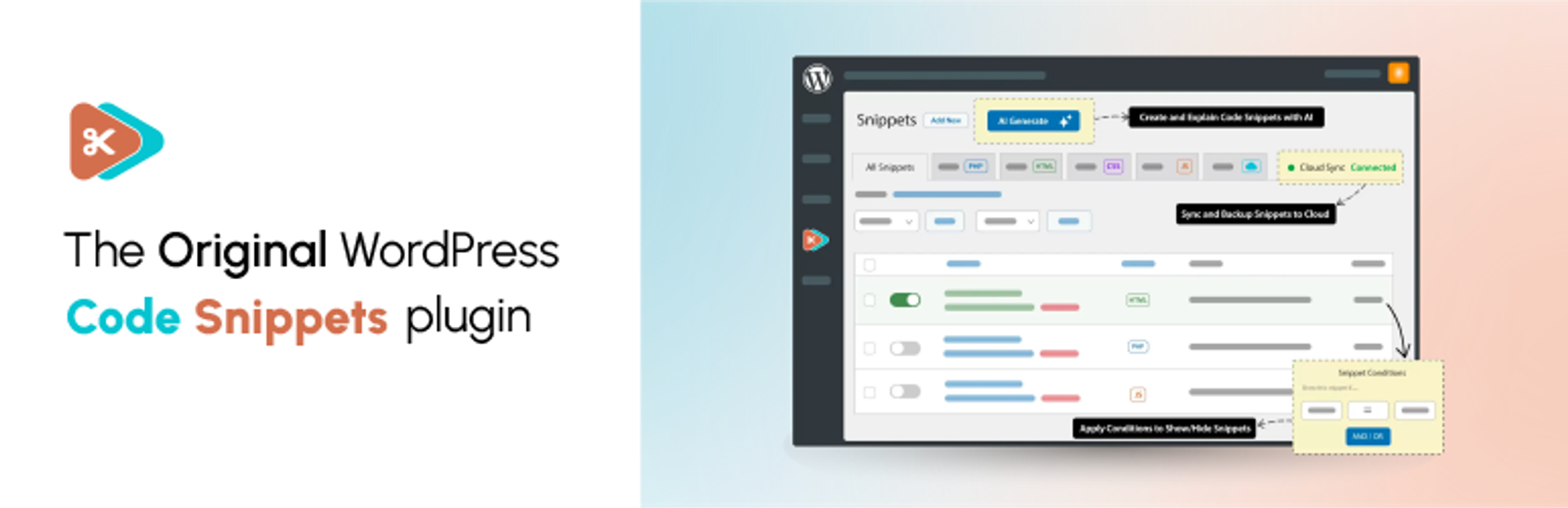
✂ Code Snippets giver en nem måde at forbedre dit WordPress-websted på.
🚀 Opgrader til Code Snippets Pro for komplette CSS-, JavaScript-, Gutenberg-, Elementor- og cloud-synkroniseringsintegrationer. Giv din snippets-oplevelse et løft nu!
Sig farvel til besværet med at finjustere dit temas functions.php-fil og downloade utallige plugins – Code Snippets forenkler processen!
En snippet er som et mini-plugin til dit WordPress-websted, der giver ekstra funktionalitet uden rod.
I modsætning til andre løsninger, der involverer at dumpe kode i din functions.php-fil, tilbyder Code Snippets en intuitiv grafisk brugerflade til problemfri integration og udførelse i realtid. Administration af kodesnippets er lige så nemt som at aktivere og deaktivere plugins, blot uden overbelastning og besvær.
🎥 Se en hurtig oversigt af Imran Siddiq:
☁️ Hver kopi af Code Snippets inkluderer fuld integration med den community-drevne Code Snippets Cloud-platform, der giver nem adgang til hundredvis af justeringer og forbedringer, der er klar til at give ethvert WordPress-websted et boost.
🌐 Følg os:
🌟 Kan du lide vores plugin? Synes du det er nyttigt? Del venligst din oplevelse ved at skrive en anmeldelse på WordPress.org. Din feedback er afgørende for at forme vores fremtidige vækst!
🌍 Vi vil gerne takke de fantastiske mennesker, der har bidraget med oversættelser, så Code Snippets kan bruges på forskellige sprog. Du kan finde en komplet liste her.
Skærmbilleder



Installation
Automatic Installation
- Log ind på din WordPress-administration
Klik på Plugins
Klik på Tilføj ny
Søg efter Code Snippets
Klik på Installer nu under “Code Snippets”
- Aktiver pluginnet
Manual Installation
- Hent plugin
- Udpak indholdet af zip-filen
- Upload indholdet af zip-filen til mappen
wp-content/plugins/i din WordPress-installation. - Aktivér Code Snippets-pluginnet fra siden ‘Plugins’.
Netværksaktivering af Code Snippets via netværksdashboardet aktiverer en særlig grænseflade til at køre snippets på tværs af hele netværket.
FAQ
En komplet liste over vores ofte stillede spørgsmål findes på codesnippets.pro.
-
Hvordan kan jeg gendanne mit websted, hvis det er gået ned af et fejlagtigt kodestykke?
-
Du kan gendanne dit websted ved at aktivere funktionen Code Snippets safe mode. Instruktioner til, hvordan du aktiverer den, findes her: https://codesnippets.pro/doc/safe-mode/.
-
Mister jeg mine snippets, hvis jeg ændrer temaet eller opgraderer WordPress?
-
Nej, snippets gemmes i WordPress-databasen, uafhængigt af temaet og upåvirket af WordPress-opgraderinger.
-
Kan plugin’et afinstalleres helt?
-
Hvis du aktiverer indstillingen ‘Fuldstændig afinstallation’ på siden med plugin-indstillinger, vil Code Snippets rydde op i alle data, når de slettes via WordPress’ menu ‘Plugins’. Dette inkluderer alle gemte kodestykker. Hvis du vil bevare kodestykkerne, skal du sørge for at eksportere dem først.
-
Kan jeg kopiere snippets, jeg har oprettet, til et andet WordPress-websted?
-
Ja! Du kan eksportere en enkelt snippet individuelt ved hjælp af linket under snippetnavnet på siden ‘Administrer snippet’ eller masseeksportere flere snippets ved hjælp af funktionen ‘Massehandlinger’. Snippets kan senere importeres ved hjælp af siden ‘Importer snippet’ ved at uploade eksportfilen.
-
Kan jeg eksportere mine snippets til PHP for et websted, hvor jeg ikke bruger Code Snippets-pluginnet?
-
Ja. Klik på afkrydsningsfelterne ud for de snippets, du vil eksportere, og vælg derefter Eksporter til PHP i menuen Massehandlinger, og klik på Anvend. Den genererede PHP-fil vil indeholde koden til de eksporterede snippets samt deres navn og beskrivelse i kommentarerne.
-
Kan jeg køre netværksomfattende snippets på en installation med flere websteder?
-
Du kan køre snippets på tværs af et helt netværk med flere websteder ved at Netværksaktivere Code Snippets via netværksdashboardet. Du kan også aktivere Code Snippets kun på hovedwebstedet og derefter individuelt på andre websteder efter eget valg.
-
Hvor gemmes snippets i min WordPress-database?
-
Snippets gemmes i tabellen
wp_snippetsi WordPress-databasen. Tabelnavnet kan variere afhængigt af, hvad dit tabelpræfiks er indstillet til. -
Hvor kan jeg henvende mig for at få hjælp eller foreslå nye funktioner?
-
Du kan få hjælp med kodestykker, rapportere bugs eller fejl og foreslå nye funktioner og forbedringer enten på WordPress Support Forums eller på GitHub.
-
Hvordan kan jeg bidrage til udviklingen af Code Snippets-pluginnet?
-
Den bedste måde at gøre dette på er at forke repositoryet på GitHub og sende en pull request.
-
Hvordan kan jeg rapportere sikkerhedsfejl, der findes i dette plugin?
-
Du kan rapportere sikkerhedsfejl, der findes i kildekoden til dette plugin, via Patchstack Vulnerability Disclosure Program. Patchstack-teamet vil hjælpe med verifikation, prioritering og underretning af sikkerhedssårbarheder.
Anmeldelser


Bidragsydere & udviklere
“Code Snippets” er open source-software. Følgende personer har bidraget til dette plugin.
Bidragsydere


“Code Snippets” er blevet oversat til 31 sprog. Tak til oversætterne for deres bidrag.
Oversæt “Code Snippets” til dit eget sprog.
Interesseret i udvikling?
Gennemse koden, tjek SVN repository, eller abonner på udviklerloggen via RSS.
Ændringslog
3.10.2 (2026-09-01)
Tilføjet
- Added a confirmation flow for run-once snippet execution and hardened the handler to prevent failed or confusing actions.
Ændret
- Snippet names now respect the row truncation Screen Option in the admin list for better readability.
- Version switching AJAX requests now validate the correct nonce, improving reliability when updating snippet versions.
Rettet
- Fixed safe mode fatal errors caused by an undefined wp_get_current_user() call.
- Fixed PHP validation being triggered incorrectly when activating snippets in bulk.
- Fixed saving issues after a user session expires.
- Fixed warnings caused by aliased field names when reading modified snippet fields.
- Fixed vendor autoloader issues by stripping unprefixed namespace references.
- Resolved issues where snippet names and version switches could behave inconsistently in the admin UI.
3.10.1 (2026-08-28)
Ændret
- Enhanced active-link visibility in the toolbar with border-based styling.
Rettet
- Fixed a fatal error affecting snippets that use a
namespaceordeclarestatement. - Fixed the snippets page rendering blank when another plugin’s screen settings filter returned an invalid value.
- Fixed snippet saving on hosts that block REST API
PUTandPATCHrequests, by sending writes asPOSTwith a method override. - Fixed the Snippets List Order setting not being applied to the snippets list.
- Fixed admin bar snippet scripts failing to load on the free version, including on the site front end.
- Fixed snippet modified dates being sent without the correct UTC offset.
- Fixed the row truncation screen option not persisting across sessions.
- Fixed inconsistent sidebar label sizes.
- Fixed the sticky editor sidebar showing an unwanted horizontal scrollbar.
3.10.0 (2026-08-24)
Tilføjet
- New admin interface for managing snippets, with a cleaner layout, faster interactions, and a more consistent experience across plugin screens.
- Card view for browsing snippets, with a view switcher on the snippets table and Community Cloud.
- Snippet preview modal for viewing snippet code from the snippets table without opening the editor.
- Automatic hiding of unrelated admin notices from other plugins on Code Snippets screens.
- Admin bar snippet drawer, based on the Deckerweb Snippets workflow, for quick access to snippets and Safe Mode from the WordPress admin bar.
- Snippet locking to help prevent accidental edits or deletion of important snippets. Props to https://github.com/mgiannopoulos24.
- Improved screen options on the main snippets table, including controls for visible columns and truncating long snippet names or descriptions.
- Bulk actions and bulk code download support in the redesigned snippets table.
- Featured snippets and improved browsing in Community Cloud.
- WordPress modern theme admin styling compatibility.
- Clearer accessibility labels, headings, tab markup, table checkboxes, sort buttons, copy buttons, and drag-and-drop upload controls.
Ændret
- Redesigned the main snippets table with improved search, filtering, sorting, pagination, row actions, and bulk selection.
- Improved the snippet import and migration experience, including clearer file upload handling and third-party plugin migration flows.
- Improved snippet error handling so activation failures, validation errors, and stack traces are easier to understand.
- Improved Community Cloud search and filtering, including server-side filters, better result loading, and clearer empty states.
- Updated the welcome screen, toolbar, import screen, and cloud screens to match the new admin experience.
- Updated internal plugin architecture to a cleaner PSR-4 structure for better long-term maintainability.
- Improved accessibility across the snippets table, import screen, migration flow, Community Cloud, welcome screen, toolbar, dialogs, tooltips, and code editor.
- Improved colour contrast and reduced-motion support across admin screens.
Rettet
- Fixed REST API server error responses on missing snippets.
- Fixed redundant frontend logic, improving overall performance.
- Fixed Community Cloud search results and pagination to respect WordPress screen options.
- Fixed snippet saving and activation feedback to improve validation and runtime error display.
- Fixed downloaded Community Cloud snippets appearing as not downloaded after a page reload.
- Fixed network snippet lookups using the wrong database table on multisite.
- Fixed the inactive snippets count including trashed snippets.
- Fixed featured Community Cloud snippets failing to load with some cloud API responses.
3.9.6 (2026-04-28)
Rettet
- Improved permissions handling with snippets REST API.
- Site admin cannot toggle shared network snippets status.
3.9.5 (2026-02-05)
Rettet
- Improved security when handling actions for downloading and updating cloud snippets.
3.9.4 (2026-01-14)
Tilføjet
- New import functionality to migrate snippets from file uploads with drag-and-drop interface.
- Support for importing snippets from other popular plugins (Header Footer Code Manager, Insert Headers and Footers, Insert PHP Code Snippet).
- Enhanced file based execution support with improved multisite mode compatibility.
Rettet
- Fixed multisite capability checks in Plugin class.
- Fixed snippet execution logic for multisite support by centralizing trashed snippet handling.
- Fixed multisite snippet handling to ensure local snippets use correct table and filter out trashed snippets.
3.9.3 (2025-12-03)
Tilføjet
- End-to-end tests to verify the toggle visual state in the snippets list page, improving UI verification and test reliability.
Rettet
- Restored missing styles styling and direction-aware layout from Manage menu.
- Ensure correct transformation value is used when detecting state of activation toggle.
3.9.2 (2025-11-17)
Ændret
- Introduced a custom scissors icon and updated button title for the TinyMCE extension.
- Improved back-navigation styling on the edit page.
- Refined layout for column names and action buttons in the Cloud Snippets list.
- Enhanced overall styling of cloud-related UI components.
- Optimized cloud search with more efficient pagination and snippet retrieval.
- Introduced groundwork to prevent Composer dependency collisions with other plugins.
Rettet
- Improved sanitization and normalization across Cloud API and pagination outputs.
- Resolved various TinyMCE issues reported in the WordPress support forum.
3.9.1 (2025-11-14)
Ændret
- Migrated to native CSS direction handling (RTL/LTR) for improved compatibility and simpler styling
- Updated dependencies to the latest compatible versions
Rettet
- Fixed TinyMCE menu button registration to prevent initialization failure
- Fixed the position of the ‘code direction’ control in the editor
3.9.0 (2025-11-13)
Tilføjet
- Added contextual notices in the Snippets list table to surface action results and warnings in the UI
- Expanded Multisite Sharing settings for clearer control over network-wide snippet sharing
Ændret
- Modernized browser support targets and polished admin UI (clearer row-action badges, improved Pro badge hover, refined active snippet name styling)
Rettet
- Fixed REST API pagination to return correct results and page counts
- Resolved styling selector so the active snippet name highlights reliably
3.8.2 (2025-10-31)
Rettet
- Improved namespaced PHP snippet handling with file based execution.
3.8.1 (2025-10-28)
Tilføjet
- Code line explanation widget with apply and remove actions for AI-generated comments. (PRO)
Ændret
- Improved pagination handling and display structure for cloud search results. (PRO)
- Enhanced styling for codevault rows and inactive tabs in cloud interface. (PRO)
Fjernet
- Removed
guzzlehttp/guzzledependency to reduce package conflicts. (PRO)
Rettet
- Improved file-based snippet handling for multisite installations.
3.8.0 (2025-10-24)
Tilføjet
- @CarolinaOP and @louiswol94 join the team as plugin contributors.
- File-based execution mode for snippets (Optional in Plugin Settings).
- Version switch option, to help easily rollback the plugin to an earlier release.
- Minor UI improvements to the editor and sidebar.
Ændret
- Prefixed Composer packages to reduce collisions with other plugins.
- Snippets REST API now supports pagination via page and per_page query parameters.
- Improved editor preview behavior.
Rettet
- Fixed issues with snippet evaluation and front-end initialization in edge cases.
- Improved reliability of snippet evaluation.
- JavaScript and CSS snippets loading twice due to a conditions bug. (PRO)
- Fixed issue where some conditions didn’t work due to loading before the loop. (PRO)
3.7.0 (2025-08-29)
Tilføjet
- New ‘conditions’ feature: control where and when snippets execute with a powerful logic builder. (PRO)
Ændret
- Redesigned edit menu with refreshed look and functionality.
- Updated snippet type badges to be more visually distinct.
- Redesigned tooltips used throughout the plugin.
- Moved content snippet shortcode options into separate modal window.
- Updated snippet tag editor to use built-in WordPress tag editor.
- Created proper form for sharing beta feedback.
- Improved UX of snippet activation toggle.
Rettet
- Fetching active snippets on a multisite network now respects the ‘priority’ field above all else when ordering snippets.
- Cloud search appears correctly and allows downloading snippets in the free version of Code Snippets.
- Improved performance of loading admin menu icon.
3.6.9 (2025-02-17)
Ændret
- Updated
Cloud_API::get_bundles()to properly check bundle data and return an empty array if no valid bundles are present. - Refactored
Cloud_List_Table::fetch_snippets()to always return a validCloud_Snippetsinstance. - Cleaned up bundle iteration code and improved translation handling in the bundles view.
Rettet
- Fixed errors in bundle iteration by adding a check for the bundles array before iterating.