

Beskrivelse
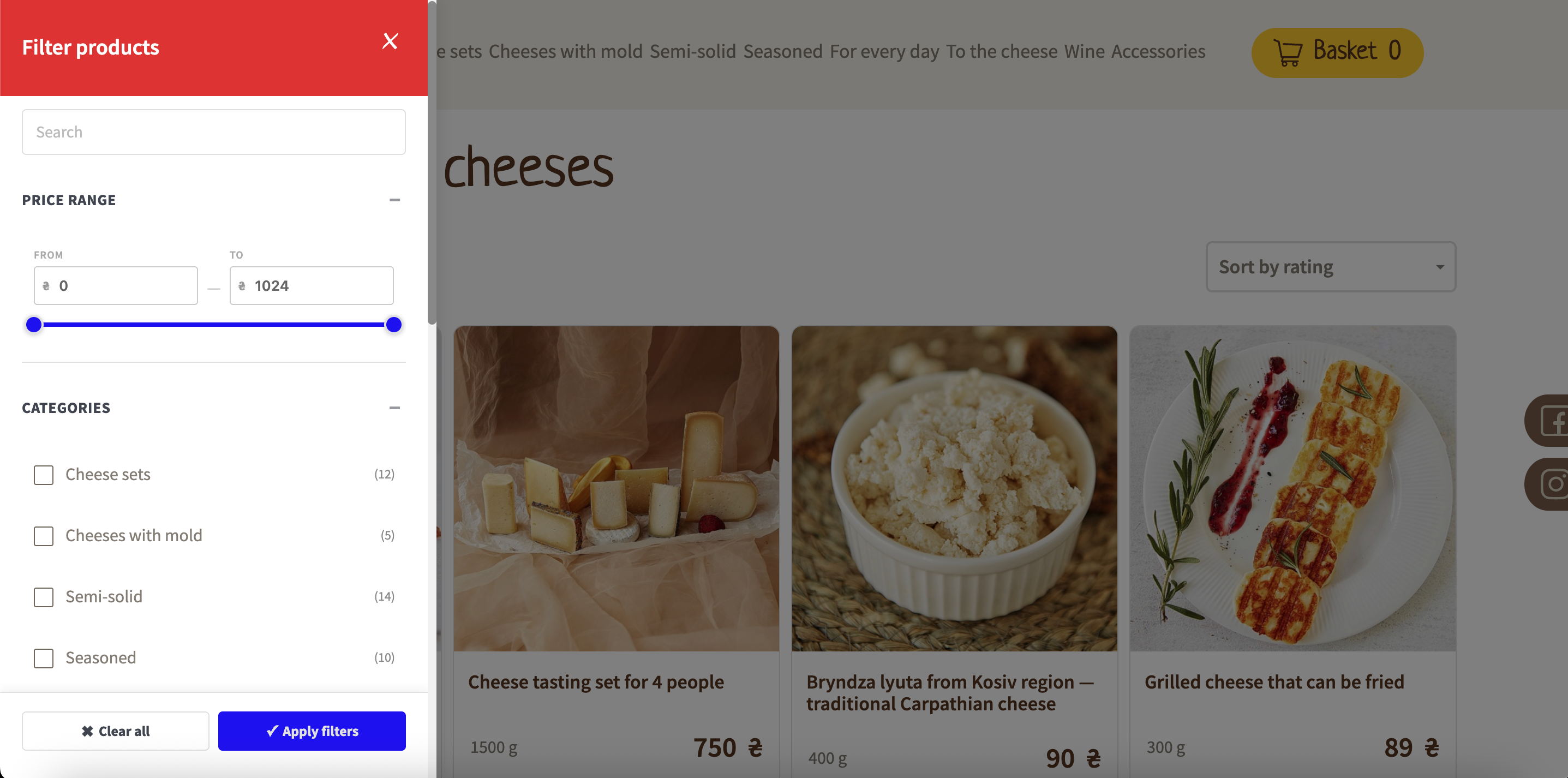
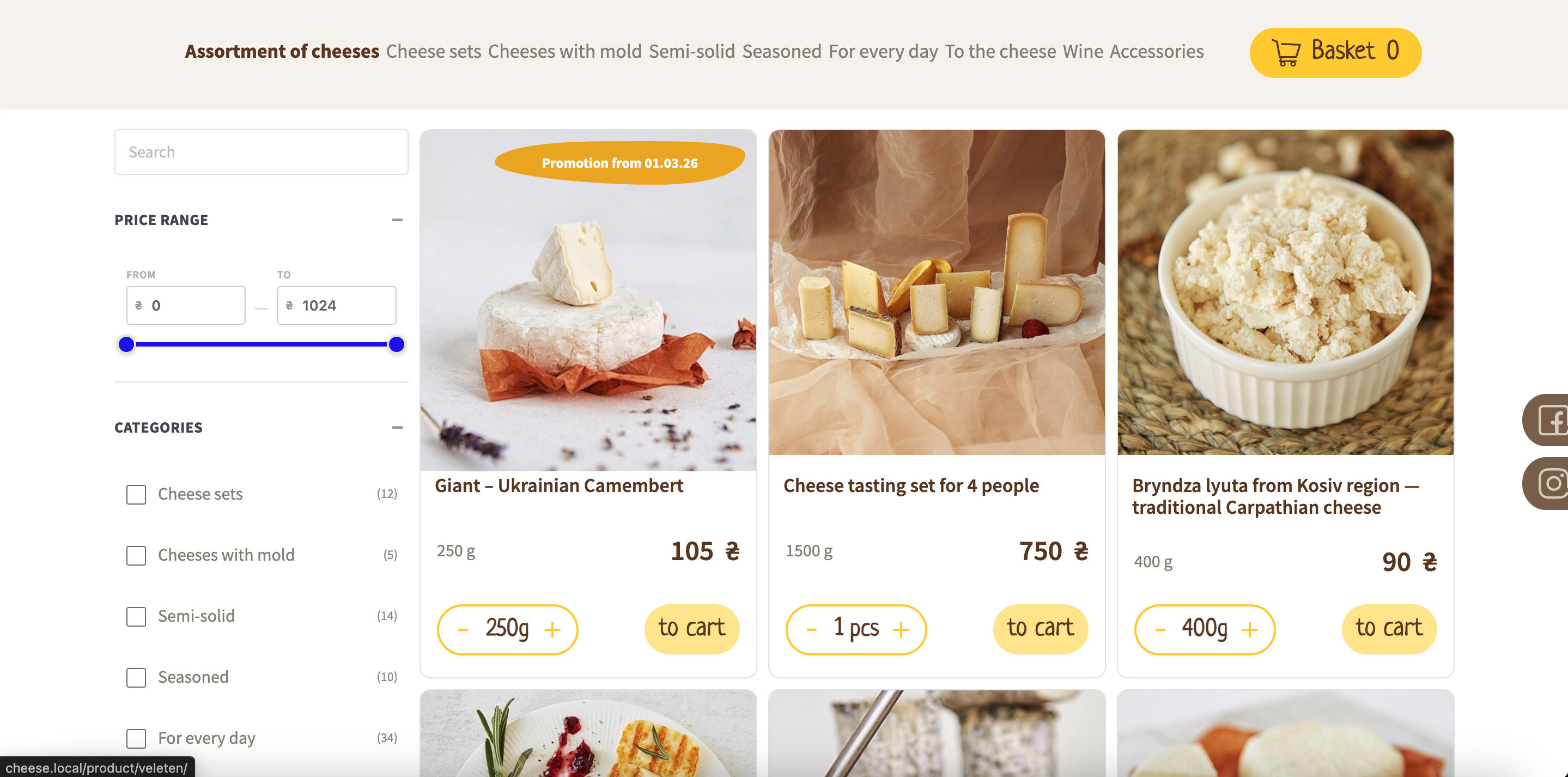
Filterive for WooCommerce adds a product filter to your WooCommerce shop, category and tag pages. Customers can narrow products by category, product attribute and price range, either from a slide-in panel with a floating button or from an inline filter placed in your sidebar (widget or [wcaf_filters] shortcode).
Features
- Slide-in filter panel with overlay, or inline sidebar mode
- Category filtering with subcategory support
- Product attribute filtering (OR within an attribute, AND across attributes)
- Price range slider that adapts to the products on the page
- Keyword search box that filters products by name
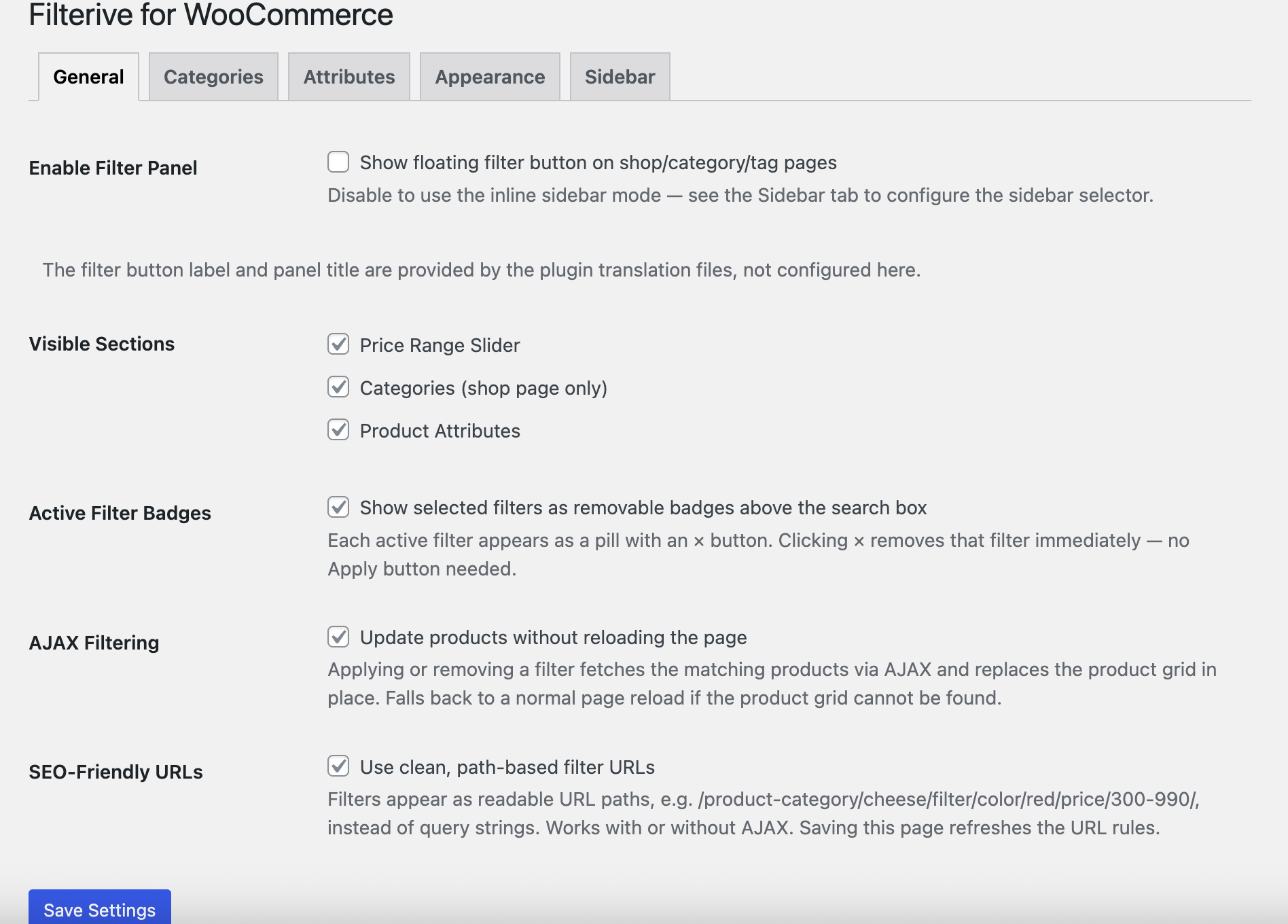
- Active-filter badges that can be removed with one click
- Optional AJAX live filtering — update products without reloading the page
- Optional SEO-friendly URLs (history.pushState) for shareable filtered views
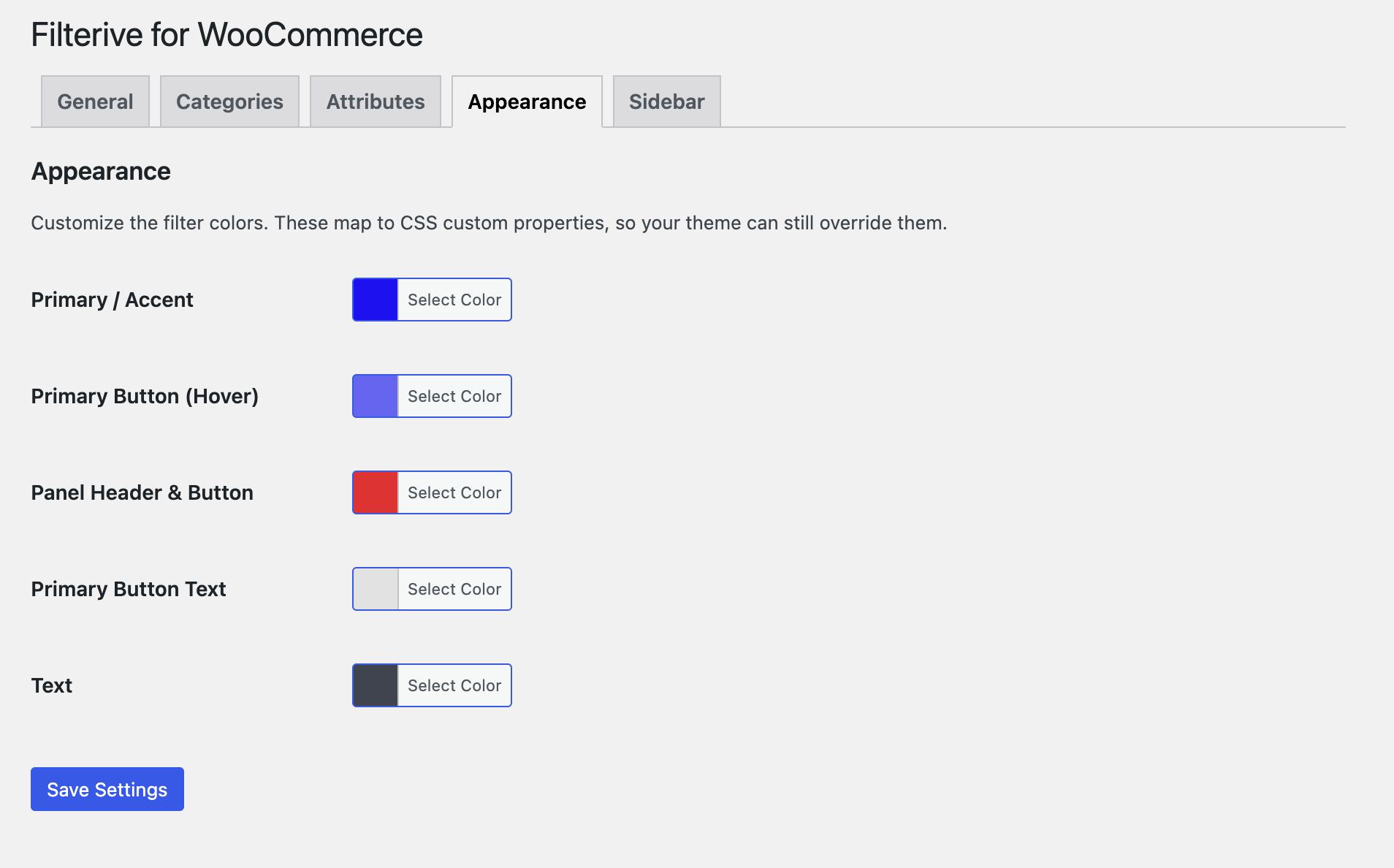
- Color/appearance customizer (CSS custom properties)
- Exclude individual categories or attributes from the filter (admin settings)
- Per-category “hide in filter” toggle and attribute-to-category auto-redirect
- Works with internationalised (non-Latin) attribute slugs
- Accessible markup (ARIA roles, keyboard close, focus handling)
- Fully translatable (POT file included; ships with a Ukrainian translation)
The plugin uses only WordPress core and WooCommerce APIs. It loads no scripts, styles or data from third-party servers.
Filter modes
- Floating panel — a button on shop/category/tag pages opens a slide-in panel.
- Inline / sidebar — disable the panel and the filter is injected into your theme’s sidebar, or place it yourself with the Filterive for WooCommerce widget or the
[wcaf_filters]shortcode.
Skærmbilleder
Installation
- Upload the
filterive-for-woocommercefolder to/wp-content/plugins/, or install the plugin through the Plugins screen in WordPress. - Activate the plugin through the Plugins screen.
- Make sure WooCommerce is installed and active.
- Configure the plugin under WooCommerce Advanced Filters.
FAQ
-
Does this plugin require WooCommerce?
-
Yes. Filterive for WooCommerce extends WooCommerce shop, category and tag pages and does nothing without it. An admin notice is shown if WooCommerce is not active.
-
Turn off Enable Filter Panel under WooCommerce Advanced Filters General, then either add the Filterive for WooCommerce widget to a sidebar or place the
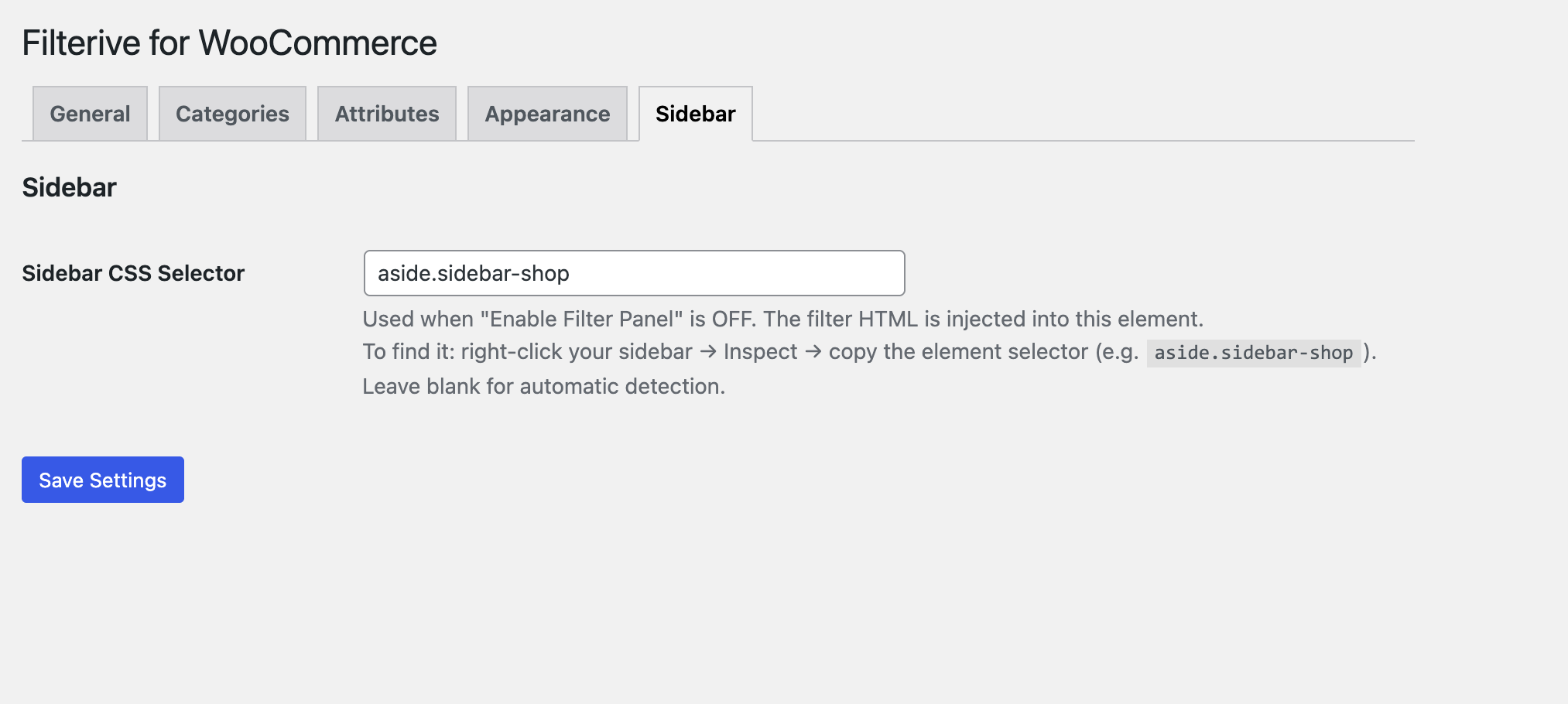
[wcaf_filters]shortcode in a page or block. You can also set a sidebar CSS selector under the Sidebar tab for automatic injection. -
Can I hide a specific category or attribute from the filter?
-
Yes. Use the Categories and Attributes tabs on the settings screen, or the per-category “Hide in Filter Panel” toggle on the category edit screen.
-
Is the plugin translation-ready?
-
Yes. All user-facing strings use the
filterive-for-woocommercetext domain and a POT template is included in/languages. A Ukrainian (uk_UA) translation ships with the plugin.
Anmeldelser

Bidragsydere & udviklere
“Filterive for WooCommerce” er open source-software. Følgende personer har bidraget til dette plugin.
Bidragsydere
Oversæt “Filterive for WooCommerce” til dit eget sprog.
Interesseret i udvikling?
Gennemse koden, tjek SVN repository, eller abonner på udviklerloggen via RSS.
Ændringslog
2.3.2
- Moved the “Support the Plugin” box into a sticky right-hand sidebar on the settings screen.
2.3.1
- Added a “Support the Plugin” box on the settings screen with review and donation links.
2.3.0
- Added a “Show out-of-stock products at the end of the list” setting (Settings General) that keeps out-of-stock products visible but sorts them below the in-stock ones.
2.2.0
- Added an Availability filter to show only in-stock and/or out-of-stock products.
- The availability filter works in AJAX mode and in SEO-friendly URLs, and can be toggled off under Settings General.
- Added a “Show in-stock products only” setting (Settings General) that hides out-of-stock products from all filtered results.
2.1.0
- Added optional AJAX live filtering (update products without a page reload).
- Added optional SEO-friendly URLs via history.pushState (shareable filtered views, Back/Forward support).
- Added an Appearance tab to customize filter colors.
- Added a keyword search box that filters products by name.
2.0.0
- Bundled the price-slider styles locally; the plugin no longer loads any assets from external CDNs.
- No longer disables the block widget editor site-wide; the widget is now safe in the block editor and REST contexts.
- Price values now use the active WooCommerce currency symbol.
- Completed the translation template and added a Ukrainian translation.
- Accessibility and admin settings improvements.
1.0.0
- Initial release.