
Beskrivelse
Foliocast is for artists, designers, photographers, architects and studios who show their work on a WordPress site. It reads your projects, prepares the Instagram posts and publishes them at the planned time, straight from your site. Your computer can stay off.
Main features
- Reads your portfolio: your published projects and their images, whatever your theme. A portfolio on Squarespace, Wix, Webflow, Shopify, Framer, Cargo or Behance can be imported from its public pages.
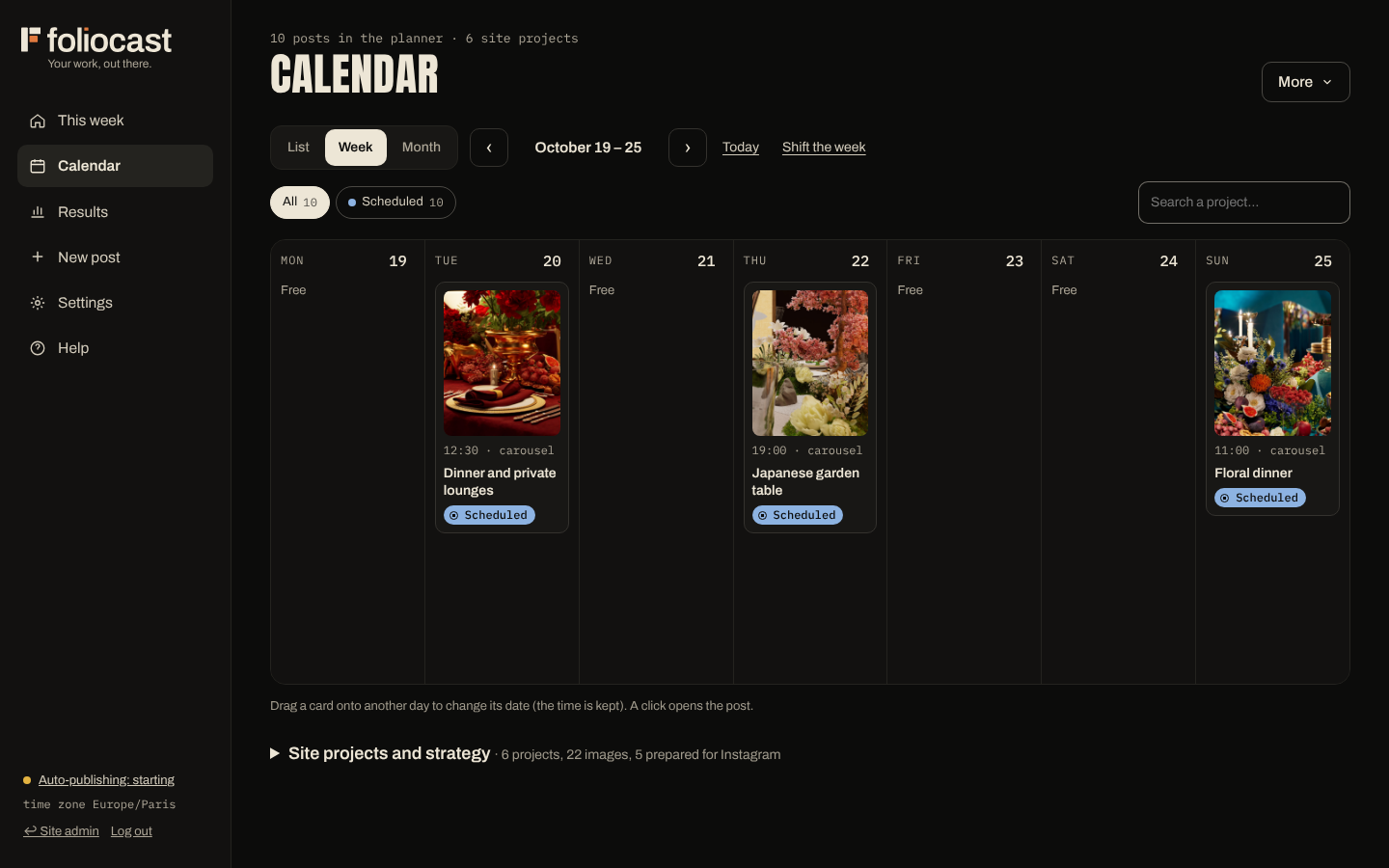
- Plans the feed: a weekly rhythm over the coming weeks, which you review before anything is scheduled.
- Formats the visuals: crops to 4:5, 1:1 or 9:16 around a point of interest, on your own server, with colors converted to sRGB.
- Single images and carousels, with no monthly limit, plus your own videos as Reels.
- Captions and hashtags in 7 languages, with the credits written on the project page, all editable.
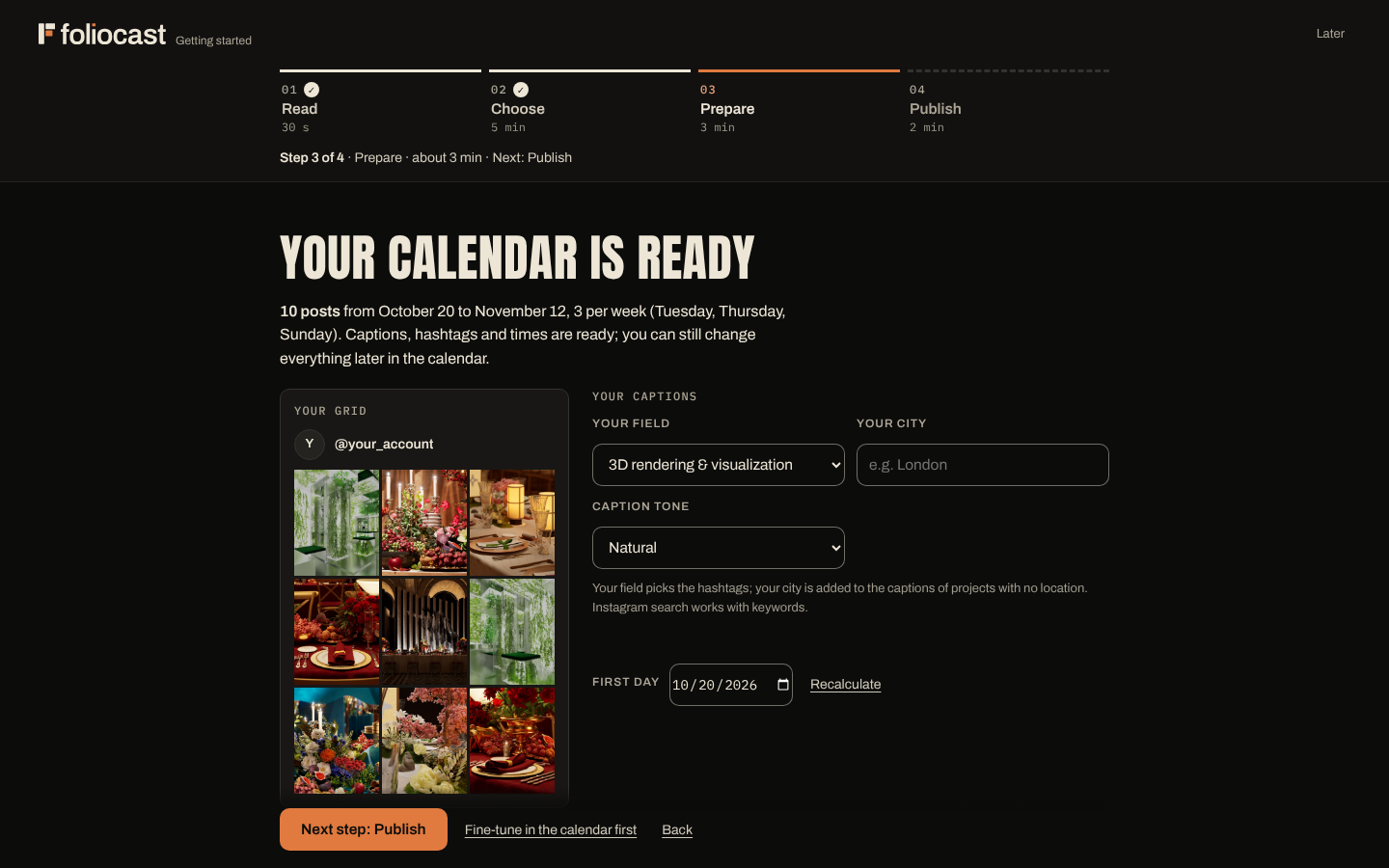
- Grid preview and planner: month view, list on phones, drag a post to another day.
- On-time publishing through the official Instagram API, with a clear status for every post. A post whose sending is uncertain is never sent twice: Foliocast checks your account first.
- Statistics and email alerts: reach and engagement of each post, visits coming from Instagram (counted on your site, no IP address stored), a daily summary and a monthly report.
- Light or dark interface, saved per person, and an installable app for Windows, Mac, Android, iPhone and iPad, served by your own site.
The interface is available in English, French, Spanish, German, Italian, Portuguese and Dutch. Nothing in this plugin is locked or time-limited.
Optional paid plans (Reels made from your images and more) come as a separate plugin that installs next to this one: details on foliocast.fr.
Foliocast is an independent service, not affiliated with or endorsed by Meta. Instagram is a trademark of Meta Platforms, Inc.
Requirements
- A professional Instagram account (Creator or Business, free to switch in the Instagram app).
- A WordPress site reachable on the internet (Instagram downloads the images from it).
- For posts exactly on time: on-time publishing by Foliocast (one click, free) or a cron job at your host. Otherwise WordPress’s scheduler runs when someone visits your site.
External services
This plugin connects to the following third-party services. Nothing is sent before you connect an account or enable the feature.
Instagram API (Meta)
Used to publish your posts and read your account details and post statistics. Requests go from your site to graph.instagram.com (or to graph.facebook.com if you pasted an access token made with Facebook login, for an Instagram account linked to a Facebook Page).
- When: when you connect your Instagram account, when a post is published, when the app shows your live Instagram grid or checks whether a published post still exists, when the access token is renewed (about every 50 days) and when the statistics of a post are refreshed (during its first 30 days: every 3 hours at first, then every 12 hours, then every 2 days).
- What is sent: your Instagram access token and account ID, the public addresses of the images or videos to publish, the caption and the alternative text of each image.
- Instagram Terms of Use: https://help.instagram.com/581066165581870
- Meta Privacy Policy: https://www.facebook.com/privacy/policy/
Foliocast Connect (foliocast.fr)
Used only for the “Connect with Instagram” button: it lets you log in on Instagram’s official page without creating your own Meta developer app. It is run by the author of this plugin.
- When: only when you click “Connect with Instagram”. The plugin first checks that the service is available (a request to
foliocast.fr/connect/healthwith no data from your site; a positive answer is remembered for one day, a failure for one hour, and in the meantime no new check is made), then opens the service’s login page. Opening the setup assistant sends nothing. - What is sent: the address of your site and a one-time security code. Instagram sends your access token to the service, which hands it straight to your site; it is kept encrypted for 5 minutes at most for that handover, then deleted.
- Tester invitation: while Meta reviews the Foliocast app, only accounts invited as Instagram testers can connect. If you fill in the “Request my invitation” form shown after clicking “Connect with Instagram”, the plugin sends the email address and Instagram account name you typed, your site’s host name and the interface language to
foliocast.fr/connect/invite, so that the team can invite your account and email you the steps. Nothing is sent if you do not fill in the form. - Terms: https://foliocast.fr/cgu.html
- Privacy policy: https://foliocast.fr/privacy.html (in French: https://foliocast.fr/confidentialite.html)
You can also connect Instagram without this service, by pasting an access token from your own Meta app in Settings.
Foliocast Pulse (foliocast.fr, optional)
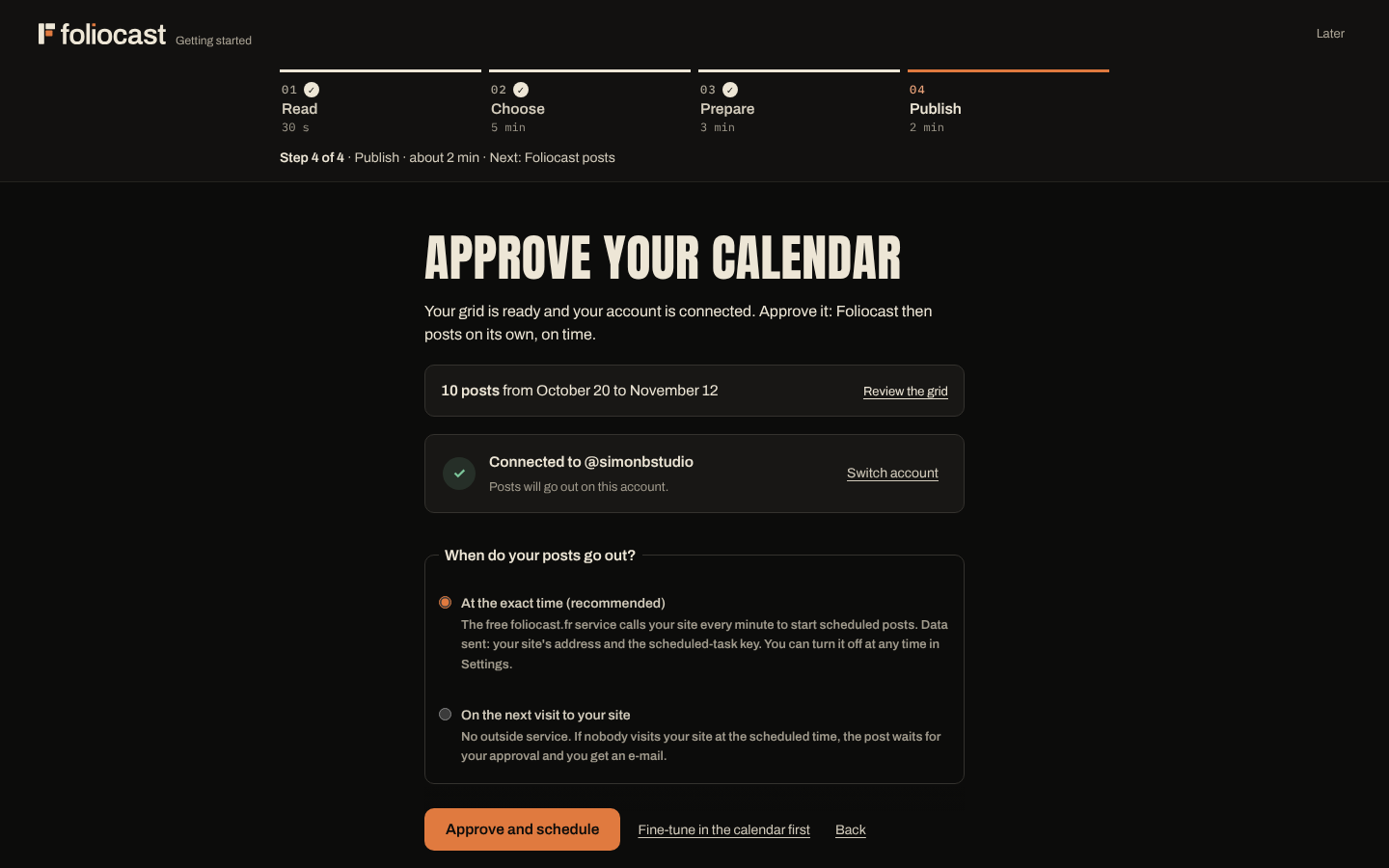
Used only if you choose “At the exact time” in the last step of the setup assistant, or click “Turn on on-time publishing” in Settings Automatic publishing. The service calls your site every minute so that scheduled posts go out on time without a cron job at your host. It is run by the author of this plugin. With a paid plan add-on, it turns on by itself when your site (HTTPS only) has no cron job, unless you chose “On the next visit to your site”; you can turn it off in Settings.
- When: when you turn it on or off, when you create a new scheduled-task key while it is on (the service receives the new key), when you open Settings while it is on (status check, remembered for 10 minutes), and when you deactivate or delete the plugin while it is on (your site is removed from the service). Then the service calls your site’s check address every minute.
- What is sent: your site’s address, its check address (/wp-json/foliocast/v1/tick), the scheduled-task key, which only allows starting that check, and the plugin version. Turning it off, deactivating or deleting the plugin deletes this data from the service.
- Terms: https://foliocast.fr/cgu.html — Privacy policy: https://foliocast.fr/privacy.html
Your portfolio on another site (optional)
Only if you choose to import a portfolio that is not on this WordPress site.
- When: when you paste its address in the setup assistant, then once a day to look for new projects.
- What is requested: the public pages, sitemap, feed and images of the address you entered, from your own site, with the user agent
FoliocastReader. Nothing about you or your visitors is sent. A site can refuse it withUser-agent: FoliocastReaderandDisallow: /in its robots.txt. - More: https://foliocast.fr/robot.html
Cloudinary (optional)
Only if you enter your own Cloudinary credentials in Settings. Cloudinary then hosts the images and videos at publishing time, and converts videos to the 9:16 Reel format when your server cannot.
- When: when you save your Cloudinary credentials (a check of the credentials), when a post is published (upload, then deletion of the copy once Instagram has it), and when you import a video while Cloudinary is connected.
- What is sent: the image or video file, signed with your Cloudinary API key.
- Cloudinary Terms of Use: https://cloudinary.com/tos
- Cloudinary Privacy Policy: https://cloudinary.com/privacy
Credits
- Demo images (assets/demo): original artworks made for the Foliocast demo, GPL-2.0-or-later.
- Fonts, served by the plugin itself (nothing is loaded from another site), SIL Open Font License 1.1: Instrument Sans (fonts/OFL.txt), Anton, Archivo and IBM Plex Mono (assets/app/fonts/OFL.txt and assets/app/fonts/archivo-OFL.txt).
Source code
All JavaScript and CSS is shipped unminified. assets/app/app.js is the files of assets/app/src/ put end to end (cat i18n.js app.js reels.js learn.js results.js system.js ui.js onboard.js help.js growth.js > ../app.js, see assets/app/src/README.md); every other script and style sheet is its own source. No third-party library is bundled.
Skærmbilleder
Installation
- Install and activate the plugin from Plugins Add New.
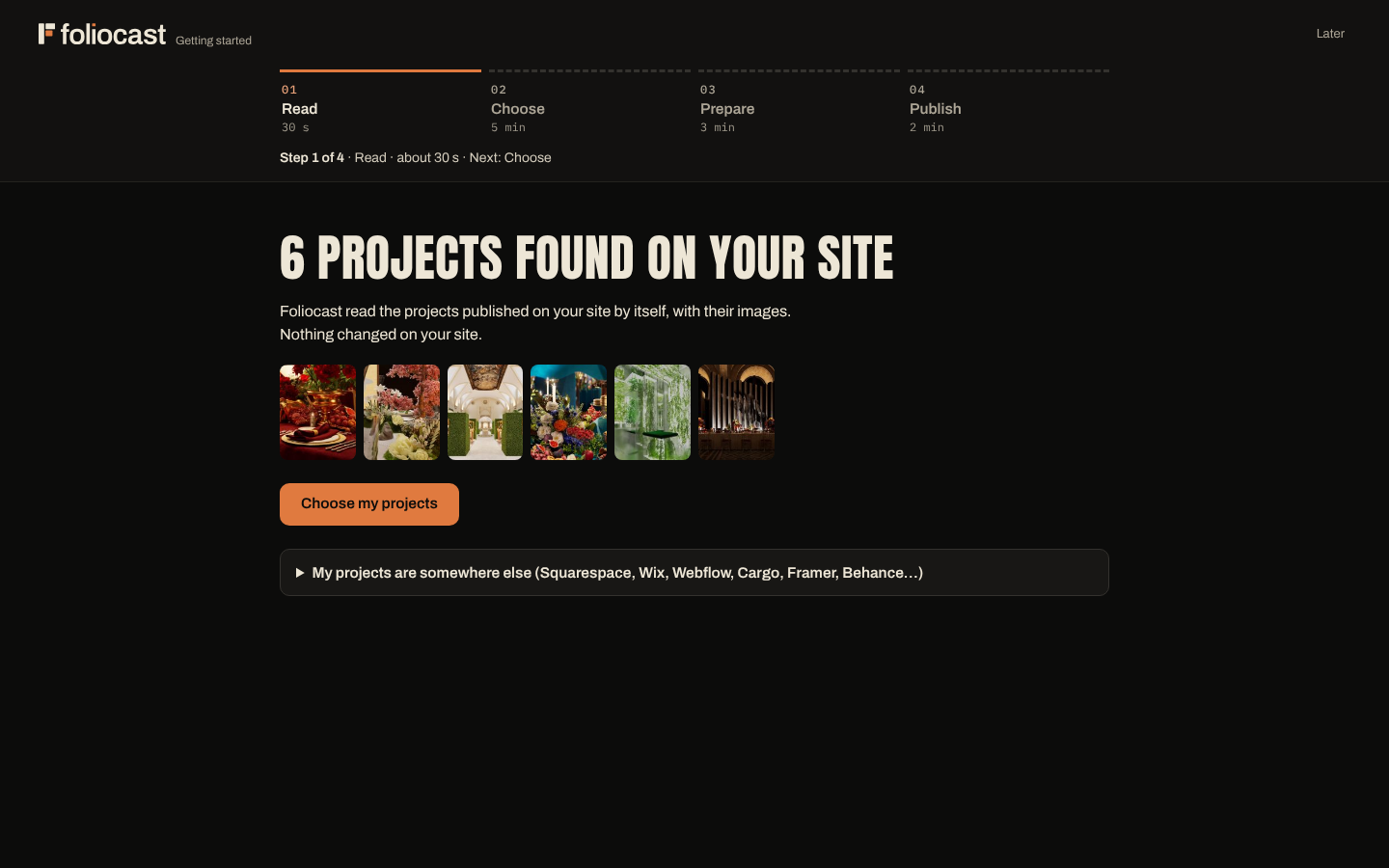
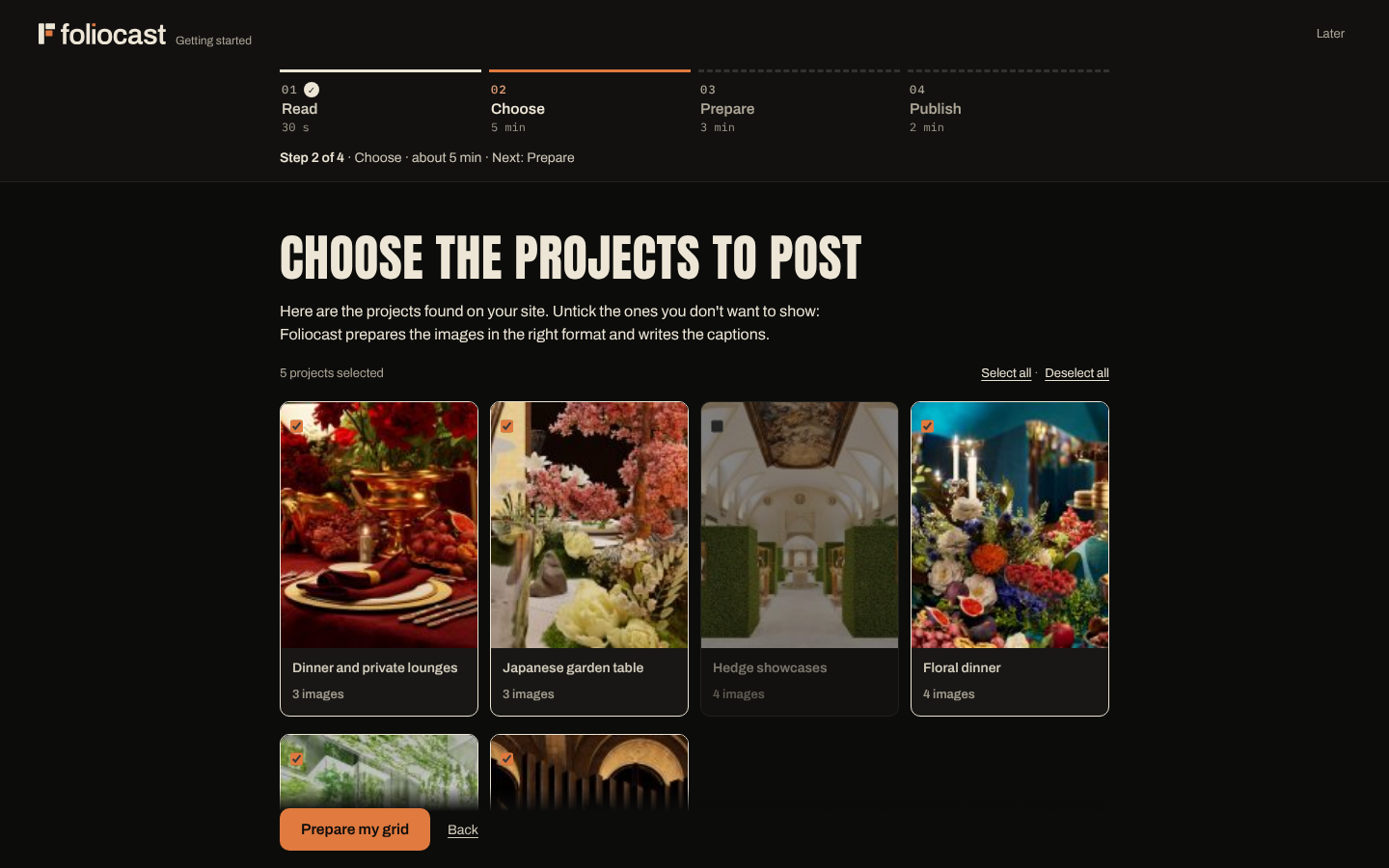
- Open Foliocast in the admin menu: the setup assistant reads your projects, lets you choose them, prepares the posts, then connects Instagram.
- In Settings Automatic publishing, click Turn on on-time publishing (or add the cron command shown there).
FAQ
-
Does my Instagram account need to be professional?
-
Yes, Instagram only lets applications publish for Creator or Business accounts. Switching is free in the Instagram app.
-
Where are my data stored?
-
On your own site; the Instagram access token is stored encrypted. Removing the plugin keeps your data unless you tick “Delete all data when uninstalling” in Settings Show all Maintenance. To keep the encryption key out of the database, define
FOLIOCAST_ENCRYPTION_KEY(32 characters or more) inwp-config.php, then connect Instagram again. -
My posts are published late.
-
Turn on on-time publishing in Settings Automatic publishing, or add the cron command shown there (every minute).
-
My portfolio is not on WordPress.
-
Install Foliocast on any WordPress site, then paste your portfolio’s address in the setup assistant. Your portfolio itself is not changed.
-
Does Foliocast add anything to my captions?
-
Only what you set up. The optional #foliocast mention stays off unless you choose it, and can be turned off at any time.
-
Is Foliocast affiliated with Instagram or Meta?
-
No. It publishes through the official Instagram API, only to the account you connect.
Anmeldelser
Der er ingen anmeldelser for denne widget.
Bidragsydere & udviklere
“Foliocast – Portfolio Post Scheduler” er open source-software. Følgende personer har bidraget til dette plugin.
Bidragsydere

Oversæt “Foliocast – Portfolio Post Scheduler” til dit eget sprog.
Interesseret i udvikling?
Gennemse koden, tjek SVN repository, eller abonner på udviklerloggen via RSS.
Ændringslog
3.2.0
- New interface: a sidebar with four spaces (This week, New post, Planner, Results), Settings and Help at the bottom, a scrolling row of spaces on phones.
- Light theme by default and a reworked dark theme; new default accent color (a color you chose is kept).
- This week says in one sentence what waits for you: posts to approve as cards (approve, edit day, time and caption, later), “Approve all until …” with Undo, next post and the seven days.
- Planner opens on the month (a list on phones), with a “Move” button on each post, and a legend of statuses. Statuses read as a shape and a word, never color alone.
- Results titles come from your figures. Settings use segmented choices and switches.
- The interface fonts are served by the plugin (Archivo variable font added).
- The paid plans card is shorter and dated offers are gone.
2.21.2
- Safer publishing: when you redo a post that may already be on Instagram (“to check”), with its hashtags in the first comment, or paste its caption into another scheduled post, Foliocast first asks “Already online?” and checks your account before sending.
- The “On hold” email no longer announces a new attempt that will not happen.
- Keyboard: the Tab key stays inside dialogs and reaches every focusable element, never one taken out of the tab order.
- The app reads its routes only from the address, never from the content of a request.
- Wording of the paid plans updated (Reels of 15 to 30 seconds).
Older versions: see changelog.txt in the plugin folder.