

Beskrivelse
Plugin Features
- Easy to use.
- Modals Button in Editor.
- TinyMCE Button added for generating Shortcode.
- Customizable.
Demo
Skærmbilleder


Installation
Installation
- Upload ‘tcbd-modals’ folder to the ‘/wp-content/plugins/’ directory.
- Activate the plugin through the ‘Plugins’ menu in WordPress.
How to use?
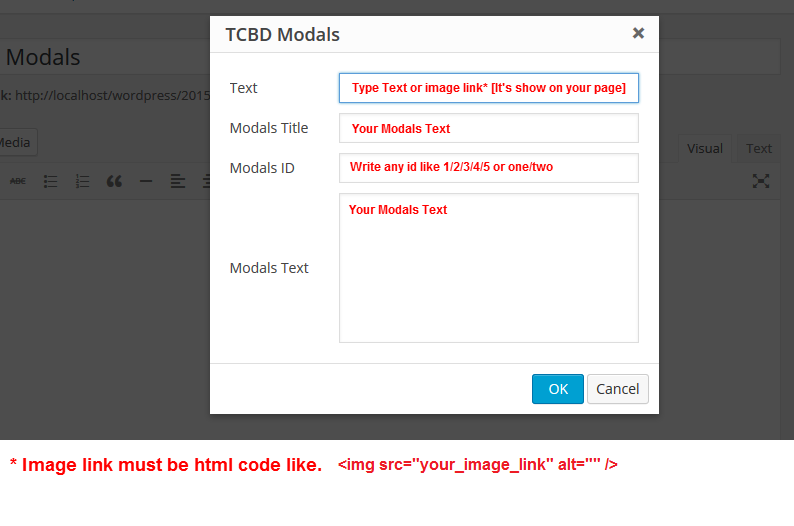
- Button: You find TCBD Modals button in Editor. Just Click what you want and fill information.Than just click OK.
Custom use: Just use rel attribute in anchor or span. Example code is given below.
[tcbd-modals id=”modals_one” title=”TCBD Modals” text=”Lorem ipsum dolor sit amet, consectetuer adipiscing elit, sed diam nonummy nibh euismod tincidunt ut laoreet dolore magna aliquam erat volutpat. Ut wisi enim ad minim veniam” place=”top”]Click ME![/tcbd-modals]
FAQ
- For more questions or help, contact me.
Anmeldelser
Der er ingen anmeldelser for denne widget.
Bidragsydere & udviklere
“TCBD Modals” er open source-software. Følgende personer har bidraget til dette plugin.
Bidragsydere
Oversæt “TCBD Modals” til dit eget sprog.
Interesseret i udvikling?
Gennemse koden, tjek SVN repository, eller abonner på udviklerloggen via RSS.
Ændringslog
1.0
- Initial release
1.0
- Add Modals ID. So, Now any one can use unlimited modals in same page.