
Beskrivelse
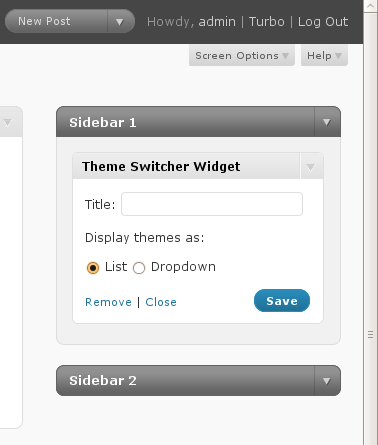
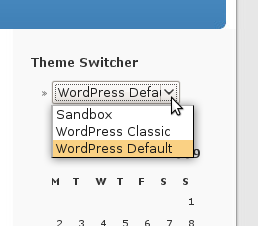
Allow users to switch which theme they use on your WordPress, WordPress MU, or BuddyPress site. Includes a widget for easily putting the theme-switcher as a list or dropdown in your sidebar.
Skærmbilleder
Installation
- Download and extract the
theme-switcherplugin file. - Upload the
theme-switcherdirectory to the/wp-content/plugins/directory. - Activate the plugin under the ‘Plugins’ menu in the WordPress admin.
- Add the “Theme Switcher” widget to one of your widgetized sidebars, or call
wp_theme_switcher()directly.
FAQ
- How do I print the Theme Switcher markup without using widgets?
-
You can call
wp_theme_switcher()directly. Callingwp_theme_switcher()alone (no arguments) will print a list of themes; callingwp_theme_switcher('dropdown')will print a dropdown of themes.
Anmeldelser
Der er ingen anmeldelser for denne widget.
Bidragsydere & udviklere
“Theme Switcher” er open source-software. Følgende personer har bidraget til dette plugin.
Bidragsydere

Oversæt “Theme Switcher” til dit eget sprog.
Interesseret i udvikling?
Gennemse koden, tjek SVN repository, eller abonner på udviklerloggen via RSS.