
Beskrivelse
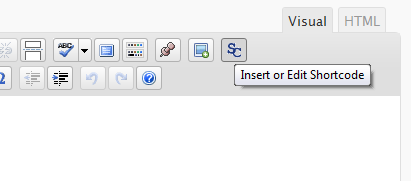
The Generic WP Shortcode Editor plugin gives to TinyMCE the ability to create or edit shortcodes in a visual way, instead of editing the code directly.
Skærmbilleder

Installation
- Upload the entire folder
shortcode-editorto the/wp-content/plugins/directory - Activate the plugin through the ‘Plugins’ menu in WordPress
- Search for the [SC] button in TinyMCE toolbar
FAQ
- There are other plugins that adds buttons to manipulate shortcodes. Is this a problem?
-
Some plugins that work with shortcodes adds their own buttons to TinyMCE and we try to respect it, using a lower priority when adding the TinyMCE hooks.
- When editing, we can see the`sc_id` property in all shortcodes. What is this?
-
This property is used internally by the plugin and it is removed from all shortcodes when you submit the form.
Anmeldelser
Der er ingen anmeldelser for denne widget.
Bidragsydere & udviklere
“TinyMCE Generic WP Shortcode Editor” er open source-software. Følgende personer har bidraget til dette plugin.
Bidragsydere
Oversæt “TinyMCE Generic WP Shortcode Editor” til dit eget sprog.
Interesseret i udvikling?
Gennemse koden, tjek SVN repository, eller abonner på udviklerloggen via RSS.
Ændringslog
1.0
First release.