

Beskrivelse
VeloIMG generates WebP and AVIF directly on your WordPress hosting while keeping original JPG and PNG files unchanged.
No external image CDN is required for image delivery. Your optimized images stay on your own hosting, without dependency on a third-party image optimization platform, account limits, API keys, service availability, or access restrictions.
All current VeloIMG features are available free.
Why VeloIMG?
- Local WebP and AVIF generation and delivery — no external image CDN required.
- No account, API key, subscription, or paid feature tiers.
- Original JPG and PNG files remain untouched.
- Safe delivery chains with AVIF, WebP, and original-image fallback.
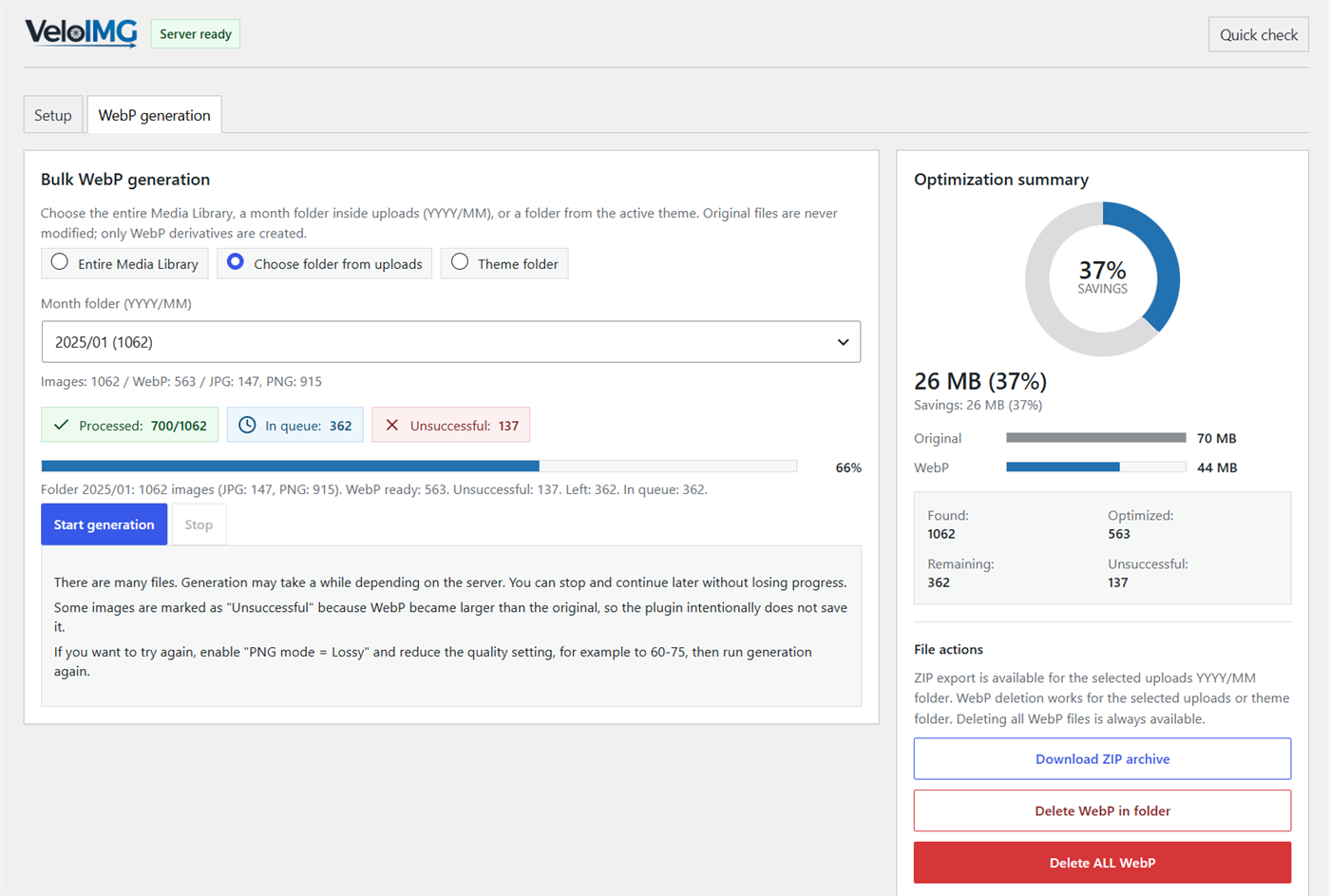
- Bulk generation for the full Media Library, monthly uploads folders, and selected theme folders.
- Pause and continue long generation runs.
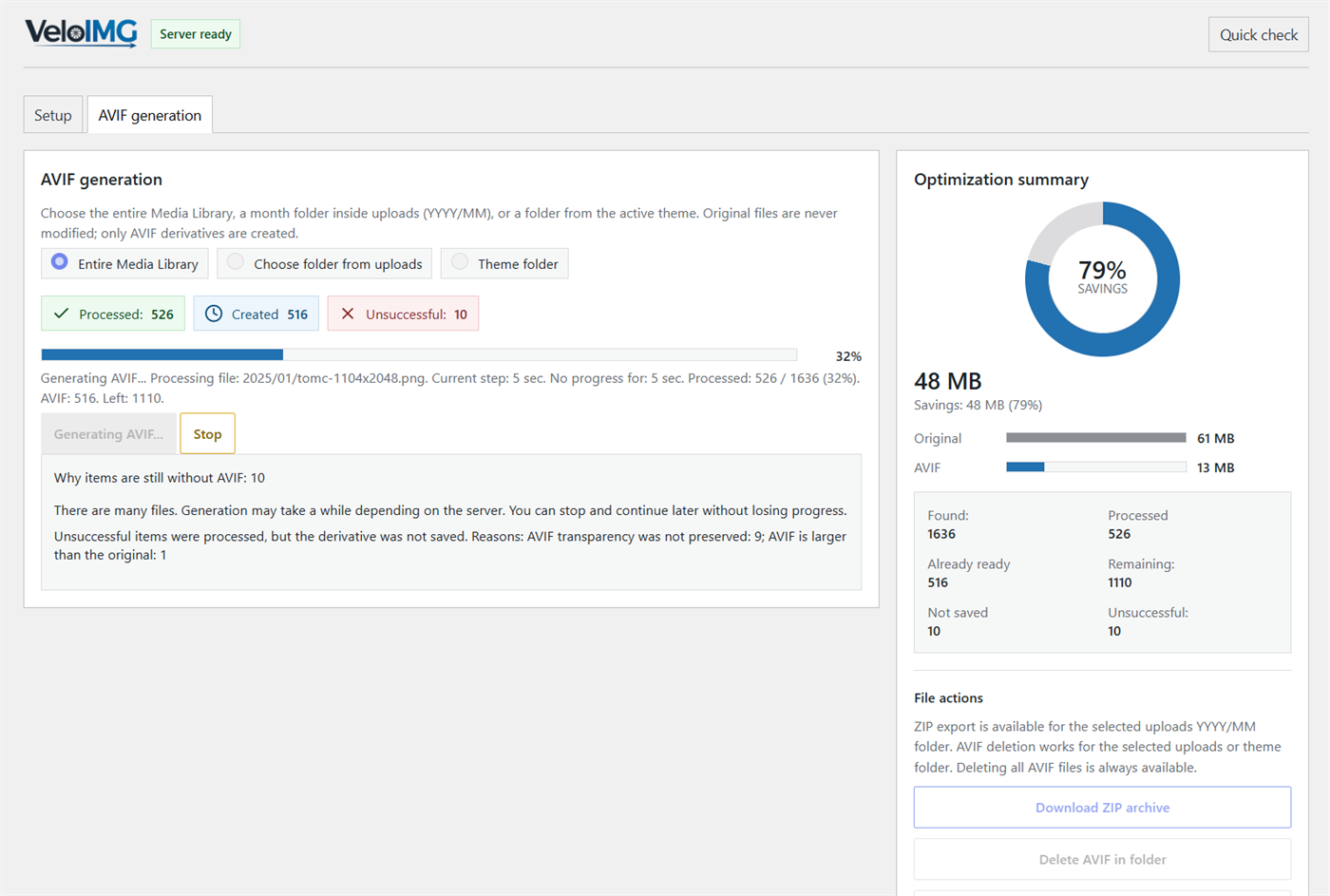
- Separate WebP and AVIF processing with clear statistics and failed-file reasons.
- Generated files are not used when they are invalid, outdated, lose transparency where that matters, or are larger than the original under the selected rule.
Main features:
- WebP generation for uploads and selected theme folders.
- AVIF generation for uploads and selected theme folders.
- Separate WebP and AVIF dashboards, queues, runtime states, and statistics.
- Bulk generation with stop and continue controls.
- Background continuation through WP-Cron and non-blocking self-dispatch where available.
- Automatic generation for newly uploaded media when enabled.
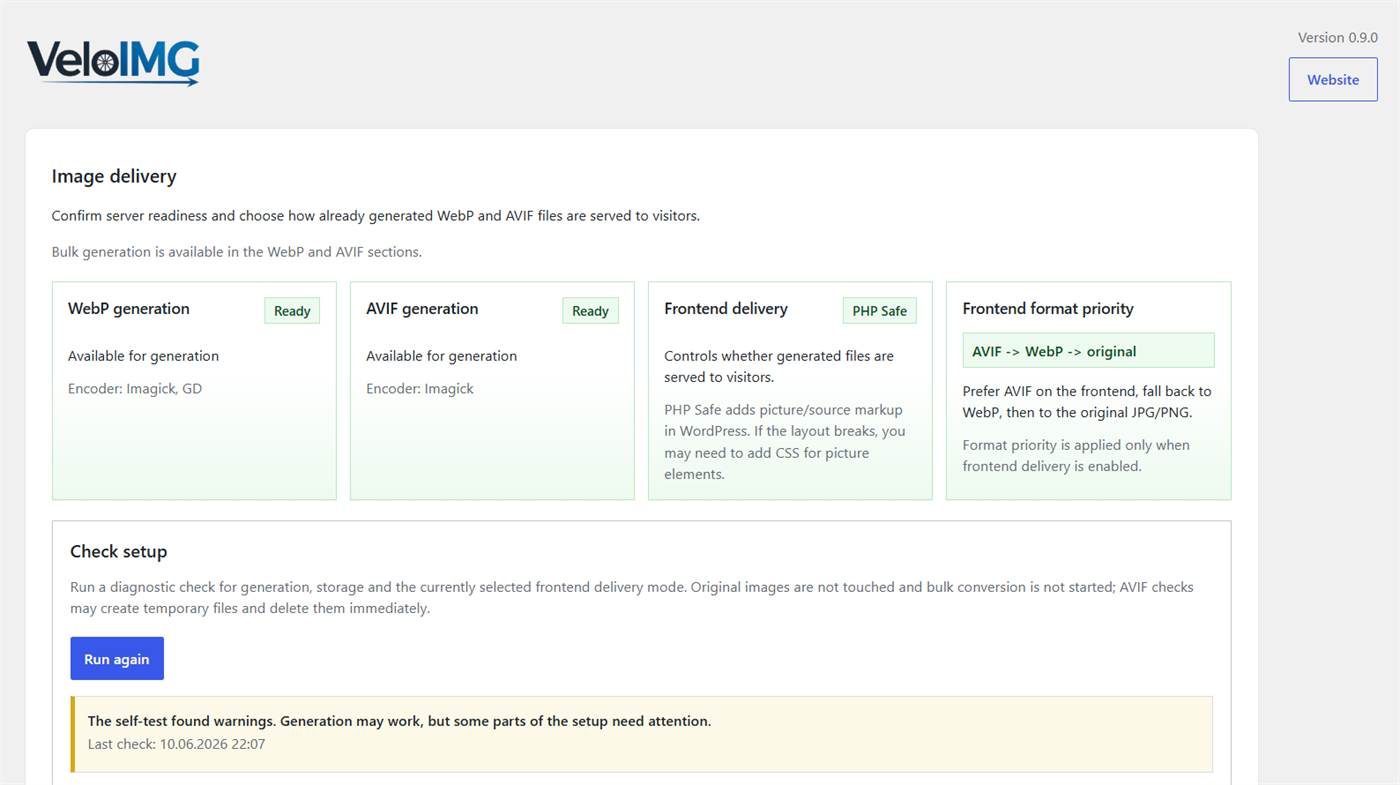
- Frontend delivery strategies: AVIF -> WebP -> original, WebP -> AVIF -> original, AVIF only -> original, and WebP only -> original.
- PHP Safe delivery that adds picture/source markup.
- Apache/LiteSpeed delivery that keeps HTML unchanged and serves generated files through uploads/.htaccess when the browser accepts them.
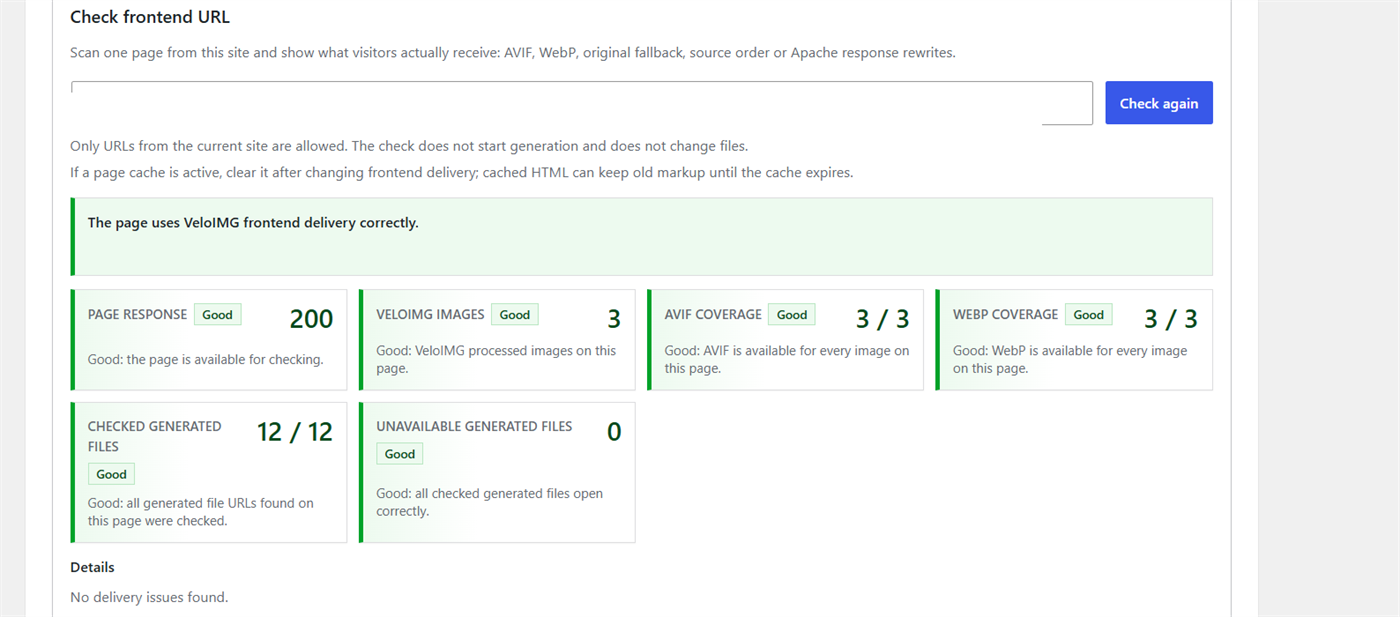
- Diagnostics for encoders, derivative storage, transparency handling, frontend output, and broken derivative URLs.
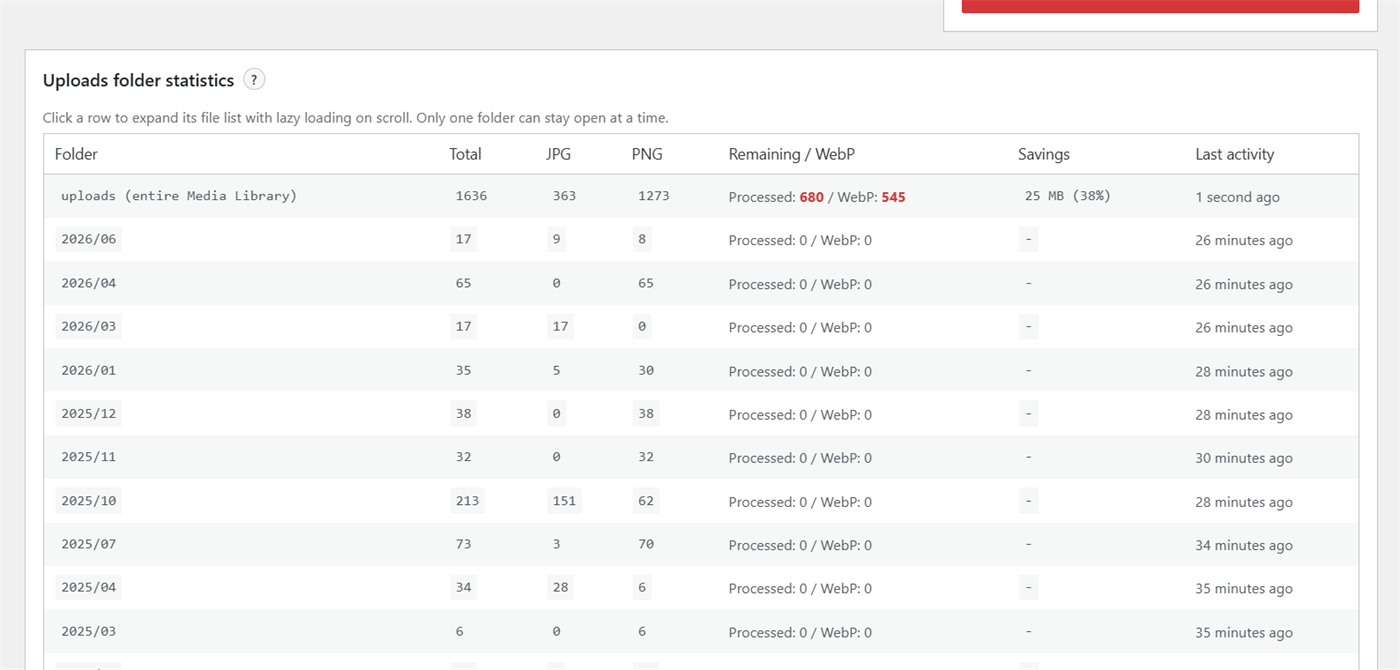
- Folder-level statistics, file lists, ZIP download for selected uploads folders, and safe deletion of generated derivatives.
VeloIMG is designed for sites with many images. It avoids modifying originals and does not serve generated files when the derivative is invalid, outdated, or larger than the original where that rule applies.
Requirements
- WordPress 6.9 or newer.
- PHP 7.4 or newer.
- Imagick or GD with WebP support for WebP generation.
- Imagick or GD with AVIF support for AVIF generation.
- Writable uploads directory.
- WP-Cron or a real server cron for reliable background continuation.
- Apache or LiteSpeed with writable uploads/.htaccess for Apache/LiteSpeed delivery mode.
If AVIF generation is not available on the server, WebP generation and WebP delivery can still be used.
Skærmbilleder
Installation
- Upload the plugin files to the
/wp-content/plugins/veloimg/directory, or install the plugin through the WordPress plugins screen. - Activate the plugin through the Plugins screen in WordPress.
- Open VeloIMG in the WordPress admin menu.
- Run the setup checks on the main page.
- Configure frontend delivery and format priority.
- Generate WebP and/or AVIF files from the WebP and AVIF sections.
FAQ
-
Does VeloIMG change original images?
-
No. Original JPG and PNG files are not modified. VeloIMG writes derivative files into the uploads derivative storage.
-
What happens if AVIF is not supported by the browser?
-
It depends on the selected strategy. For example, with AVIF -> WebP -> original, the browser receives AVIF when possible, then WebP, then the original image.
-
What is PHP Safe delivery?
-
PHP Safe delivery rewrites WordPress image markup into picture/source markup and lets the browser choose supported generated formats.
-
What is Apache/LiteSpeed delivery?
-
Apache/LiteSpeed delivery keeps HTML unchanged and uses rules in uploads/.htaccess to serve generated AVIF or WebP files according to the browser Accept header and the selected format strategy.
-
Why are some files marked as unsuccessful?
-
VeloIMG records a reason when generation fails or a derivative is intentionally not saved. Common reasons include missing encoder support, unreadable source files, invalid generated files, transparency loss during AVIF conversion, or a generated file being larger than the original.
-
Why are transparent PNG files sometimes not saved as AVIF?
-
Some server AVIF encoders can remove transparency. VeloIMG checks this case and does not save an AVIF file when transparency would be lost.
-
Can I stop generation and continue later?
-
Yes. Bulk generation can be stopped and continued. Progress is stored so already processed files do not need to be processed again unless files are deleted or regenerated.
-
Can WebP and AVIF generation run at the same time?
-
Yes. WebP and AVIF use separate generation flows. On limited shared hosting, running them one after another is recommended to reduce server load.
-
Does VeloIMG delete generated files?
-
Only when you explicitly use the delete controls. Deleting derivatives does not delete original images.
Anmeldelser
Der er ingen anmeldelser for denne widget.
Bidragsydere & udviklere
“VeloIMG – WebP & AVIF Image Optimizer” er open source-software. Følgende personer har bidraget til dette plugin.
Bidragsydere
Oversæt “VeloIMG – WebP & AVIF Image Optimizer” til dit eget sprog.
Interesseret i udvikling?
Gennemse koden, tjek SVN repository, eller abonner på udviklerloggen via RSS.
Ændringslog
0.9.0
- Added separated WebP and AVIF bulk generation flows.
- Added AVIF generation for uploads and selected theme folders.
- Added AVIF auto-generation for new uploads.
- Added frontend delivery strategies for AVIF/WebP/original fallback order.
- Added PHP Safe delivery for AVIF and WebP picture/source markup.
- Added Apache/LiteSpeed delivery through uploads/.htaccess.
- Added diagnostics for server readiness, derivative storage, encoders, transparency handling, and frontend URL checks.
- Added folder statistics, ZIP export for selected uploads folders, and generated-file deletion controls.
- Improved background continuation and generation performance for large media libraries.
- Improved AVIF failure reasons and skipped-file reporting.
- Removed the experimental dark admin skin.