

Beskrivelse
This plugin adds feature to edit/change user username.
Features:
- Edit Username: Allows editing of usernames.
- Only users with the
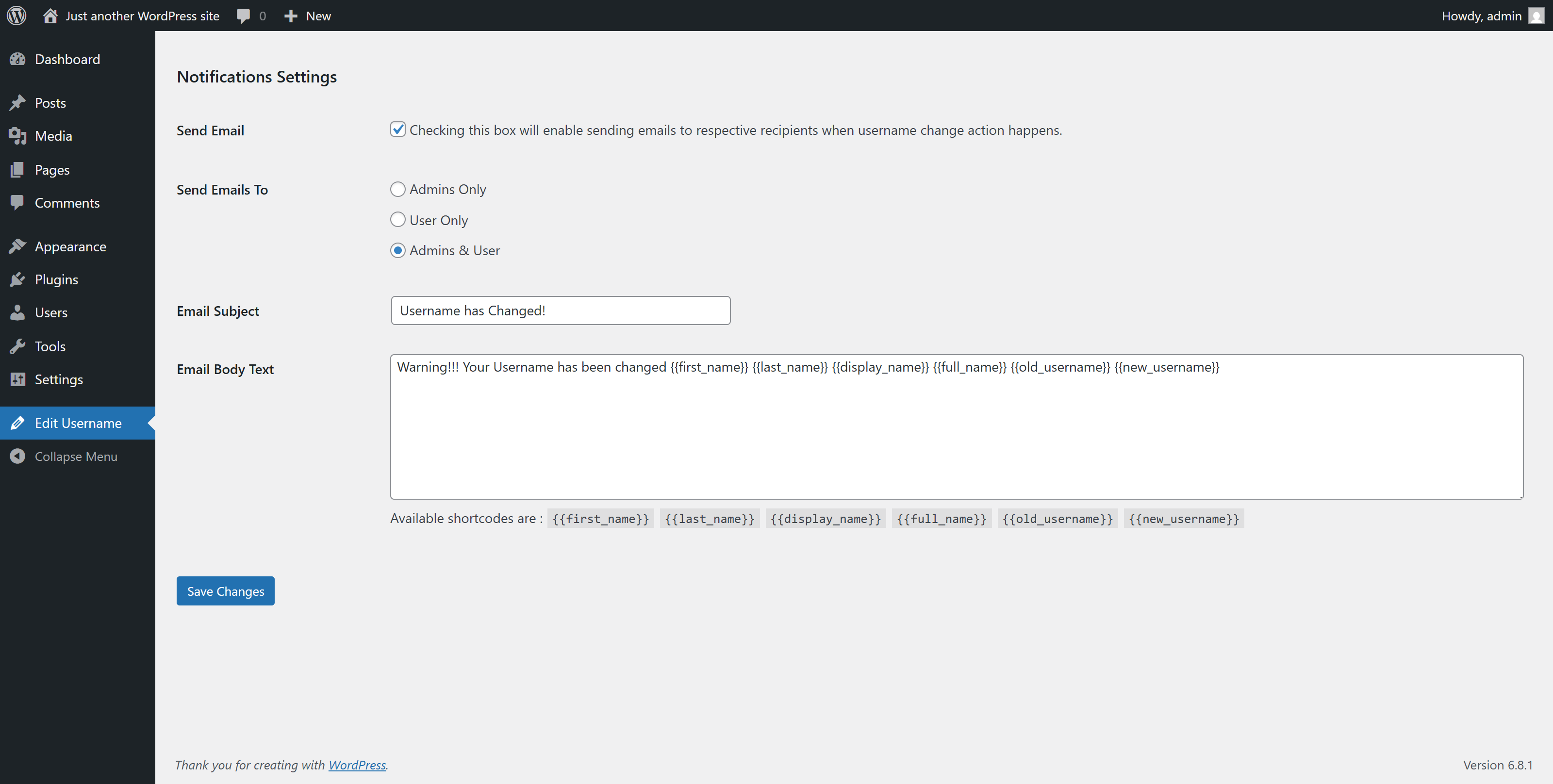
edit_other_users()capability can change usernames. - If the “Send Email” option is enabled, the user will receive a notification email when their username is changed.
- You can customize the email subject and body text in the admin dashboard or via filter hooks.
- Modify the email subject using the filter:
wpeu_email_subject. - Modify the email headers using the filter:
wpeu_email_headers. - Adjust the email body content using the filter
wpeu_email_body. (Note:$new_usernameand$old_usernameare automatically prepended to the email content).
Hooks Usage:
<?php

add_filter( 'wp_username_changed_email_subject', 'change_email_subject' );

function change_email_subject( $subject )
{
    $subject = 'Your customized subject';

    return $subject;
}

add_filter( 'wp_username_changed_email_body', 'change_email_body' );

function change_email_body( $old_username, $new_username )
{
    $email_body = "Your custom email text body.";

    return $email_body;
}

?>
Skærmbilleder
Installation
To add a WordPress Plugin using the built-in plugin installer:
Go to Plugins > Add New.
- Type in the name “WP Edit Username” in Search Plugins box
- Find the “WP Edit Username” Plugin to install.
- Click Install Now to begin the plugin installation.
- The resulting installation screen will list the installation as successful or note any problems during the install. If successful, click Activate Plugin to activate it, or Return to Plugin Installer for further actions.
To add a WordPress Plugin from GitHub repo / plugin zip file : 1. Go to WordPress plugin page 2. Click Add New & Upload Plugin 3. Drag / Click upload the plugin zip file 4. The resulting installation screen will list the installation as successful or note any problems during the install. If successful, click Activate Plugin to activate it, or Return to Plugin Installer for further actions.
FAQ
-
How to use this plugin?
-
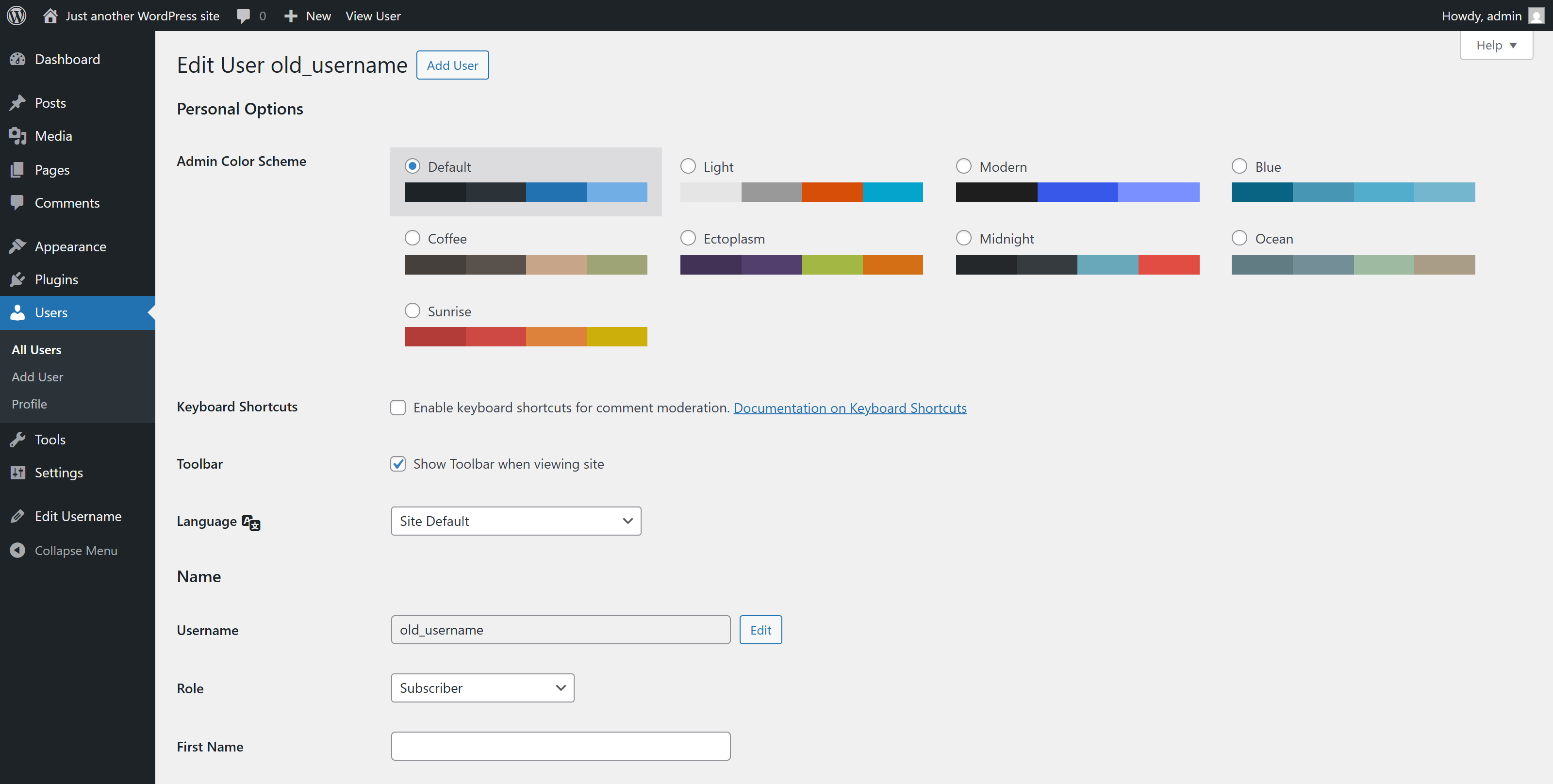
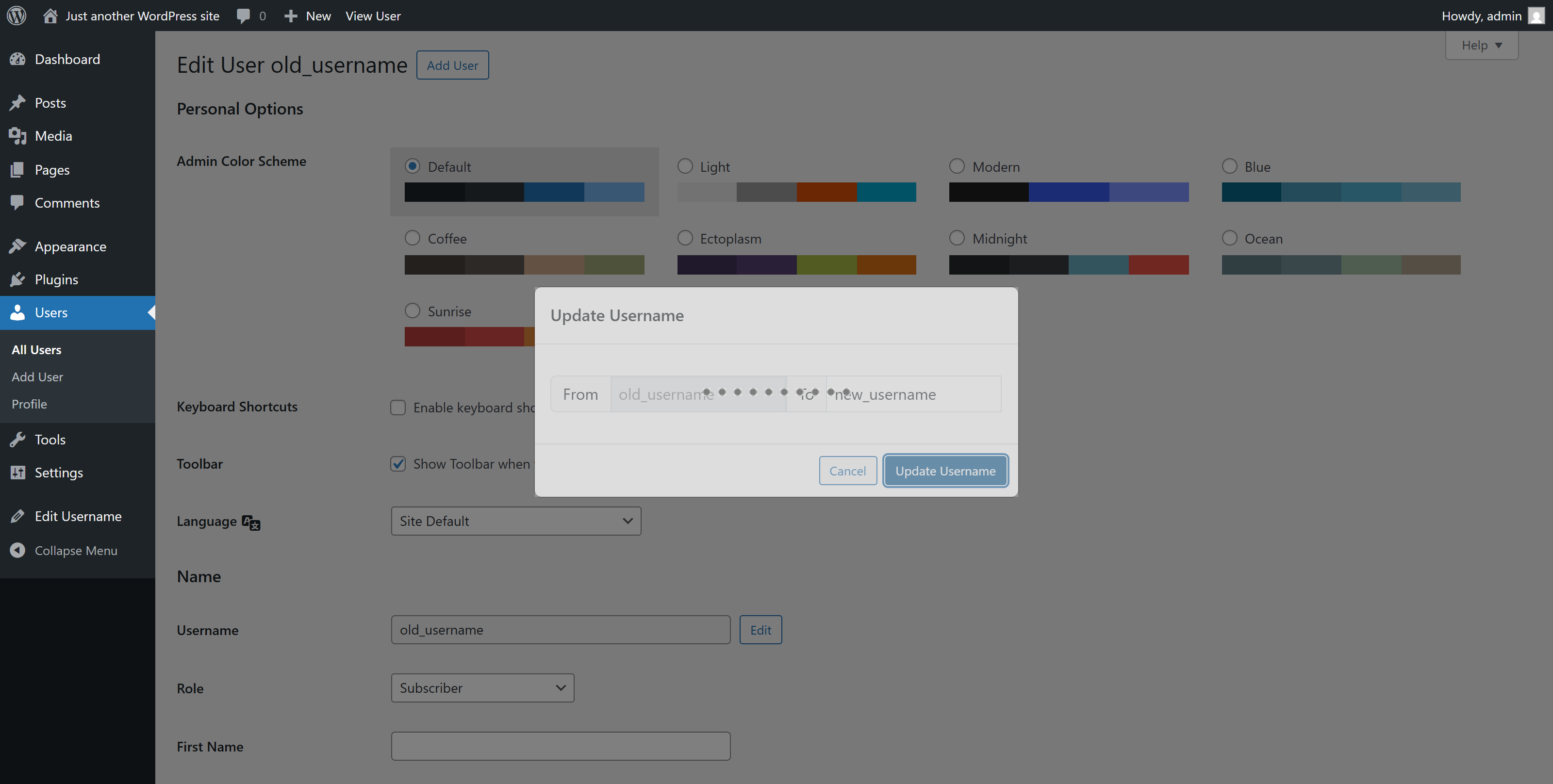
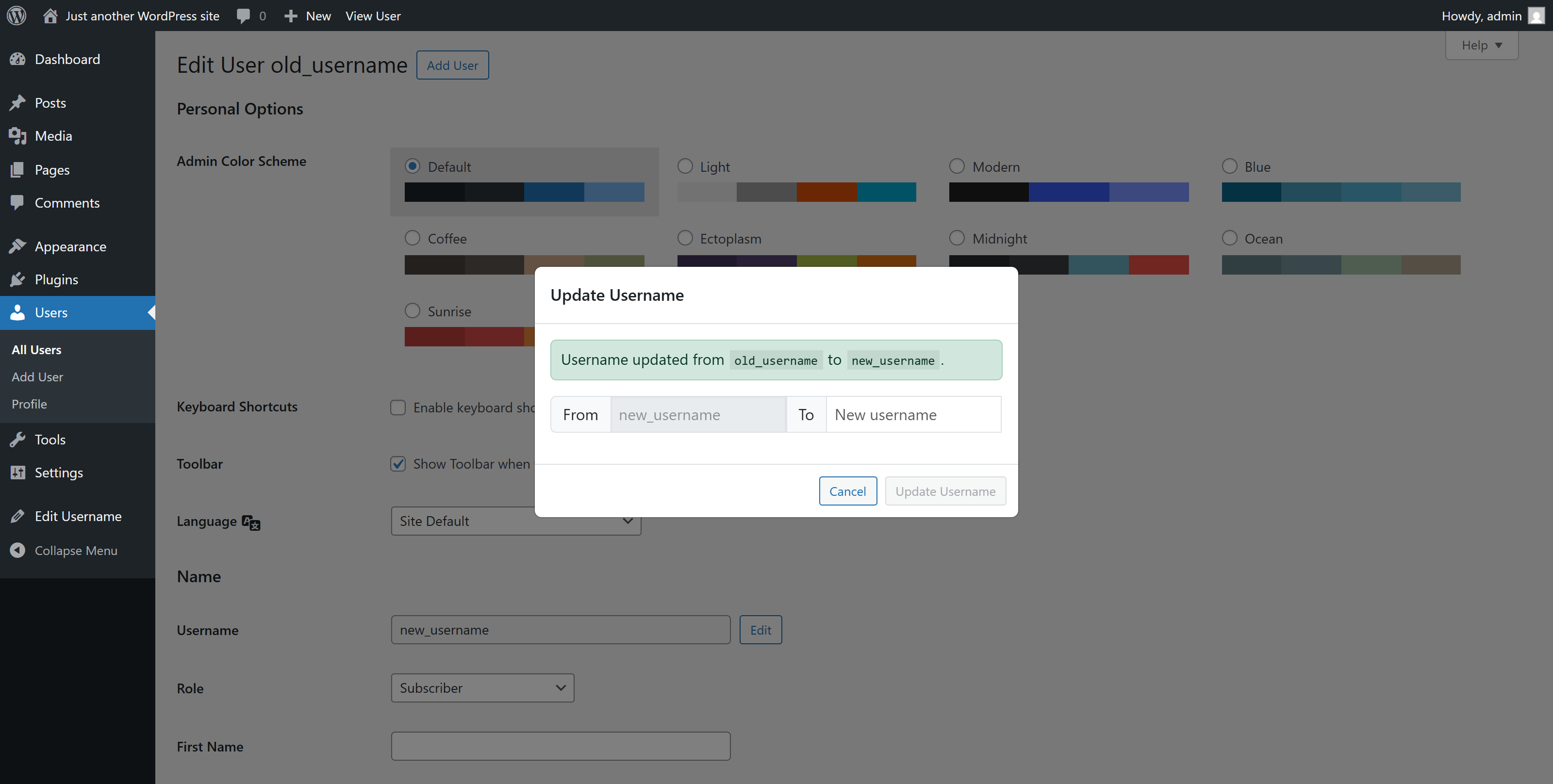
Just after installing WP Edit Username plugin, Go to user profile and edit user username by clicking Edit button.
Update inputs according to your requirement and you are good to go.
Anmeldelser


Bidragsydere & udviklere
“WP Edit Username” er open source-software. Følgende personer har bidraget til dette plugin.
Bidragsydere
“WP Edit Username” er blevet oversat til 1 sprog. Tak til oversætterne for deres bidrag.
Oversæt “WP Edit Username” til dit eget sprog.
Interesseret i udvikling?
Gennemse koden, tjek SVN repository, eller abonner på udviklerloggen via RSS.
Ændringslog
2.0.6
- Compatibility checkup for latest wp version 7.0
2.0.5
- Checked for latest wp version 6.9
2.0.4
- Fixed issue: typo giving fatal error
2.0.3
- Applied security patch and added more html tags to the allowed html list
2.0.2
- Checked for latest wp version 6.8
2.0.1
- Minor changes in codebase only.
2.0.0
- Major changes in codebase. Compatibility checkup for latest wp version 6.7, updated bootstrap to latest, removed unused css and added confirmation before submitting username change form.
1.0.8
- Updated button type from default ‘submit’ to ‘button’
1.0.7
- Checked for latest wp version 6.6
1.0.6
- Fixed Plugin settings XSS vulnerability.
1.0.5
- Added additional email sender : User Only. Added bunch of shortcodes to use in the subject and email body.
1.0.4
- Checked for latest wp version 6.3
1.0.3
- Checked for latest wp version & updated coding styles… major changes nothing
1.0.2
- Checked for latest wp version & updated coding styles… major changes nothing
1.0.1
- Checked for latest wp version & updated coding styles… major changes nothing
1.0.0
- Initial release.